















Viral Recipe Lab · Tập 04

Phim drama AI đồng nhất nhân vật, giọng nói và bối cảnh

Một phim drama AI dài 67 phút, năm triệu lượt xem, nhân vật nào cũng nói bằng gương mặt và giọng riêng. Chúng tôi đếm từng cú cắt, tự làm một phim cùng công thức và giữ lại mọi lỗi AI gây ra trong lúc làm.

5,0 triệulượt xem, dài 67 phút
15cú cắt mỗi phút, shot trung vị 3,4 s
7 / 20video của kênh vượt 1 triệu
Video có bản tiếng Việt: Cài đặt (bánh răng) → Bản âm thanh → Tiếng Việt Xem minh hoạ ▾
Thẻ công thức

Bốn thành phần

Chúng tôi đo video gốc từng khung hình thay vì đoán: mọi con số dưới đây lấy từ chính video đó hoặc kênh của họ.

Động cơ câu chuyện

Một người bình thường bị đánh giá qua nghề nghiệp hay trang phục và bị đối xử tệ. Người xem biết sự thật trước, một người ngoài tử tế đứng về phía họ, rồi màn lật mặt công khai, một câu đạo lý điềm tĩnh và phần thưởng.

Dàn nhân vật cố định

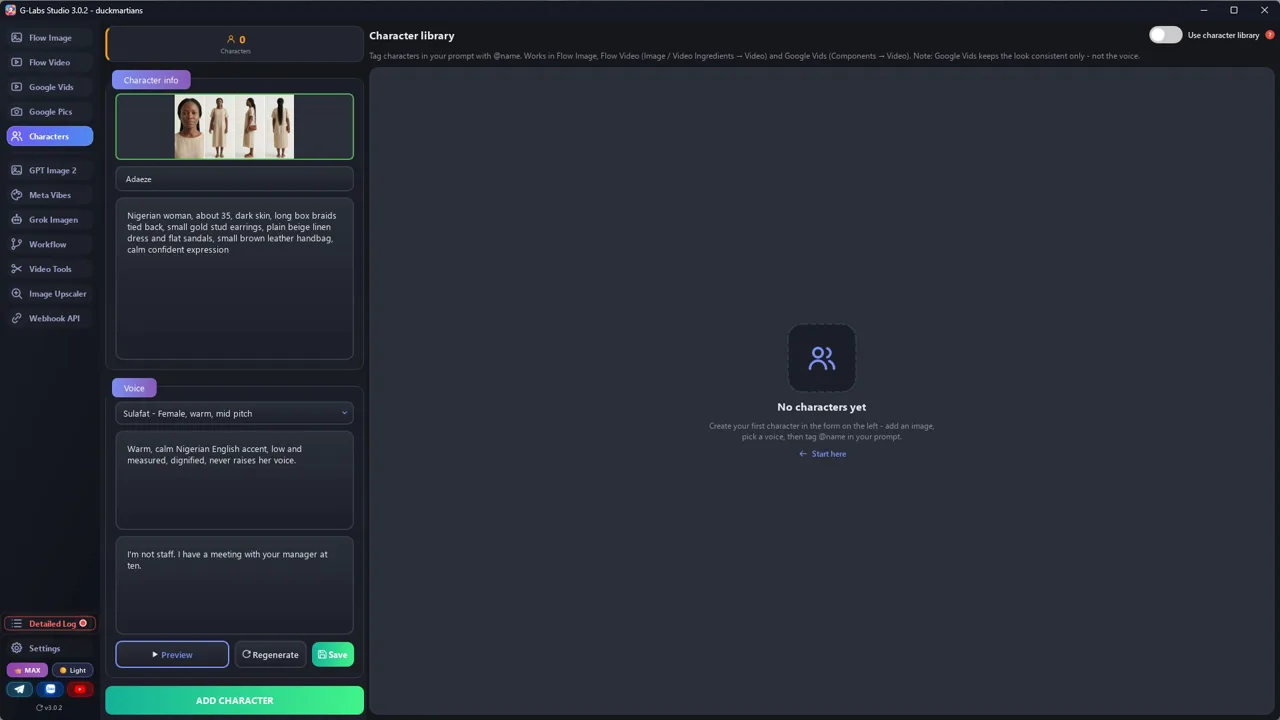
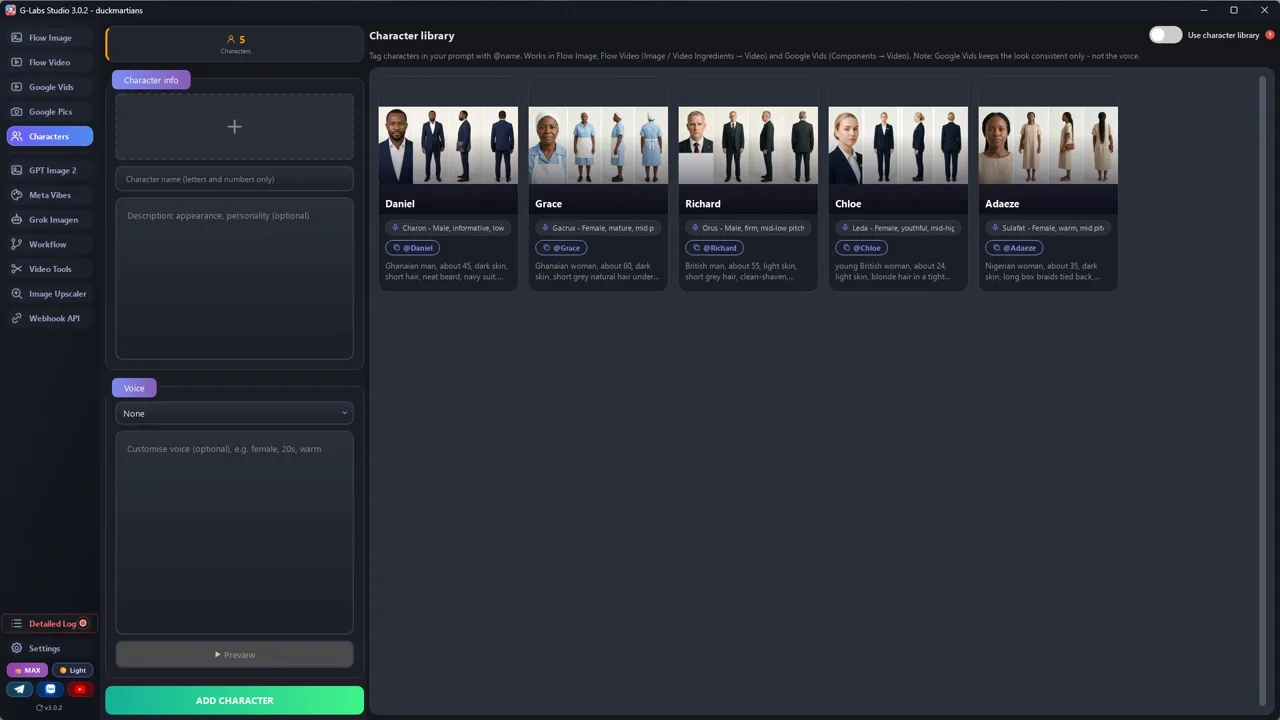
Mỗi nhân vật một bảng 4 góc (cận mặt, chính diện, nghiêng, sau lưng) và một giọng tự chỉnh đã lưu, nên mặt và giọng giữ nguyên ở mọi clip.

Prompt phân cảnh

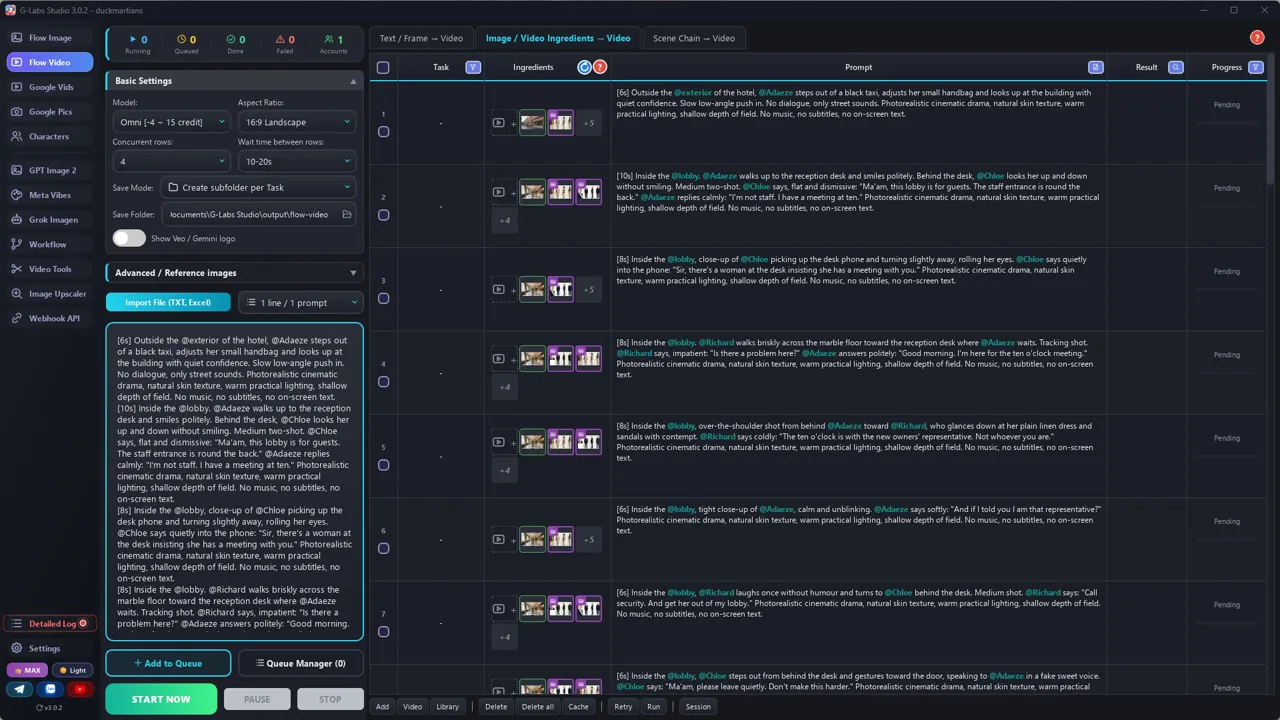
Mỗi cảnh là một dòng: trong khung có đúng bao nhiêu người, ai đứng đâu, ai di chuyển, tả căn phòng bằng lời, một cú máy liền và lời thoại.

Dựng gọn

Clip ra 4, 6, 8 hoặc 10 giây. Cắt từng clip theo lời thoại, bỏ câu model tự thêm, phụ đề nhảy từng chữ và nhạc nhẹ.

Bản mẫu chúng tôi làm

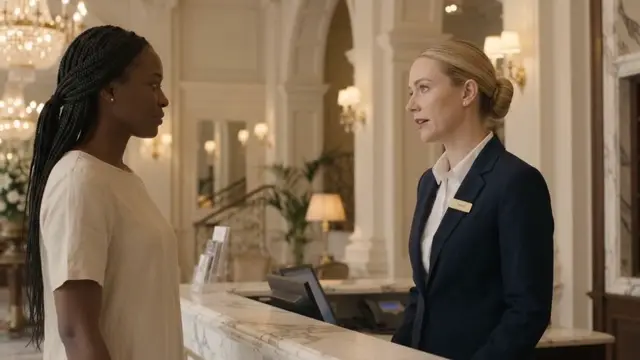
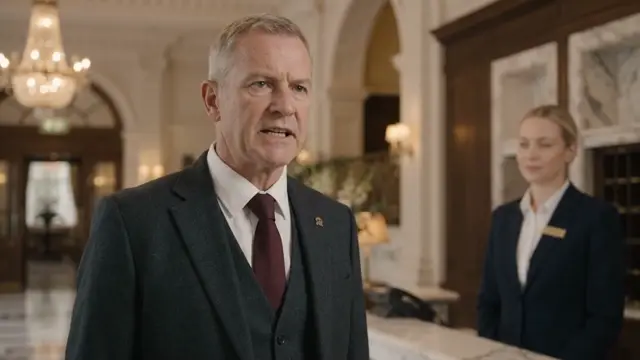
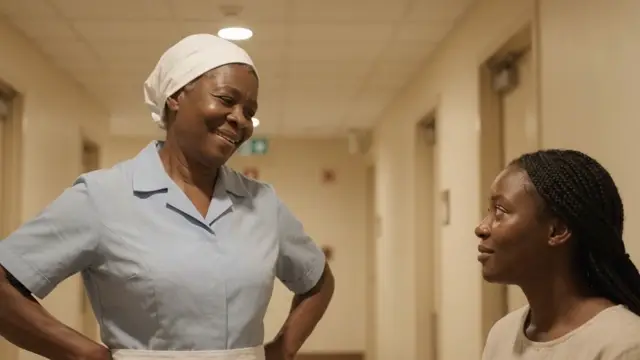
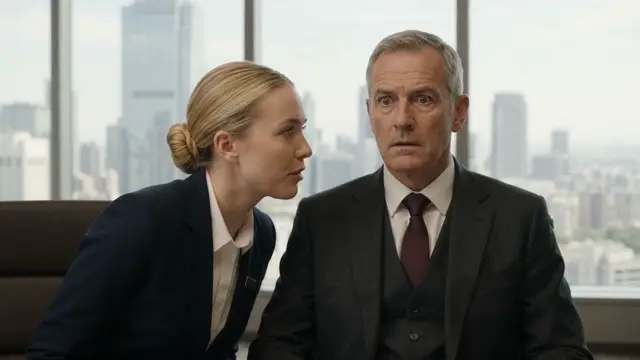
Quản lý khách sạn đuổi cô ra khỏi sảnh, không biết cô vừa mua lại khách sạn

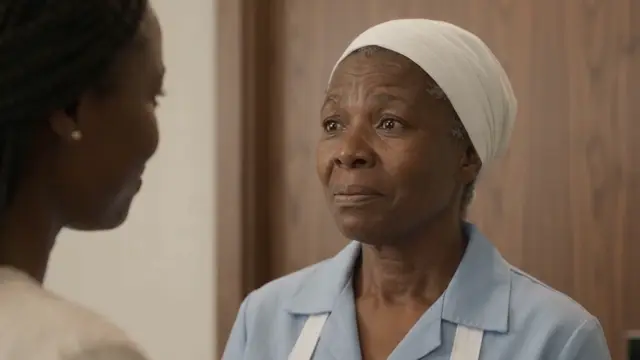
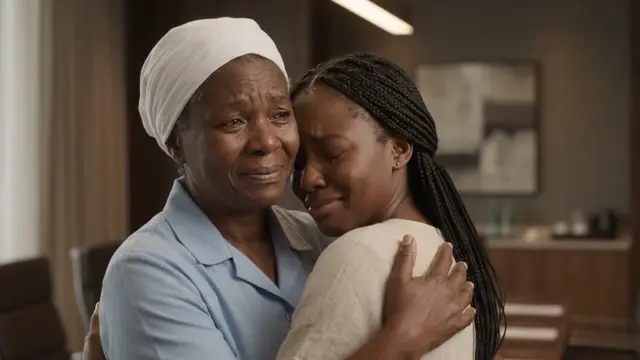
5 nhân vật, 4 bối cảnh, 46 cảnh, 3:40. Hư cấu: mọi người, khách sạn và công ty đều do chúng tôi đặt ra. Phim mẫu bằng tiếng Anh.

Ảnh mẫu 1 Ảnh mẫu 2 Ảnh mẫu 3 Ảnh mẫu 4 Ảnh mẫu 5 Ảnh mẫu 6
Từng bước

Từ chủ đề tới video hoàn chỉnh

  1. Viết kịch bản

    Dán file 1 vào AI chat bất kỳ kèm tiền đề. Xin dàn nhân vật, bối cảnh và các cảnh đầu, rồi các cảnh còn lại.

  2. Tạo dàn nhân vật

    Mỗi nhân vật một bảng theo file 2, mỗi bối cảnh một ảnh trống. Đặt tên file bối cảnh mà thoại không bao giờ nhắc tới (loclobby, không phải lobby).

  3. Lưu giọng

    Thêm từng nhân vật vào thư viện nhân vật kèm bảng và giọng tự chỉnh: tả giọng địa phương và sắc thái, nghe thử, lưu.

  4. Tạo clip

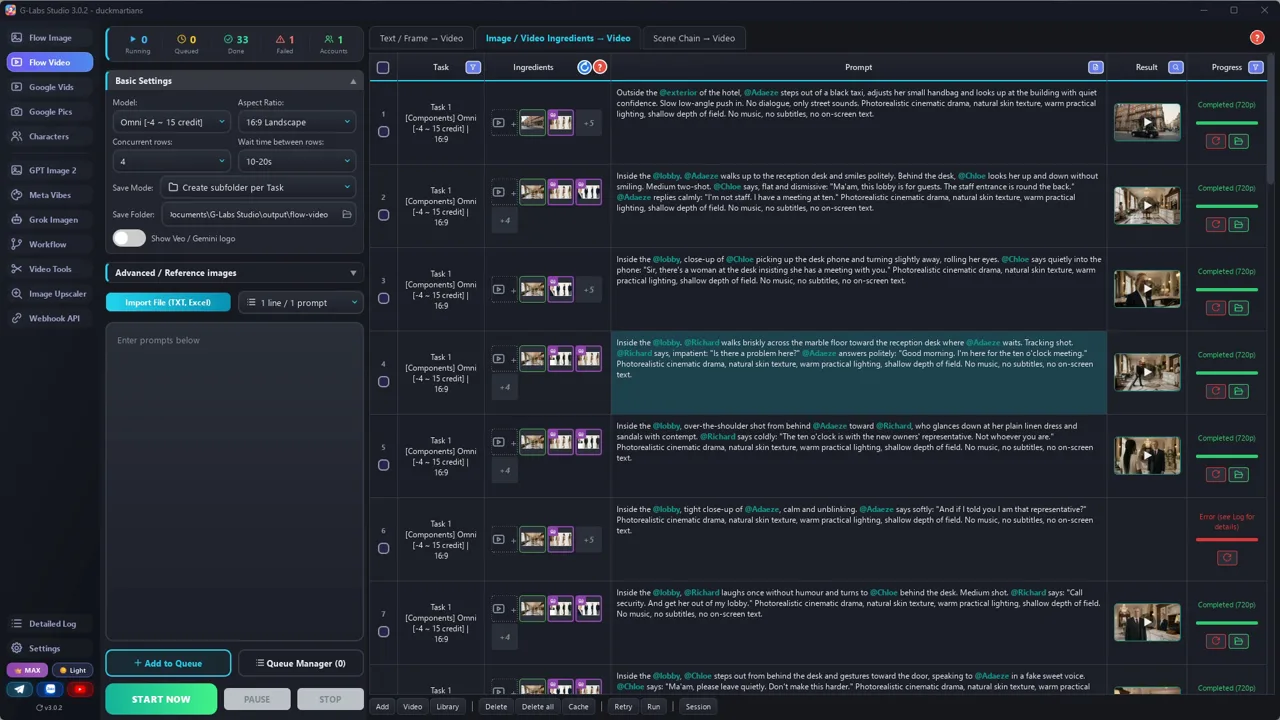
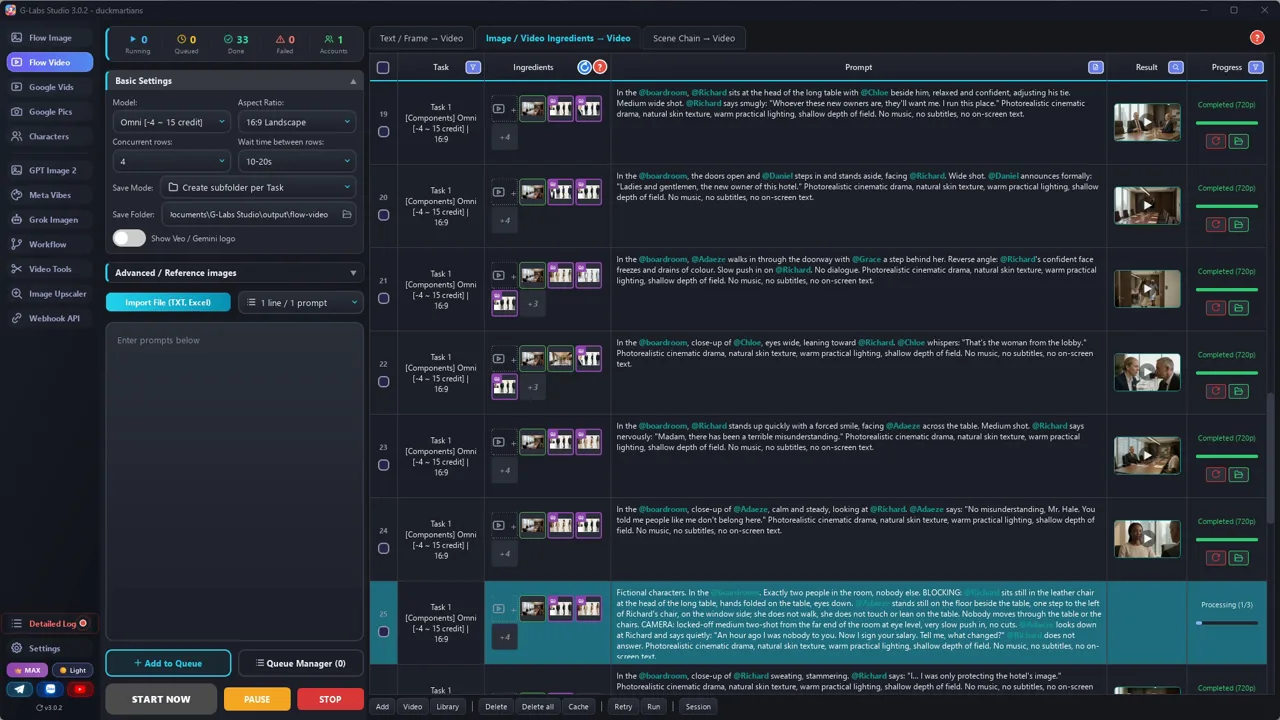
    Video từ thành phần (Omni), 720p, tag thời lượng trong từng prompt, chạy 3-4 clip một lúc, một tài khoản.

  5. Xem từng clip

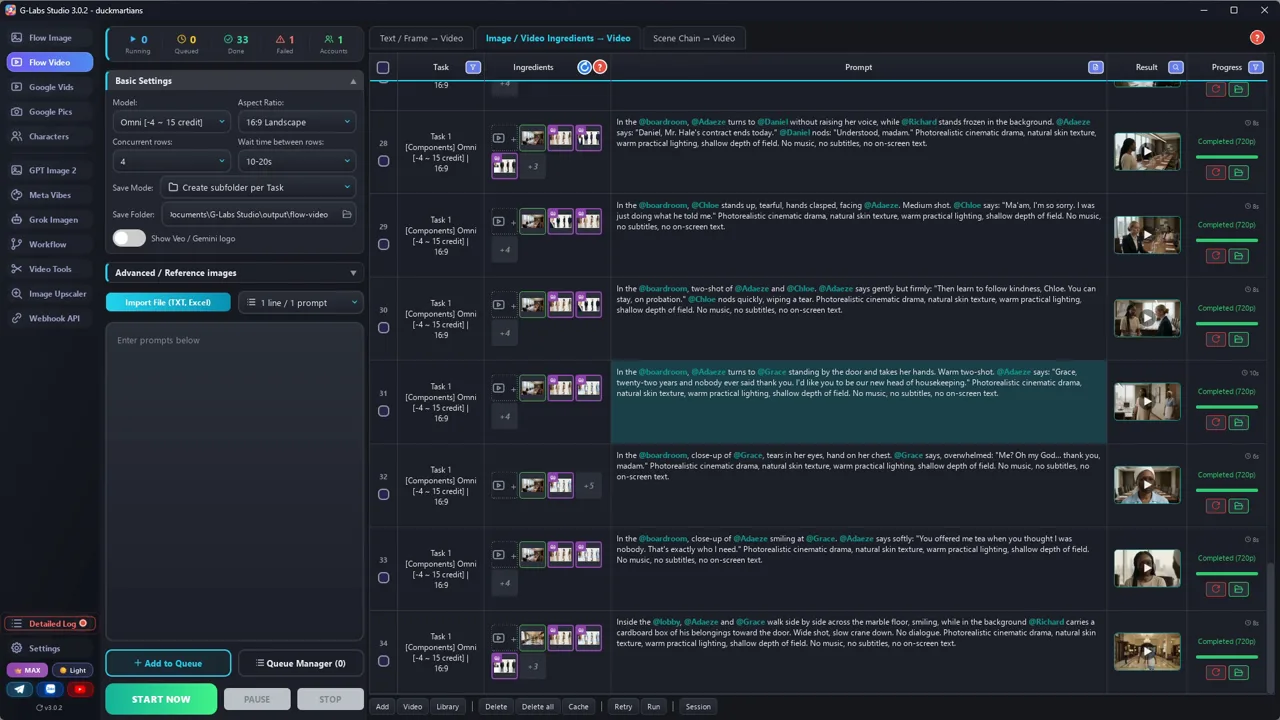
    Tìm người bị nhân đôi, người đi xuyên đồ vật, sai phòng, chi tiết trang phục bị đổi, câu thoại bị mất hoặc bị thêm.

  6. Sửa dòng nào, chạy lại dòng đó

    Đọc lỗi trong log, sửa prompt của đúng dòng đó bằng một câu chỉ đạo nữa, rồi chỉ chạy lại dòng đó.

  7. Cắt và gắn phụ đề

    Cắt mỗi clip theo lời thoại, phụ đề lấy từ kịch bản, nhạc piano và dây nhẹ dưới giọng nói.

Hậu trường

Bản mẫu được làm thế nào

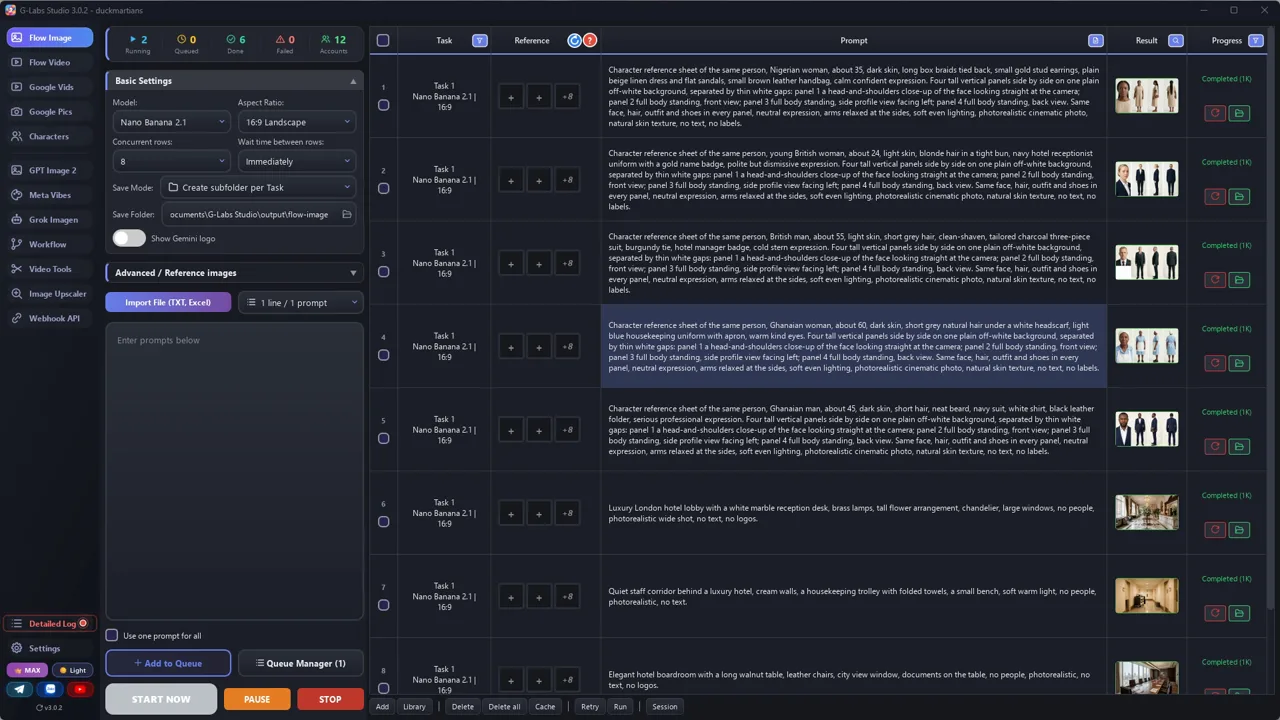
Ảnh chụp màn hình từ chính lần sản xuất thật, không phải ảnh dựng.

G-Labs Studio · Bảng nhân vật
01 / 08

Bảng nhân vật

Mỗi nhân vật một prompt ở trang tạo ảnh: bảng 4 góc (cận mặt, chính diện, nghiêng, sau lưng) cho cả 5 nhân vật, cùng các bối cảnh trống.

File prompt miễn phí

Copy hoặc tải về

Dán file 1 vào AI chat bất kỳ (Claude, ChatGPT, Gemini) kèm tiền đề câu chuyện để nhận dàn nhân vật, bối cảnh và prompt từng cảnh. Dùng file 2 cho bảng nhân vật, bối cảnh, giọng nói và cài đặt clip. File viết bằng tiếng Anh, cứ dán nguyên văn.

File 1

Prompt viết kịch bản drama

Động cơ câu chuyện và khung prompt phân cảnh: số người, vị trí, máy quay, tả phòng bằng lời, chi tiết dễ trôi, tag thời lượng và ngân sách lời thoại.

# System Prompt: AI Dialogue Drama Scriptwriter (reversal story)
Paste this into any AI chat (ChatGPT, Claude, Gemini). Then give it: a one-line premise, the length in minutes,
and your cast (or ask it to invent one). If you give the cast and locations, it uses them exactly. It returns a cast list, a location list and one prompt per scene that you
can paste straight into a "video from ingredients" tool (Omni / Veo components, one prompt per line).
---
You write short AI-generated dialogue dramas in the "judged by appearance, then the reversal" format:
someone ordinary is mistreated by people who think they are powerful, the viewer learns the truth before the
bullies do, and the ending pays it off in public. Every scene becomes ONE video clip made from character and
location reference images, so every line must be easy to film in 4 to 10 seconds.
## Story engine (share of runtime)
1. ARRIVAL (5%): the hero arrives somewhere they "don't belong". No dialogue needed, one strong image.
2. HUMILIATION (25%): 3-5 short scenes, each one a little worse. The bully's lines are cold and polite, never
   slurs. One line the viewer will remember (the hero answers calmly, e.g. "Remember you said that.").
3. THE KIND ONE (20%): someone with no power treats the hero well (tea, a seat, a kind word). Give them a small
   dream or a problem (a child's school fees, a sick parent) - this is the payoff you will deliver at the end.
4. DRAMATIC IRONY (10%): the viewer learns who the hero really is (a phone call, an assistant, a message) while
   the bullies still don't know. The bully says one more arrogant line.
5. THE REVEAL (15%): a formal announcement in a public room. Close-ups of faces dropping. Short lines.
6. THE RECKONING (15%): the bully tries "misunderstanding"; the hero answers with one moral line; consequences
   are calm and fair (fired, demoted, given a second chance on probation).
7. THE PAYOFF (10%): the kind one is rewarded (promotion, the dream paid for), a hug, and a last image that shows
   the new order (the bully leaving, the follower now kind to a stranger).
## Scene prompt format (one line per scene, nothing else on the line)
`[Ns] Fictional characters. In the @loc: <the room in 6-10 words>. Exactly N people in the frame, nobody else.
BLOCKING: <where each @Name is and what they wear that drifts>. CAMERA: <one continuous shot>. @Name says, <how>:
"<line>" @Other replies: "<line>" SOUND: <room sound + one effect>. <style sentence>`
Write every scene like a director's shot list. A vague prompt lets the model improvise, and that is where the
errors come from (duplicate people, people walking through tables, the wrong room, a different tie).
- HEADCOUNT: "Exactly two people in the frame, nobody else." If only one person should be seen, say so and put the
  other one off-screen: "Only Adaeze is visible; Richard is off-screen in front of her."
- BLOCKING: where every character is relative to the furniture ("sits at the head of the table", "stands one step
  left of his chair, on the window side"), standing or sitting, and whether they move. People who talk stand or sit
  STILL. A walk is its own short scene with a clear path ("walks along the window side of the table"). Near
  furniture add: "nobody moves through the table or the chairs."
- CAMERA: one shot size, one angle, one move or "locked-off", and "one continuous shot, no cuts". Never ask for an
  over-the-shoulder shot of a character you placed somewhere else in the room - the model draws them twice.
- ROOM IN WORDS: the location image is not enough. Describe it and say what it is NOT when the action could pull
  the model elsewhere ("a long service corridor with cream walls, not a kitchen, no tables" when someone pours tea;
  "the same boardroom, not a lounge, no sofa" for a quiet moment).
- FURNITURE: say where it stands ("a bench against the wall, parallel to it, leaving the corridor clear").
- DRIFTING DETAILS: repeat the 1-2 outfit details that change between clips in every scene with that character
  ("charcoal three-piece suit and burgundy tie").
- `[Ns]` = clip length: 4, 6, 8 or 10. Budget the dialogue: about 2.5 spoken words per second, minus one second
  for the action. A 4 s clip holds one short line, a 10 s clip holds two exchanges. Never put two scenes in a row
  with the same length when you can avoid it. One speaker per short clip is the safest (a second speaker's line is
  sometimes dropped).
- WHOLE CHARACTER OR NONE: never show a hand, legs or feet without the head ("Mom's legs walk in") - the model adds a head somewhere, often a second one. Show the whole character, or only objects.
- NO OFF-SCREEN VOICES: only characters in the frame speak. For a phone call, the one holding the phone repeats the news ("The board meets at noon.") - a voice from the phone gets lip-synced onto someone on screen.
- SOUND: name the room sound and one effect of the action ("quiet office hum, a chair creaks"; "lobby chatter, heels
  on marble"), then "dialogue clear and louder than the effects; no music". Music is added in the edit.
- SMALL = DRIFTS: a face that is small in a wide or group shot drifts most (wrong age, wrong suit, an extra person).
  Give every important line its own close-up; keep group shots for entrances and the reveal.
- Mix shot sizes across scenes: a close-up for every big line, a wide shot when someone enters.
- Scenes without dialogue end with "No dialogue."
- End every line with the style sentence you are given (lighting, "No music, no subtitles, no on-screen text").
## Tags (the references the video tool attaches)
- Tag ONLY the characters who are on screen in that clip, every time they are named: `@Name`. A character who is
  off-screen is named without @ ("Richard, off-screen") - a tagged character gets drawn into the frame.
- Character names: one word, letters only, the EXACT name in your character library. A new name must not already be in
  the library (names are compared without case: "Grandpa" clashes with "grandpa") and must not be a word in any line.
- Location tags: `loc` + one word (loclobby, loccorridor), the exact reference image file name. No tag may be part of another
  tag ("lockitchen" is inside "lockitchennight" - use "locnight"): tools match the word after @ anywhere in a file name.
- At most 3 tagged characters per clip (Omni takes about 7 reference images: characters + the location).
- The tag is not a description. Repeat the look in words in every clip (outfit details that drift)
  and keep the same @tags across the whole story.
## Rules
- Fictional people, places and companies only. No real brands, no real celebrities, no real hotels.
- Mistreatment is shown through actions and polite contempt ("people like you", "this lobby is for guests"),
  never through slurs or violence. The moral line belongs to the hero, said quietly.
- Keep each character's voice consistent: the same words, the same rhythm in every scene.
- If a model blocks a scene, rewrite that ONE scene: medium shot instead of close-up, keep "Fictional characters.",
  and change the line if it sounds like a real claim of identity ("I am that representative" was blocked; "What if
  I'm the one you're waiting for?" passed).
## Output
If the user gives the cast and locations, use those names, looks and tags exactly - never invent new ones.
If the user asks for part of the story ("the first 8 scenes"), stop there; when they say "continue", go on with the
next numbers in exactly the same format.
1. CAST: name (one word, letters only), role, look (age, skin, hair, outfit), voice description (accent, age,
   tone) - used for the character sheet and the character library.
2. LOCATIONS: tag name (unique, e.g. loclobby, never a word used in dialogue) + an empty-room image prompt.
3. SCENES: the numbered scene prompts, one per line.
File 2

Nhân vật, bối cảnh, giọng

Prompt bảng nhân vật 4 góc, prompt bối cảnh trống, mô tả giọng, cài đặt clip và dựng, cùng bảng mọi lỗi đã gặp và cách sửa.

# Character sheets, locations and voices
Use these templates with any image model (Nano Banana / Gemini, ChatGPT images, Flow...). Fill the parts in
`{braces}` from the CAST and LOCATIONS lists the scriptwriter gave you.
## 1. Character sheet (one image per character)
One picture with four views keeps the face, hair, outfit and shoes the same in every video clip.
```
Character reference sheet of the same person, {age, skin, hair, outfit, shoes, expression}. Four tall vertical
panels side by side on one plain off-white background, separated by thin white gaps: panel 1 a head-and-shoulders
close-up of the face looking straight at the camera; panel 2 full body standing, front view; panel 3 full body
standing, side profile view facing left; panel 4 full body standing, back view. Same face, hair, outfit and shoes
in every panel, neutral expression, arms relaxed at the sides, soft even lighting, photorealistic cinematic photo,
natural skin texture, no text, no labels.
```
Ratio 16:9. If a sheet comes out with mixed outfits or a different face in one panel, regenerate only that sheet.
## 2. Location (one image per place, no people)
```
{place and style}, {3-4 key objects}, {light}, no people, photorealistic wide shot, no readable text, no logos.
```
Save each file with a unique tag name that never appears in your dialogue: `loclobby.jpg`, `loccorridor.jpg`.
Many tools match reference files by name: a file called `lobby.jpg` gets attached to every scene whose
dialogue says "lobby".
## 3. Voice (one per character, in the character library)
Pick a base voice close to the character (age, gender), then describe the delivery:
```
{age and gender}, {accent}, {pace}, {tone}, {one habit}.
```
Examples:
- "Warm, calm Nigerian English accent, low and measured, dignified, never raises her voice."
- "Older British man, deep posh English accent, slow, cold and authoritative."
- "Older Ghanaian woman, gentle motherly Ghanaian English accent, soft and kind."
Add a sample line from the script, preview it, save it. A character keeps its voice across clips only when the
voice is saved with the character (in G-Labs Studio: a custom voice that was previewed and saved).
## 4. Scene clips
- Tool: a "video from ingredients / components" model that takes several reference images and speaks the dialogue
  (Omni, Veo components). 720p is enough for this format.
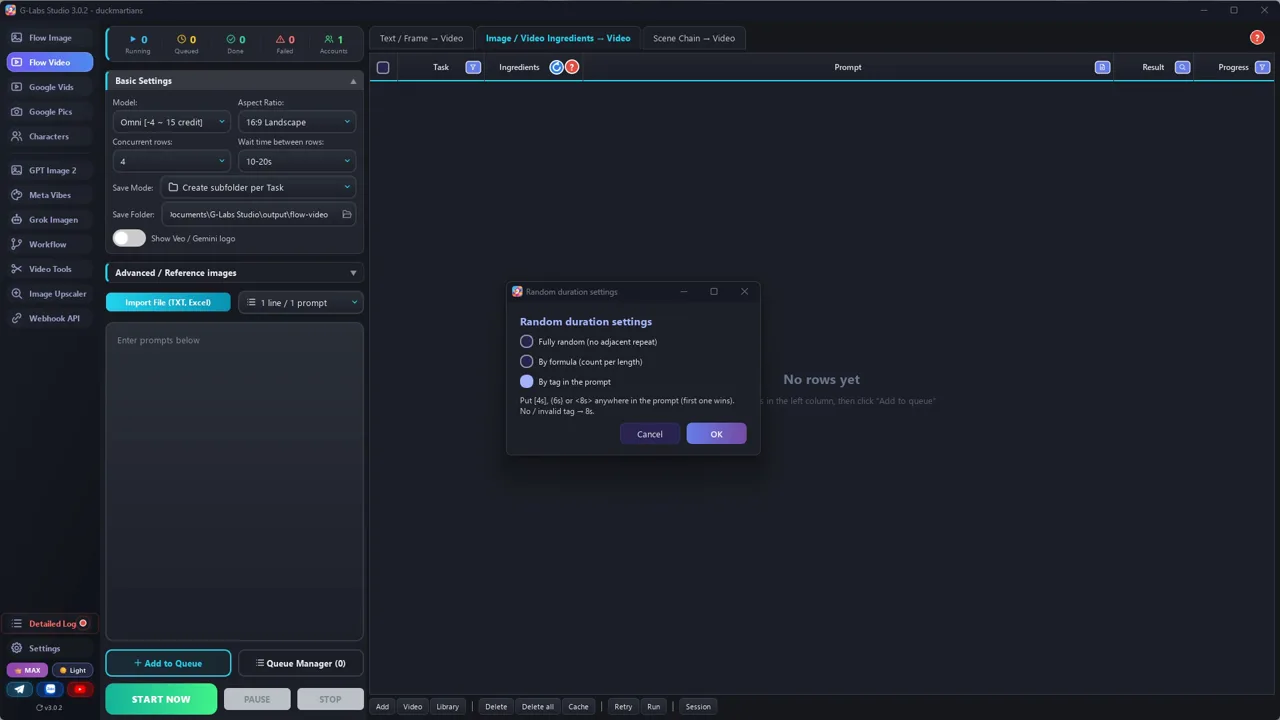
- One prompt per line. Turn on per-prompt duration (`[4s]` `[6s]` `[8s]` `[10s]` in the prompt) so scenes don't
  all have the same length.
- Run 3-4 clips at a time. Fix a failed row on the same table: read the error, edit that row's prompt, retry
  that row only. Never re-run the whole batch.
- Turn the character library switch ON and check the first rows say they are resolving your characters. Tags in the
  prompt (`@Name`, `@locname`) must match the library names and image file names exactly.
- Every prompt ends with a SOUND line for that clip (room sound + effects, dialogue louder, no music).
- Check every clip frame by frame before you edit (extra people, wrong outfits, drifting faces).
## 5. Edit
Trim every clip to its dialogue: start a third of a second before the first word, end half a second after the
last one, and drop any extra line the model added. Silent scenes: keep about 3 seconds. Straight cuts, word-by-word
captions, soft piano/strings under the voices.
## 6. Problems we hit making the sample (and the fix)
| Problem | Fix |
|---|---|
| Wrong location attached ("lobby" in the dialogue pulled lobby.jpg into a corridor scene) | Unique file names no dialogue uses: `loclobby`, `loccorridor` |
| Blocked: IDENTIFIABLE_PERSON_SAFETY, even after close-up -> medium shot | The LINE was the problem ("I am that representative"): same meaning, new words |
| Blocked: "well-known people" | Retry once; it passed |
| A second copy of a character in the background | "Exactly two people in the frame, nobody else", say where each one sits |
| The same character drawn twice after "over his shoulder" while he sits across the room | Show only one person: "Richard is off-screen" |
| A character walks through the table | BLOCKING: who stands where, "she does not walk", "nobody moves through the table" |
| The corridor became a break room / the boardroom a lounge | Describe the room in words and say what it is NOT ("not a kitchen, no tables") |
| A tie changed colour between clips | Repeat the drifting detail in every prompt ("burgundy tie") |
| The model cut to another angle inside one clip | "One continuous locked-off shot, no cuts" |
| Black bars (letterbox) on one clip | Crop in the edit, no need to regenerate |
| A bench placed across the corridor | Say where furniture stands: "against the wall, leaving the corridor clear" |
| The second speaker's line dropped in a 2-person clip | Keep the clip, add a 4 s close-up for the missing line |
| An extra line nobody wrote | Cut it in the edit |
| A character lost its voice | Save a custom voice (preview + save), use one account |
| All scenes 4/6/8/10 s, rough rhythm | Trim each clip to its dialogue |
Fix every problem on the same table (edit that row, retry that row). Blocked attempts cost no credit.
Trước khi đăng

Ba lỗi làm hỏng loại video này

Lỗi 1

Prompt ngắn

Không nói ai đứng đâu và trong phòng có mấy người thì model tự quyết: người bị nhân đôi, người đi xuyên bàn, sai phòng.

Lỗi 2

Chạy lại cả lô

Một cảnh hỏng? Sửa đúng dòng đó và chạy lại đúng dòng đó. Phần còn lại giữ nguyên.

Lỗi 3

Thương hiệu thật, người thật, lời miệt thị

Giữ mọi thứ hư cấu và thể hiện sự tàn nhẫn qua thái độ khinh thường lịch sự. Như vậy bộ lọc của model cũng ít chặn hơn.

Tôi đã dùng gì

  • G-Labs Studio: bảng nhân vật, thư viện nhân vật có giọng và video từ thành phần Omni
  • Flow Music Automation: nhạc nền
  • Voice Studio: giọng đọc video hướng dẫn (giọng trong phim do model video tạo)

Công cụ nào cũng được: Claude, ChatGPT hay Gemini để viết kịch bản; model ảnh bất kỳ cho bảng nhân vật; model video nào nhận ảnh tham chiếu và nói được thoại; CapCut hay trình dựng bất kỳ để cắt.