















Viral Recipe Lab · Tập 12

Video xe mô hình diecast bằng AI

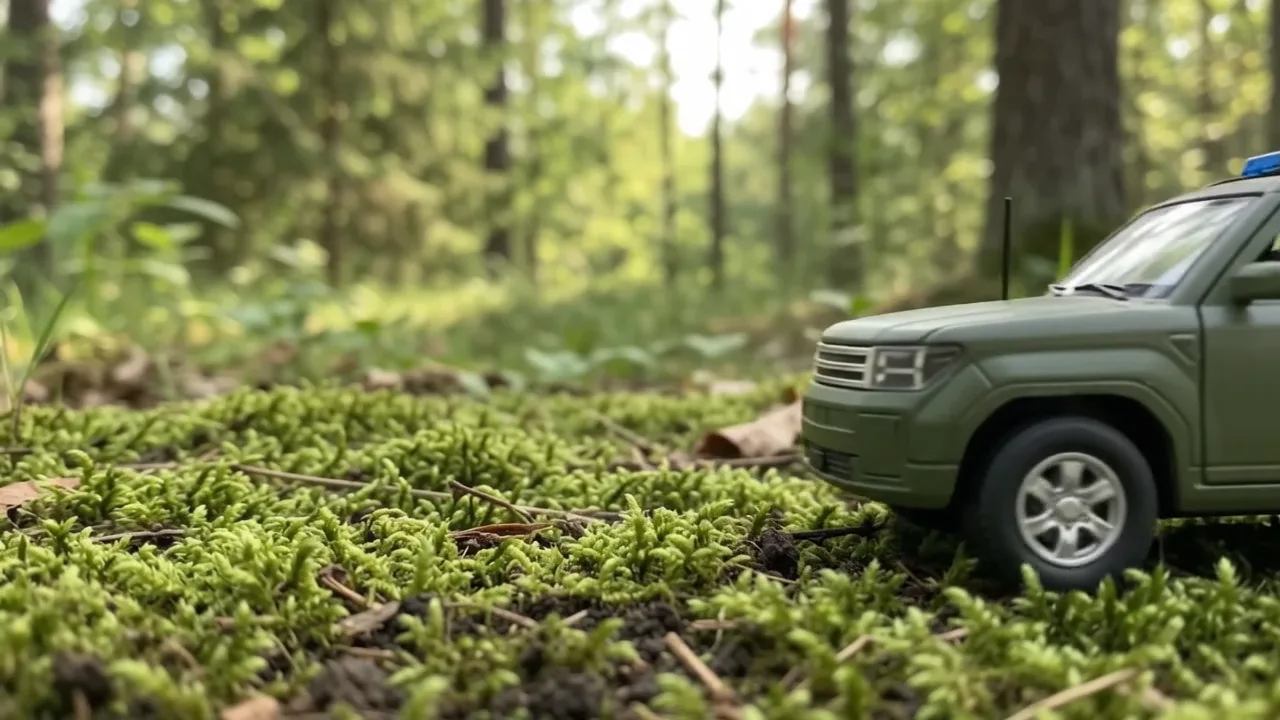
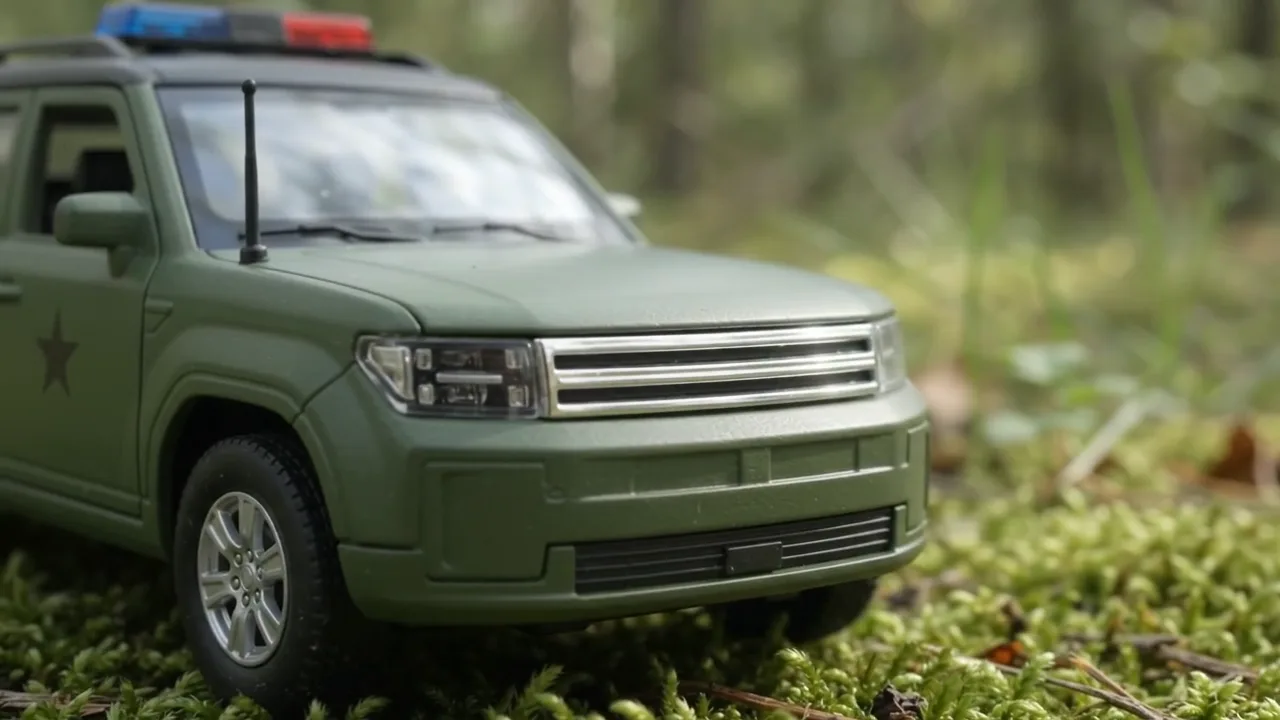
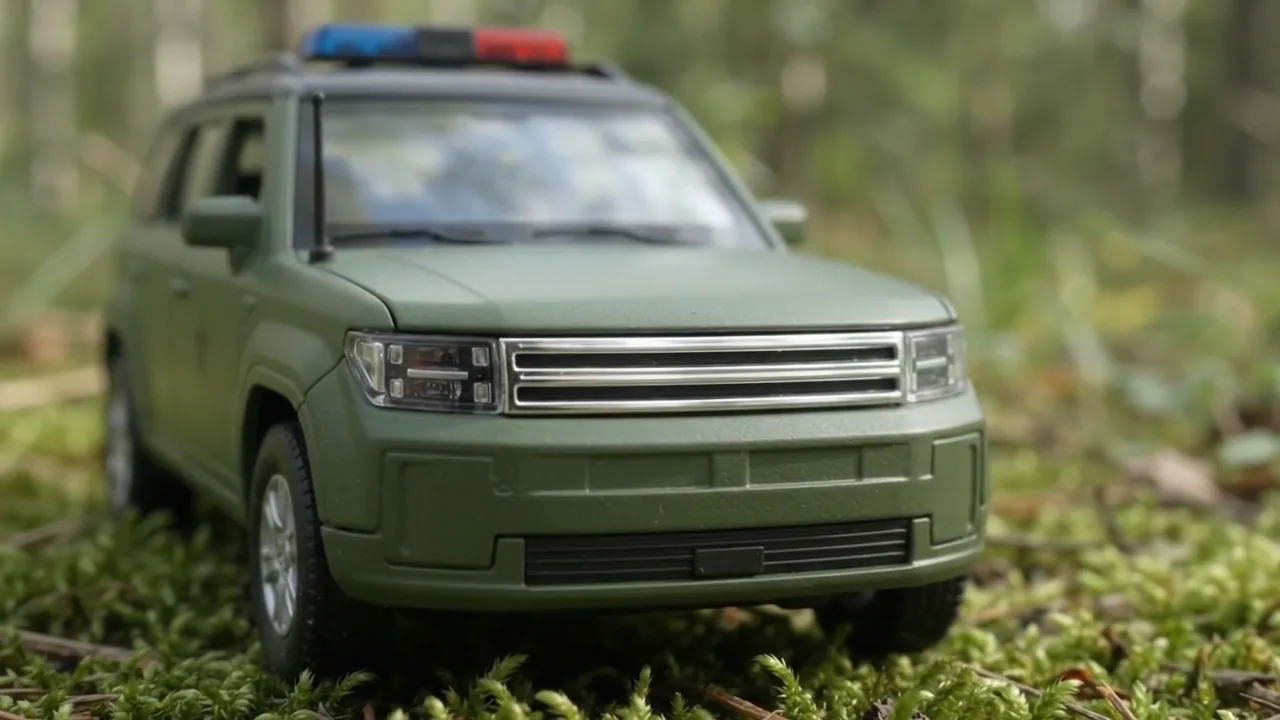
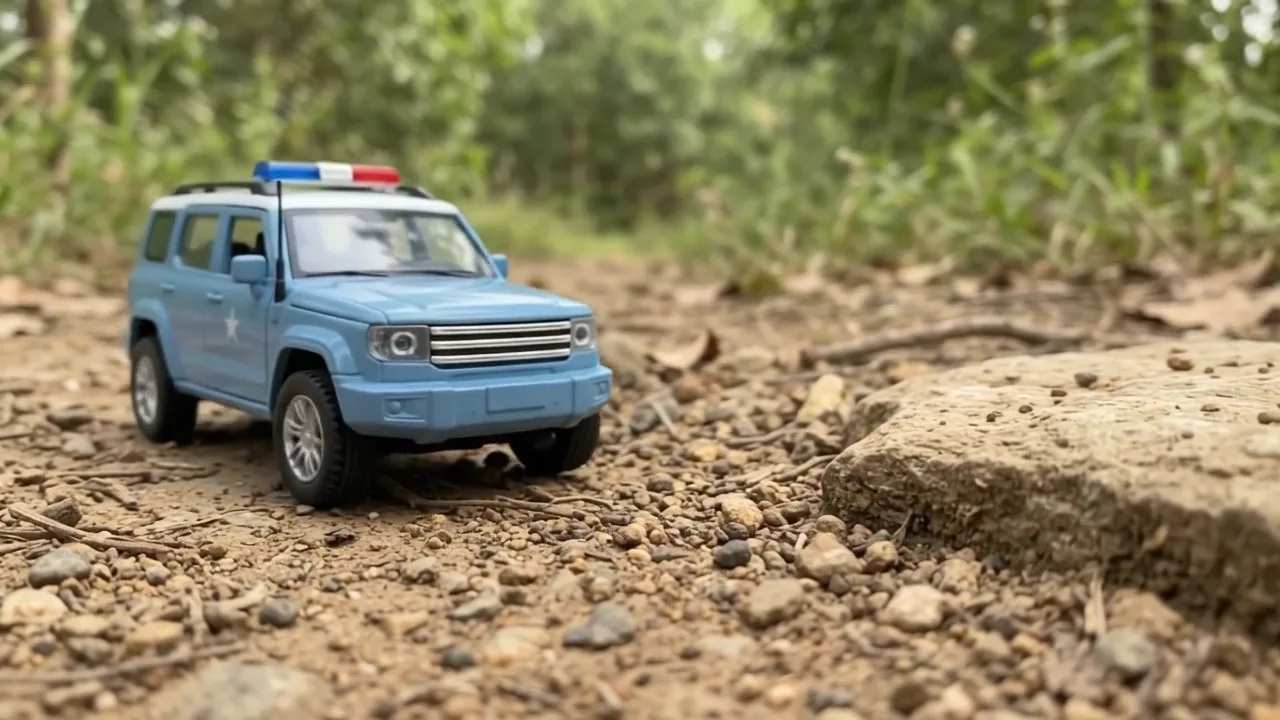
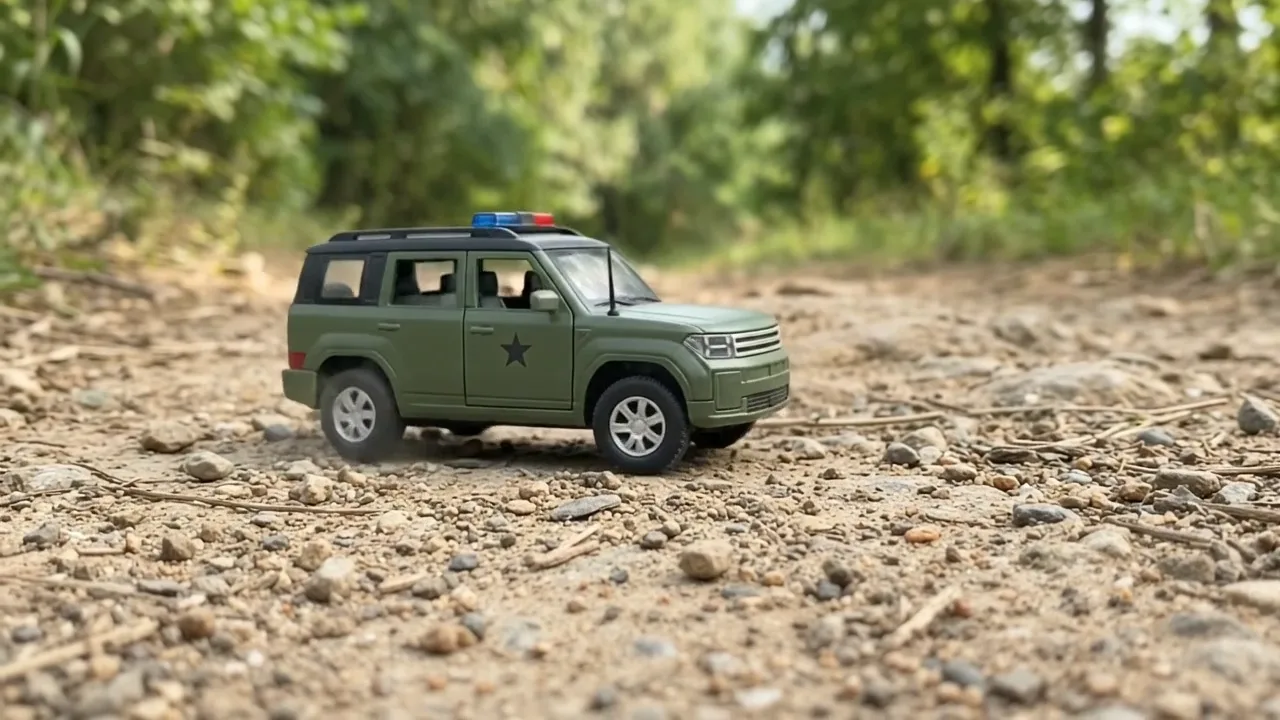
Hai chiếc SUV mô hình tí hon trên rêu, tảng đá và vũng bùn đạt 3 triệu lượt xem. Bản gốc quay xe diecast thật; chúng tôi làm lại đúng video đó bằng AI và giữ lại mọi prompt, mọi lỗi.

3,07Mlượt xem, 2:19, chỉ có nhạc
3,4 sshot trung vị, 31 shot
325video, gần như một tiêu đề
Video có bản tiếng Việt: Cài đặt (bánh răng) → Bản âm thanh → Tiếng Việt Xem minh hoạ ▾
Thẻ công thức

Bốn thành phần

Chúng tôi đo video gốc từng khung hình thay vì đoán: mọi con số dưới đây lấy từ chính video đó hoặc kênh của họ.

Một mẫu xe

Một chiếc xe nhỏ, hai bản sơn: cùng mẫu, hai màu, đứng cạnh nhau.

Máy quay thấp

Máy quay đặt ngang tầm xe, sát mặt rêu vài milimét, nên trông như xe thật.

Khoe đủ mọi thứ

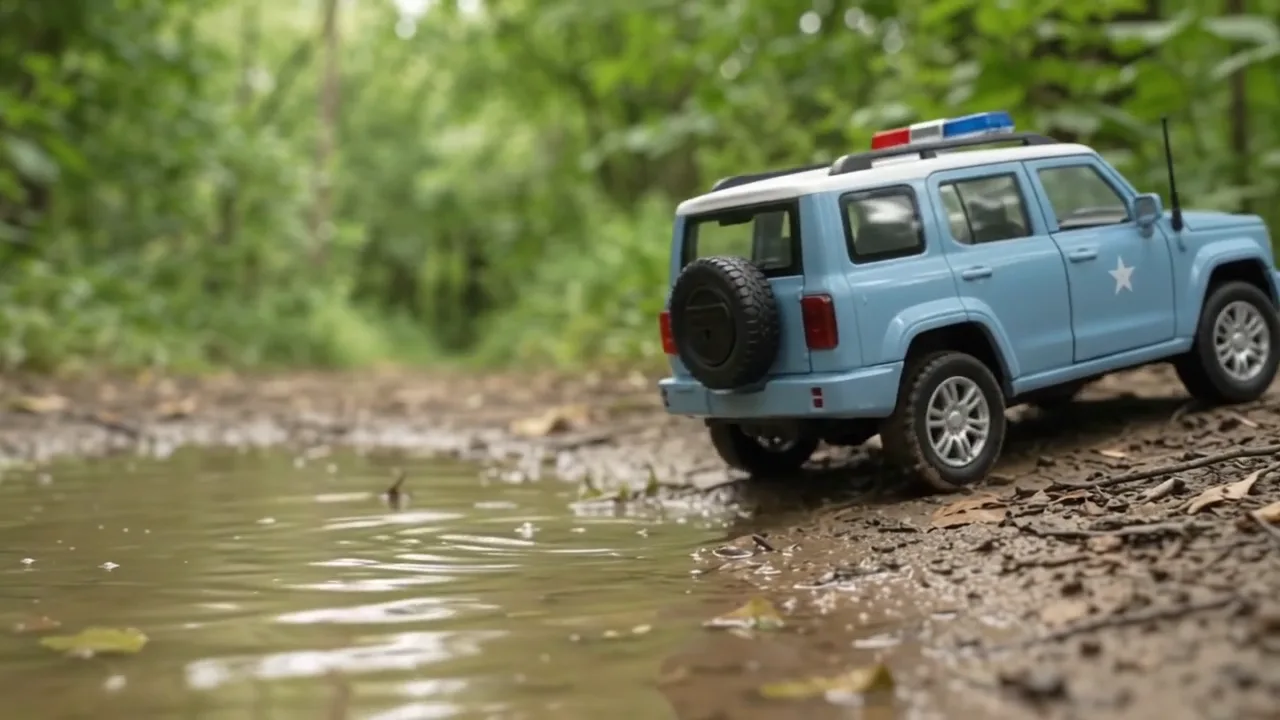
Xe lăn qua, cận chậm đèn và lưới tản nhiệt, cửa mở, rồi đường đất, tảng đá và bùn.

Chỉ có nhạc

Không người dẫn, không lời thoại: nhạc vui suốt video, tiếng clip để nhỏ.

Bản mẫu chúng tôi làm

Hai chiếc SUV tí hon, một khoảnh rừng

Cùng ý tưởng với bản gốc, làm bằng AI: 20 clip thành 30 shot, 1:52, hai chiếc SUV tự đặt trên rêu, đất và bùn.

Ảnh mẫu 1 Ảnh mẫu 2 Ảnh mẫu 3 Ảnh mẫu 4 Ảnh mẫu 5 Ảnh mẫu 6
Từng bước

Từ chủ đề tới video hoàn chỉnh

  1. Viết prompt

    Dán file 1 vào AI chat bất kỳ cùng mẫu xe, hai màu và bối cảnh. Xin mục A và B, rồi gõ continue.

  2. Tạo ảnh

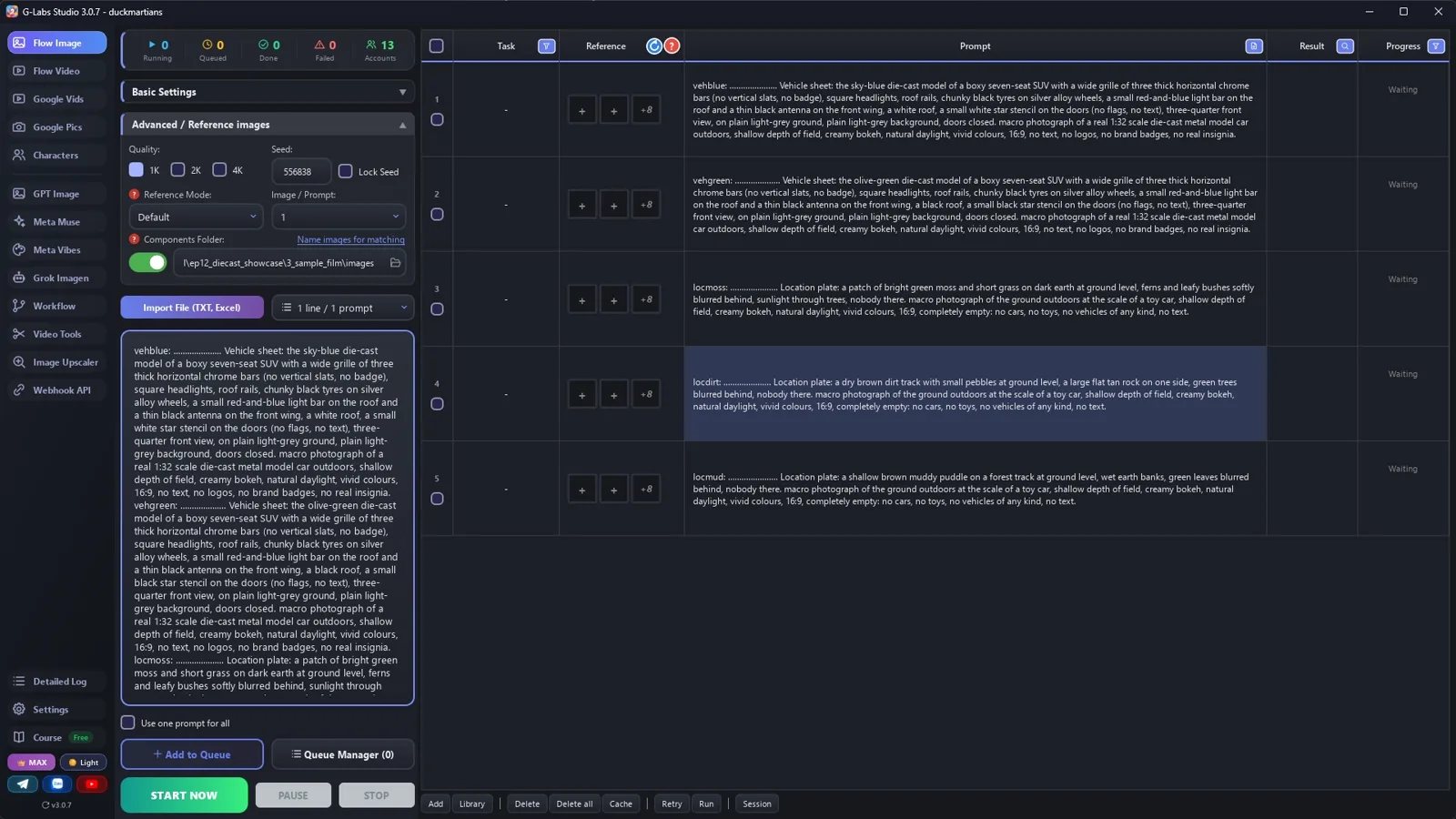
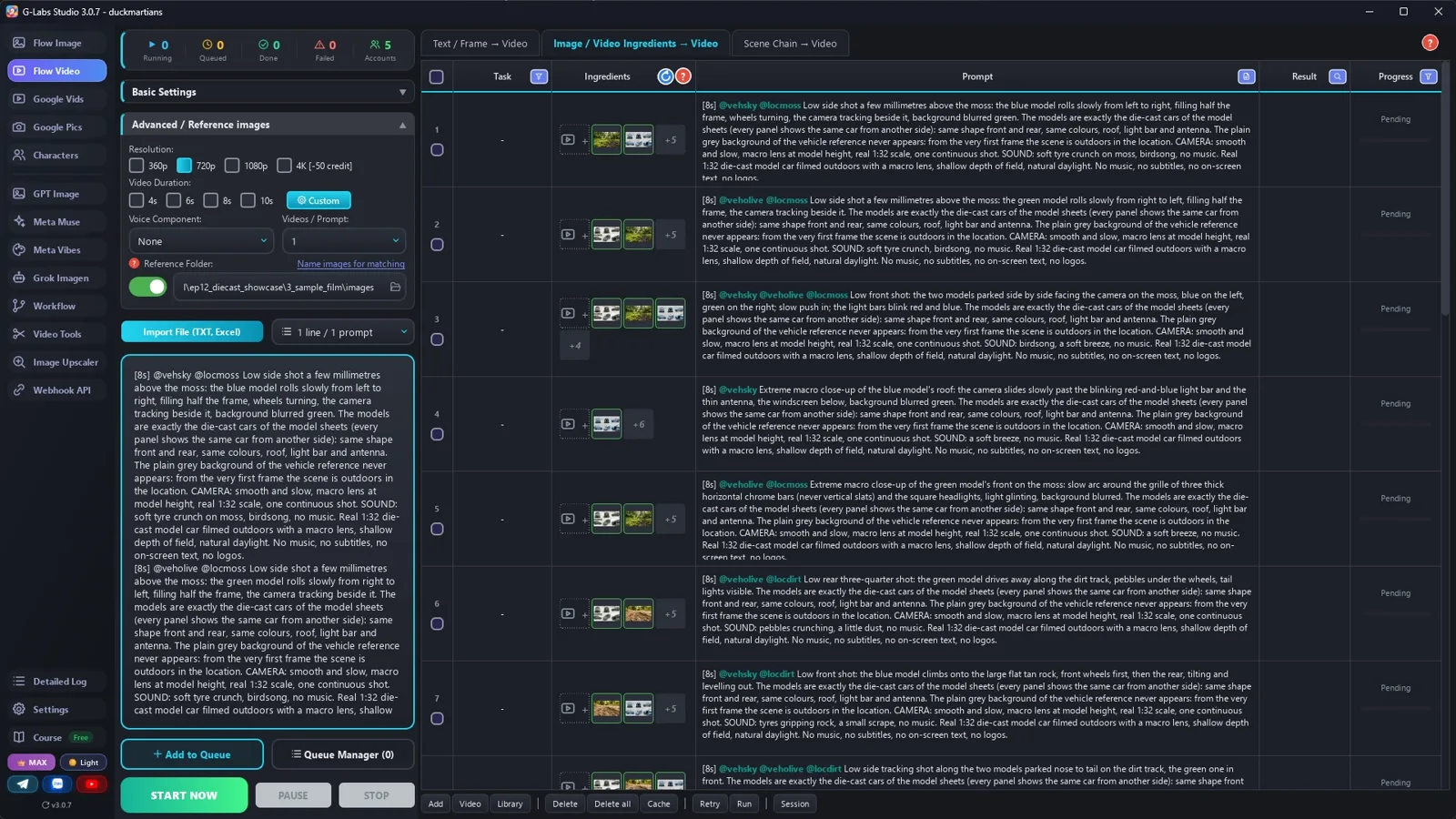
    Thư mục lưu = thư mục thành phần, không tạo thư mục con, 5 dòng cùng lúc, chờ Immediately: hai xe trên nền xám và ba bối cảnh trống.

  3. Bảng nhiều góc

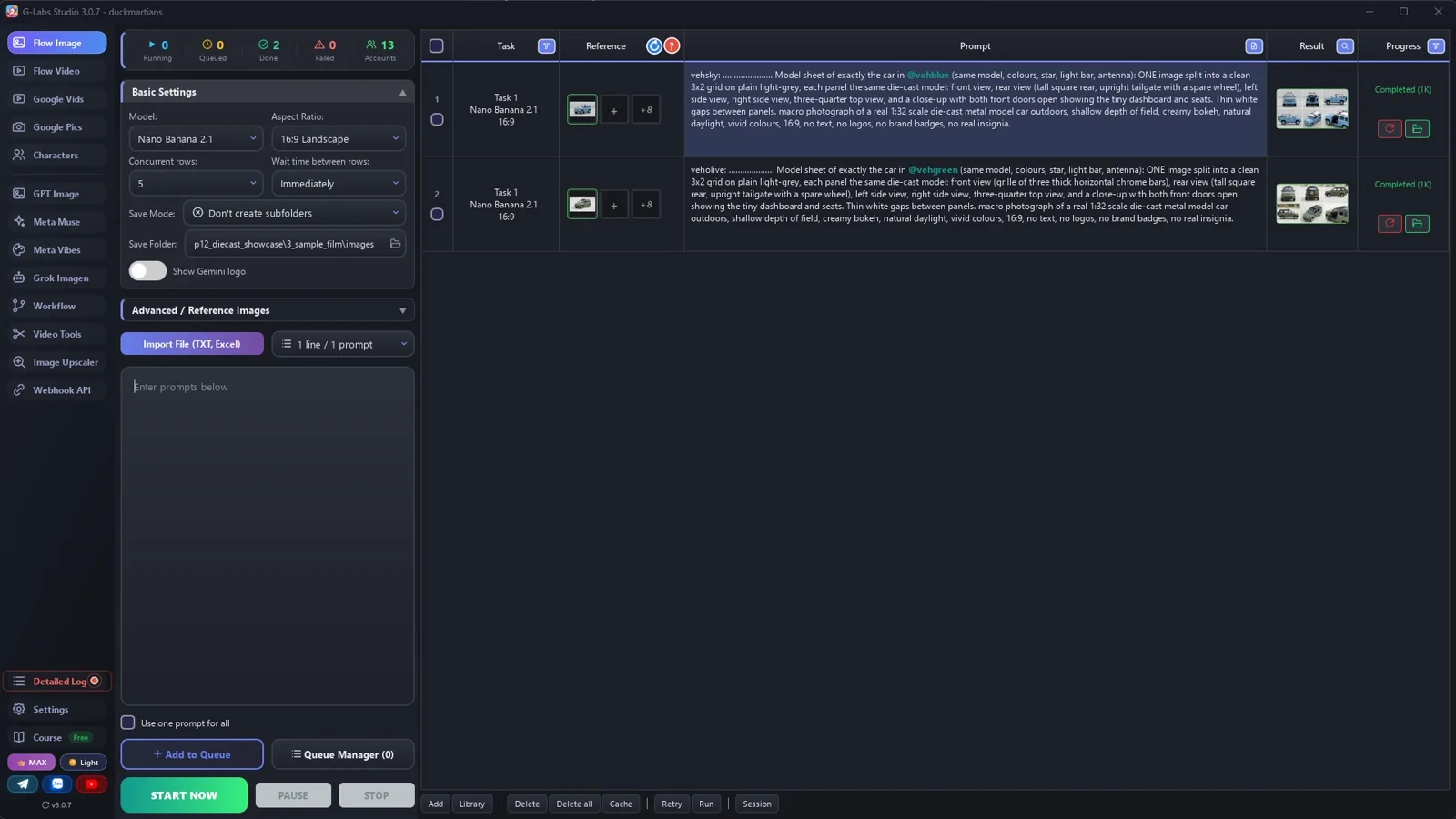
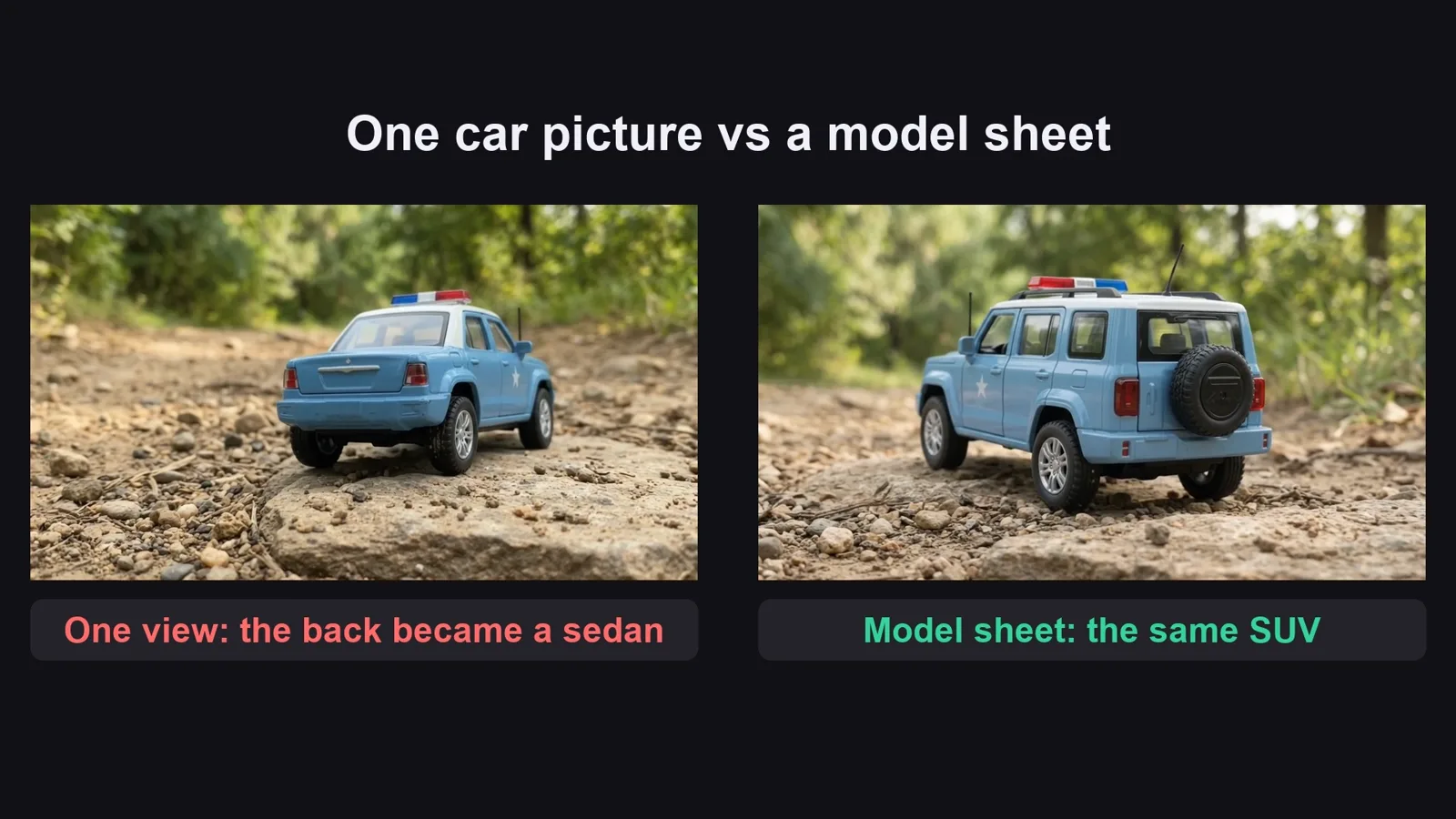
    Lượt thứ hai: mỗi bảng tag ảnh xe của nó và vẽ xe từ sáu phía, nên clip không phải tự bịa đuôi xe.

  4. Clip từ thành phần

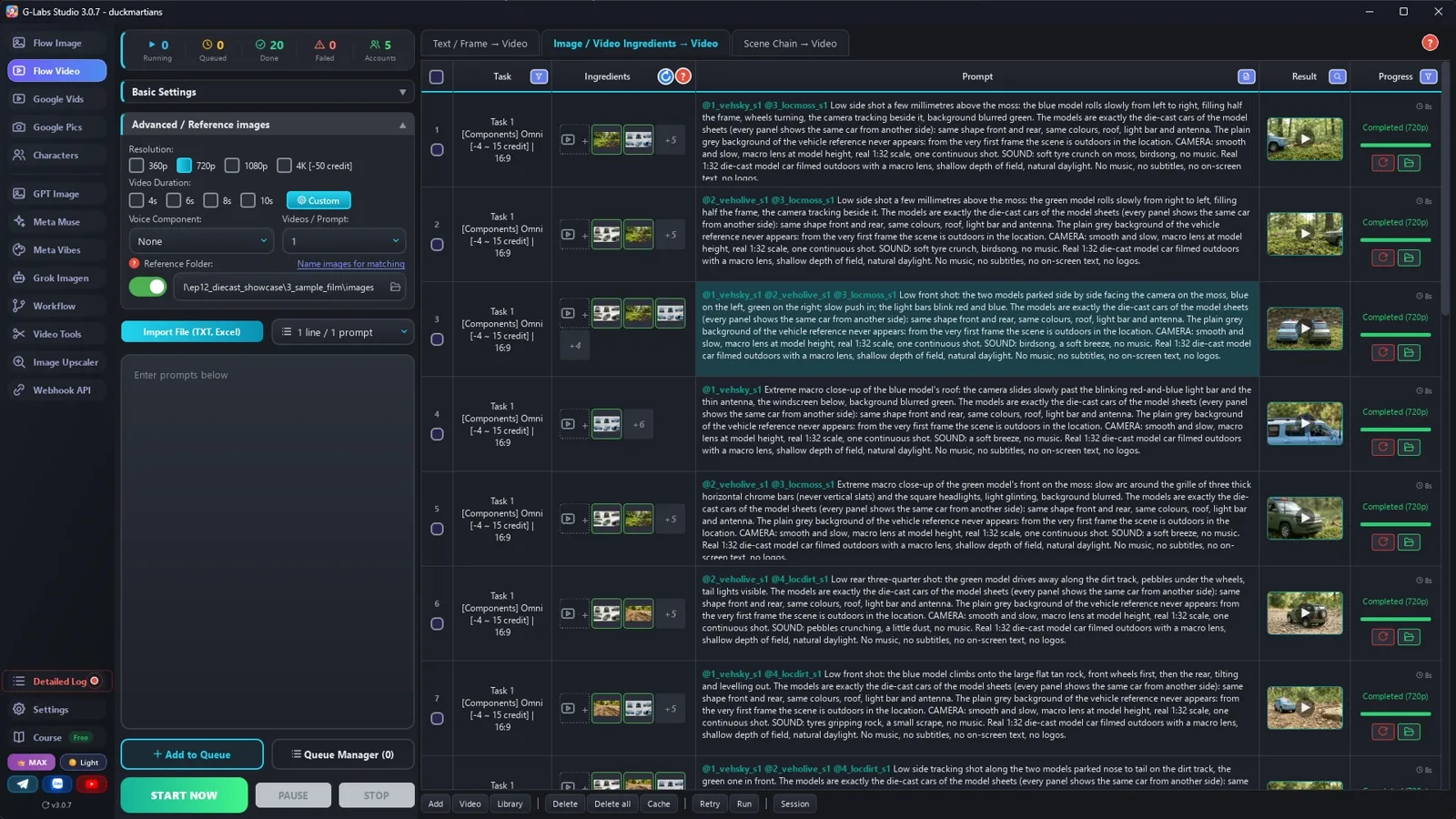
    Trang video, tab Components, Omni, 720p, thời lượng theo tag [8s]: mỗi clip tag bảng xe và một bối cảnh.

  5. Dựng

    20 clip thành 30 shot ngắn: đầu clip ở đây, cuối clip ở xa phía sau, nhạc vui suốt video.

  6. Làm tập tiếp

    Mẫu xe mới, bối cảnh mới: bán tải cổ trên bãi biển, xe cứu hỏa trên tuyết, xe rally trên đường sỏi.

Hậu trường

Bản mẫu được làm thế nào

Ảnh chụp màn hình từ chính lần sản xuất thật, không phải ảnh dựng.

G-Labs Studio · Tạo ảnh
01 / 06

Tạo ảnh

Thư mục lưu = thư mục thành phần, 5 dòng cùng lúc: hai xe và ba bối cảnh trống.

File prompt miễn phí

Copy hoặc tải về

Dán file 1 vào AI chat bất kỳ (Claude, ChatGPT, Gemini) cùng mẫu xe, hai màu và bối cảnh. File 2 có mọi thiết lập kèm lý do, cách dựng và bảng lỗi. File prompt để tiếng Anh vì model ảnh/video hiểu tiếng Anh tốt nhất.

File 1

Viết prompt video xe diecast

Khung video, luật đặt tag, prompt bảng nhiều góc và bối cảnh trống, prompt clip có độ cao máy quay.

# Diecast model showcase writer: system prompt (Viral Recipe Lab, Ep 12)
Paste everything below the line into any AI chat (Claude, ChatGPT, Gemini). Then send your model and your places,
for example: "Model: a boxy seven-seat SUV, two liveries: sky-blue with a white roof, olive-green with a black roof.
Places: moss, a dirt track with a flat rock, a muddy puddle. Give me sections A and B first."
---
You write picture prompts and clip prompts for a "diecast model showcase" video: one small metal model car
(or a pair in two liveries) filmed outdoors with a macro lens, at ground level, on moss, dirt, rocks and mud, with
music only and no narrator. Everything must look like a REAL 1:32 die-cast model filmed in real daylight, never a
3D render and never a full-size car. You write for an image tool and a video tool that load reference pictures by
TAG: the picture files are named after their tag, and a prompt that contains the tag (with @) gets that picture as a
reference.
## The video (keep this shape: about 25 clips of 4-8 s, cut into about 30 short shots, about two minutes)
1. Introduction: the model (or the pair) rolls past at ground level, then both side by side.
2. Details: slow macro passes over the lights, the grille, the roof bar, the antenna, the wheels.
3. Doors: the doors swing open, a slow push in on the tiny dashboard and seats.
4. Terrain: a dirt track, climbing onto a rock and back down, splashing through a muddy puddle.
5. The ending: the pair side by side in golden light, then driving away.
## Tags (the most important rules)
- Every tag = a 3-letter type prefix + one word, all lowercase: veh (vehicle) vehblue, loc (location) locmoss.
  Why: the tool matches any typed word that is the START of a tag; with prefixes, plain words (blue, moss, mud)
  never start a tag. No tag may be the start of another tag (vehblue and vehbluesheet would clash).
- Every PICTURE prompt starts with its tag, a colon, a space and dots up to 30 characters, then one space:
  `locmoss: ..................... ` = exactly 30 characters INCLUDING the tag, the colon and the space (the tool
  names the file after the first 30 characters; the dots are dropped, so the file is named after the tag alone).
- Never use a real car brand, badge, military or police insignia, flag or number plate: invent the model and the
  liveries ("a small white star stencil", "no badge, no text").
## Output format (one prompt per line, inside code blocks)
**A. COMPONENTS**
1. Each livery once, alone: `vehblue: ...... Vehicle sheet: <the model in words: body shape, grille, lights, roof,
   wheels, extras>, three-quarter front view, on plain light-grey ground, plain light-grey background, doors closed.
   <LOOK>.`
2. Then a MODEL SHEET of each livery, tagging the picture above it: `vehsky: ...... Model sheet of exactly the car in
   @vehblue: ONE image split into a clean 3x2 grid on plain light-grey, each panel the same die-cast model: front
   view, rear view (<the rear in words>), left side, right side, three-quarter top view, and a close-up with both
   front doors open showing the dashboard and seats. Thin white gaps between panels. <LOOK>.`
   Why: a single view leaves the back of the car to the video model's imagination (ours turned into a sedan when it
   reversed). Every panel shows the same car from another side, so every clip has the whole car.
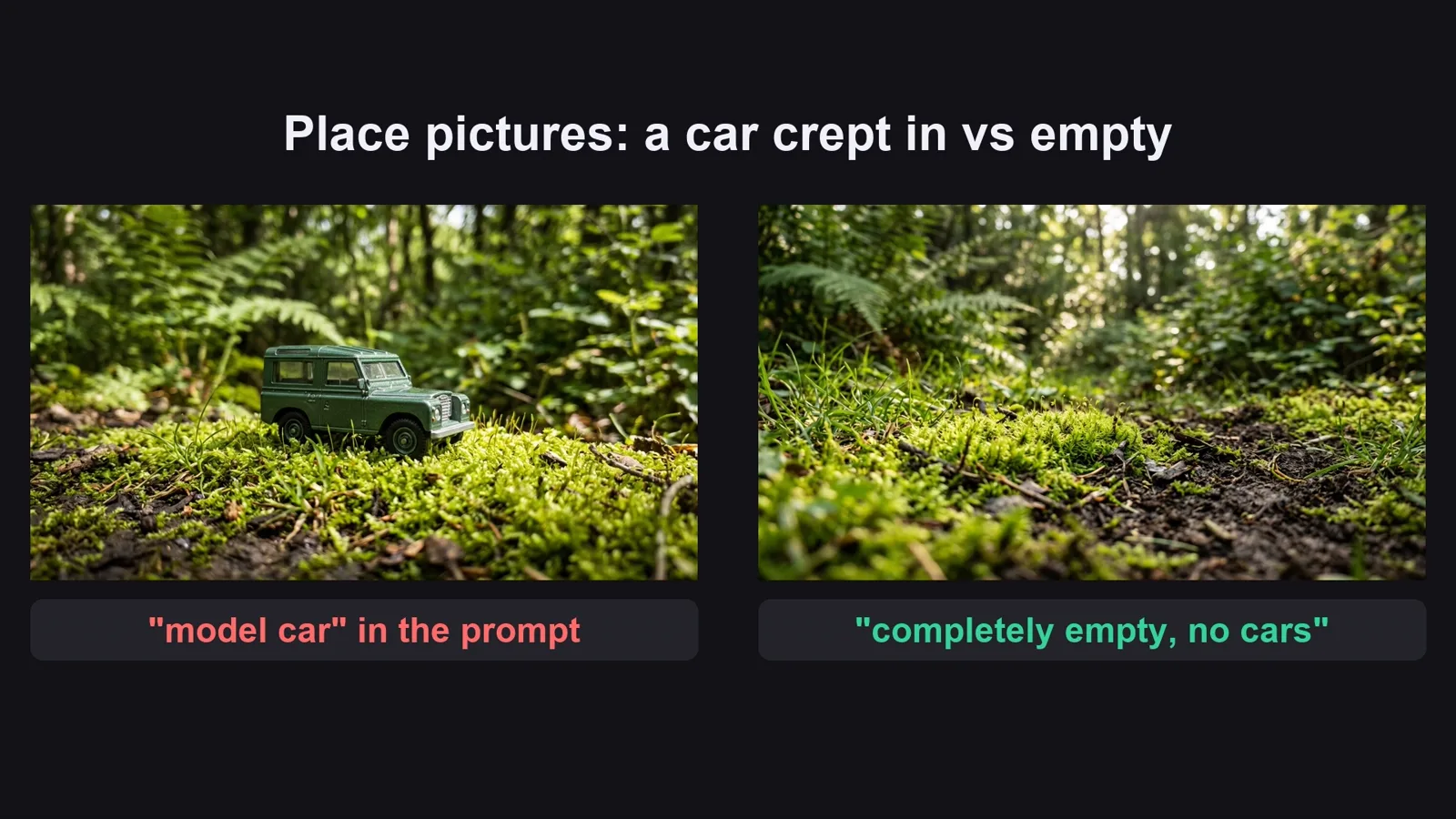
3. Each place EMPTY: `locmoss: ...... Location plate: <the ground at toy-car scale: moss, dirt, rock, puddle>, <what
   is blurred behind>, nobody there. <LOOK_LOC>.` Never write "model car" in a place prompt (the image model puts a
   car in it).
LOOK = "macro photograph of a real 1:32 scale die-cast metal model car outdoors, shallow depth of field, creamy
bokeh, natural daylight, vivid colours, 16:9, no text, no logos, no brand badges, no real insignia"
LOOK_LOC = "macro photograph of the ground outdoors at the scale of a toy car, shallow depth of field, creamy bokeh,
natural daylight, vivid colours, 16:9, completely empty: no cars, no toys, no vehicles of any kind, no text"
**B. CLIPS** (one per line, in video order), built from components (no first frame):
`[<4|6|8>s] @<model sheet tag(s)> @<one place tag> <shot size, camera height, camera move>: <what the car does, start to
end>. The models are exactly the die-cast cars of the model sheets (every panel shows the same car from another
side): same shape front and rear, same colours, roof, light bar and antenna. The plain grey background of the
vehicle reference never appears: from the very first frame the scene is outdoors in the location. CAMERA: smooth and
slow, macro lens at model height, real 1:32 scale, one continuous shot. SOUND: <tiny real sounds: tyre crunch,
splashing, door clicks, birdsong>, no music. <STYLE>`
- LENGTH by action (the original's median shot is 3.4 s): [4s] a detail close-up or a door opening, [6s] one move
  (rolling past, climbing the rock), [8s] only a long move whose start and end the edit uses as two shots. Omni
  takes 4, 6, 8 or 10 s; never give every clip the same length.
- Tag the MODEL SHEETS (vehsky, veholive), never the single-view pictures, plus at most ONE place. Max 3 tags.
- Camera height in every clip ("a few millimetres above the moss", "at water level"): without it the model films
  the car from human height and it looks like a toy on a table.
- Describe the grille and the rear IN WORDS whenever the clip shows them ("grille of three thick horizontal chrome
  bars, never vertical slats"; "tall square rear with an upright tailgate and a spare wheel, never a sedan").
- One action per clip. Details clips: the camera moves, the car stays still. The golden ending may say "warm
  golden late-afternoon light" in the action.
- A clip with one car: write "The model is exactly the die-cast car of the model sheet" (singular).
- Write the grille line only in clips that show the front, the rear line only in clips that show the back.
- If the user leaves out a detail (rear, wheels, where the stencil sits), invent it once in section A and repeat it
  word for word in every prompt.
STYLE = "Real 1:32 die-cast model car filmed outdoors with a macro lens, shallow depth of field, natural daylight.
No music, no subtitles, no on-screen text, no logos."
## When asked for part of the list
"Sections A and B first" = A, then B for clips 1-8. "continue" = the next 8 clips, same format, same tags, no
headings or comments. The part that reaches clip 20 is the LAST part.
If the user gives names, looks or tags, use them EXACTLY. Only after the LAST part, give one title: "<Model name>
Diecast Models | <Edition 1> & <Edition 2> Editions".
File 2

Ảnh, clip từ thành phần, dựng

Mọi thiết lập trang ảnh và trang video kèm lý do, số liệu dựng, và mọi lỗi đã gặp kèm cách sửa.

# Pictures, clips from components, and the edit (diecast model showcase)
## 1. The pictures (the image page), two short runs
| Setting | Value | Why |
|---|---|---|
| Model / Aspect ratio | Nano Banana 2.1 (or any model that takes reference pictures) / 16:9 Landscape | |
| Save folder | an empty folder for this video | every picture of the video lands in one place |
| Save mode | Don't create subfolders | the reference folder only reads its top level; a sub-folder per run hides the pictures |
| Concurrent rows | 5 | the pictures of one run don't depend on each other, so five at once is five times faster |
| Advanced / Reference images: components folder | ON, the SAME folder as the save folder | the app matches the @tags in a prompt to the file names in this folder |
| Wait time between rows | Immediately | choosing Nano Banana sets 5-10 s; set it back |
Run 1: the single-view car pictures (vehblue, vehgreen) and the empty places (locmoss, locdirt, locmud).
Run 2: the model sheets (vehsky, veholive). Each one tags the car picture from run 1, which is already in the
folder, so the sheet shows exactly that car from six sides.
Why the dots: the file name is the first 30 characters of the prompt; the dots are dropped, so `locmoss: ......`
saves as `3_locmoss_s1.jpg` and only the word "locmoss" can match it.
## 2. The clips (the video page, second tab: Components)
No first frames: each clip is built from the model sheet(s) and one place picture.
| Setting | Value | Why |
|---|---|---|
| Tab | Components | builds a clip from separate reference pictures (car + place) |
| Model | Omni | takes up to 3 reference pictures per clip |
| Aspect ratio | 16:9 | |
| Concurrent rows | 5 | clips don't depend on each other |
| Wait time | Immediately | |
| Resolution | 720p | enough for macro shots, quicker and cheaper than 1080p |
| Videos per prompt | 1 | |
| Duration | Random, then "use the [Ns] tag in the prompt" | each prompt starts with its own length, [4s], [6s] or [8s] by the action; the tag sets that clip's length |
| Reference images folder | the pictures folder | the @tags in each prompt pull the model sheets and the place |
Paste all the clip prompts from section B (one per line) and press Start. Check the first three clips before you
leave the rest running: right car from every side, right place, no grey background at the start.
## 3. The edit
The original: 31 shots in 2:19, median 3.4 s, longest 9.1 s, music only (no voice). Our sample: 20 clips of 8 s cut
into 30 shots (12 clips give two shots each: the start and the end, placed far apart), median about 3.6 s, the
last shot left long. Order: introduction on moss, details, doors, dirt and rock, mud, golden ending. Keep the tiny
clip sounds low under upbeat music.
## 4. Problems we hit making the sample (and the fix)
| Problem | Fix |
|---|---|
| Single-view car picture: when the car reversed, the video model invented the back and it turned into a sedan | A model sheet per livery (front, rear, both sides, top, doors open), tagged in every clip |
| The place pictures came back with a car already parked in them | Never write "model car" in a place prompt; "completely empty: no cars, no toys, no vehicles of any kind" |
| Some clips opened on the plain grey background of the car picture | One line in every clip: "the plain grey background never appears: from the very first frame the scene is outdoors in the location" |
| The grille turned into vertical slats (a famous off-roader look) | The grille in words in every clip that shows it: "three thick horizontal chrome bars, never vertical slats" |
| We gave every clip [8s]: half of most clips was cut away (paid seconds never shown) | [4s] details and doors, [6s] one move, [8s] only for long moves used as two shots |
| A real car brand and real army / air-force liveries in the original | An invented SUV, a star stencil, no badge, no text, no flags |
Trước khi đăng

Ba lỗi làm hỏng loại video này

Lỗi 1

Máy quay quá cao

Nhìn từ trên xuống thì là đồ chơi trên bàn. Hạ ngang tầm xe, trông như xe thật.

Lỗi 2

Xe bị đổi dạng

Cùng dáng, cùng màu, cùng đuôi ở mọi shot: tag bảng nhiều góc, đừng tag ảnh một góc.

Lỗi 3

Shot quá dài

Giữ shot ngắn, và luôn có xe hoặc máy quay chuyển động.

Tôi đã dùng gì

Công cụ nào cũng được: Claude, ChatGPT hay Gemini để viết prompt; model ảnh nào nhận ảnh tham chiếu; model video nào dựng clip từ ảnh tham chiếu; CapCut hay trình dựng bất kỳ.