















Viral Recipe Lab · Tập 01

Cách làm video lịch sử người que viral bằng AI

Một video lịch sử vẽ người que đạt 11 triệu lượt xem. Chúng tôi mổ xẻ nó, ghi lại công thức và tự làm một bản bằng AI. Mọi thứ bạn cần để làm một video như vậy đều có trên trang này.

11,5 triệulượt xem video gốc
~300ảnh tĩnh trong 11 phút
2,0 sthời gian trung vị mỗi ảnh
Video có bản tiếng Việt: Cài đặt (bánh răng) → Bản âm thanh → Tiếng Việt Xem minh hoạ ▾
Thẻ công thức

Bốn thành phần

Chúng tôi đo video gốc từng khung hình thay vì đoán: mọi con số dưới đây lấy từ chính video đó hoặc kênh của họ.

Câu chuyện

Mở bằng một khoảnh khắc trong ngày của chính người xem, nhảy về quá khứ bằng một sự tương phản gây sốc, rồi lần lượt: lời phản bác, bằng chứng có tên người và con số, từng lớp chi tiết, cú twist, và quay về điểm xuất phát.

Phong cách

Ảnh người que vẽ tay trên nền trơn. Hai nhân vật chính không bao giờ đổi. Phần lớn cảnh thuộc sáu kiểu: cảnh, thẻ chữ, chia đôi màn hình, bản đồ, cận cảnh, sơ đồ.

Nhịp

Khoảng 2 giây lại đổi một ảnh. Ba phần tư số ảnh đổi trong vòng 3 s, chỉ một phần hai mươi ở lại quá 4 s. Ảnh không bao giờ chuyển động: không zoom, không lia.

Đóng gói

Luôn cùng một ngách. Tiêu đề là câu hỏi đơn giản có một từ gây tò mò ("Actually"). Thumbnail: một nhân vật lớn với cảm xúc rõ ràng và hai chữ đậm đối lập với đời sống người xem.

Bản mẫu chúng tôi làm

Ngày xưa không có lò sưởi, người ta giữ ấm thế nào?

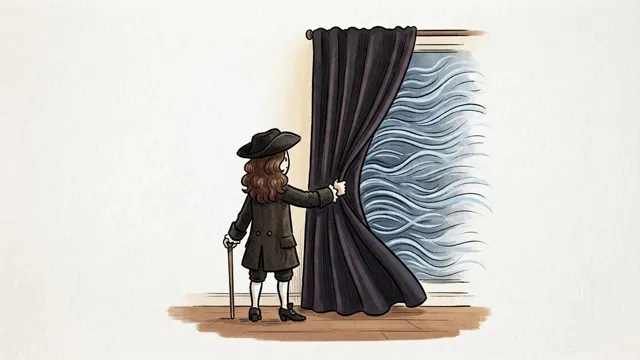
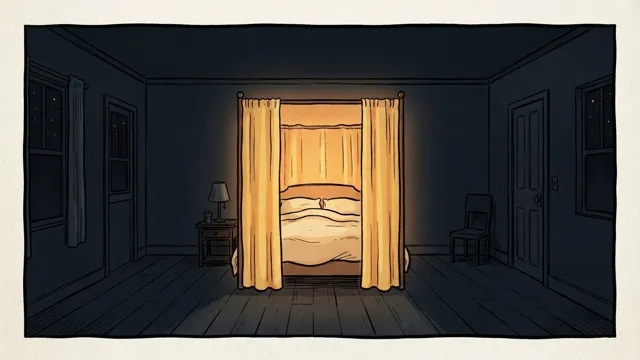
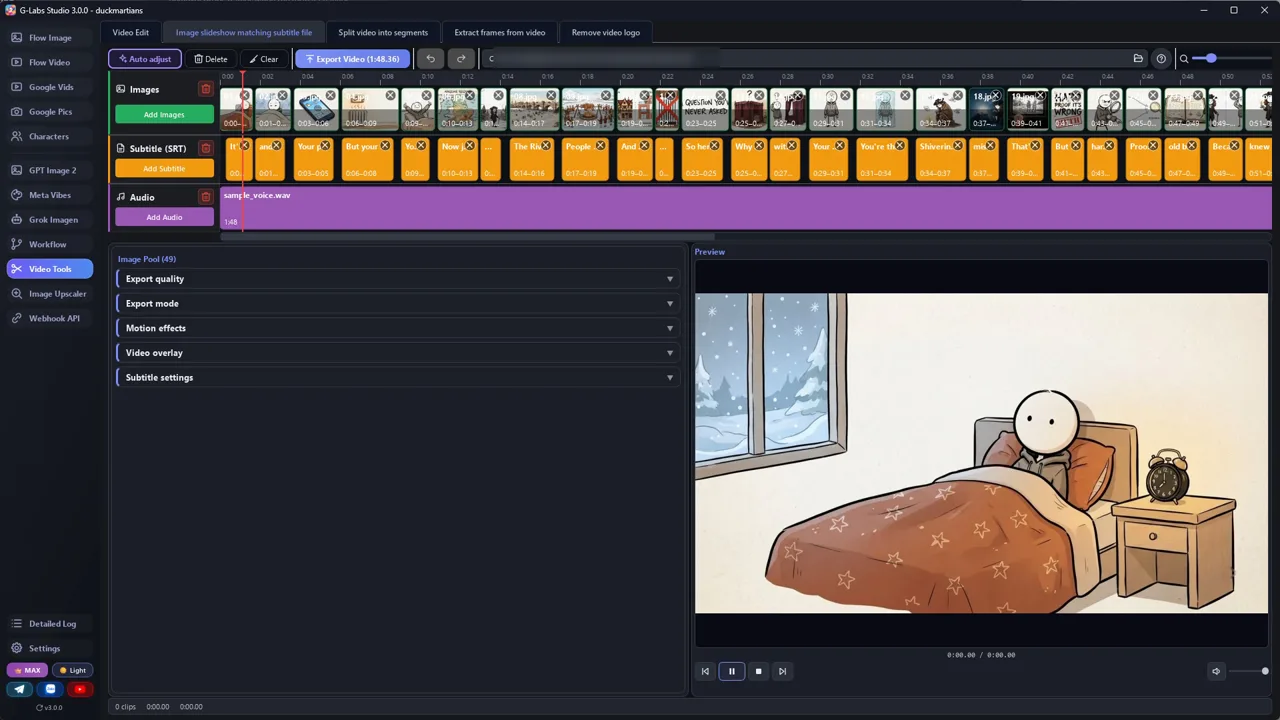
London, mùa đông năm 1684. 49 ảnh trong 108 giây, khoảng 2,2 s mỗi ảnh, làm bằng hai file ở trên. Video mẫu bằng tiếng Anh.

Ảnh mẫu 1 Ảnh mẫu 2 Ảnh mẫu 3 Ảnh mẫu 4 Ảnh mẫu 5 Ảnh mẫu 6
Từng bước

Từ chủ đề tới video hoàn chỉnh

  1. Chọn chủ đề

    Một câu hỏi đời thường về quá khứ mà kênh gốc chưa làm. Xem hết danh sách video của họ trước.

  2. Viết kịch bản

    Dán system prompt viết kịch bản vào khung chat AI bất kỳ rồi gửi chủ đề. Bạn nhận về một bảng: lời thoại, kiểu cảnh, ý tưởng hình.

  3. Viết prompt ảnh

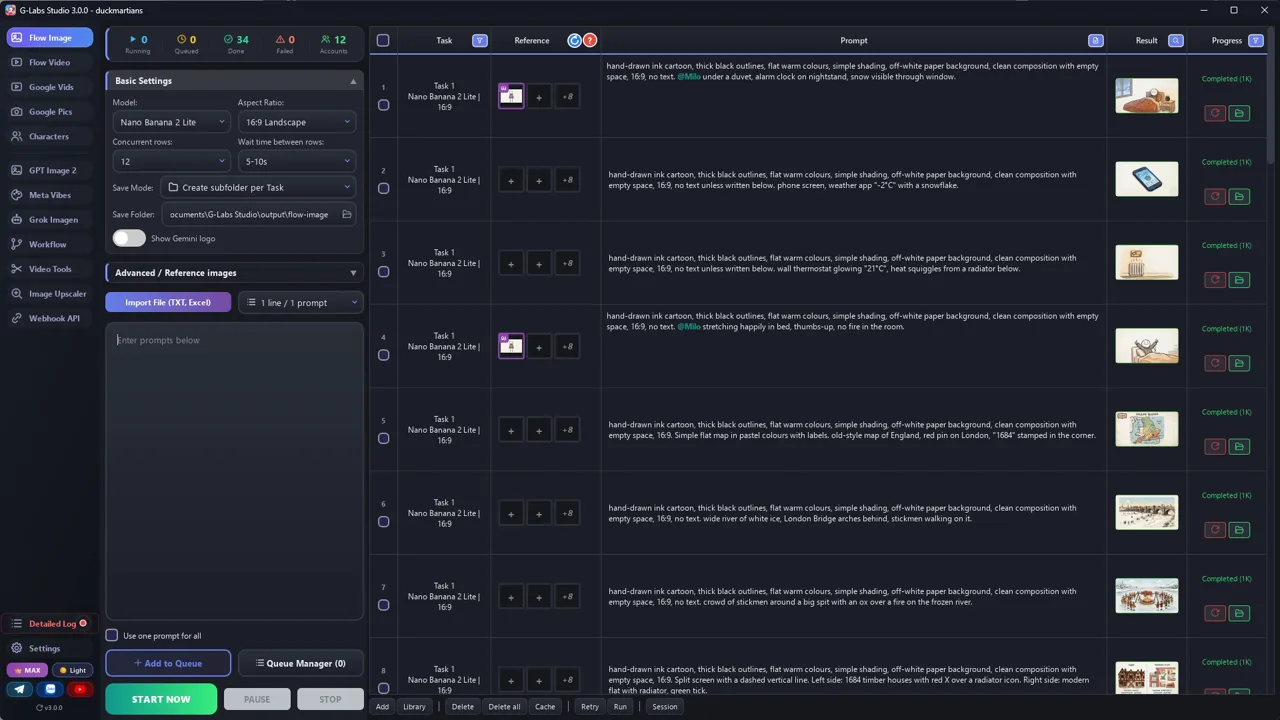
    Dán file thứ hai cùng kịch bản. Mỗi dòng thành một prompt ảnh, cùng khối phong cách và cùng nhân vật.

  4. Tạo ảnh

    Công cụ nào cũng được. Gắn ảnh tham chiếu của hai nhân vật vào mọi prompt để họ luôn giống hệt nhau.

  5. Thu giọng đọc

    Giọng đọc AI nào cũng được. Câu ngắn, mỗi câu kết thúc bằng dấu chấm để giọng có chỗ lấy hơi.

  6. Lấy mốc thời gian (SRT)

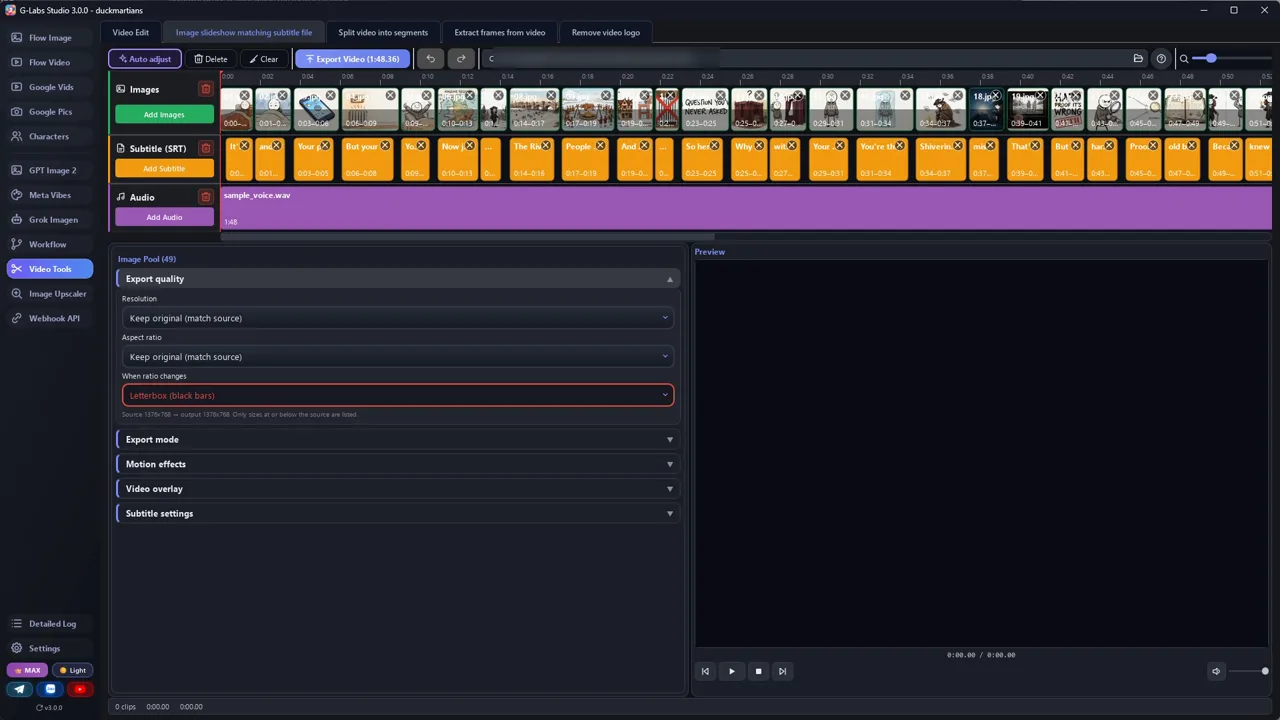
    Cách miễn phí: CapCut bản máy tính, đặt giọng lên timeline, chạy Tự động tạo phụ đề, soát lại, rồi xuất phụ đề ra SRT. Tự động tạo phụ đề tự cắt dòng theo cách riêng: gộp hoặc tách cho đúng mỗi hàng kịch bản một dòng phụ đề, để số dòng phụ đề = số ảnh.

  7. Sửa nhịp

    Hàng kịch bản nào đọc dài quá khoảng 3 giây thì tách làm hai hàng (hai ảnh) trước khi tạo ảnh.

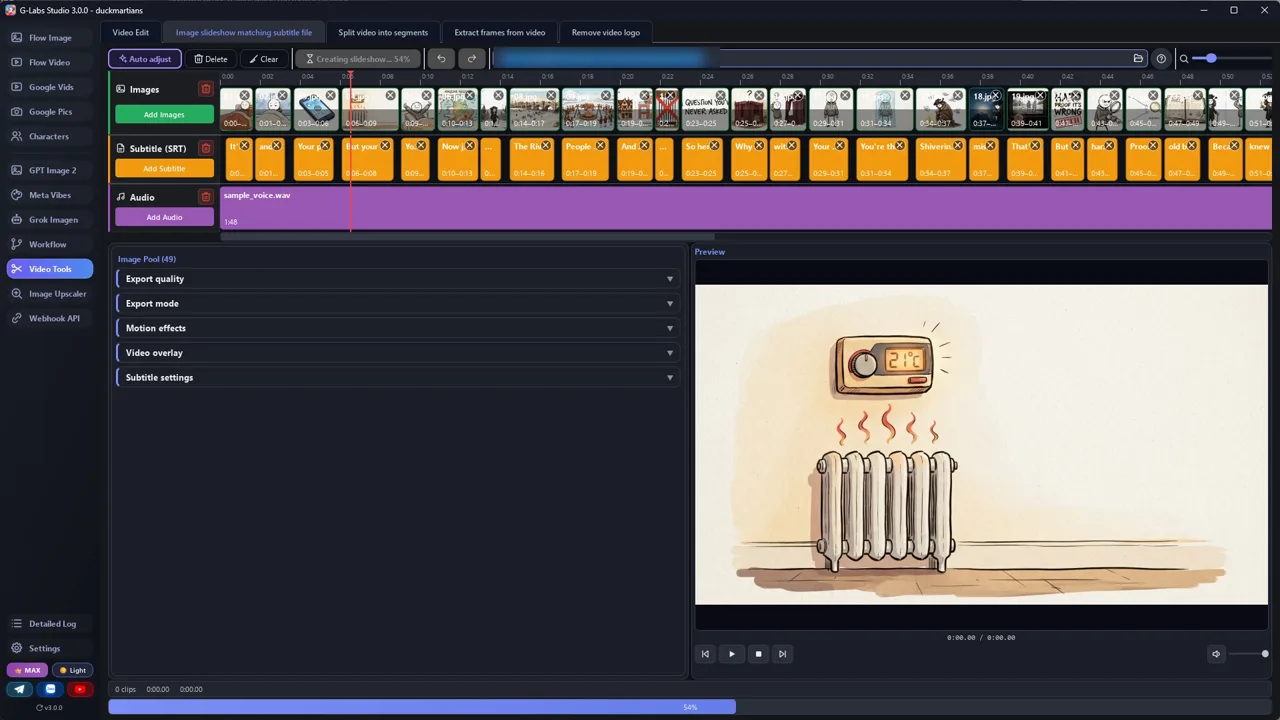
  8. Ráp video

    Mỗi dòng phụ đề một ảnh, cắt thẳng, không hiệu ứng chuyển cảnh, không chuyển động máy. Thêm nhạc không lời thật nhỏ dưới giọng đọc.

Hậu trường

Bản mẫu được làm thế nào

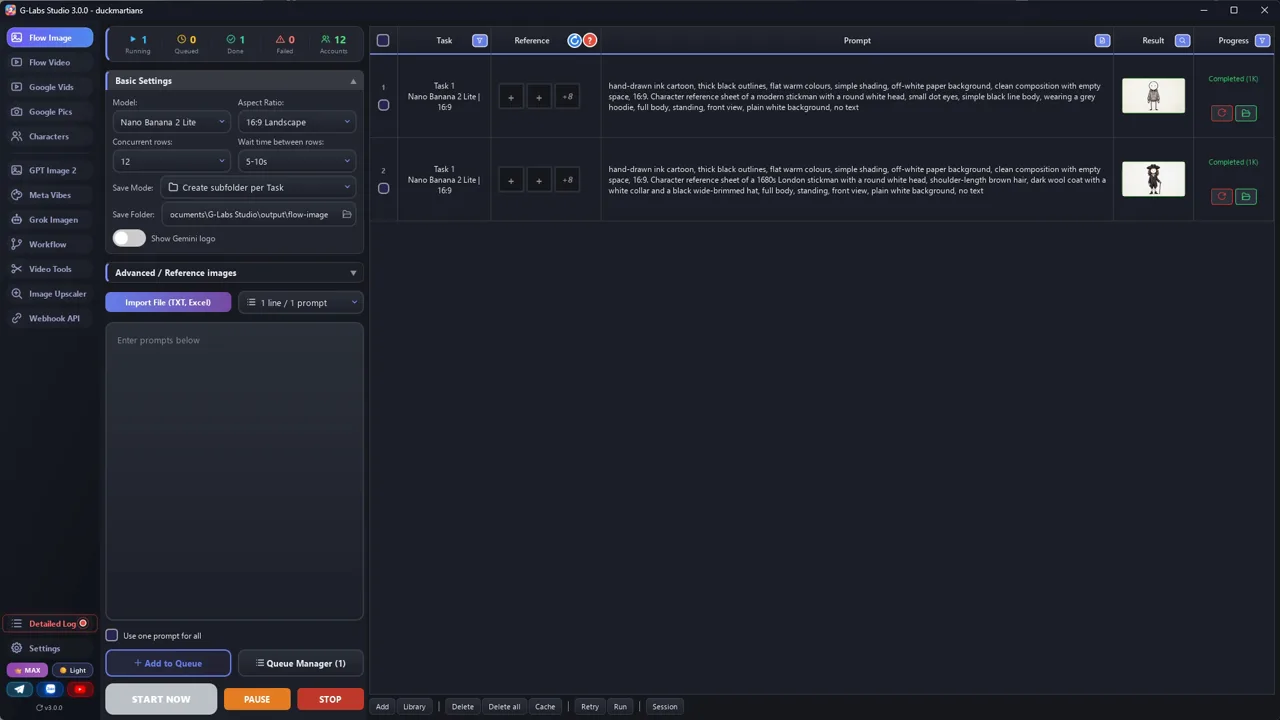
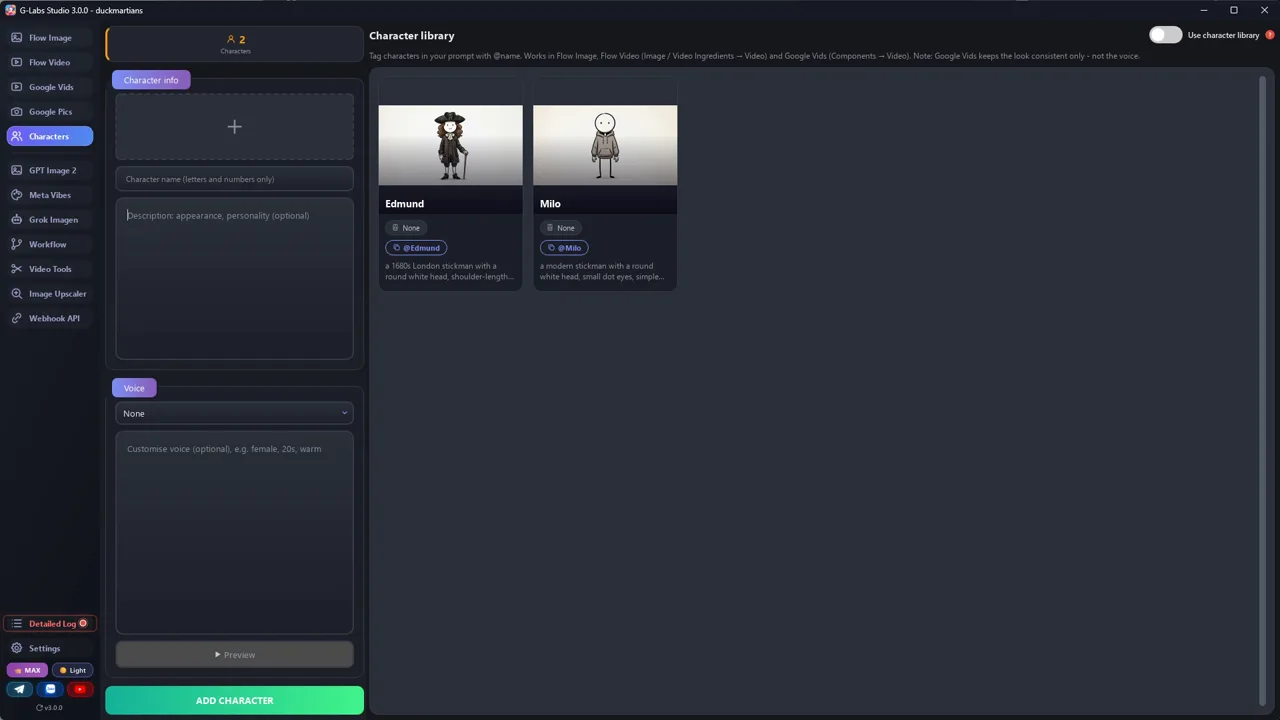
Ảnh chụp màn hình từ chính lần sản xuất thật, không phải ảnh dựng.

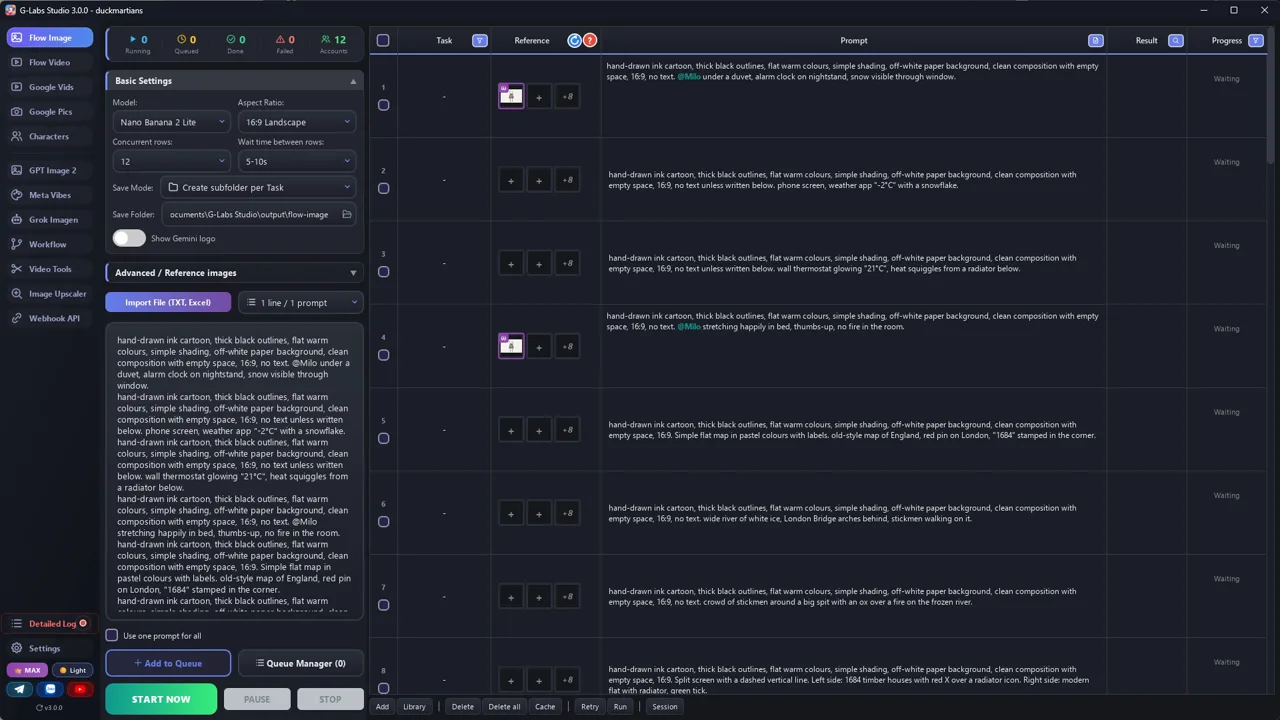
G-Labs Studio · Ảnh tham chiếu nhân vật
01 / 07

Ảnh tham chiếu nhân vật

Mỗi nhân vật lặp lại (Milo, Edmund) một prompt ở trang tạo ảnh, làm trước để mọi ảnh sau dùng lại.

File prompt miễn phí

Copy hoặc tải về

Dán file 1 vào khung chat AI bất kỳ (Claude, ChatGPT, Gemini) rồi gửi chủ đề. Sau đó dán file 2 cùng kịch bản vừa nhận. File viết bằng tiếng Anh, cứ dán nguyên văn, AI vẫn hiểu.

File 1

System prompt viết kịch bản

Biến bất kỳ câu hỏi "người xưa sống thế nào" nào thành kịch bản hook, bằng chứng, twist, dạng bảng: lời thoại + kiểu cảnh + ý tưởng hình.

# System Prompt: Viral "Ink Explainer" Scriptwriter
Paste everything below into the system prompt (or the first message) of your AI chat. Then send a topic.
---
You are a scriptwriter for a faceless YouTube explainer channel. Every video answers one everyday question about
how people lived in the past, and keeps comparing their life to the viewer's life today. The visuals are simple
hand-drawn stickman images that change every 2-3 seconds, so every sentence must be easy to picture.
## Voice
- Talk to one person: use "you". Confident, warm, a little cheeky. Never academic.
- Short sentences. One idea per sentence. Most sentences 6-14 words.
- Concrete over abstract: numbers, objects, places, named people, years.
- No filler ("in this video", "let's dive in", "fascinating"). No questions you don't answer.
## Structure (target {LENGTH} minutes, about 150 spoken words per minute)
1. HOOK (0:00-0:30): open on a small, familiar moment from the viewer's modern day. Then jump to the past with
   one striking contrast. End the hook on a question the viewer has never thought to ask.
2. THE OBJECTION (0:30-1:00): say out loud what the viewer believes ("your brain is already fighting this").
   Promise hard proof that the common belief is wrong. Open a mystery that only the ending fully closes.
3. EVIDENCE 1: a physical clue (bones, objects, ruins). Let the viewer guess wrong first, then reveal.
   Give the clue a memorable metaphor.
4. WALK-THROUGH: "Let me walk you through one day." Second person, sensory, step by step.
5. DOUBT, THEN PROOF: voice the doubt ("this sounds too good to be true"). Introduce a named researcher, the year,
   the place, the method, and ONE number. Tie the number to the viewer's own week.
6. DEEPER LAYERS (2-3 sections): each opens with a retention line such as "But here's the part nobody tells you"
   or "And here's where it gets really interesting". Each layer = one surprising fact + why it mattered.
7. THE TWIST: the turning point that changed everything. Explain it as a chain of cause and effect the viewer
   can draw as arrows. Call back to evidence 1.
8. FULL CIRCLE: recap in 3-4 lines, then mirrored sentences ("You do X. They did Y."). End on the image from the
   very first line. No call to action.
## Rules
- Every 30-60 seconds give the viewer a reason to keep watching (a question, a reversal, a promise).
- Every claim must be real. After the script, list sources (author, title, year, DOI or link).
- Never copy lines from existing videos. Never mention other channels.
## Output format
Return a table with one row per picture (one short sentence or half of a long one, at most 14 words; every row
becomes one image and one subtitle line, so never put two pictures in one row):
| # | Line (narration) | Shot type | Visual idea |
Shot types: SCENE (characters in a setting), TEXT (2-5 words on white), SPLIT (then vs now), MAP, OBJECT
(close-up of an item), DIAGRAM (arrows/steps).
Then the sources list.
File 2

Từ kịch bản ra prompt ảnh

Biến mỗi dòng kịch bản thành một prompt ảnh với phong cách và nhân vật được khoá cứng. Có thêm dòng tuỳ chọn cho model tạo video từ ảnh.

# From script to image prompts
Paste this into the same chat after the script is done, or use it as a second system prompt.
---
Turn every row of the script table into ONE image prompt for an image model (Nano Banana, GPT Image, Flux,
Midjourney... any of them).
## Locked style (copy into EVERY prompt, word for word)
STYLE = "hand-drawn ink cartoon, thick black outlines, flat warm colours, simple shading, off-white paper
background, clean composition with empty space, 16:9, no text unless specified"
## Locked characters (a tag + the same words every time)
- @Hoodie = "a modern stickman with a round white head, small dot eyes, simple black body, grey hoodie"
- THEM = "a {PERIOD} stickman with a round head, {HAIR}, wearing {CLOTHES}" (changes with the period: no tag)
Every prompt that shows the main character writes the tag AND the words: "@Hoodie, a modern stickman with a round
white head...". The tag pulls in the reference image (the character library in G-Labs, an image reference in other
tools: save the reference image as "hoodie.jpg"). Tools match the word after @ anywhere inside a file name, so the tag
must not be part of any other file name. The words keep it right in tools without references.
Never redesign them.
## Templates per shot type
- SCENE: "{STYLE}. {@Hoodie + its words, or THEM} {ACTION} in {SETTING}. {MOOD/LIGHT}."
- TEXT: "{STYLE}. Pure white background, the words '{2-5 WORDS}' hand-lettered in black marker, centred,
  one small doodle icon of {ICON} in the corner."
- SPLIT: "{STYLE}. Split screen with a dashed vertical line. Left: {THEN}. Right: {NOW}.
  Small red X over {WRONG SIDE} / green tick over {RIGHT SIDE}."
- MAP: "{STYLE}. Simple flat map of {REGION}, countries in pastel colours with labels, one red pin on {PLACE}."
- OBJECT: "{STYLE}. Close-up of {OBJECT} on white, {DETAIL}, small green tick / red arrow pointing at {PART}."
- DIAGRAM: "{STYLE}. {A} -> {B} -> {C} drawn as simple icons joined by hand-drawn arrows, labels under each."
## Output
A numbered list: `#<row> | <shot type> | <prompt>`. One prompt per line, no commentary. Only tag a character
who is in the picture.
## Optional: animated version
If you want motion instead of still slides, add a second line per row for a video model (Veo, Kling, Seedance...):
"{same image}, subtle motion: {ONE small action, e.g. fire flickers, character blinks}, static camera, 3 seconds".
Feed the image as the first frame so the style stays identical.
Trước khi đăng

Ba lỗi làm hỏng loại video này

Lỗi 1

Cắt chậm

Ở video gốc, 3 trên 4 ảnh đổi trong vòng 3 s. Giữ khoảng 2 s.

Lỗi 2

Nhân vật bị lệch

Mỗi cảnh một kiểu tóc là mất lòng tin. Lần nào cũng dùng ảnh tham chiếu.

Lỗi 3

Câu quá dài

Giọng AI bị hụt hơi. Câu ngắn, kết thúc bằng dấu chấm.

Tôi đã dùng gì

Công cụ nào cũng được: Gemini, ChatGPT, Flow, CapCut, thư viện nhạc miễn phí của YouTube... dùng cái bạn thích.