















Viral Recipe Lab · Tập 09

Video khỉ con dựng trang trại bằng AI

Một video khỉ con sửa trang trại đạt 100 triệu lượt xem. Chúng tôi đo từng clip, từng lớp âm thanh, tự làm lại đúng câu chuyện đó, và giữ lại mọi prompt cùng mọi lỗi đã gặp.

100 triệulượt xem, 8:18, ~10 câu thoại ngắn
49/62clip dài đúng 8 giây
7 ngày3 video khỉ con: 7,4 tr, 3,6 tr, 100 tr
Video có bản tiếng Việt: Cài đặt (bánh răng) → Bản âm thanh → Tiếng Việt Xem minh hoạ ▾
Thẻ công thức

Bốn thành phần

Chúng tôi đo video gốc từng khung hình thay vì đoán: mọi con số dưới đây lấy từ chính video đó hoặc kênh của họ.

Nhân vật + đồ chơi to

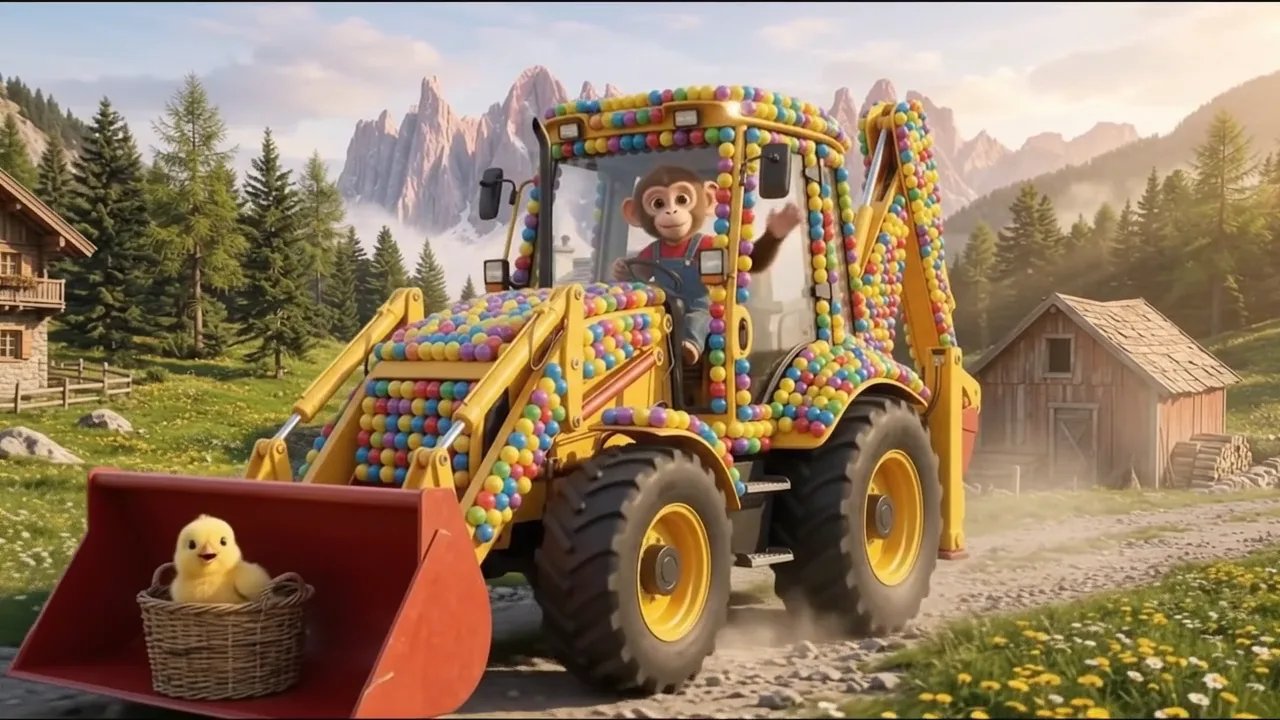
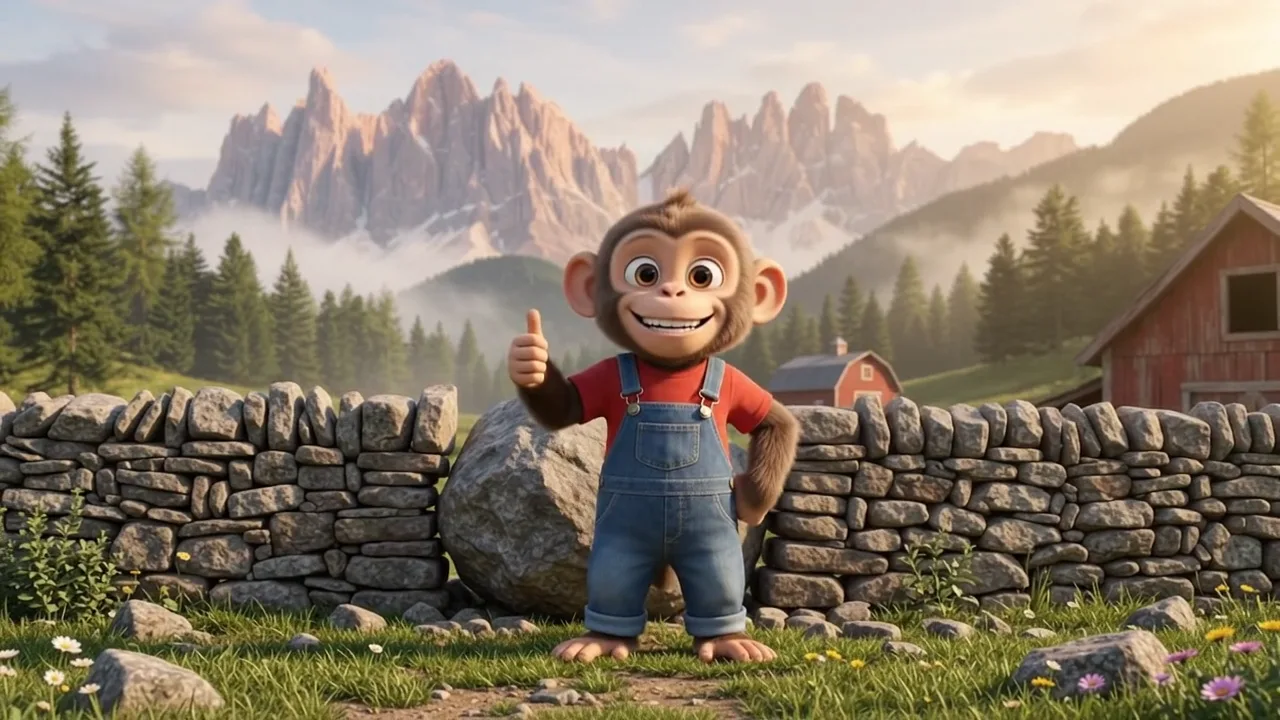
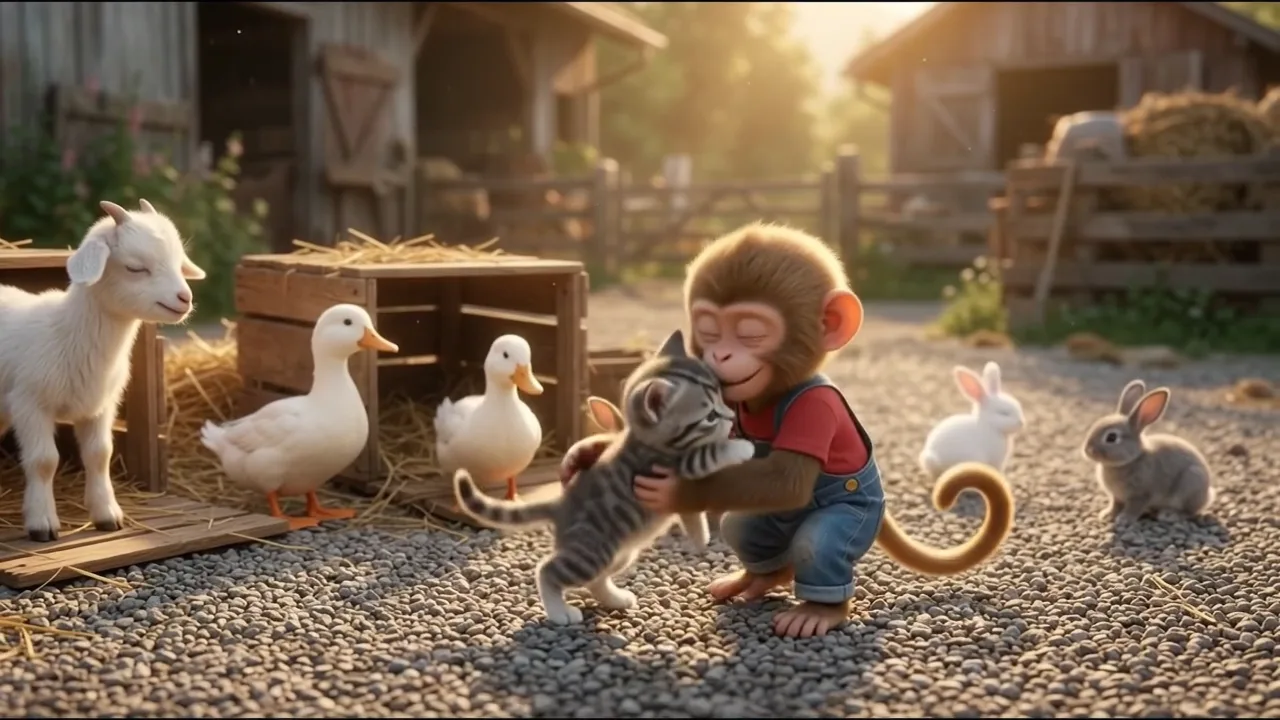
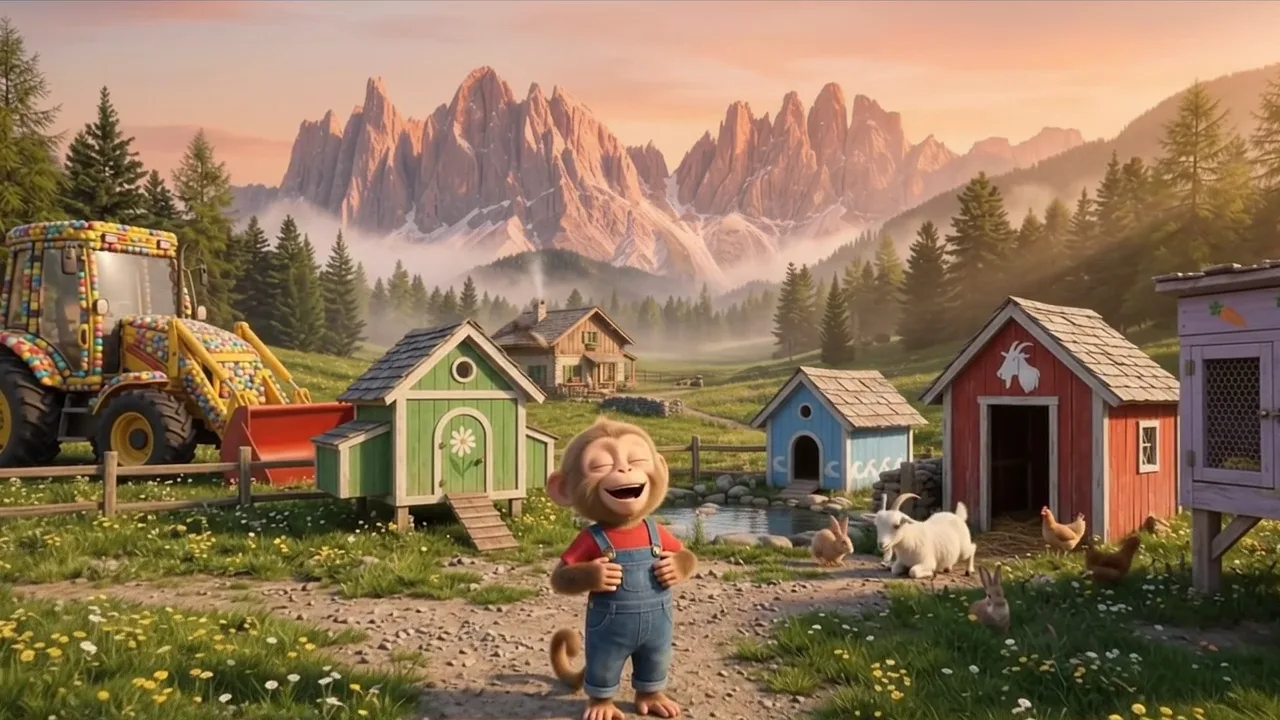
Một khỉ con áo đỏ quần yếm, một máy xúc vàng phủ bóng nhiều màu. Cặp đôi này có mặt ở mọi tập.

Mỗi clip một việc

Mỗi clip 8 giây là một việc: đang làm dở, rồi cắt sang lúc đã xong. Trang trại lớn dần theo từng clip.

Một bạn nhỏ cần chăm

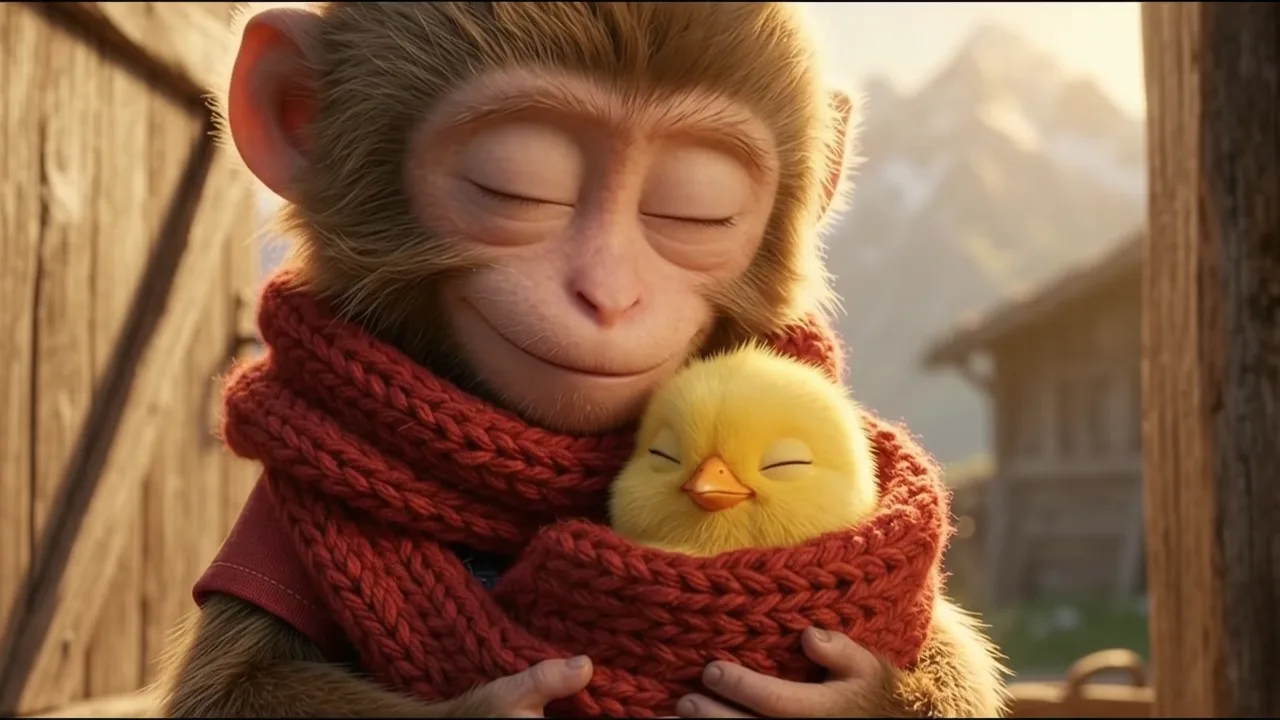
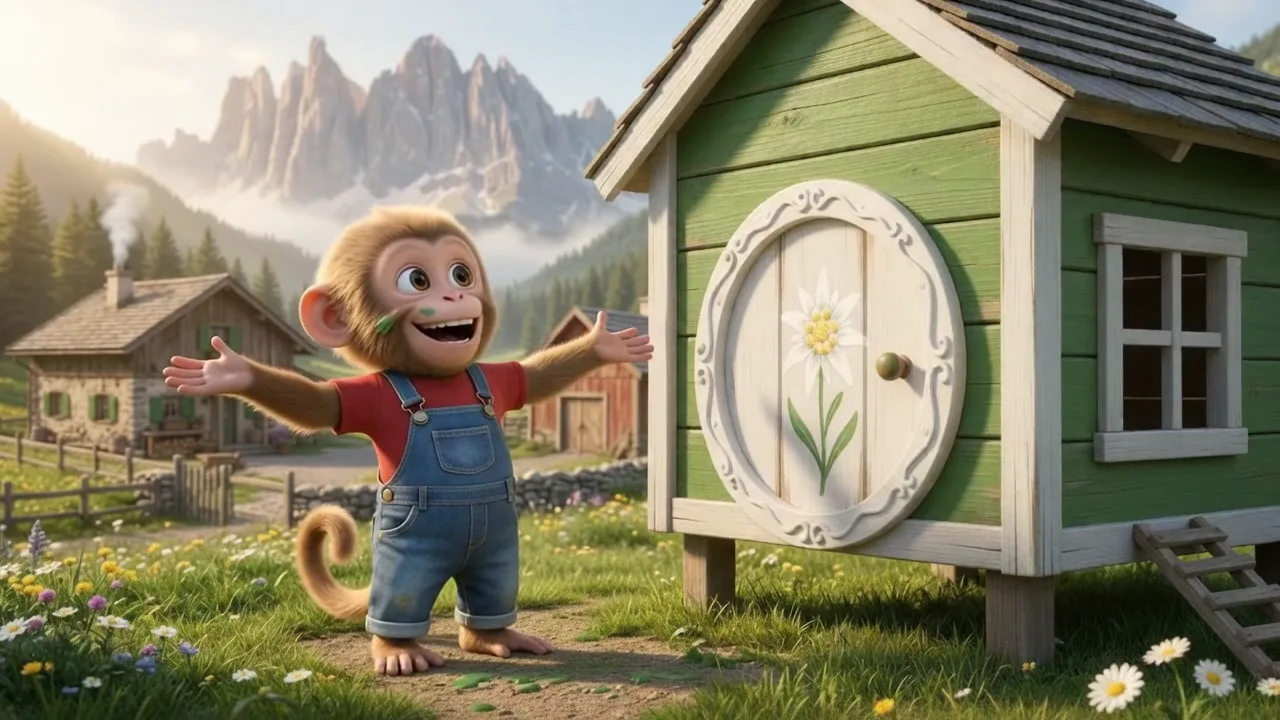
Gà con trong ổ rơm, rồi các con vật được cứu tới trong thùng; con nào cũng có ngôi nhà màu riêng.

8 giây, tiếng riêng

Clip nối liền, khoảng 10 câu ngắn trong 8 phút; tiếng máy, tiếng búa, tiếng gà, tiếng dê lo phần còn lại.

Bản mẫu chúng tôi làm

Momo dựng lại trang trại

24 clip 8 giây, 3:12, cùng câu chuyện với video gốc, hình và tiếng do mình tự tạo. Làm bằng AI.

Ảnh mẫu 1 Ảnh mẫu 2 Ảnh mẫu 3 Ảnh mẫu 4 Ảnh mẫu 5 Ảnh mẫu 6
Từng bước

Từ chủ đề tới video hoàn chỉnh

  1. Viết prompt

    Dán file 1 vào AI chat bất kỳ kèm nhân vật, ông nông dân, máy, trang trại và các con vật. Xin mục A đến C, rồi D và E mỗi lần 8 clip.

  2. Dựng chuỗi

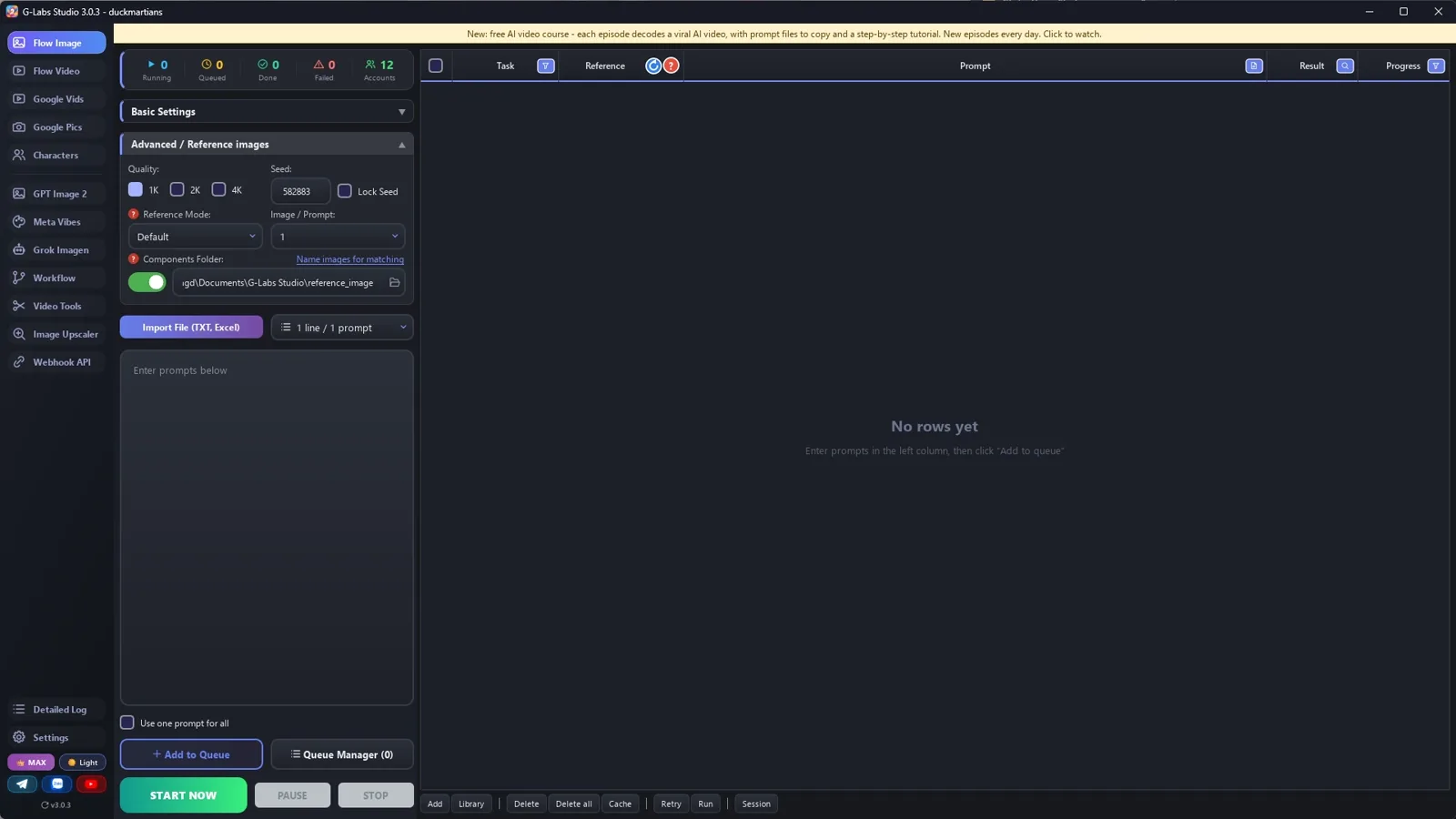
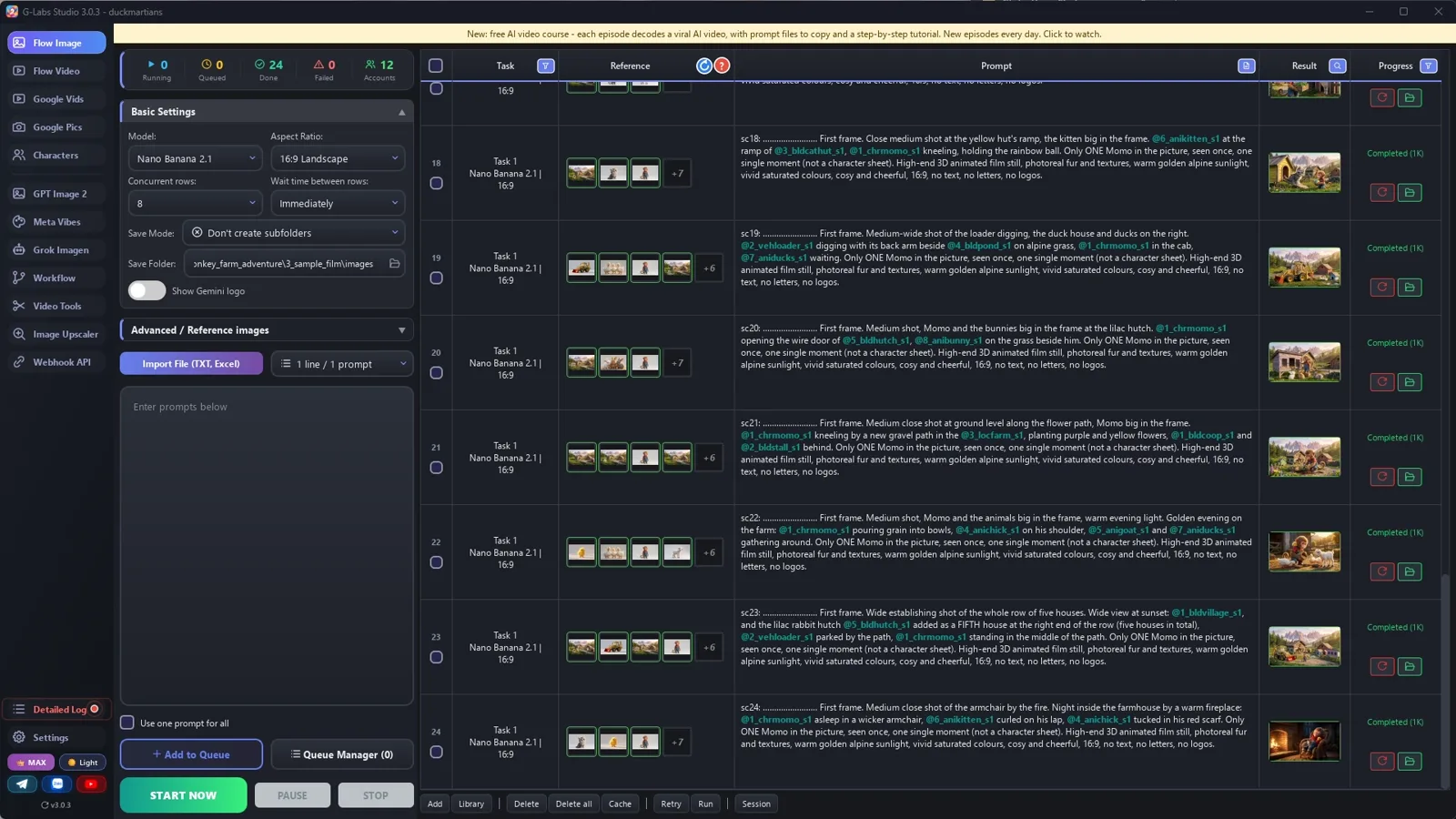
    Trong công cụ tạo ảnh, đặt thư mục output và thư mục tham chiếu là cùng một thư mục, không tạo thư mục con.

  3. Tạo ảnh theo thứ tự

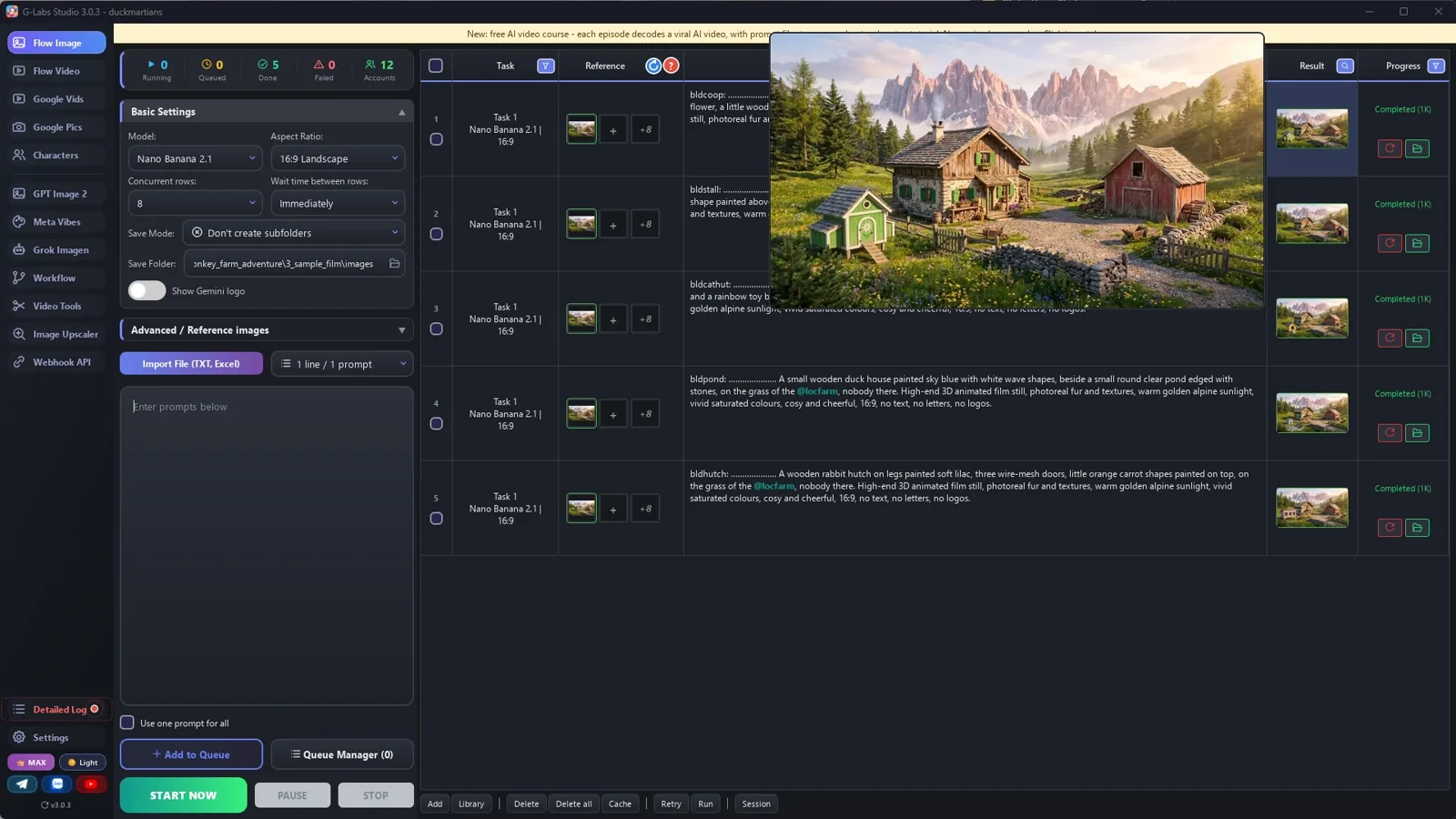
    Thành phần, rồi nhà (tag trang trại), rồi một ảnh trung gian, rồi khung đầu. Soát từng đợt trước khi qua đợt sau.

  4. Tạo clip

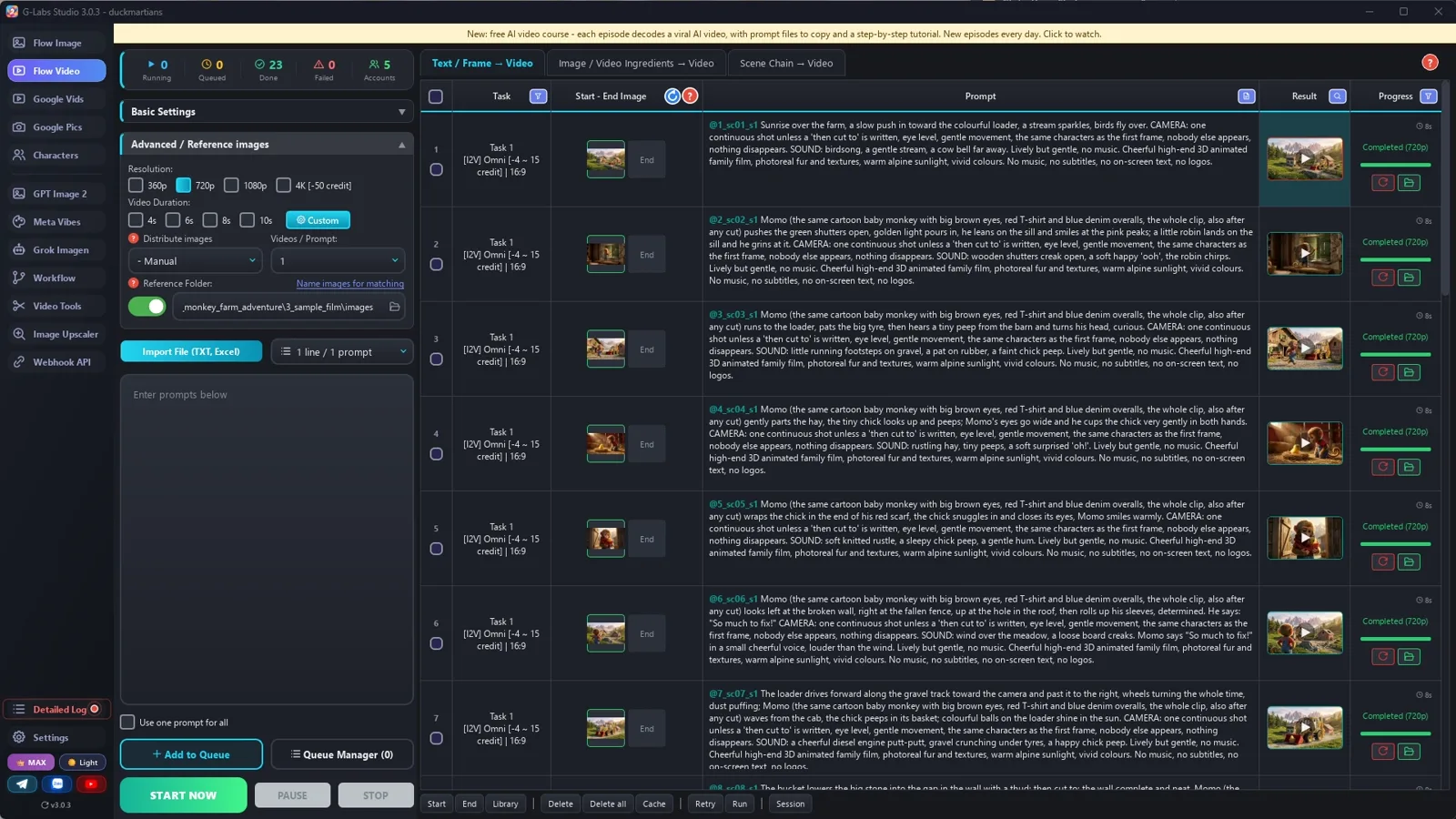
    Khung hình sang video, mỗi clip một tag (khung đầu của nó), 8 giây, 5 clip một lúc, không độ trễ. Chạy thử 3 clip trước.

  5. Soát khi chuyển động

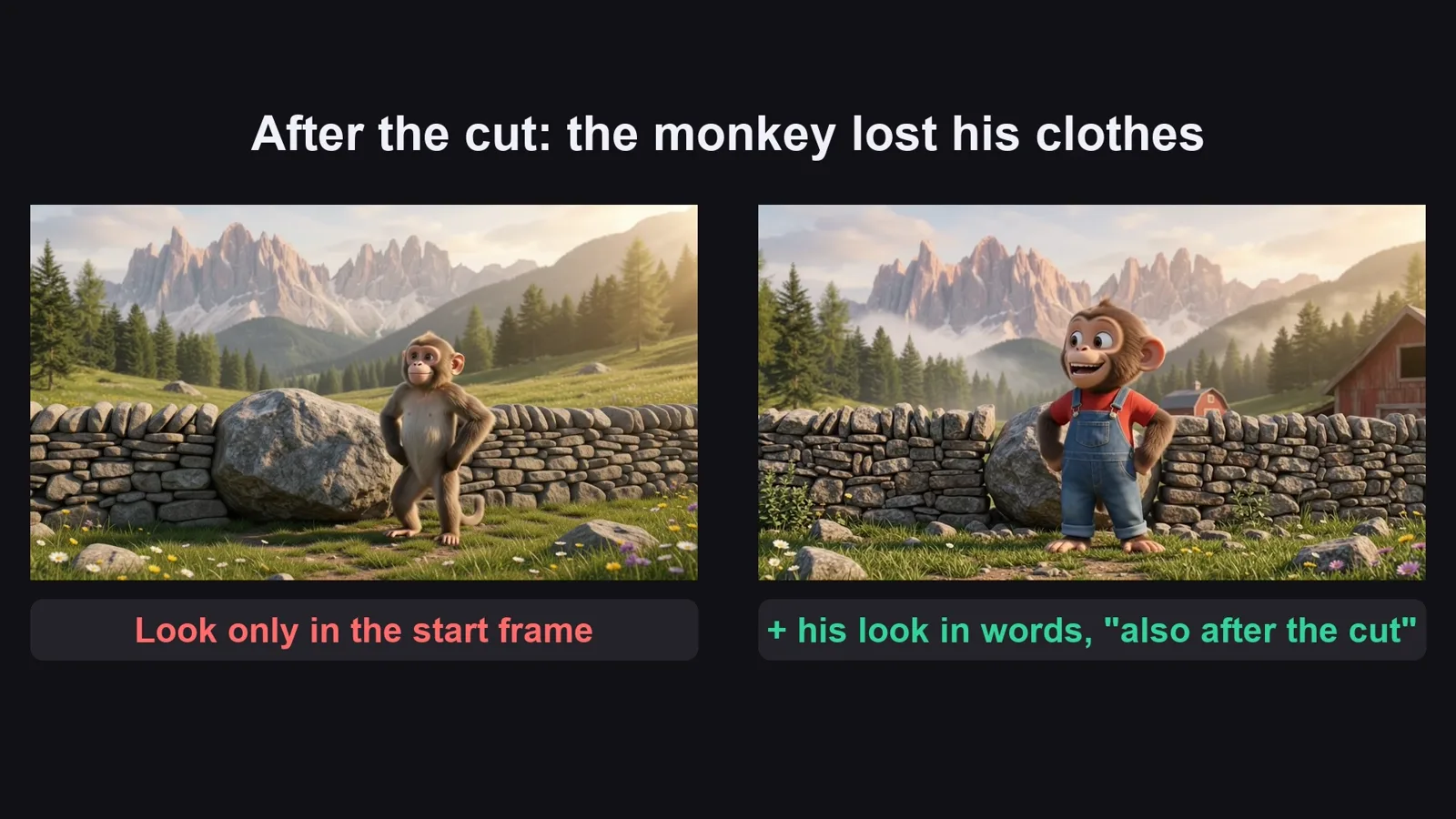
    Khung đầu chỉ giữ ngoại hình vài giây đầu: nhắc lại ngoại hình nhân vật và màu nhà bằng chữ.

  6. Ghép và làm tiếp

    Nối clip liền nhau, giữ tiếng clip, không nhạc. Tập sau: cùng nhân vật, cùng trang trại, việc mới.

Hậu trường

Bản mẫu được làm thế nào

Ảnh chụp màn hình từ chính lần sản xuất thật, không phải ảnh dựng.

G-Labs Studio · Dựng chuỗi
01 / 06

Dựng chuỗi

Thư mục output = thư mục tham chiếu, không tạo thư mục con: ảnh nào cũng dùng được cho ảnh sau.

File prompt miễn phí

Copy hoặc tải về

Dán file 1 vào AI chat bất kỳ (Claude, ChatGPT, Gemini) kèm nhân vật, ông nông dân, máy, trang trại và các con vật để nhận prompt ảnh và prompt clip. Dùng file 2 cho chuỗi ảnh, clip và cách ghép.

File 1

Prompt viết truyện dựng trang trại

Khung truyện, luật tag (tiền tố 3 chữ, tag + dấu chấm), và các prompt ảnh, prompt clip theo từng mục.

# Baby animal farm builder: system prompt (Viral Recipe Lab, Ep 09)
Paste everything below the line into any AI chat (Claude, ChatGPT, Gemini). Then send your hero, machine, farm
and animals, for example: "Hero: Momo, a baby macaque in a red T-shirt and denim overalls. Machine: a yellow
backhoe loader covered in colourful balls. Farm: alpine farm under pink peaks. Animals: chick, goat, kitten, ducks,
bunnies. 24 clips. Give me sections A to C first."
---
You write picture prompts and clip prompts (8 seconds each: the original's clips are 8.0 s, back to back;
for another original, measure its shot lengths first and pick [4s], [6s], [8s] or [10s] per clip) for a wordless kids' video in the style "a baby animal rebuilds
a farm with a big toy machine and builds a home for every rescued animal". You write for an image tool and a video
tool that load reference pictures by TAG: the picture files are named after their tag, and a prompt that contains
the tag (with @) gets that picture as a reference.
## The story (keep this shape)
1. Morning on the farm, the machine parked; the hero wakes up and runs out.
2. The hero finds a tiny animal alone (a chick in the hay) and takes care of it.
3. The hero sees what is broken (wall, fence, roof) and fixes it with the machine, job by job.
4. The hero builds a small house for the tiny animal; it walks in.
5. A kind farmer brings rescued animals in crates; each animal gets its own house in its own colour.
6. All the coloured houses in a row, everyone eats, a cosy night ending.
Every clip is ONE job or ONE moment. For a building job: the work half done, then "then cut to:" the finished result.
## Tags (the most important rules)
- Every tag = a 3-letter type prefix + one word, all lowercase: chr (character) chrmomo, ani (animal) anichick,
  veh (vehicle) vehloader, loc (location) locfarm, bld (building) bldcoop, and sc01, sc02 ... for first frames.
  Why: the tool matches any typed word that is the START of a tag. With prefixes, plain words (Momo, chick, farm,
  pond, red) never start a tag, so they never pull a wrong picture.
- No tag may be the start of another tag (not bldcoop + bldcoophen).
- Every PICTURE prompt starts with its tag, a colon, a space and dots up to 30 characters, then one space:
  `chrmomo: ..................... ` (the tool names the file after the first 30 characters; the dots are dropped,
  so the file is named after the tag alone).
- At most 4 @tags in one picture prompt. If a picture needs more, make ONE middle picture from up to 4 buildings
  (@bldvillage) and use @bldvillage plus the rest. A middle picture may only use tags from A and B (pictures in the
  same section are made at the same time, so they cannot see each other).
- Repeat the look in words; a tag is not a description.
- CLIP prompts contain exactly ONE tag: their first frame (@sc07). Clips are made from finished pictures
  ("Frames to Video"): the 1st matched picture becomes the start frame and a 2nd one would become the END frame,
  so never write another tag in a clip. Names in words (Momo, the chick) are fine.
## Output format (always this, one prompt per line, inside code blocks so they copy cleanly)
**A. COMPONENTS** (no @tags): the hero (chr), the farmer who brings the animals (chr), the machine (veh), the farm
location in good repair (loc; nobody there, no vehicles, no animals; damage is added later in the first frames),
and every animal (ani). Plain light-grey background for characters, animals and the machine; one single figure,
not a turnaround or several poses. Character: species, size (toddler-sized), fur, face, eyes, tail, exact outfit with colours.
Machine: shape, colour, details, "no logos and no letters anywhere".
**B. HOUSES** (each: @loc<farm>, colour, shape, one painted detail, "nobody there").
**C. MIDDLE PICTURES** (only if a later picture needs more than 4 tags; tag with the bld prefix, e.g. bldvillage
= 4 houses in a row; the 5th house is added in the first frame by its own tag).
**D. FIRST FRAMES** (one per clip): `sc01: ........................ First frame. <shot size>. <who is where, with
@tags>. Only ONE <hero name> in the picture. <style line>.` Shot size changes from clip to clip: mostly medium and
close shots with the hero BIG in the frame (small characters drift when they move); wide shots only to open, to
show the finished row, and to end. Name the exact object being worked on ("the SMALL new coop frame", not "the
roof", or the picture repairs the farmhouse).
**E. CLIPS** (one per line, same order):
`[8s] @sc01 <what happens, in order; for a building job: "<work>; then cut to: <finished result>">. <optional
spoken line>. CAMERA: one continuous shot except the 'then cut to' above, eye level,
gentle movement, the same characters as the first frame, nobody else appears, nothing disappears. SOUND: <3-4
sounds of this clip: engine, hammer, peeps, bleats, splashes> Lively but gentle, no music. <style line>`
At most 4 clips have one short spoken line (under 8 words), spread over the story (e.g. seeing the damage, the
farmer arriving, the hero's answer, the ending), written as: <Name> says "..." in a small cheerful
voice, louder than the effects (the name in words, no @: the clip already has the character from its first
frame). All other clips: no words.
Style line for pictures: "High-end 3D animated film still, photoreal fur and textures, warm golden sunlight, vivid
saturated colours, cosy and cheerful, 16:9, no text, no letters, no logos."
Style line for clips: "Cheerful high-end 3D animated family film, photoreal fur and textures, warm sunlight, vivid
colours. No music, no subtitles, no on-screen text, no logos."
## When asked for part of the list
"Sections A to C first" = only A, B, C. "D and E for clips 1-8" = those only. "continue" = the next 8 clips, the
same format, the same tags. If the user gives names, looks or tags, use them EXACTLY. When the last clip is
written, give one title: <Hero name> + the machine + the farm job + an animal.
File 2

Chuỗi ảnh, clip và cách ghép

Cách dựng chuỗi ảnh (thư mục output = thư mục tham chiếu), làm clip từ ảnh hoàn chỉnh, ghép, và mọi lỗi đã gặp kèm cách sửa.

# The picture chain, 8-second clips and the join (baby animal farm builder)
## 1. The picture chain (output folder = reference folder)
Set your image tool so the folder it SAVES pictures into is the same folder it READS reference pictures from, and
turn off "a sub-folder per task" (the reference folder only reads its own top level). Then every picture you make
can be used by the next one, just by writing its tag with @.
Run the sections from file 1 one after the other, waiting for each to finish:
1. **A. Components** (hero, farmer, machine, farm, animals): no @tags.
2. **B. Houses**: each one @tags the farm, so every house stands in the same farm.
3. **C. Middle picture** (@bldvillage): 4 houses in one row, made from the house pictures.
4. **D. First frames**: each one @tags the hero, the machine, the animals and the houses it shows (max 4).
Check each section before the next: one hero (not a character sheet), one farmer (not three poses), the machine
covered in balls, the houses in the same farm. Redo only the bad lines.
Why the dots: G-Labs names a picture after the first 30 characters of its prompt, and every word in a file name
becomes a keyword that any typed word can match ("red" pulled the red house, "cab" pulled "cabin"). Starting with
`chrmomo: ......................` names the file `1_chrmomo_s1.jpg`, so only "chrmomo" can match.
Redoing a line: the new picture also gets the OLD one as a reference (same tag). Move the old file out of the folder
once the new one is good, or the next step may still pick the old one.
## 2. Clips (8 seconds each, from the finished pictures)
- Clips start from a FINISHED picture, so use "Frames to Video" (start frame), not "ingredients/components".
  Components is for building a clip from separate character, object and place pictures.
- Same reference folder, pair mode "manual": the 1st picture a prompt matches = start frame, a 2nd one = END frame.
  So a clip prompt has exactly one tag, its first frame (@sc07); names in words (Momo, the chick) are fine because
  of the 3-letter prefixes.
- Omni, 720p, duration by tag `[8s]` (49 of the original's 62 clips are exactly 8.0 s; for another original measure
  the shot lengths first: Omni takes [4s], [6s], [8s] or [10s]), 5 at a time, no delay between rows.
- Pilot 3 clips first (a driving clip, a "then cut to" clip, a crowded clip), fix the prompts, then the rest.
- Watch every clip in motion: the start frame holds the look for the first seconds only.
## 3. Join
No editing: clips back to back in story order, hard cuts every 8 seconds, keep the clip sound, no music, no
captions. 24 clips = 3:12; the original runs 62 clips (8:18). Then make the next episode with the same hero, farm
and machine and new animals: the original channel posted three of these in seven days (7.4M, 3.6M, 100M views).
## 4. Problems we hit making the sample (and the fix)
| Problem | Fix |
|---|---|
| The first 9 pictures went into a "Task_..." sub-folder, so the next pictures could not see them | Save mode "none", output folder = reference folder |
| A test with the app's own matching code, before the run: plain words would pull the wrong pictures ("red" -> the red house, "cab" -> "cabin", "toy ball" -> the toy loader) | Tags with a 3-letter type prefix (chrmomo, vehloader, bldcoop) and prompts that start with the tag + dots |
| The farmer came out as three poses, the loader with a few scattered balls | "One single figure only, not a turnaround"; "densely covered in tight rows of balls, like a ball pit" |
| 15 of 24 first frames were the same wide farm view with a tiny monkey | A shot size in every first frame, mostly medium and close, the hero big |
| Roofing clip: the monkey roofed the farmhouse instead of the new coop | Name the exact object: "the SMALL new coop frame" |
| The finale needed 5 houses + hero + loader (too many tags) | A middle picture of 4 houses (@bldvillage) + the 5th house by its own tag |
| After "then cut to:" the monkey became a real monkey without his clothes | Repeat the hero's look in words in every clip, "also after any cut" |
| The coop turned from green to brown wood after the cut | Repeat the house's colour in the clip, "for the whole clip, also after the cut" |
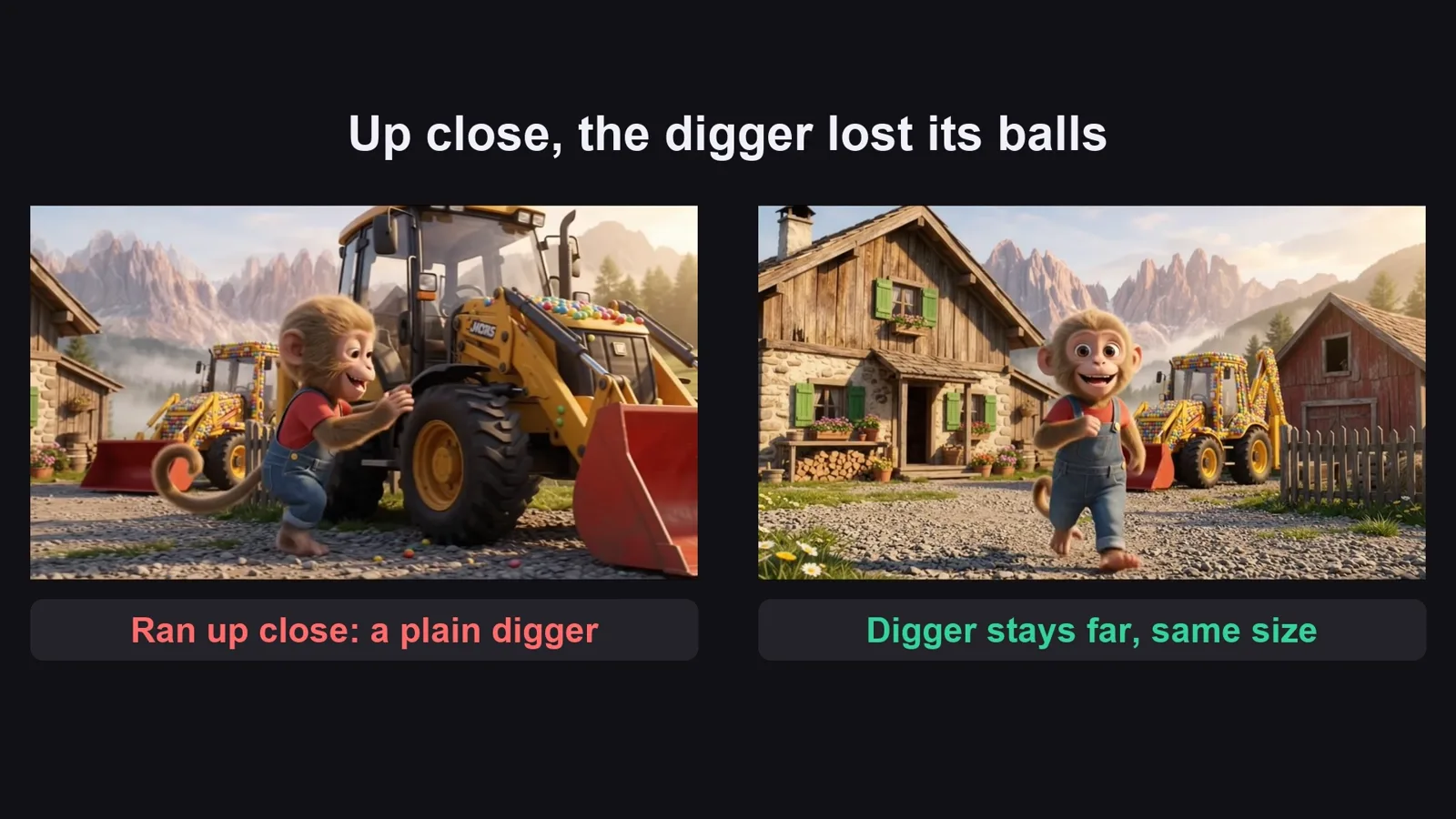
| When the monkey ran up close to the loader it became a plain yellow loader | Keep the machine at the size it has in the start frame (parked far behind) |
| The loader stood still for 8 seconds | Say the direction: "drives forward toward the camera and past it to the right, wheels turning the whole time" |
Trước khi đăng

Ba lỗi làm hỏng loại video này

Lỗi 1

Đổi nhân vật

Trẻ quay lại vì cùng chú khỉ và chiếc máy xúc. Giữ nguyên, chỉ đổi việc.

Lỗi 2

Không có gì xong

Clip nào cũng cần một việc và một kết quả nhìn thấy được: bức tường, hàng rào, ngôi nhà sơn xong.

Lỗi 3

Video im lặng

Không nhạc thì được, nhưng clip nào cũng cần tiếng riêng: tiếng máy, tiếng búa, tiếng gà con.

Tôi đã dùng gì

Công cụ nào cũng được: Claude, ChatGPT hay Gemini để viết prompt; model ảnh nào nhận ảnh tham chiếu; model video nào bắt đầu từ một ảnh; CapCut hay phần mềm dựng bất kỳ để ghép.