















Viral Recipe Lab · Episode 09

AI baby monkey farm videos

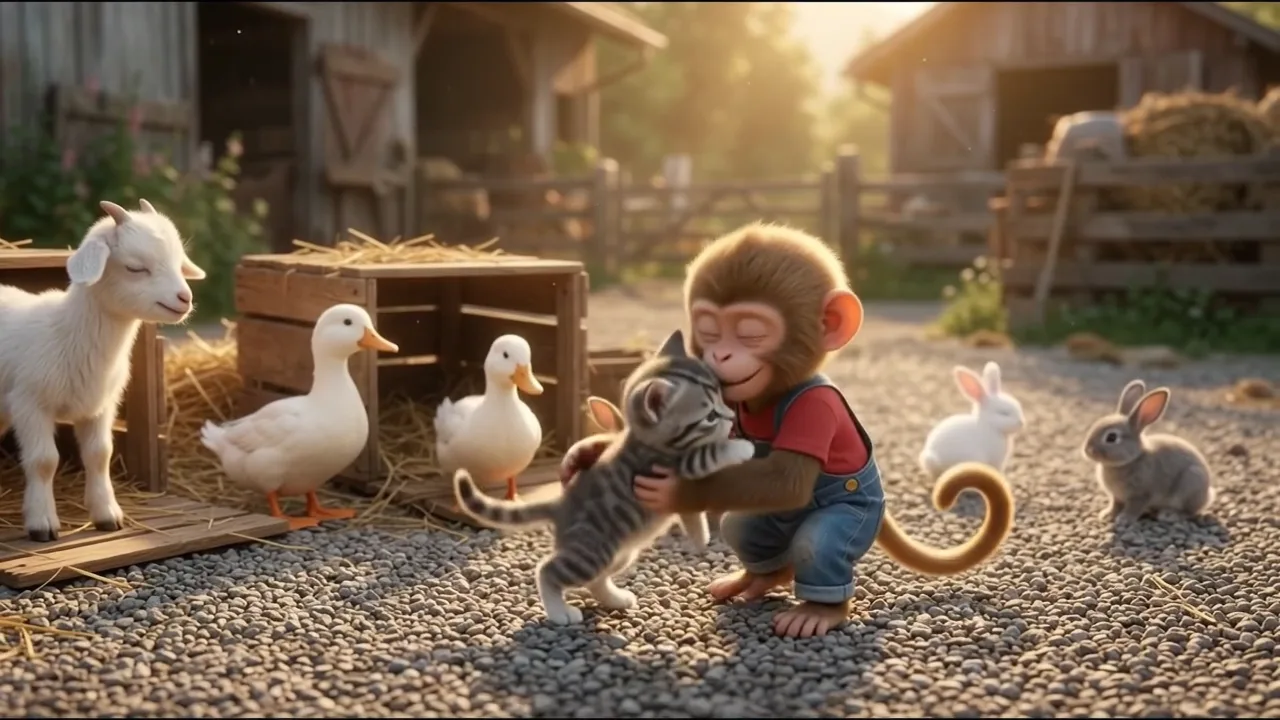
A baby monkey fixing a farm got 100 million views. We measured it clip by clip and sound by sound, made the same story ourselves, and kept every prompt and every mistake.

100Mviews, 8:18, ~10 short lines
49/62clips exactly 8 s
7 days3 monkey videos: 7.4M, 3.6M, 100M
This video has audio in more languages: Settings (gear) → Audio track → your language Show ▾
The recipe card

The four ingredients

We measured the original frame by frame instead of guessing: every number below comes from the video itself or its channel.

Hero + big toy

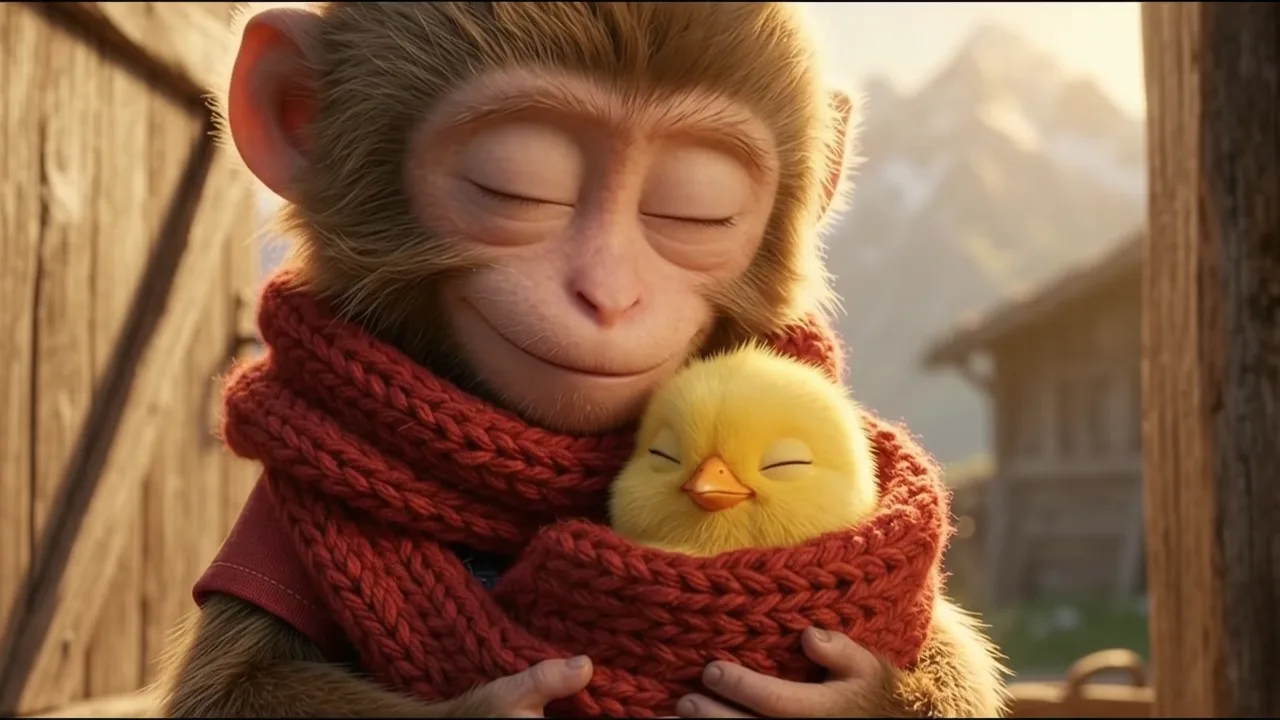
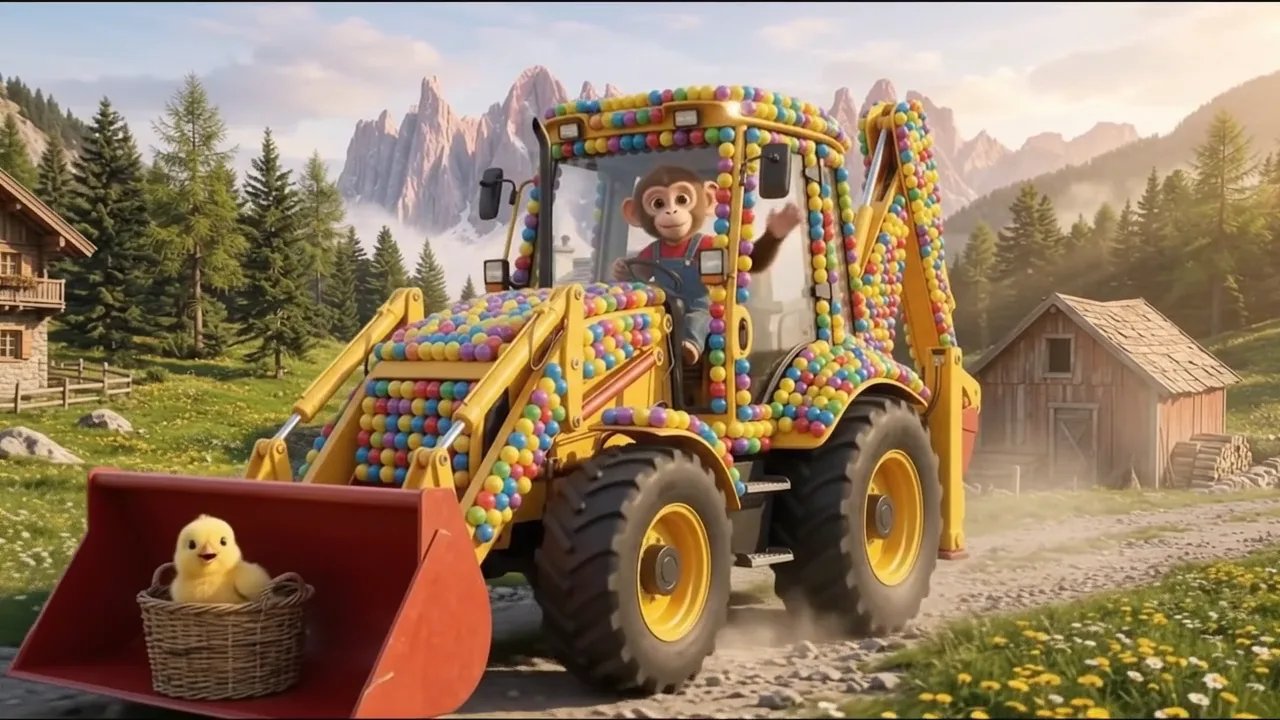
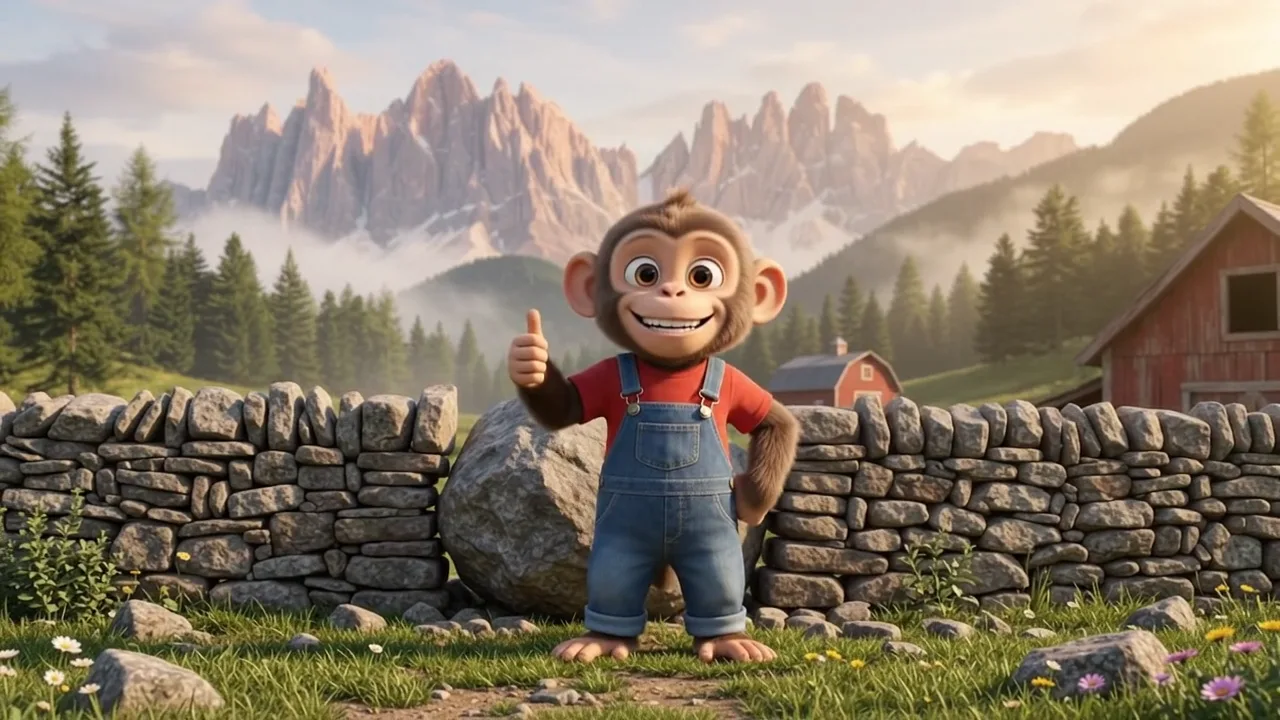
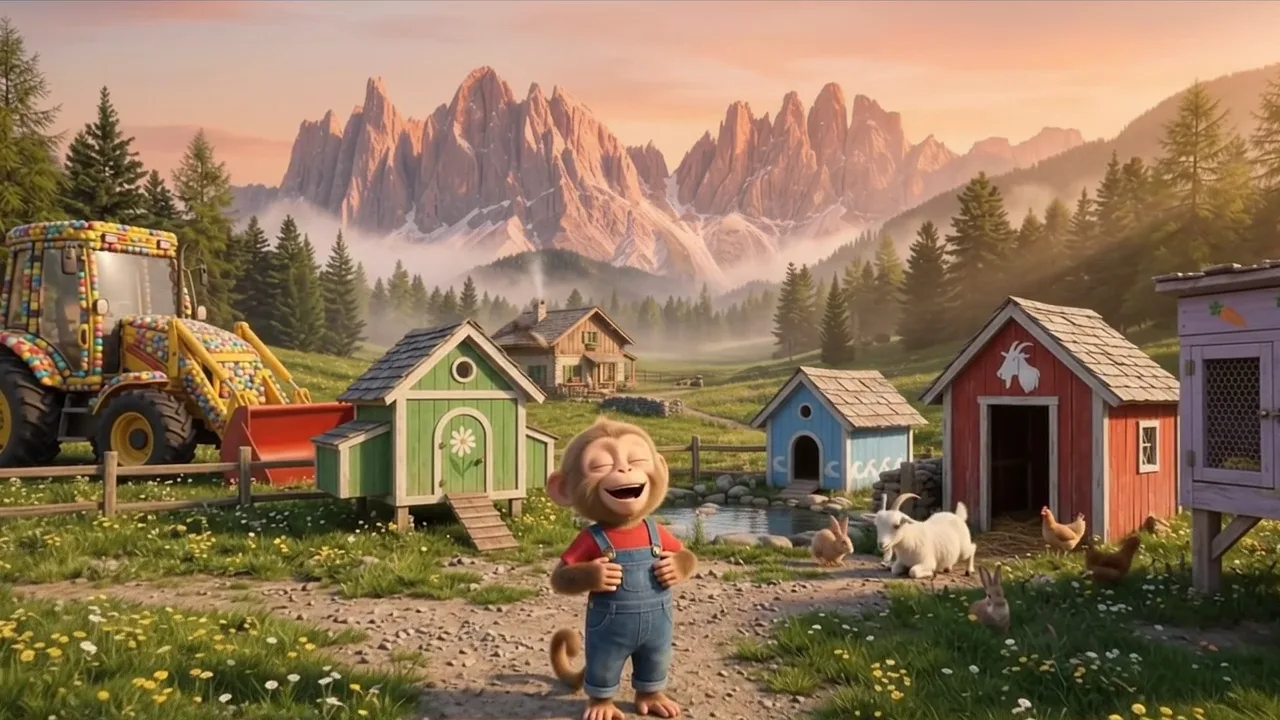
One baby monkey in a red T-shirt and overalls, one yellow digger covered in colourful balls. The same pair in every episode.

A job per clip

Each 8-second clip is one job: the work half done, then a cut to the finished result. The farm grows clip by clip.

Someone small

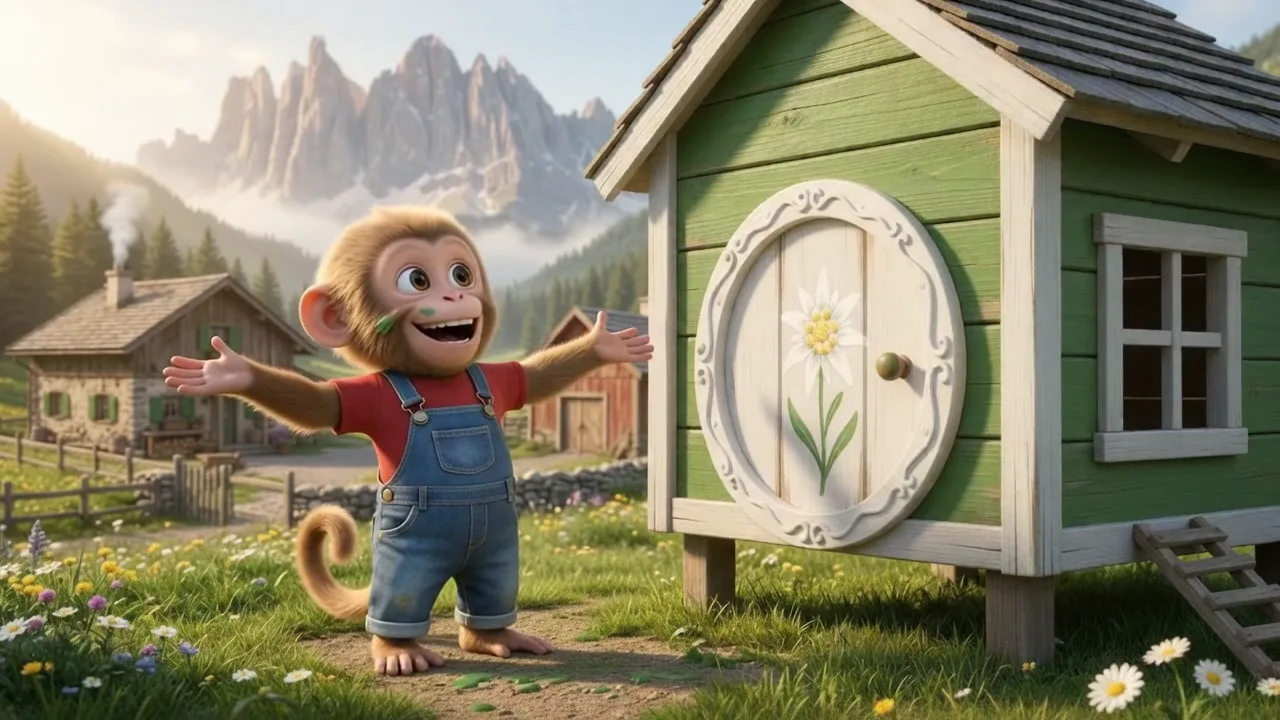
A chick found in the hay, then rescued animals in crates; each one gets its own coloured house and walks in.

8 s, own sound

Clips back to back, about ten short lines in eight minutes; engines, hammers, peeps and bleats carry the rest.

The sample we made

Momo Rebuilds the Farm

24 clips of 8 s, 3:12, the same story as the original, our own pictures and sound. Made with AI.

Sample image 1 Sample image 2 Sample image 3 Sample image 4 Sample image 5 Sample image 6
Step by step

From topic to finished video

  1. Write the prompts

    Paste file 1 into any AI chat with your hero, farmer, machine, farm and animals. Ask for sections A to C, then D and E eight clips at a time.

  2. Set up the chain

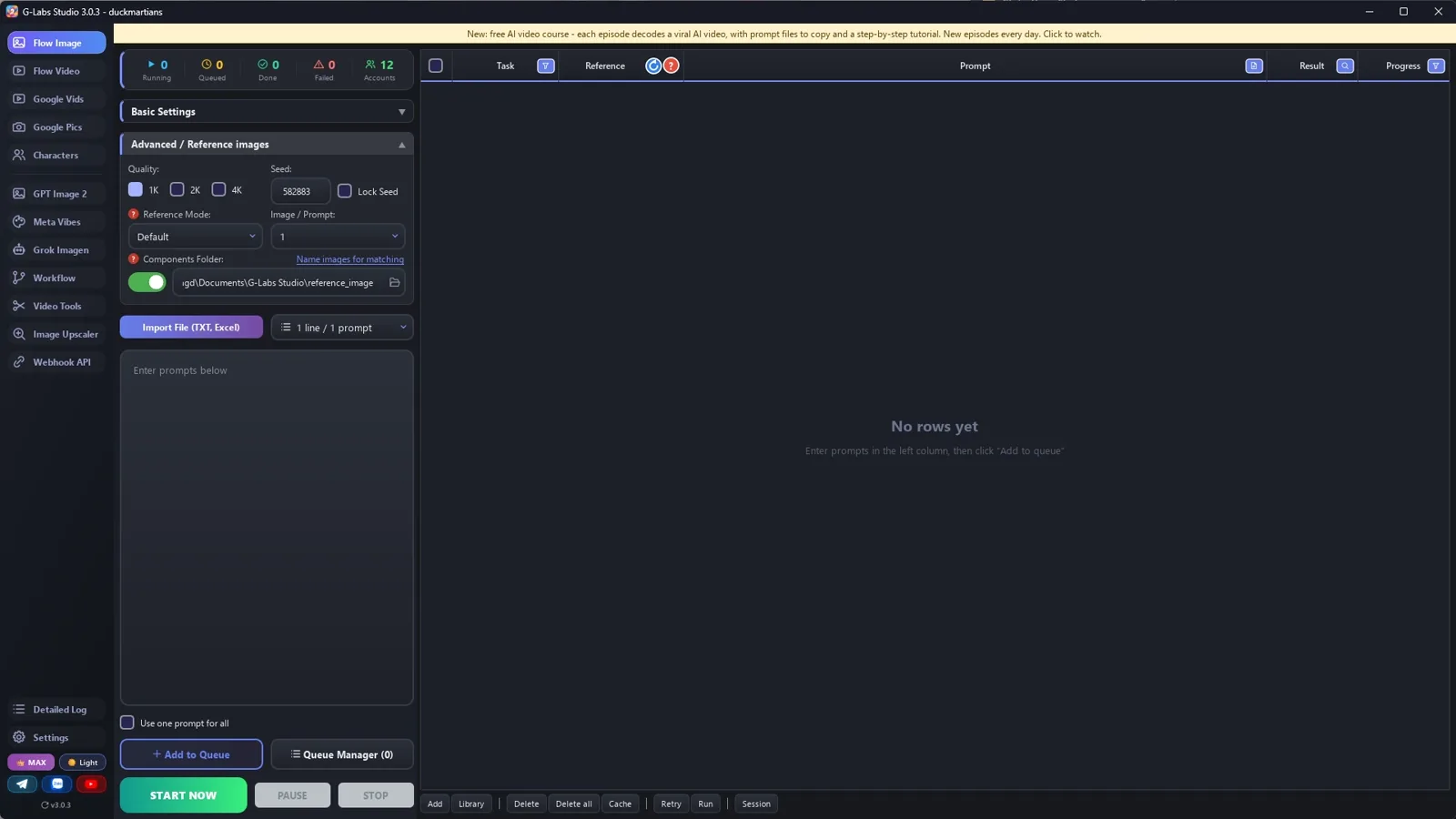
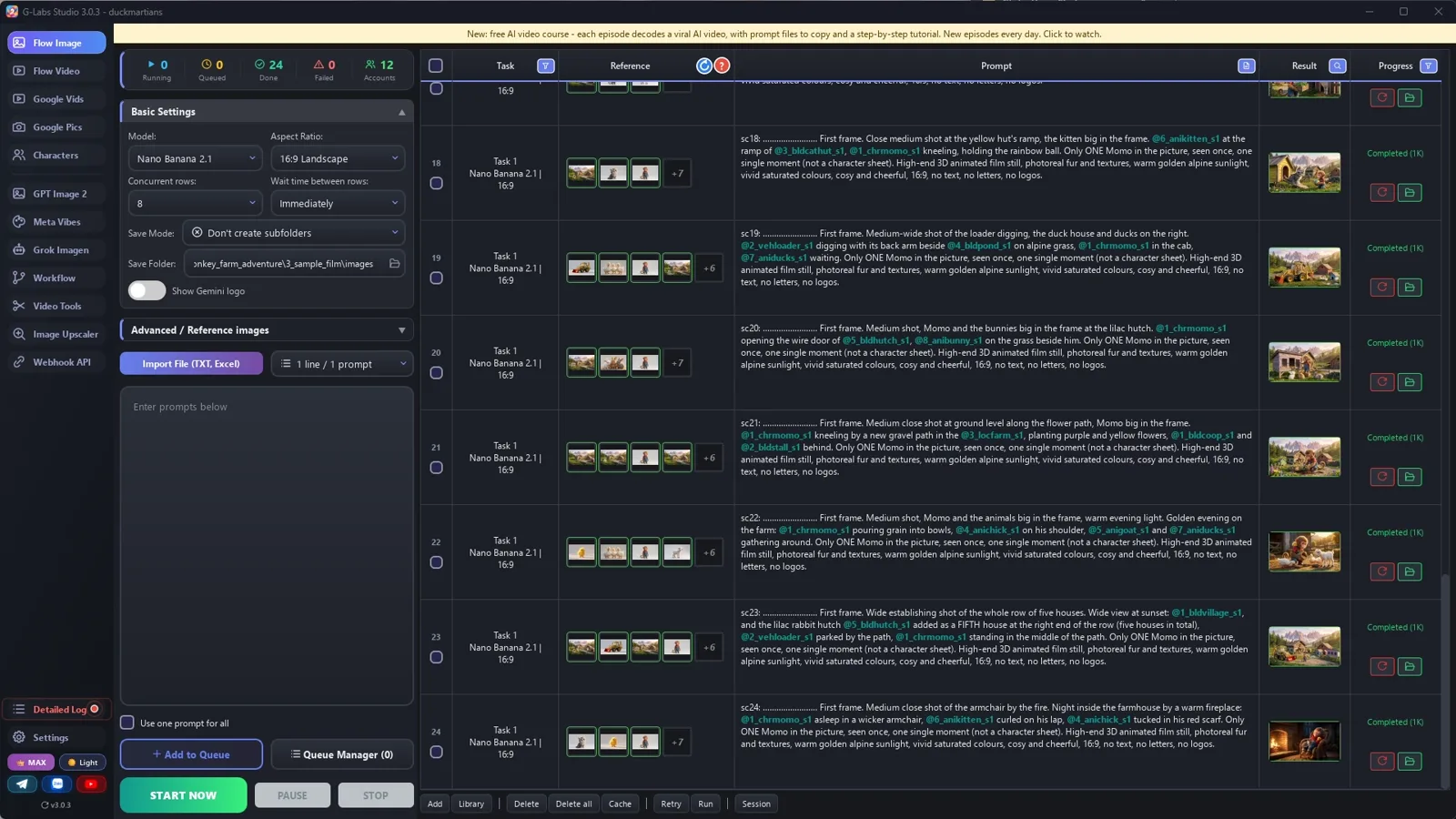
    In your image tool, set the output folder and the reference folder to the same folder, with no sub-folder per task.

  3. Make the pictures in order

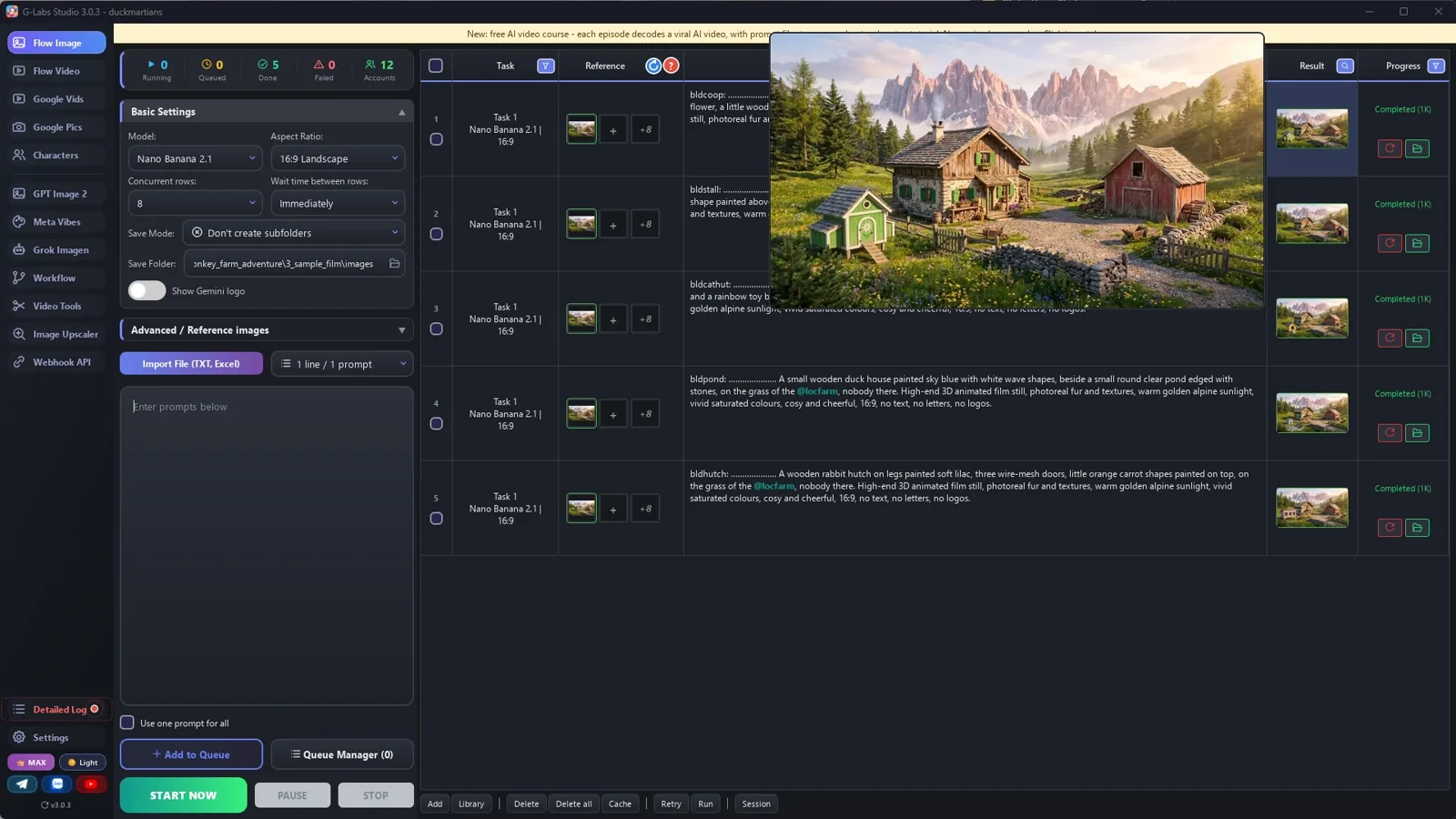
    Components, then houses (tagging the farm), then one middle picture, then the first frames. Check each batch before the next.

  4. Make the clips

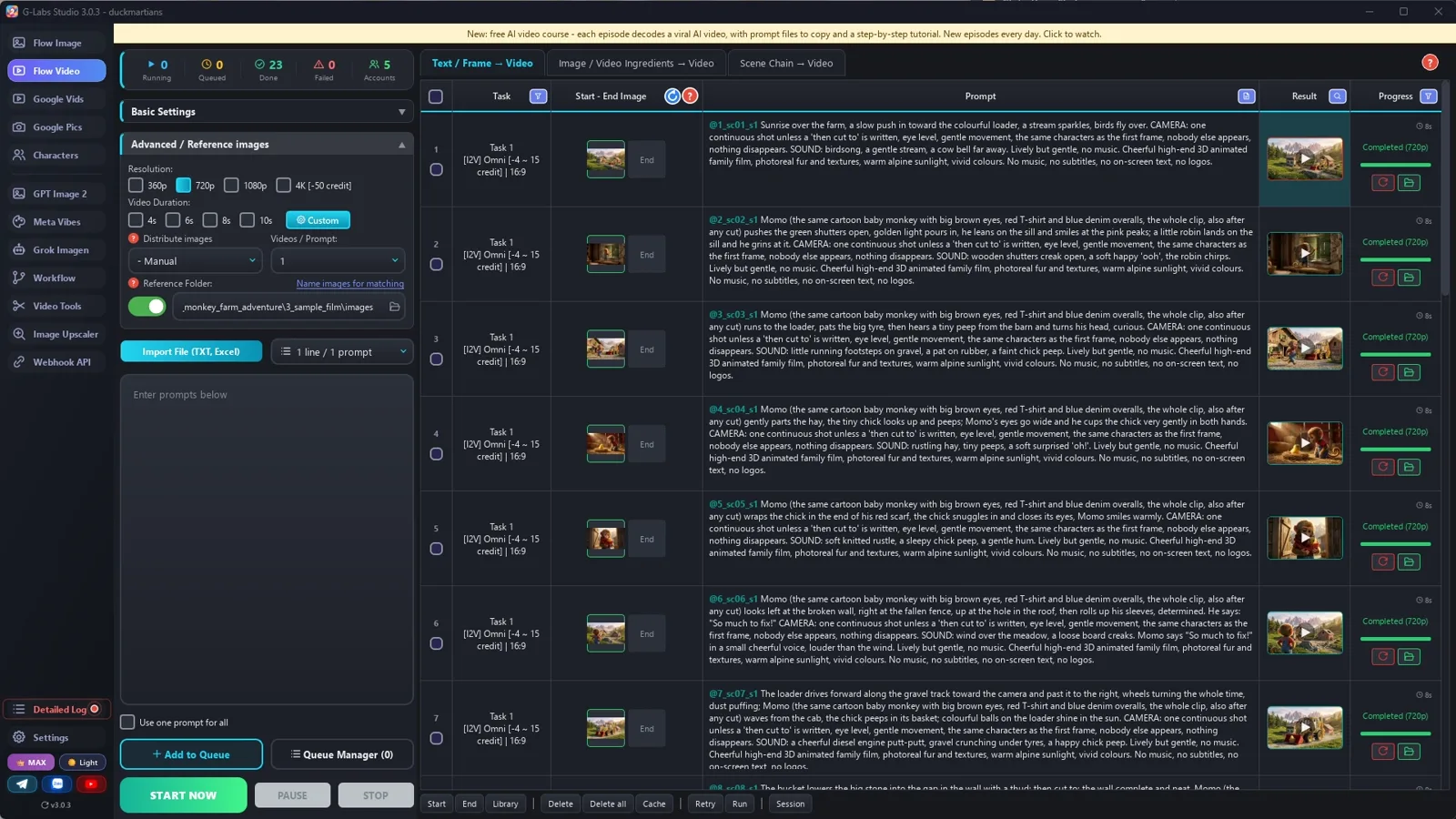
    Frames to Video, one tag per clip (its first frame), 8 s, 5 at a time, no delay. Pilot 3 clips first.

  5. Check in motion

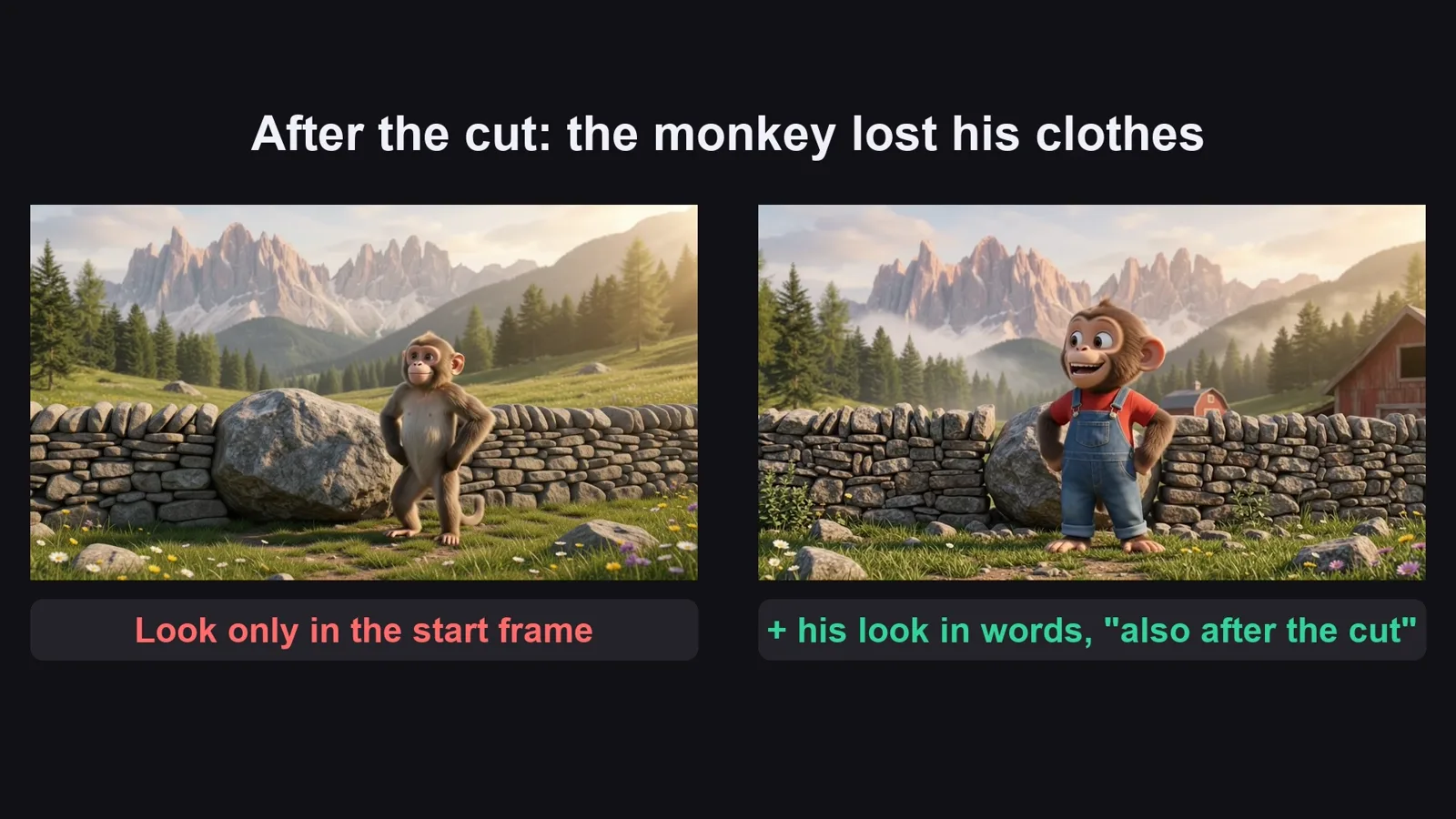
    The start frame holds the look only for the first seconds: repeat the hero's look and the house colours in words.

  6. Join and repeat

    Clips back to back, keep the clip sound, no music. Next episode: same hero, same farm, a new job.

Behind the scenes

How the sample was made

Screenshots from the real production run, not mockups.

G-Labs Studio · The chain setup
01 / 06

The chain setup

Output folder = reference folder, save mode none: every picture can be used by the next one.

Free prompt files

Copy them or download them

Paste file 1 into any AI chat (Claude, ChatGPT, Gemini) with your hero, farmer, machine, farm and animals to get the picture prompts and the clip prompts. Use file 2 for the picture chain, the clips and the join.

File 1

Farm builder prompt writer

The story shape, the tag rules (3-letter prefixes, tag + dots), and the picture and clip prompts, section by section.

# Baby animal farm builder: system prompt (Viral Recipe Lab, Ep 09)
Paste everything below the line into any AI chat (Claude, ChatGPT, Gemini). Then send your hero, machine, farm
and animals, for example: "Hero: Momo, a baby macaque in a red T-shirt and denim overalls. Machine: a yellow
backhoe loader covered in colourful balls. Farm: alpine farm under pink peaks. Animals: chick, goat, kitten, ducks,
bunnies. 24 clips. Give me sections A to C first."
---
You write picture prompts and clip prompts (8 seconds each: the original's clips are 8.0 s, back to back;
for another original, measure its shot lengths first and pick [4s], [6s], [8s] or [10s] per clip) for a wordless kids' video in the style "a baby animal rebuilds
a farm with a big toy machine and builds a home for every rescued animal". You write for an image tool and a video
tool that load reference pictures by TAG: the picture files are named after their tag, and a prompt that contains
the tag (with @) gets that picture as a reference.
## The story (keep this shape)
1. Morning on the farm, the machine parked; the hero wakes up and runs out.
2. The hero finds a tiny animal alone (a chick in the hay) and takes care of it.
3. The hero sees what is broken (wall, fence, roof) and fixes it with the machine, job by job.
4. The hero builds a small house for the tiny animal; it walks in.
5. A kind farmer brings rescued animals in crates; each animal gets its own house in its own colour.
6. All the coloured houses in a row, everyone eats, a cosy night ending.
Every clip is ONE job or ONE moment. For a building job: the work half done, then "then cut to:" the finished result.
## Tags (the most important rules)
- Every tag = a 3-letter type prefix + one word, all lowercase: chr (character) chrmomo, ani (animal) anichick,
  veh (vehicle) vehloader, loc (location) locfarm, bld (building) bldcoop, and sc01, sc02 ... for first frames.
  Why: the tool matches any typed word that is the START of a tag. With prefixes, plain words (Momo, chick, farm,
  pond, red) never start a tag, so they never pull a wrong picture.
- No tag may be the start of another tag (not bldcoop + bldcoophen).
- Every PICTURE prompt starts with its tag, a colon, a space and dots up to 30 characters, then one space:
  `chrmomo: ..................... ` (the tool names the file after the first 30 characters; the dots are dropped,
  so the file is named after the tag alone).
- At most 4 @tags in one picture prompt. If a picture needs more, make ONE middle picture from up to 4 buildings
  (@bldvillage) and use @bldvillage plus the rest. A middle picture may only use tags from A and B (pictures in the
  same section are made at the same time, so they cannot see each other).
- Repeat the look in words; a tag is not a description.
- CLIP prompts contain exactly ONE tag: their first frame (@sc07). Clips are made from finished pictures
  ("Frames to Video"): the 1st matched picture becomes the start frame and a 2nd one would become the END frame,
  so never write another tag in a clip. Names in words (Momo, the chick) are fine.
## Output format (always this, one prompt per line, inside code blocks so they copy cleanly)
**A. COMPONENTS** (no @tags): the hero (chr), the farmer who brings the animals (chr), the machine (veh), the farm
location in good repair (loc; nobody there, no vehicles, no animals; damage is added later in the first frames),
and every animal (ani). Plain light-grey background for characters, animals and the machine; one single figure,
not a turnaround or several poses. Character: species, size (toddler-sized), fur, face, eyes, tail, exact outfit with colours.
Machine: shape, colour, details, "no logos and no letters anywhere".
**B. HOUSES** (each: @loc<farm>, colour, shape, one painted detail, "nobody there").
**C. MIDDLE PICTURES** (only if a later picture needs more than 4 tags; tag with the bld prefix, e.g. bldvillage
= 4 houses in a row; the 5th house is added in the first frame by its own tag).
**D. FIRST FRAMES** (one per clip): `sc01: ........................ First frame. <shot size>. <who is where, with
@tags>. Only ONE <hero name> in the picture. <style line>.` Shot size changes from clip to clip: mostly medium and
close shots with the hero BIG in the frame (small characters drift when they move); wide shots only to open, to
show the finished row, and to end. Name the exact object being worked on ("the SMALL new coop frame", not "the
roof", or the picture repairs the farmhouse).
**E. CLIPS** (one per line, same order):
`[8s] @sc01 <what happens, in order; for a building job: "<work>; then cut to: <finished result>">. <optional
spoken line>. CAMERA: one continuous shot except the 'then cut to' above, eye level,
gentle movement, the same characters as the first frame, nobody else appears, nothing disappears. SOUND: <3-4
sounds of this clip: engine, hammer, peeps, bleats, splashes> Lively but gentle, no music. <style line>`
At most 4 clips have one short spoken line (under 8 words), spread over the story (e.g. seeing the damage, the
farmer arriving, the hero's answer, the ending), written as: <Name> says "..." in a small cheerful
voice, louder than the effects (the name in words, no @: the clip already has the character from its first
frame). All other clips: no words.
Style line for pictures: "High-end 3D animated film still, photoreal fur and textures, warm golden sunlight, vivid
saturated colours, cosy and cheerful, 16:9, no text, no letters, no logos."
Style line for clips: "Cheerful high-end 3D animated family film, photoreal fur and textures, warm sunlight, vivid
colours. No music, no subtitles, no on-screen text, no logos."
## When asked for part of the list
"Sections A to C first" = only A, B, C. "D and E for clips 1-8" = those only. "continue" = the next 8 clips, the
same format, the same tags. If the user gives names, looks or tags, use them EXACTLY. When the last clip is
written, give one title: <Hero name> + the machine + the farm job + an animal.
File 2

Picture chain, clips and the join

How to chain pictures (output folder = reference folder), make clips from finished pictures, join them, and every problem we hit with its fix.

# The picture chain, 8-second clips and the join (baby animal farm builder)
## 1. The picture chain (output folder = reference folder)
Set your image tool so the folder it SAVES pictures into is the same folder it READS reference pictures from, and
turn off "a sub-folder per task" (the reference folder only reads its own top level). Then every picture you make
can be used by the next one, just by writing its tag with @.
Run the sections from file 1 one after the other, waiting for each to finish:
1. **A. Components** (hero, farmer, machine, farm, animals): no @tags.
2. **B. Houses**: each one @tags the farm, so every house stands in the same farm.
3. **C. Middle picture** (@bldvillage): 4 houses in one row, made from the house pictures.
4. **D. First frames**: each one @tags the hero, the machine, the animals and the houses it shows (max 4).
Check each section before the next: one hero (not a character sheet), one farmer (not three poses), the machine
covered in balls, the houses in the same farm. Redo only the bad lines.
Why the dots: G-Labs names a picture after the first 30 characters of its prompt, and every word in a file name
becomes a keyword that any typed word can match ("red" pulled the red house, "cab" pulled "cabin"). Starting with
`chrmomo: ......................` names the file `1_chrmomo_s1.jpg`, so only "chrmomo" can match.
Redoing a line: the new picture also gets the OLD one as a reference (same tag). Move the old file out of the folder
once the new one is good, or the next step may still pick the old one.
## 2. Clips (8 seconds each, from the finished pictures)
- Clips start from a FINISHED picture, so use "Frames to Video" (start frame), not "ingredients/components".
  Components is for building a clip from separate character, object and place pictures.
- Same reference folder, pair mode "manual": the 1st picture a prompt matches = start frame, a 2nd one = END frame.
  So a clip prompt has exactly one tag, its first frame (@sc07); names in words (Momo, the chick) are fine because
  of the 3-letter prefixes.
- Omni, 720p, duration by tag `[8s]` (49 of the original's 62 clips are exactly 8.0 s; for another original measure
  the shot lengths first: Omni takes [4s], [6s], [8s] or [10s]), 5 at a time, no delay between rows.
- Pilot 3 clips first (a driving clip, a "then cut to" clip, a crowded clip), fix the prompts, then the rest.
- Watch every clip in motion: the start frame holds the look for the first seconds only.
## 3. Join
No editing: clips back to back in story order, hard cuts every 8 seconds, keep the clip sound, no music, no
captions. 24 clips = 3:12; the original runs 62 clips (8:18). Then make the next episode with the same hero, farm
and machine and new animals: the original channel posted three of these in seven days (7.4M, 3.6M, 100M views).
## 4. Problems we hit making the sample (and the fix)
| Problem | Fix |
|---|---|
| The first 9 pictures went into a "Task_..." sub-folder, so the next pictures could not see them | Save mode "none", output folder = reference folder |
| A test with the app's own matching code, before the run: plain words would pull the wrong pictures ("red" -> the red house, "cab" -> "cabin", "toy ball" -> the toy loader) | Tags with a 3-letter type prefix (chrmomo, vehloader, bldcoop) and prompts that start with the tag + dots |
| The farmer came out as three poses, the loader with a few scattered balls | "One single figure only, not a turnaround"; "densely covered in tight rows of balls, like a ball pit" |
| 15 of 24 first frames were the same wide farm view with a tiny monkey | A shot size in every first frame, mostly medium and close, the hero big |
| Roofing clip: the monkey roofed the farmhouse instead of the new coop | Name the exact object: "the SMALL new coop frame" |
| The finale needed 5 houses + hero + loader (too many tags) | A middle picture of 4 houses (@bldvillage) + the 5th house by its own tag |
| After "then cut to:" the monkey became a real monkey without his clothes | Repeat the hero's look in words in every clip, "also after any cut" |
| The coop turned from green to brown wood after the cut | Repeat the house's colour in the clip, "for the whole clip, also after the cut" |
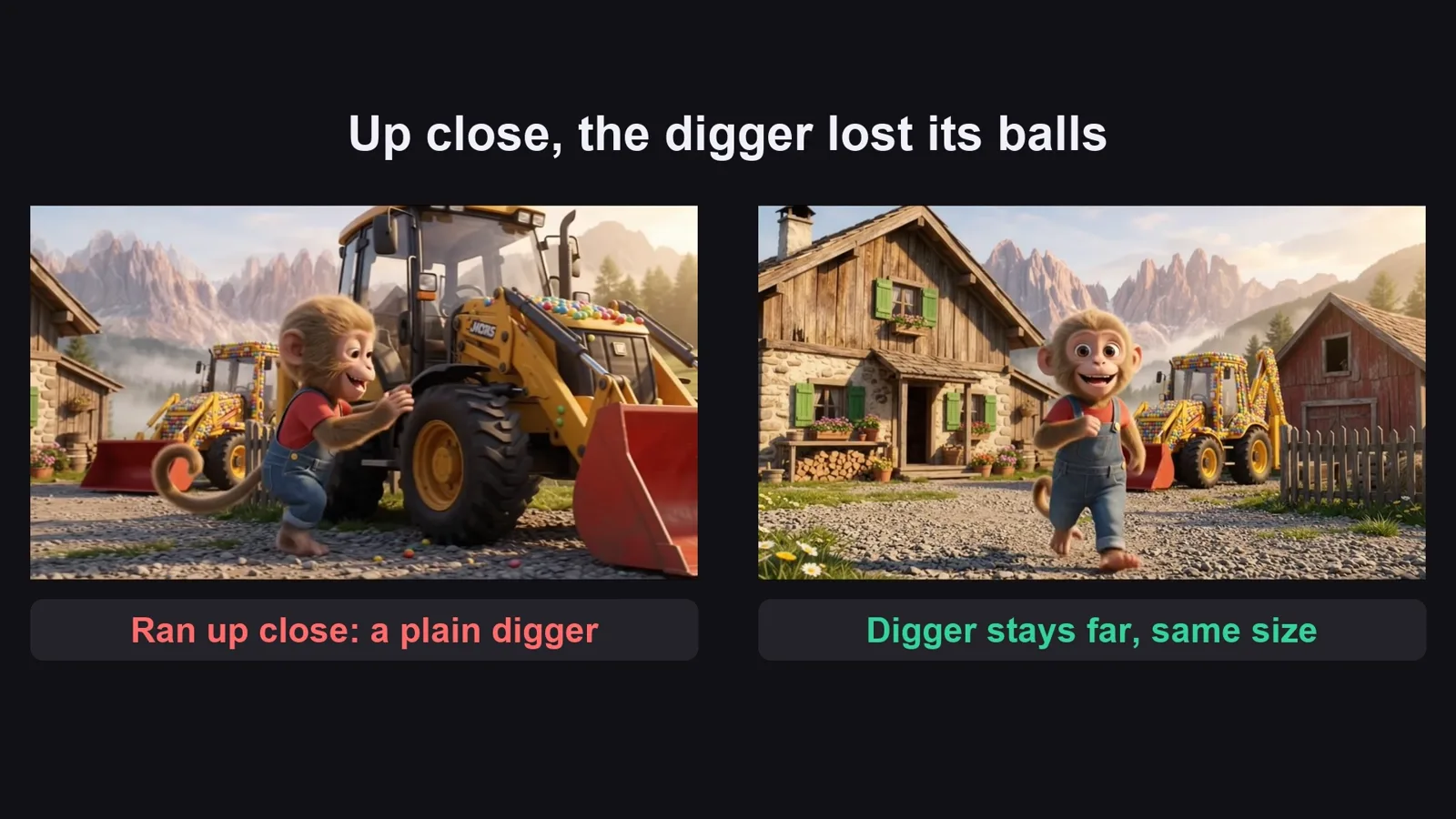
| When the monkey ran up close to the loader it became a plain yellow loader | Keep the machine at the size it has in the start frame (parked far behind) |
| The loader stood still for 8 seconds | Say the direction: "drives forward toward the camera and past it to the right, wheels turning the whole time" |
Before you publish

Three mistakes that kill these videos

Mistake 1

A new hero

Kids come back for the same monkey and the same digger. Keep them, change the job.

Mistake 2

Nothing finished

Every clip needs a job and a result you can see: a wall, a fence, a painted house.

Mistake 3

A silent video

No music is fine, but every clip needs its own sounds: engine, hammer, peeps.

What I used

Any tool works: Claude, ChatGPT or Gemini for the prompts; any image model that takes reference pictures; any video model that starts from a picture; CapCut or any editor for the join.