 Flow Music AutomationDesktop app · Windows & macOS
Batch AI music on Google Flow Music
Paste a hundred prompts and the app generates the music on Google Flow Music across several accounts at once, saved neatly folder by folder.
Requires a Flow Music Automation plan on your account · All releases
Three steps from a prompt list to a folder of music
-
01
Add your Flow Music accounts
Click Sign in with browser and sign in to Google in the Chrome window that opens; the app captures the session itself, so there is nothing to paste. Add as many accounts as you like, each with its own proxy if you want.
-
02
Paste prompts, split into tasks
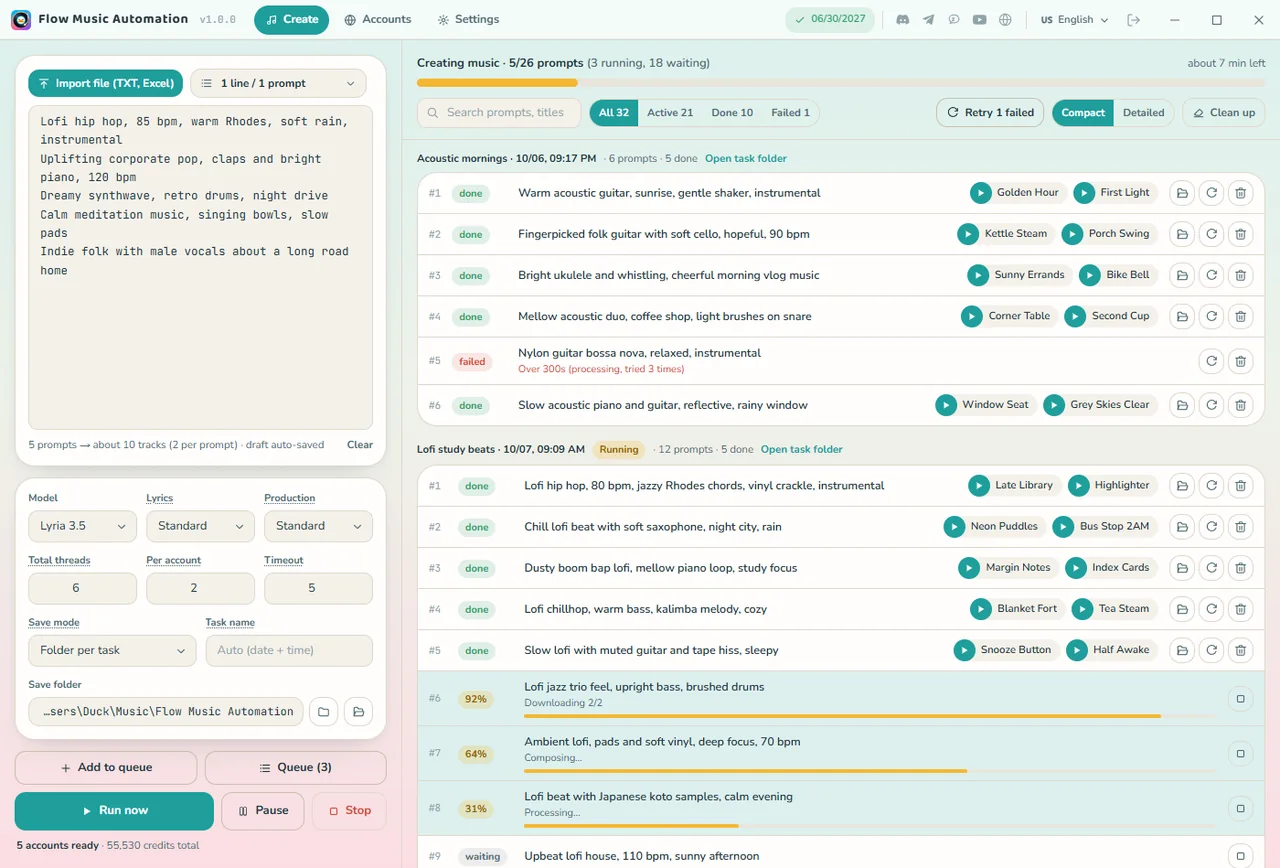
One prompt per line, or import a TXT / CSV / Excel file. Pick the model, threads and save mode, then Add to queue; line up as many tasks as you need.
-
03
Press Run now
Tasks run one after another; each prompt makes 2 tracks, saved in the task's own folder and numbered in prompt order.
- Works with
- Google Flow Music · Lyria 3.5 / Lyria 3 Pro
- Formats
- MP3 128-320 · original M4A · WAV
- Operating system
- Windows x64 · macOS (Apple Silicon & Intel)
- License
- 1 / 6 / 12 months, separate plan
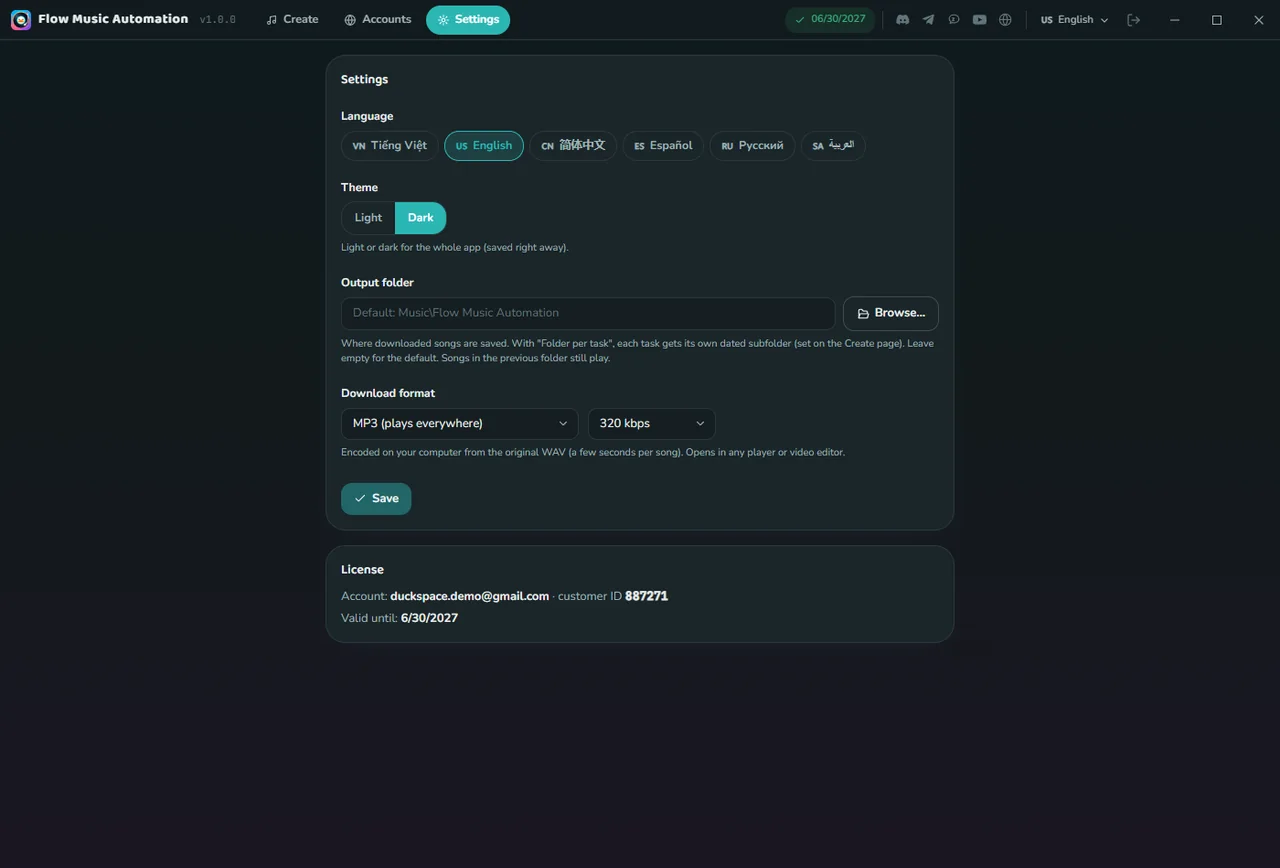
Screenshots from the running app
Sample data, real interface. Swipe through each screen.
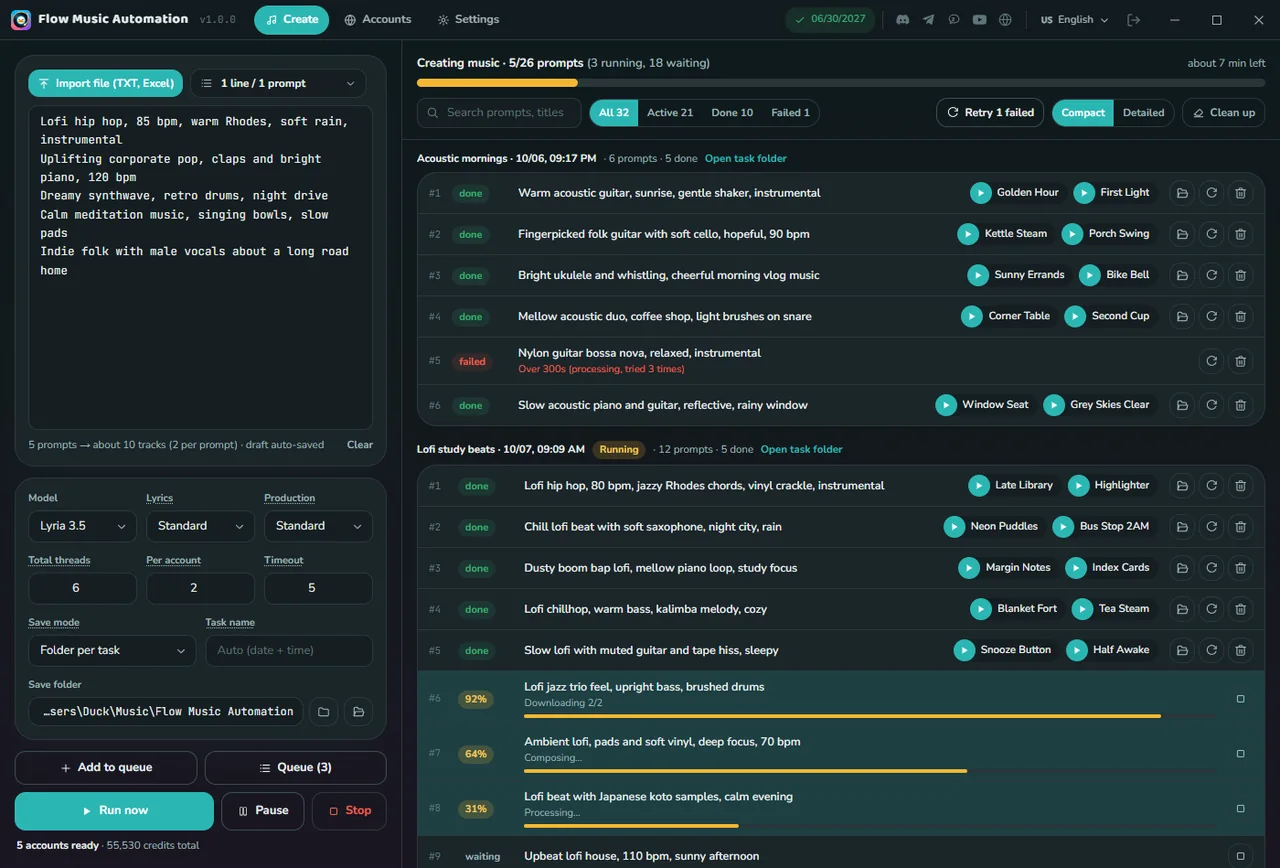
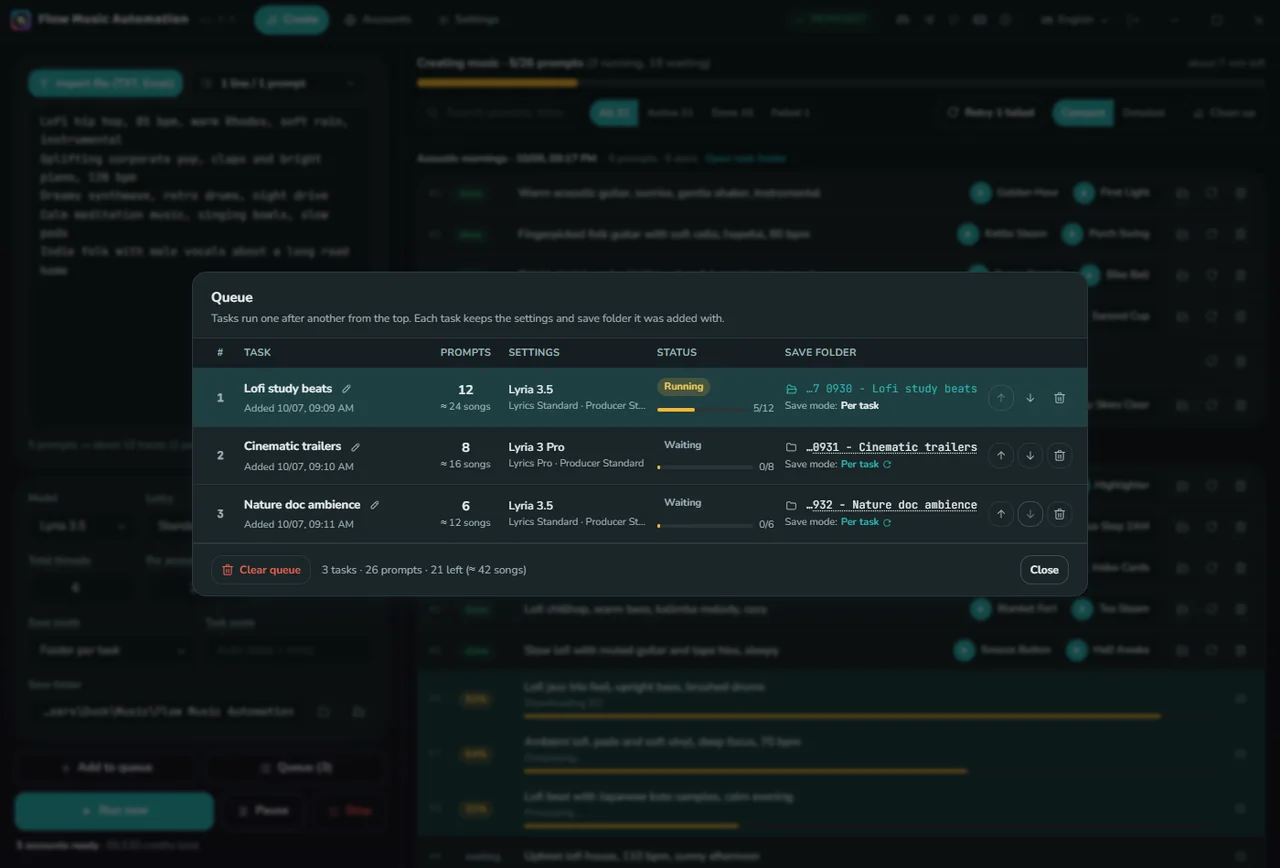
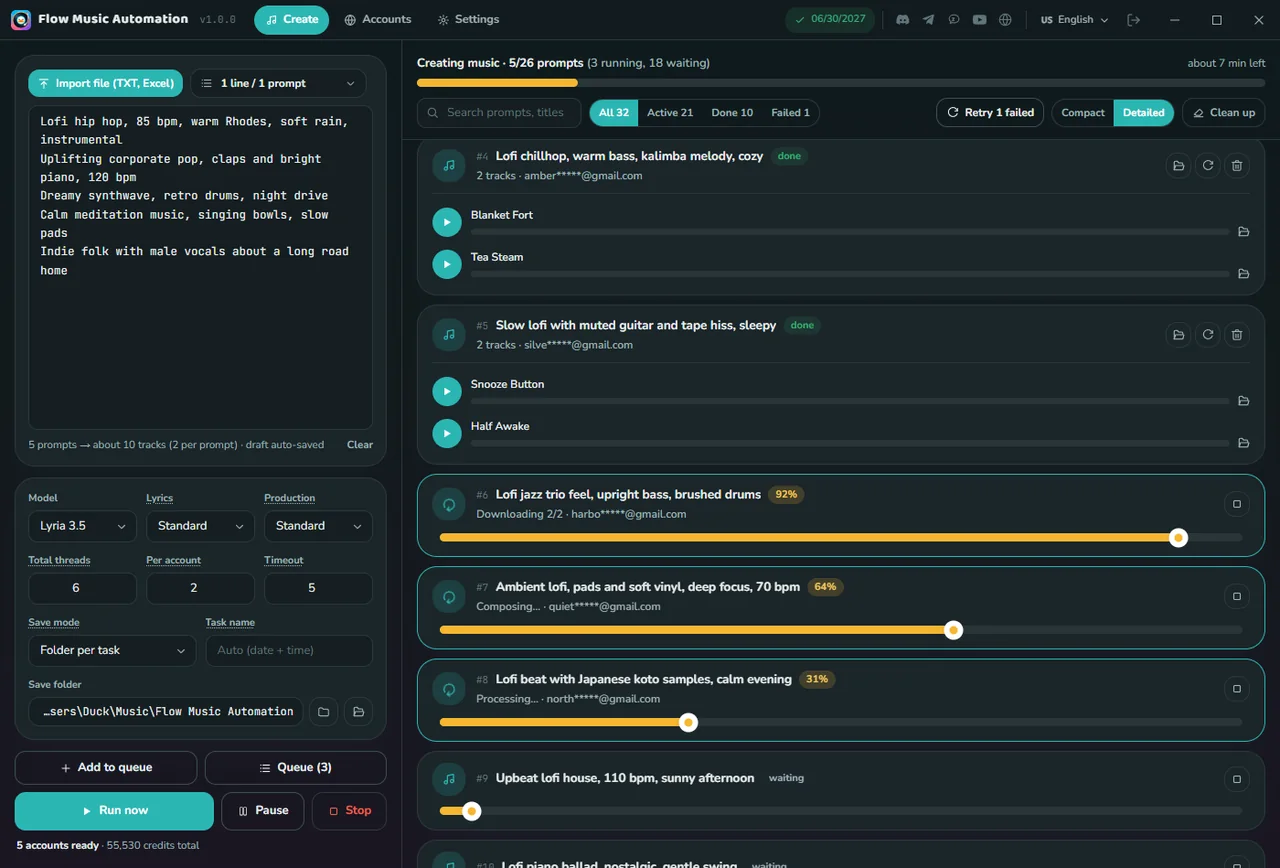
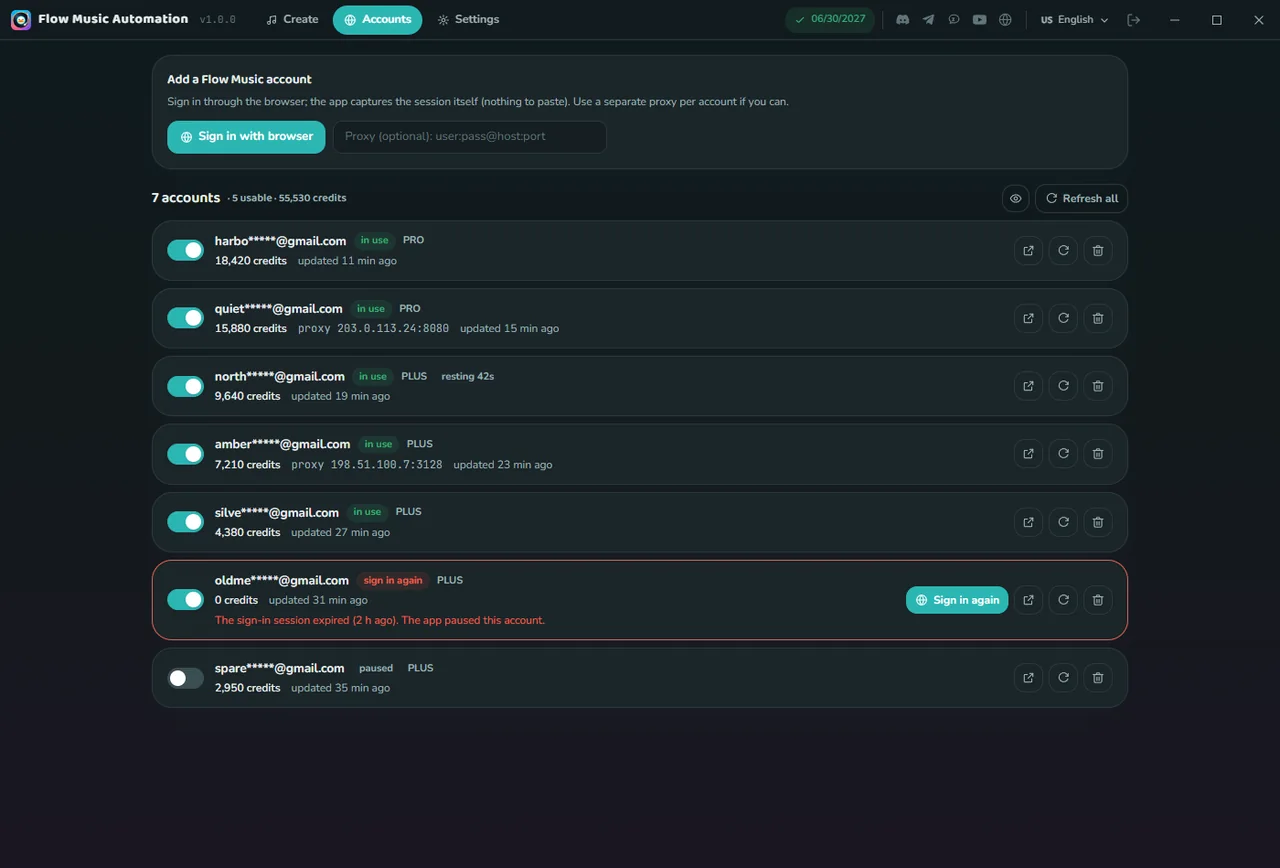
Stop without wasting credits
Stop puts songs in progress back in the queue; Run now picks each one up where it was instead of generating it again. Close the app and the queue is still there when you reopen it.
Import prompts from a file
Takes TXT, CSV (comma or semicolon detected, a "prompt" column is picked up, a cell with line breaks stays one prompt) and Excel .xlsx; you can also drag the file onto the box. Files saved in an old Windows code page still read correctly. Drafts save themselves, so closing the app loses nothing.
Pricing
One plan, time-based, no auto-renewal. The Flow Music Automation plan is its own plan, separate from G-Labs Studio Plus/Max.
Flow Music Automation plan
Every feature unlocked.
- Unlimited prompts and tasks
- Parallel runs across many accounts
- MP3, M4A, WAV with cover art
- 1 computer at a time
Pay by VietQR, PayPal or USDT inside the app. There is no free tier. Music credits belong to your own Flow Music accounts and are not part of the plan. Refund policy.
Requirements & details
What to know before you install.
- Operating system
- Windows 10 / 11 x64 · macOS Apple Silicon · macOS Intel
- Extra installs
- Google Chrome (to sign in to your Flow Music accounts)
- Account
- Your account (Google sign-in) with an active Flow Music Automation plan, plus one or more Google accounts that can use flowmusic.app
- Languages
- 6: English, Tiếng Việt, 简体中文, Español, Русский, العربية (right-to-left)
- Version
- See the latest release on GitHub · the app updates itself and verifies each update's digital signature before installing
- Installing
- The app isn't code-signed: on Windows click More info → Run anyway; on macOS right-click → Open the first time.
Frequently asked questions
Where do the music credits come from?
From the Flow Music accounts you add to the app. The Flow Music Automation plan only unlocks the app; it doesn't include credits.
How many songs does one prompt make?
Two tracks, just like on flowmusic.app. 100 prompts ≈ 200 songs.
Do I lose credits if I press Stop mid-run?
No extra credits: songs already sent are kept, and Run now resumes and downloads them instead of generating them again.
Can I import prompts from Excel?
Yes: TXT, CSV (comma or semicolon, a "prompt" column is picked up) and Excel .xlsx (column A). You can also drag the file onto the box.
Is there a free trial?
No - the app needs an active plan; without one it opens the purchase screen. You can buy the 1-month plan to try it.
How many computers can I use?
One at a time - signing in on another computer signs the old one out.
Where do my music and data go?
Music goes to Music/Flow Music Automation (changeable). Your Flow Music accounts, queue and settings stay on your computer. The license server is only used to check your plan - see the Privacy Policy.
macOS says the app is damaged / won't open?
The app isn't signed with Apple. Right-click → Open the first time, or run xattr -dr com.apple.quarantine "/Applications/Flow Music Automation.app".
How do I pay?
Buy inside the app by bank QR (VietQR), PayPal or USDT. The green badge in the title bar shows when your plan expires.
Can I get a refund?
Yes, within the first 24 hours after payment. Details in the Refund Policy.
Still have a question? Contact support · User guide