
G-Labs Music Forge
Turn a song into an instrumental, stems, melody MIDI, chords and sheet music - processed entirely on your computer.
Free · no account · offline analysis · All releases
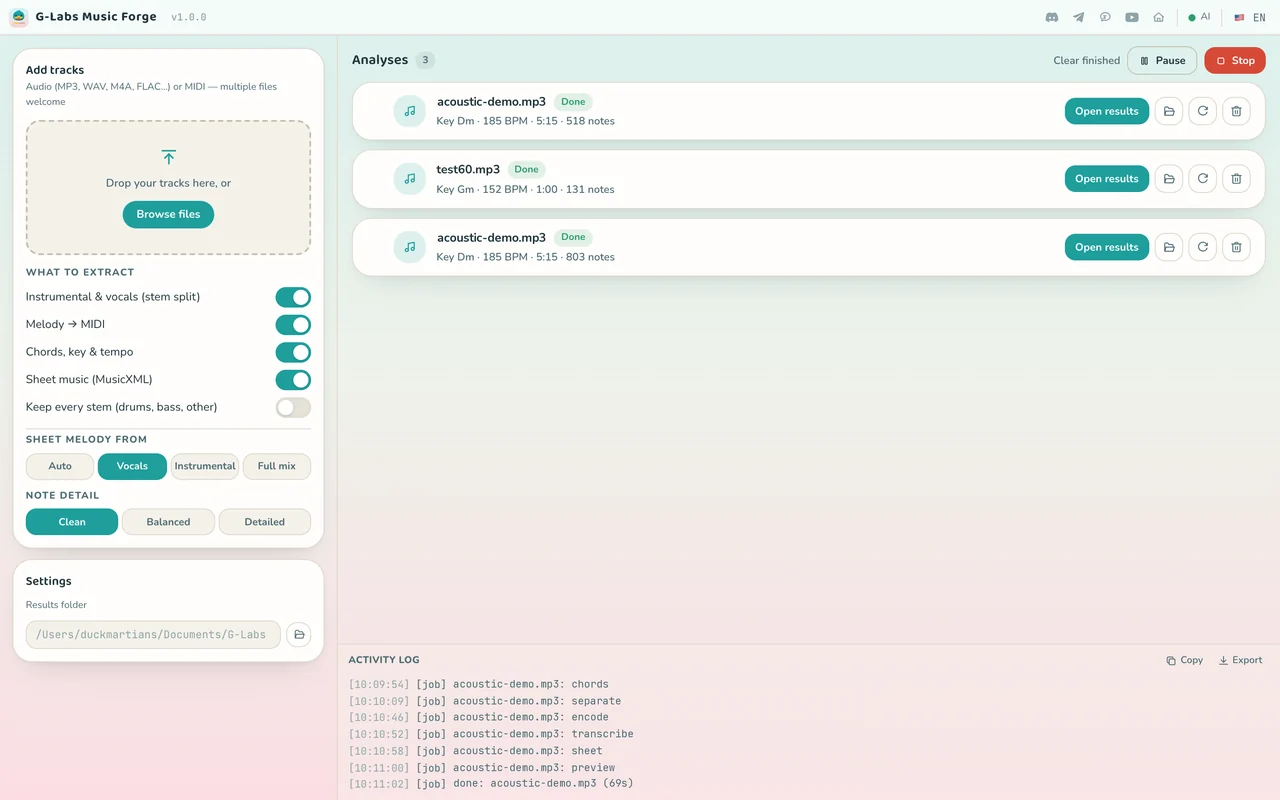
Three steps, everything runs on your computer
-
01
Drop your tracks in
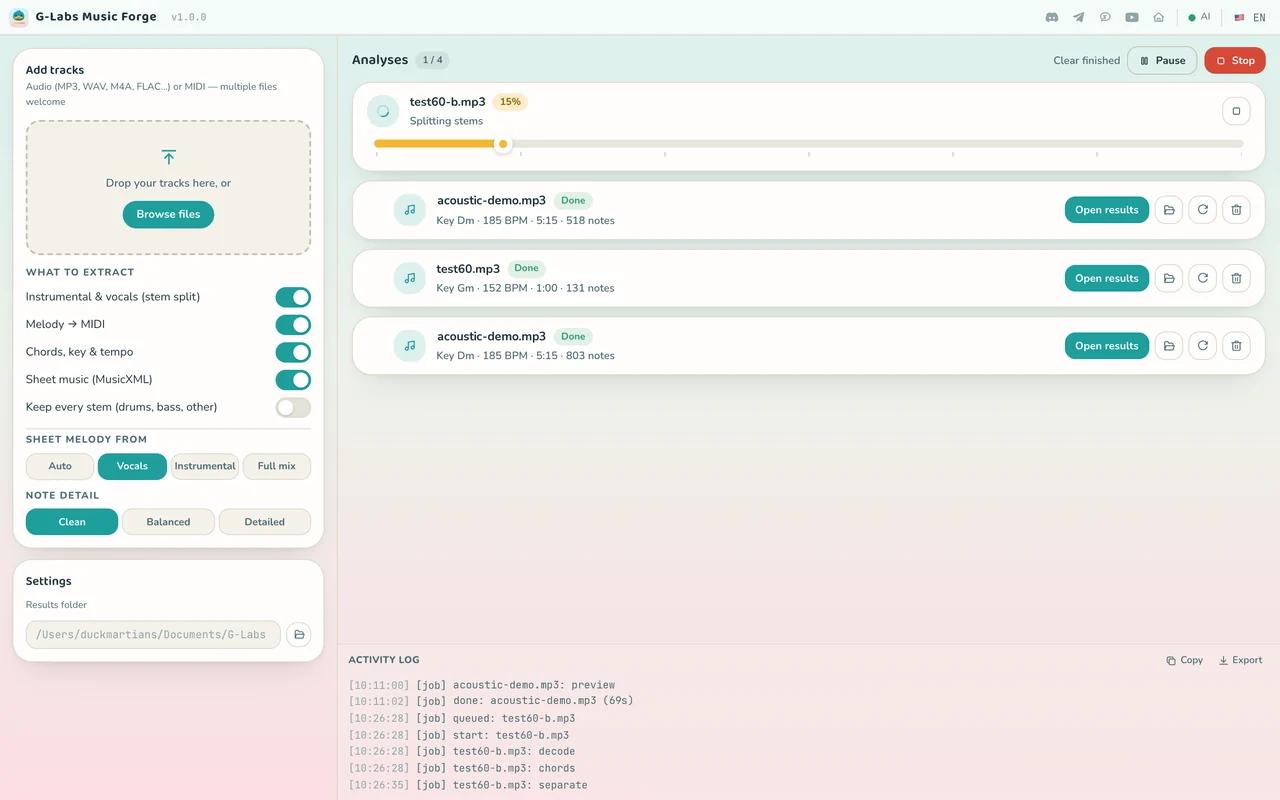
Drag and drop or browse for one or more files: MP3, WAV, M4A, FLAC… or MIDI.
-
02
Pick what to extract
Turn on what you need: instrumental & vocals, melody → MIDI, chords/key/tempo and sheet music; choose the sheet source and note detail, then press Start queue.
-
03
Open the results
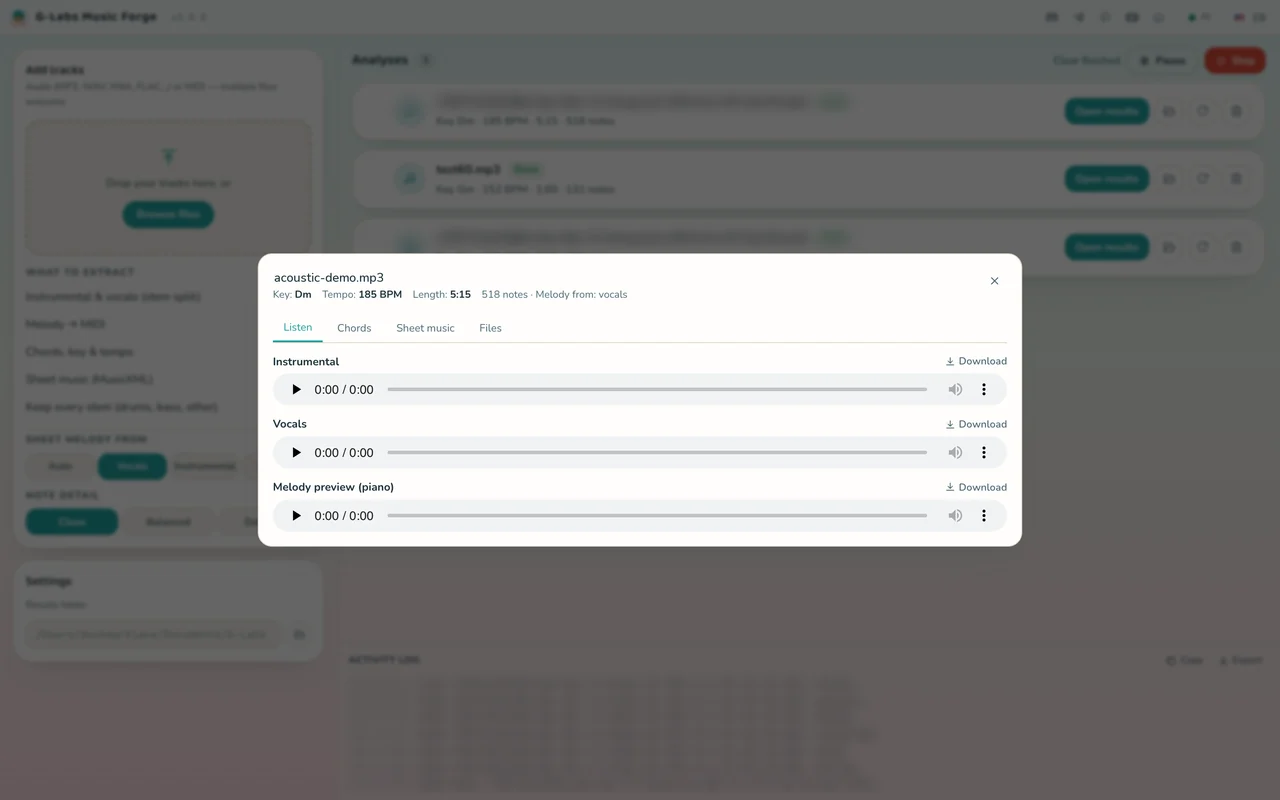
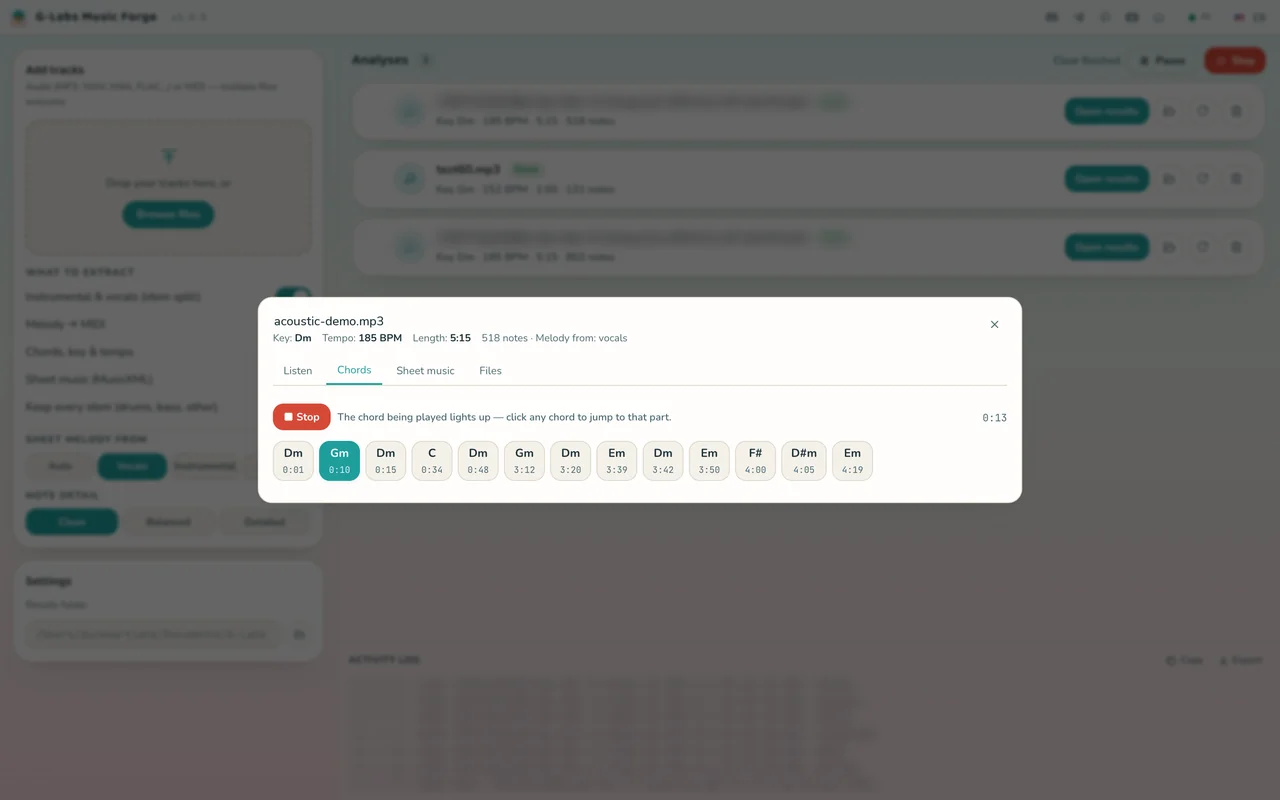
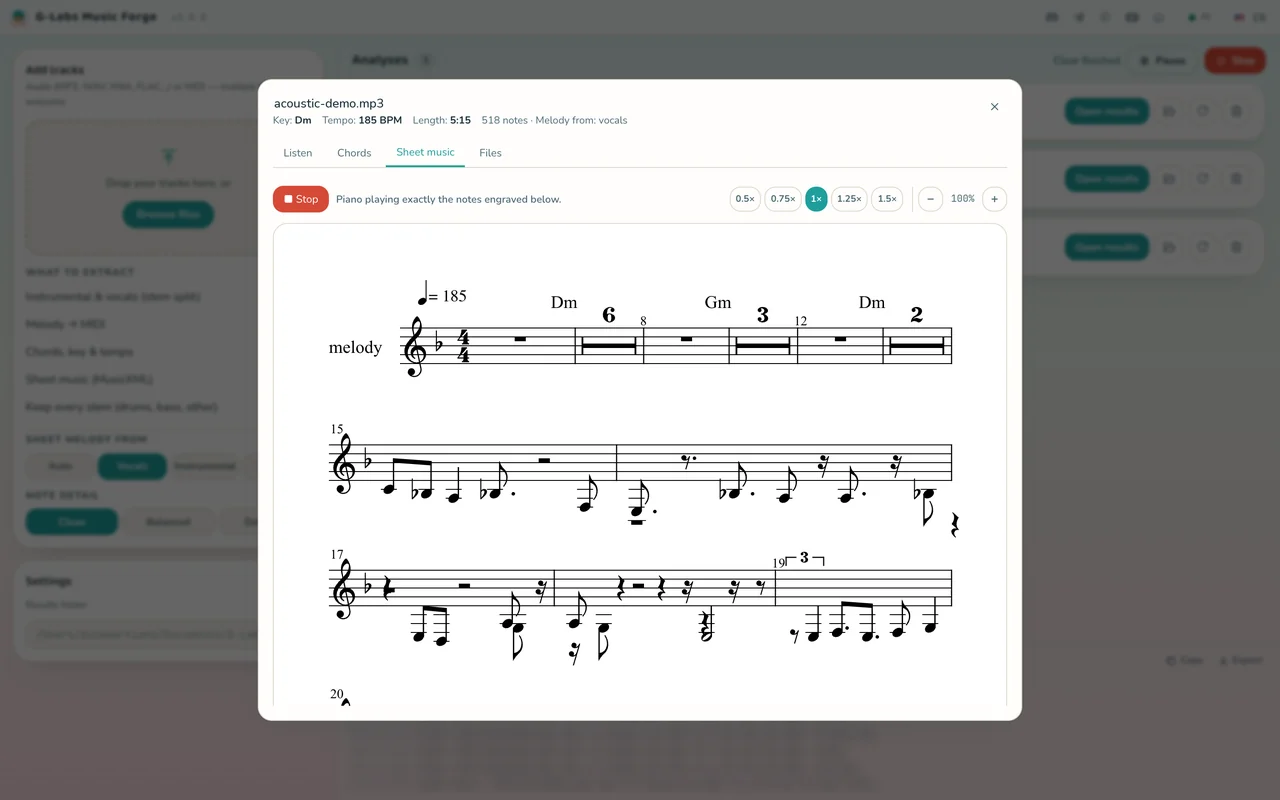
Listen to each stem, follow the chords along with the music, play the sheet, or open the results folder and drag files into your DAW.
- Input
- MP3 · WAV · M4A · AAC · FLAC · OGG · OPUS · WEBM · AIFF · WMA · MIDI
- Output
- MP3 stems · MIDI · MusicXML ·
chords.json - Operating system
- Windows x64 · macOS Apple Silicon
- Your data
- Songs and results stay on your computer
One song, everything you need to keep writing
Built for AI music workflows: keep the music you like, drop the lyrics you don't, and take the song's "musical DNA" to keep writing.
Melody → MIDI
Transcribes the sung melody into a single lead line (melody.mid) with basic-pitch. A vocal-energy gate stops leftover instrument bleed from creating "ghost" notes where nobody is singing.
DAW-ready results
One folder per song: MP3 instrumental and stems, melody.mid, a quantized sheet.mid, sheet.musicxml, chords.json and a piano preview. Saved to Documents/G-Labs Music Forge by default.
Bring your own MIDI
Drop in a .mid file and the app builds the sheet music and piano preview straight from it, no stem split needed.
Free - download and go
No plans, no license key, no sign-in. The stem-separation and melody-transcription models ship inside the installer together with FFmpeg, so analysis works even without an internet connection.
- Unlimited songs
- Offline analysis on your computer
- No Python or FFmpeg to install
- Checks for and installs new versions from GitHub inside the app
Requirements & details
What to know before you install.
- Operating system
- Windows 64-bit (x64) · macOS Apple Silicon. No Intel Mac build yet.
- Bundled
- AI models (Demucs, basic-pitch) and FFmpeg - nothing else to install
- Acceleration
- Apple Silicon Macs split stems on the GPU (MPS); Windows runs on the CPU
- Network
- Not needed for analysis; only used to check for updates
- Languages
- English, Tiếng Việt, 简体中文, Español, Русский, العربية
- Version
- See the latest release on GitHub · the app updates itself
- Install note
- The macOS build is unsigned: the first time, right-click the app → Open, or run
xattr -dr com.apple.quarantine "/Applications/G-Labs Music Forge.app".
Frequently asked questions
Is it really free?
Yes. Music Forge is free, with no paid plan, no account and no license key.
Do I need an internet connection?
Not for analysis - the AI models and FFmpeg are inside the installer. The app only goes online to check GitHub for new versions.
Are my songs uploaded anywhere?
No. Decoding, stem separation, melody transcription and chord detection all run on your computer; results are saved to Documents/G-Labs Music Forge (changeable in Settings). See our Privacy Policy.
Is the sheet music 100% accurate?
No. The transcription is intentionally a sketch - treat it as a draft to refine. Rap sections tend to come out very dense; the "Clean" note detail works best there.
Which formats does it export?
MP3 (instrumental, vocals, stems), MIDI (melody.mid, sheet.mid), MusicXML (sheet.musicxml) and chords.json.
Does it run on Intel Macs?
Not yet. Builds are available for Windows x64 and macOS Apple Silicon only.
Do I need a graphics card on Windows?
No. On Windows the engine runs on the CPU; only Apple Silicon Macs get GPU acceleration.
Can I use the separated music in my videos?
Music Forge only processes the files you give it. Rights to the original song and anything extracted from it stay with the copyright holder - only use music you have the rights to.
Still have a question? Contact support