 Suno DownloaderDesktop app · Windows & macOS
Save Suno music at original quality
Save Suno music at original quality - one link for a song, a whole playlist, a profile or the Explore page.
Requires a Suno plan on your account · All releases
Three steps from link to music file
-
01
Paste a Suno link and scan
Sign in with Google using your account with a Suno plan, paste a suno.com link and press Scan - the app scrolls the page itself to load the full list.
-
02
Pick songs & format
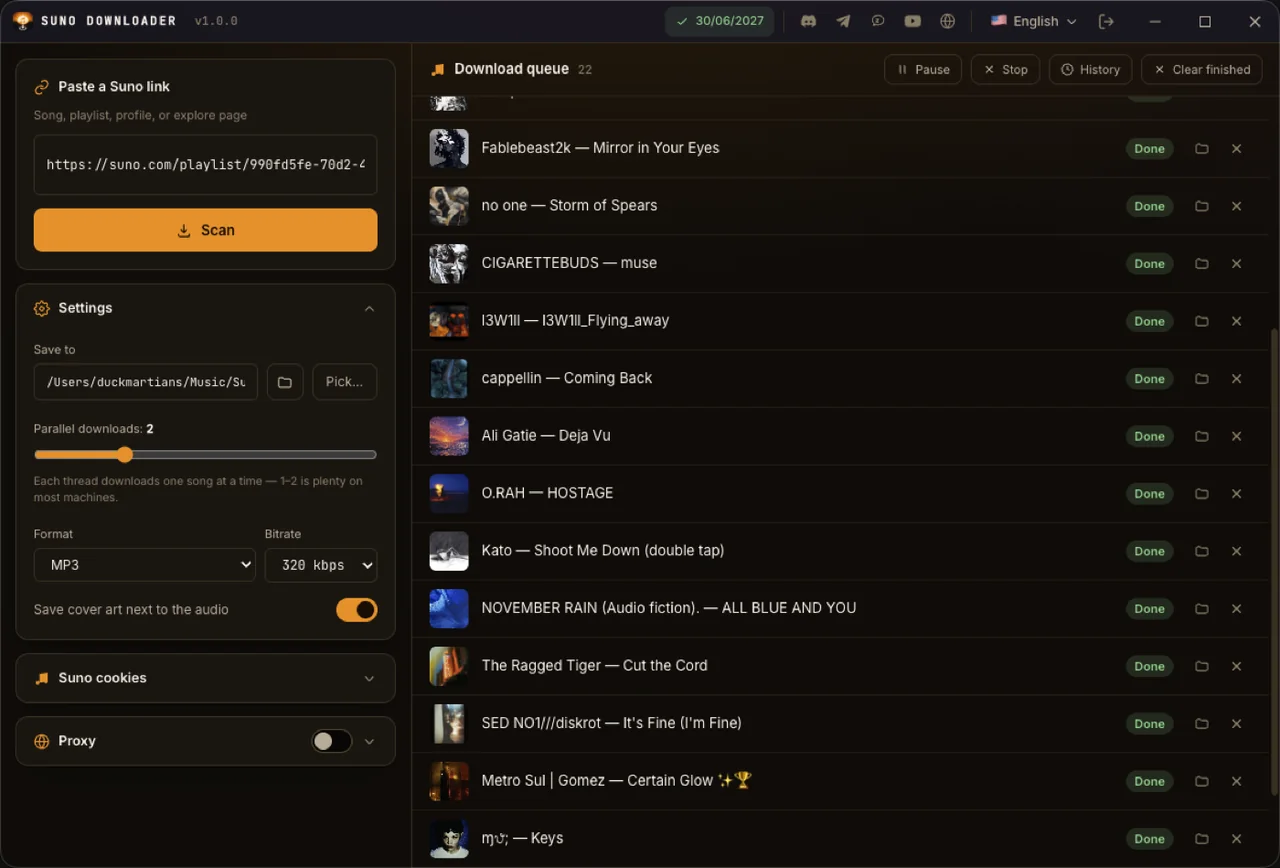
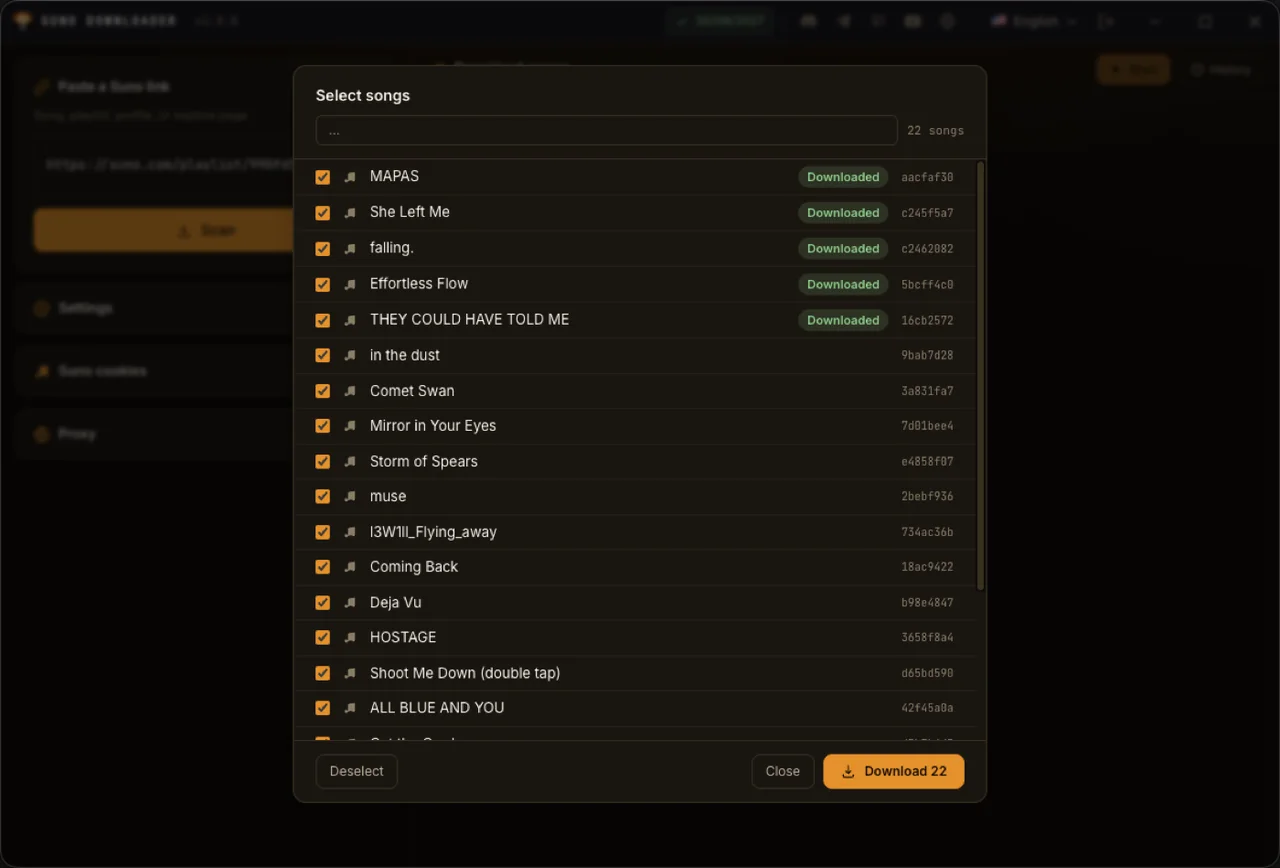
Tick the songs you want (ones you already have are tagged Downloaded so you skip duplicates), then choose format, bitrate and threads in Settings.
-
03
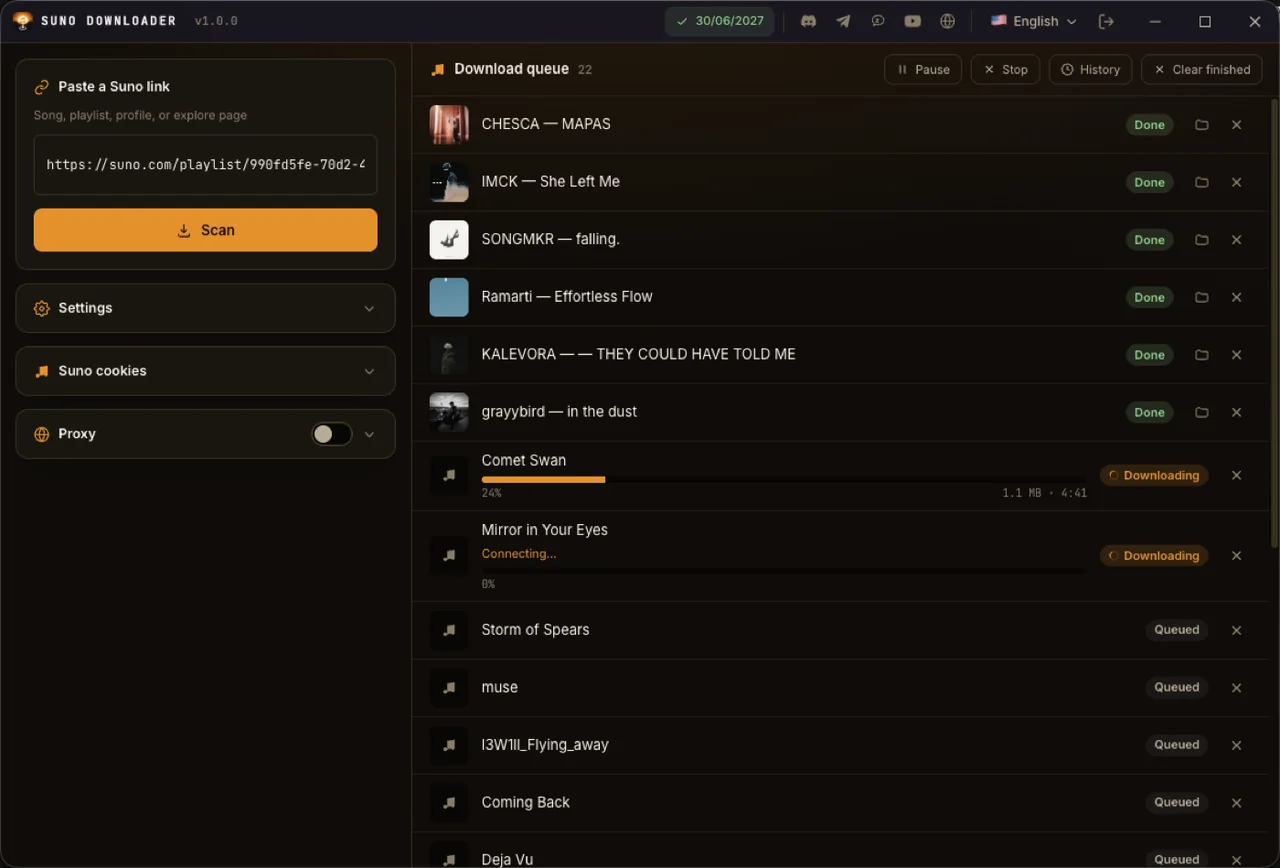
Press Start download
Music and cover art go to Music/Suno Downloader; every file is integrity-checked before it is marked done.
- Sources
- Songs · playlists · profiles · Explore
- Formats
- Original · MP3 · AAC · Opus · FLAC · WAV
- Operating system
- Windows x64 · macOS (Apple Silicon & Intel)
- License
- 1 / 6 / 12 months, separate Suno plan
Screenshots from the running app
Not mockups. Swipe through each screen.
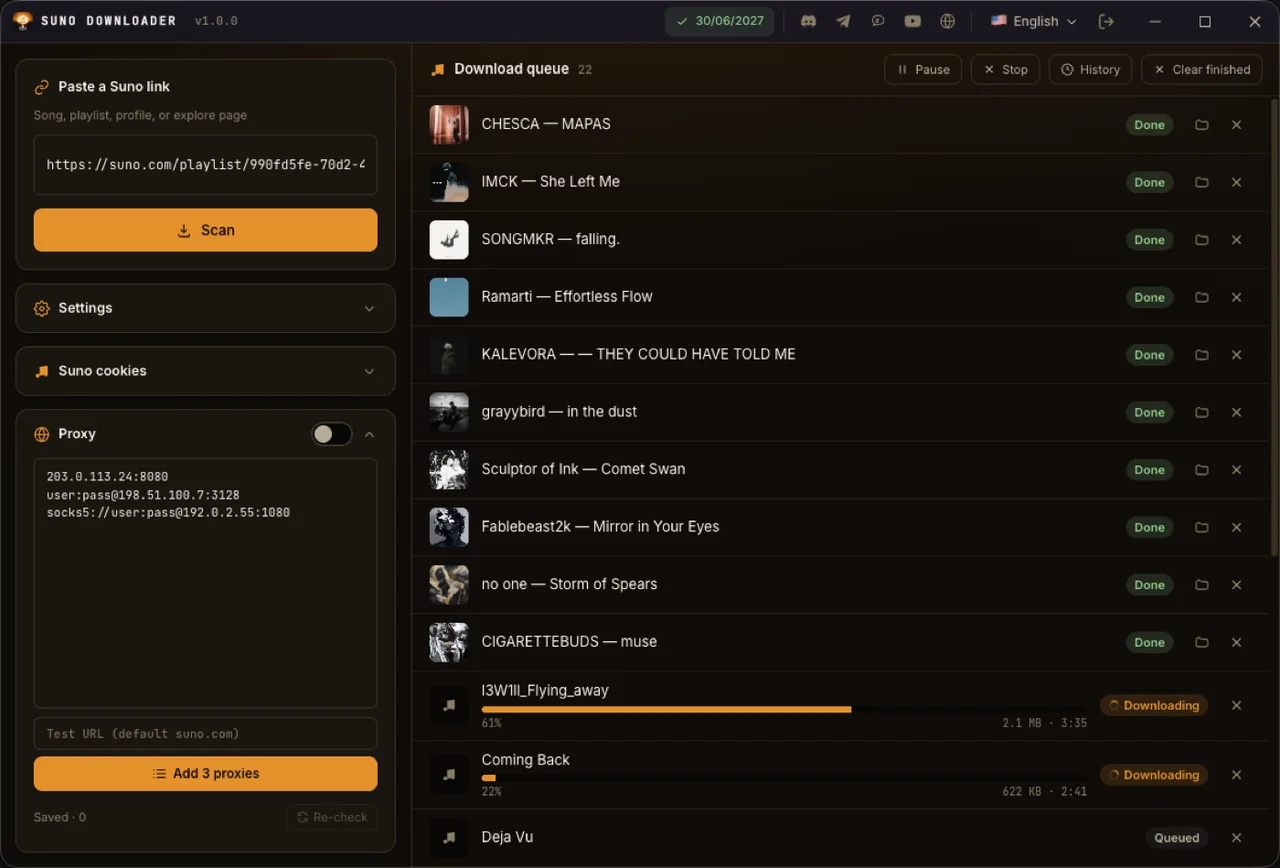
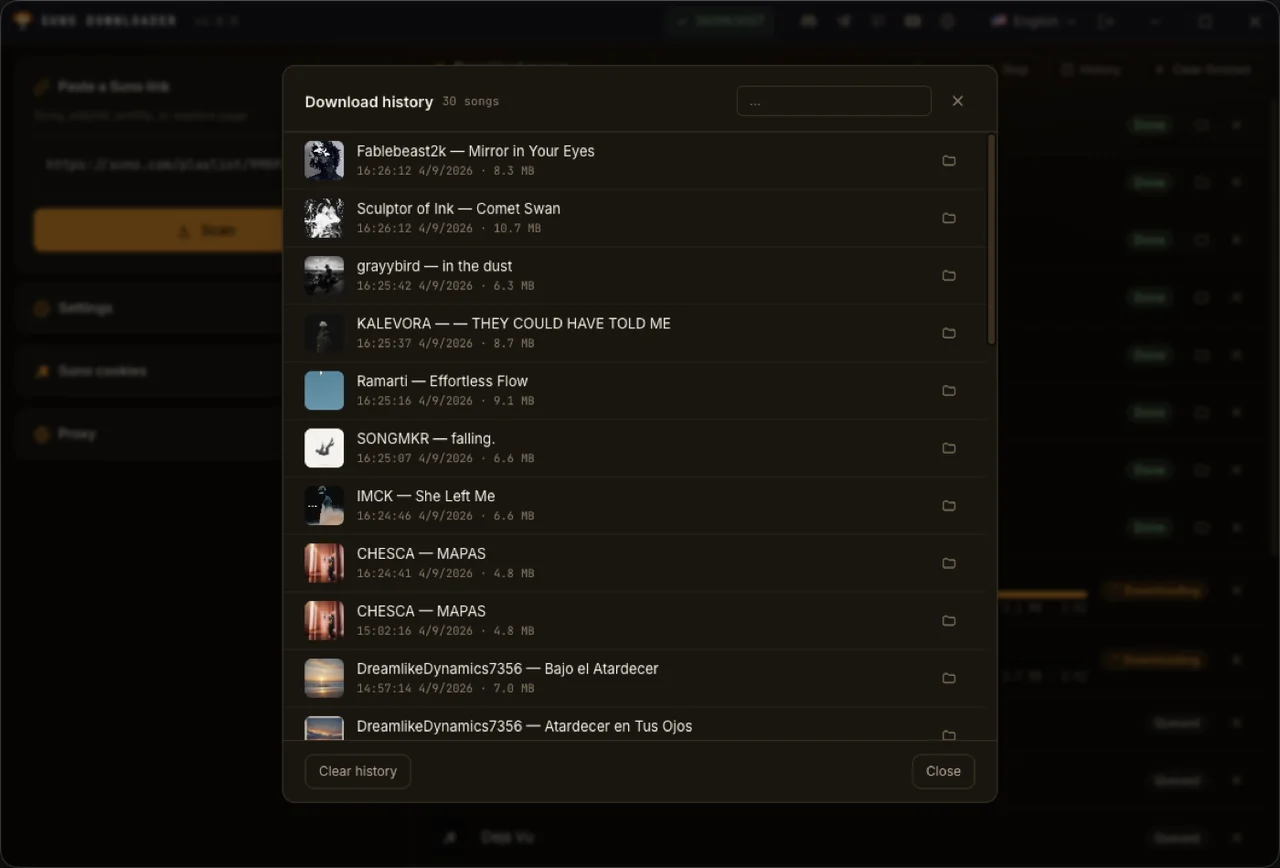
Formats & bitrate
Original .mp4 keeps every byte Suno sends; Opus only swaps the container, no re-encode; MP3 320/256/192/128 (default); AAC .m4a 256/192/128; FLAC; WAV. Optionally save the cover art next to each file.
Every file verified
The app re-reads the MP4 structure and checks the total length against the metadata; anything missing or broken is reported as an error instead of silently saving half a song. If the background browser crashes mid-download, that song is retried automatically, up to 3 times.
Pricing
One plan, time-based, no auto-renewal. The Suno plan is its own plan, separate from G-Labs Studio Plus/Max.
Suno plan
Every download feature unlocked.
- Scan songs, playlists, profiles, Explore
- Every format, including the original
- Cookies, proxies, download history
- 1 computer at a time
Pay by VietQR, PayPal or USDT inside the app. There is no free tier - the app needs an active Suno plan. Refund policy.
Requirements & details
What to know before you install.
- Operating system
- Windows x64 · macOS Apple Silicon · macOS Intel
- Extra installs
- None - FFmpeg and the background browser ship with the app, no Chrome needed
- Account
- Your account (Google sign-in) with an active Suno plan; private songs also need a suno.com sign-in cookie
- Hardware
- Each parallel thread is a hidden browser window, so RAM grows with the thread count; 1-2 threads suit most machines
- Languages
- 6: English, Tiếng Việt, 简体中文, Español, Русский, العربية (right-to-left)
- Version
- See the latest release on GitHub · the app updates itself
- Installing
- The app isn't code-signed: on Windows click More info → Run anyway; on macOS right-click → Open the first time.
Frequently asked questions
Which links can it download?
Single songs (suno.com/song/…), playlists (suno.com/playlist/…), profiles (suno.com/@name) and the Explore page suno.com/explore.
Is the quality the same as the original?
Choose Original to keep every byte Suno sends (Opus inside an MP4 container). MP3, AAC, FLAC and WAV are transcodes - more compatible, but never better than the original.
Is there a free trial?
No - the app needs an active Suno plan; without one it opens the purchase screen. You can buy the 1-month plan to try it.
A private song fails with "no audio data"?
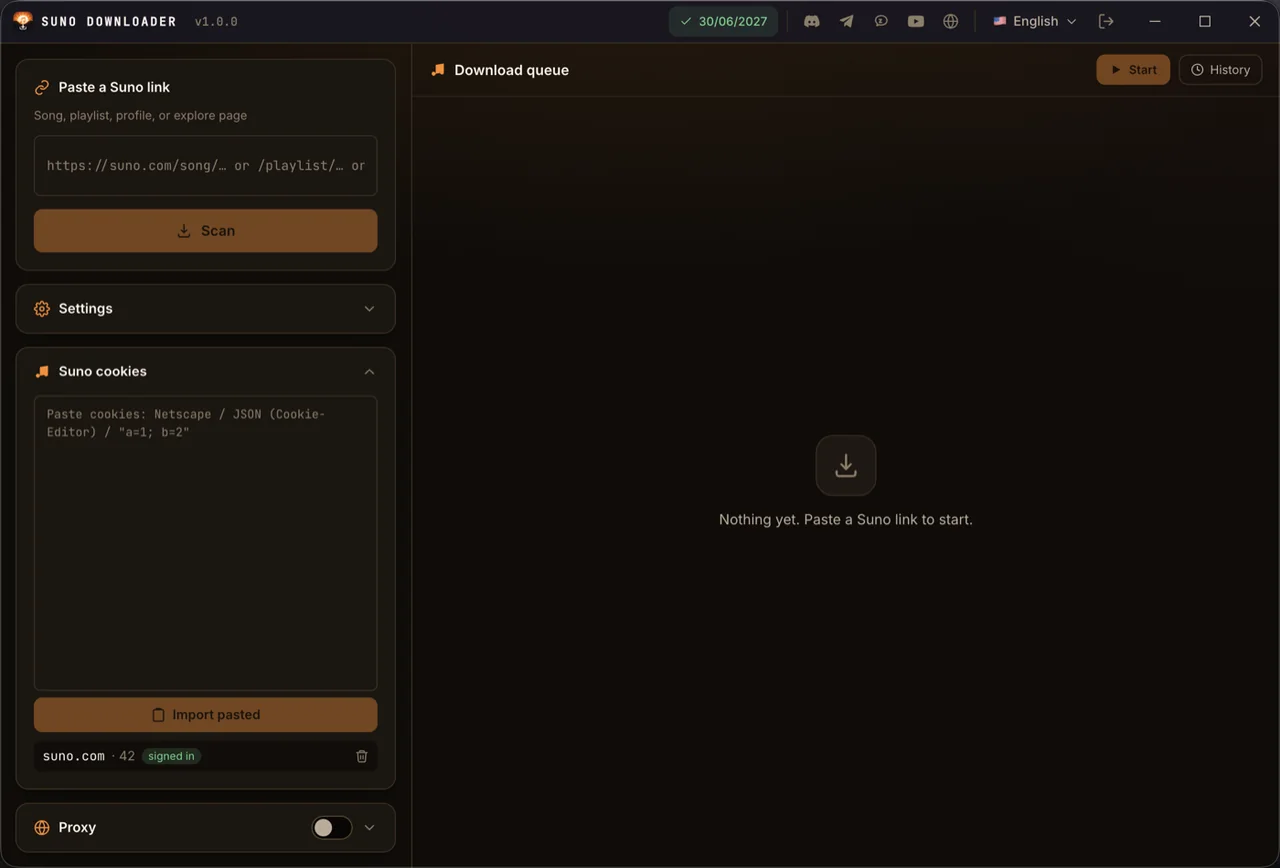
That song needs a Suno sign-in session - add your cookie in the Suno cookies card.
It says "Only got 40% of the song"?
The connection dropped mid-download; the app deliberately refuses to save an incomplete file. Press Retry on that row.
How many computers can I use?
One at a time - signing in on another computer signs the old one out.
Where do my music and data go?
Music goes to Music/Suno Downloader (changeable). Settings, history, cookies and proxies stay in the app-data folder on your computer. The license server is only used to check your plan - see the Privacy Policy.
macOS says the app is damaged / won't open?
The app isn't signed with Apple. Right-click → Open the first time, or run xattr -dr com.apple.quarantine "/Applications/Suno Downloader.app".
How do I pay?
Buy inside the app by bank QR (VietQR), PayPal or USDT. The badge in the title bar shows when your plan expires - click it to renew.
Can I get a refund?
Yes, within the first 24 hours after payment. Details in the Refund Policy.
Still have a question? Contact support · User guide