
G-Labs Voiceover
Paste a script, pick a CapCut or Microsoft Edge voice, and get one merged MP3 with a timing-accurate SRT.
Included with every paid plan · no GPU needed · All releases
Three steps to a finished voiceover
-
01
Sign in
Sign in with Google using your account on a paid plan - the app opens your system browser to sign in.
-
02
Paste the script
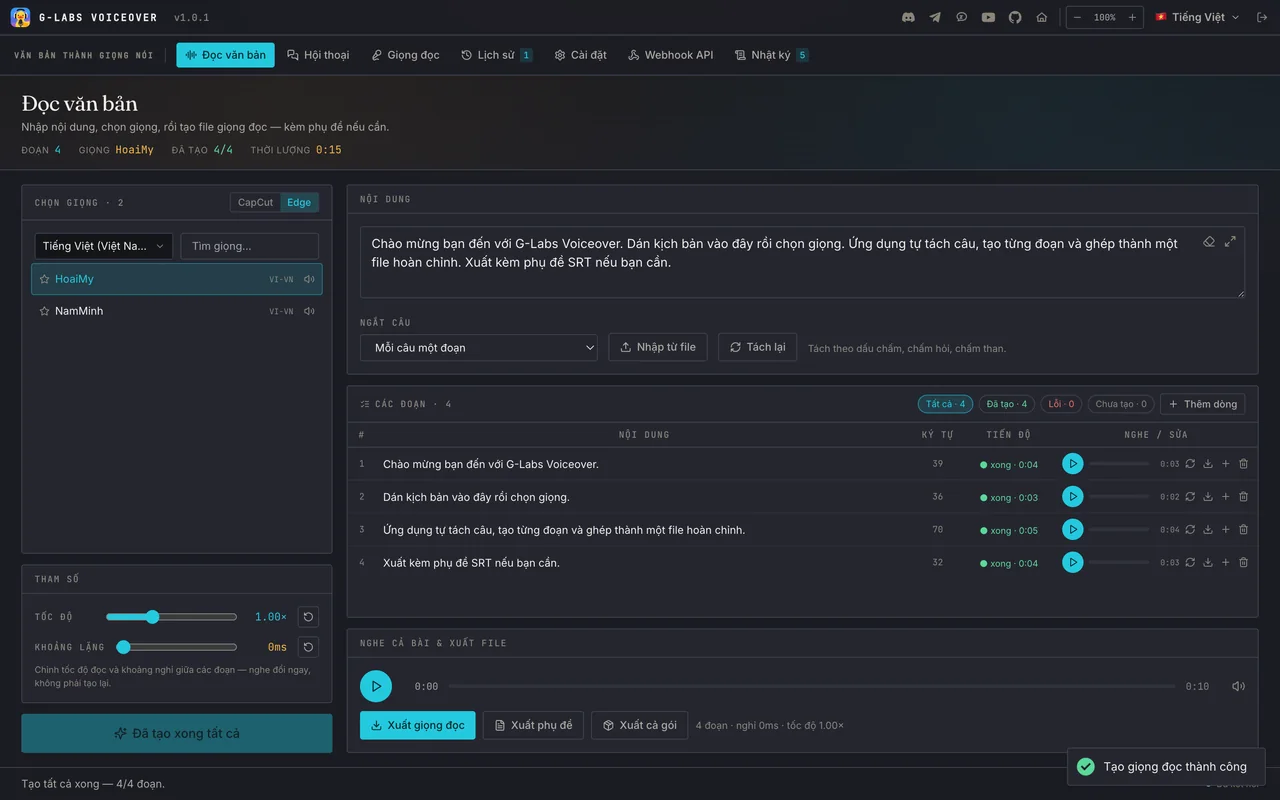
Paste text or import
.txt/.srt, choose how to split sentences and the CapCut or Edge engine, then pick a voice. -
03
Generate & export
Hit generate, listen to each segment, redo the ones you don’t like, then Export voiceover, Export subtitles or Export all.
- Voices
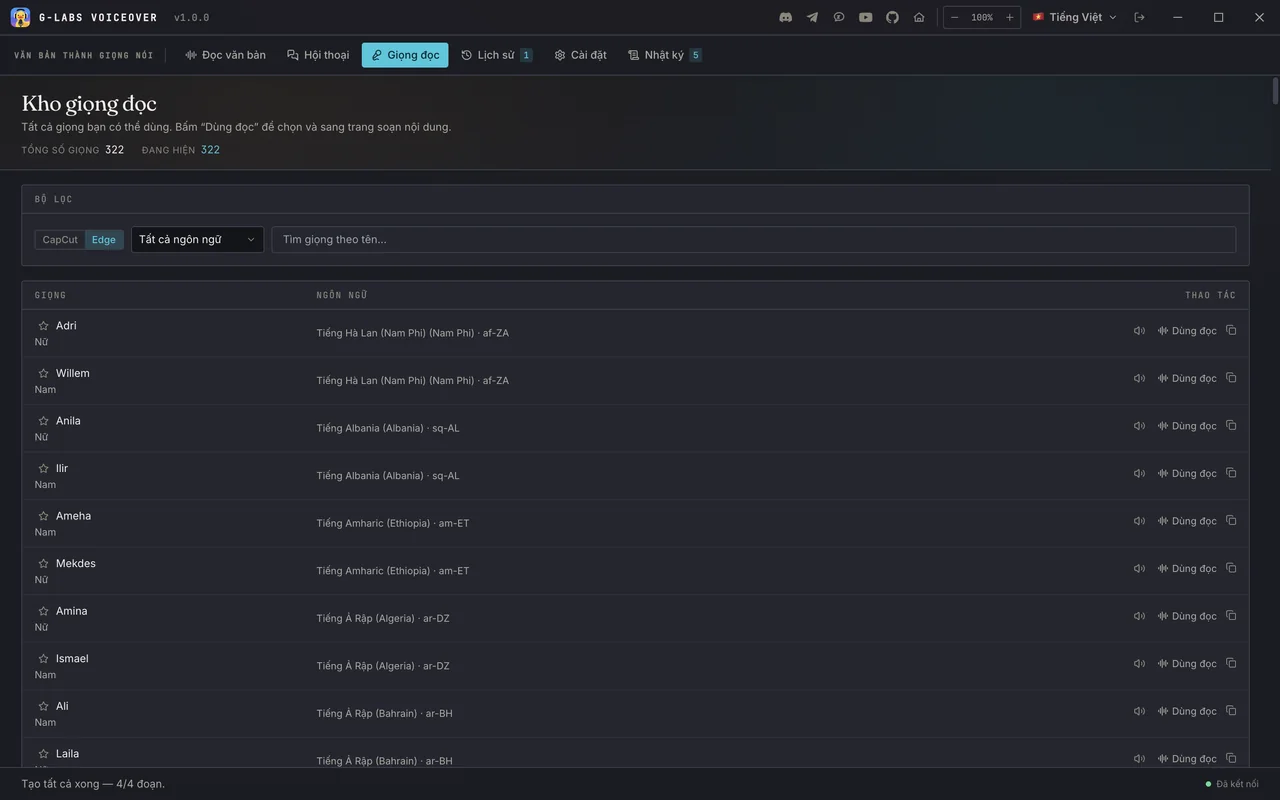
- 322 Edge voices (142 languages/locales) + 121 CapCut voices
- Export
- Merged MP3 · SRT · ZIP bundle
- Operating system
- Windows x64 · macOS Apple Silicon
- Access
- An active paid plan on any tool
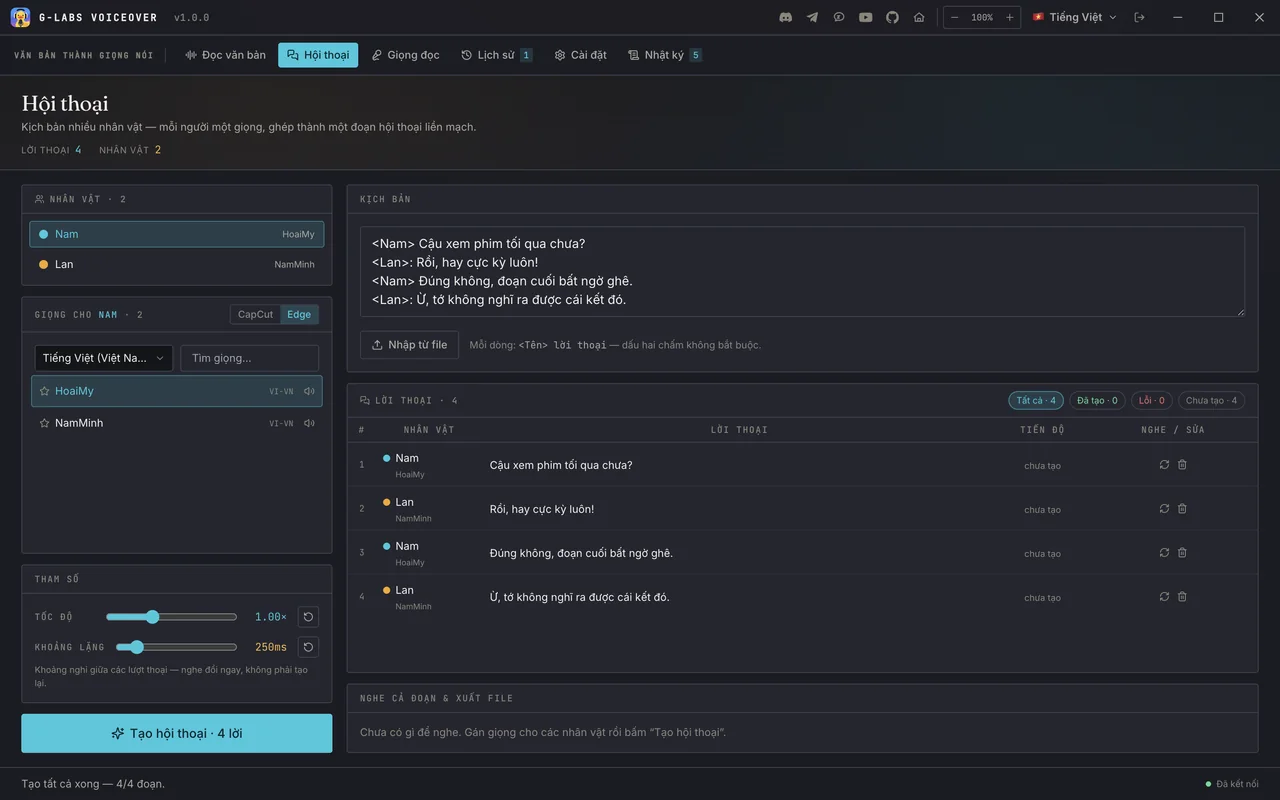
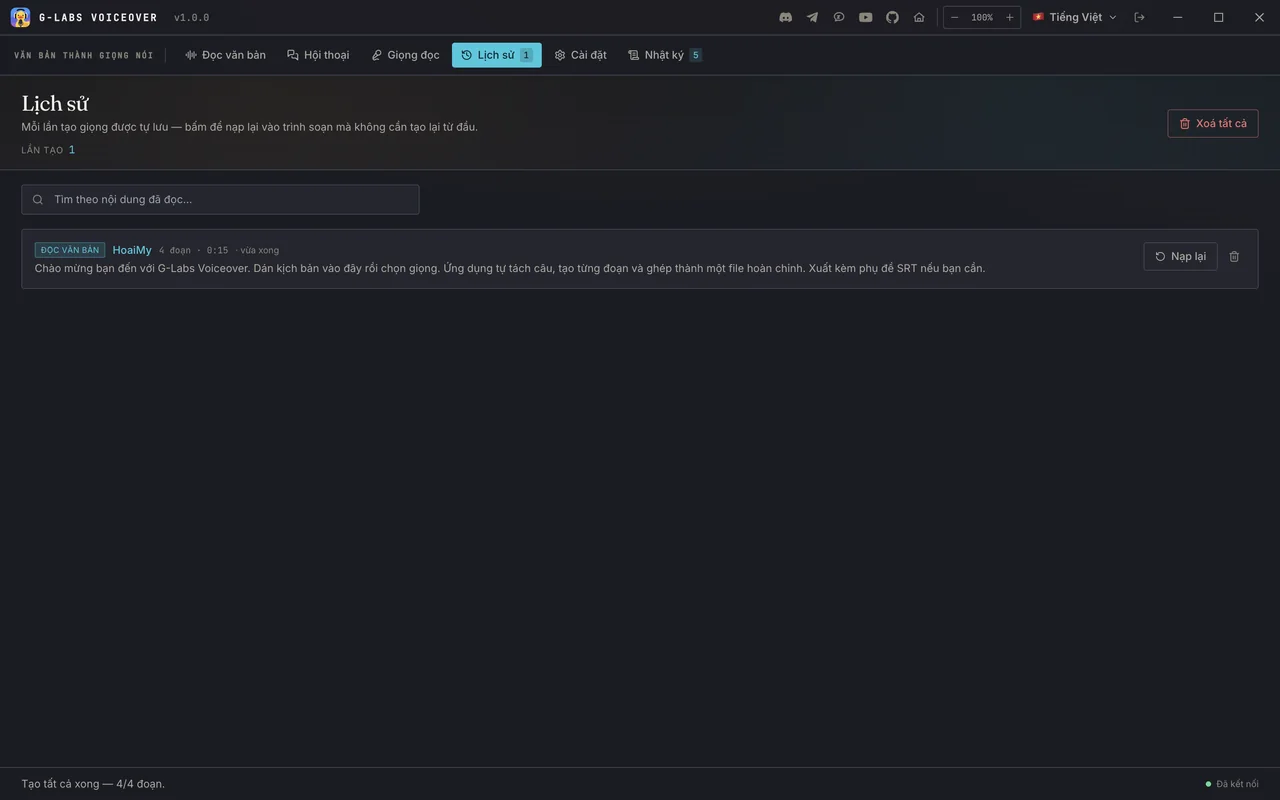
Screenshots from the running app
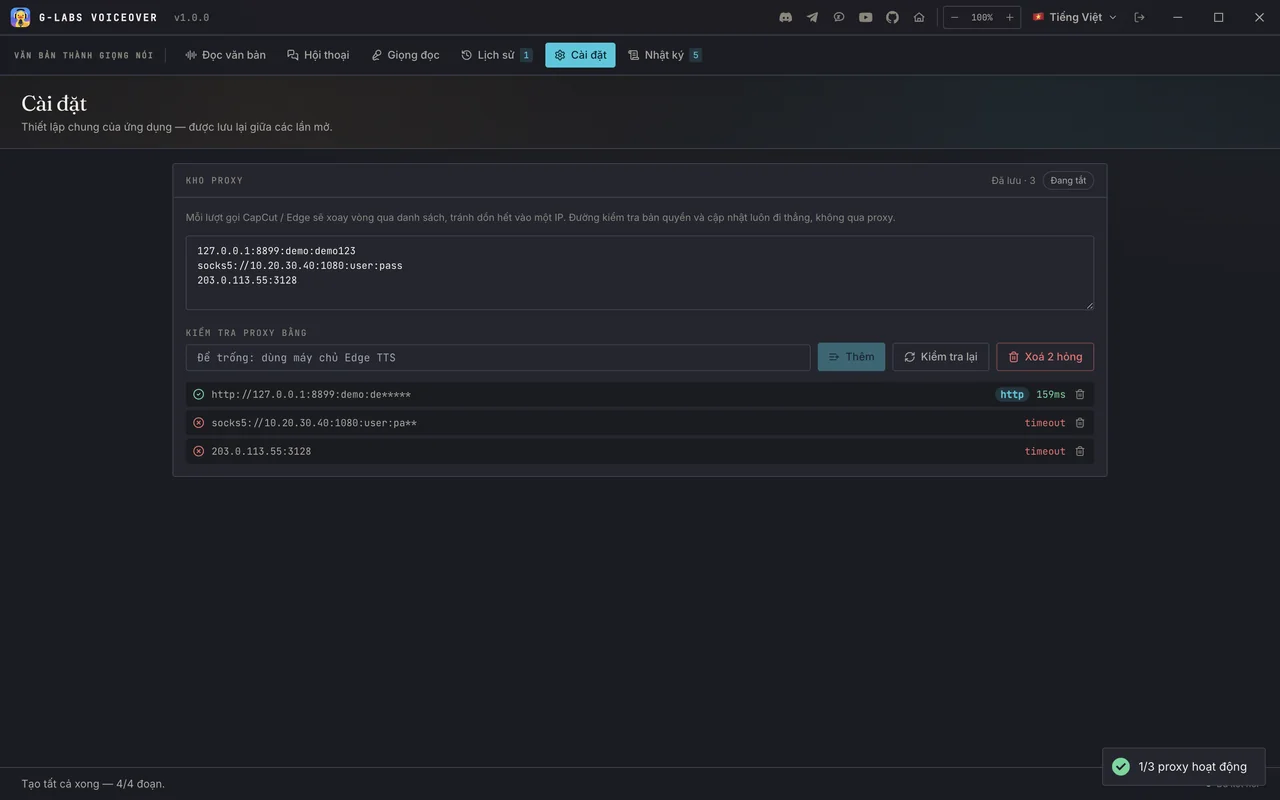
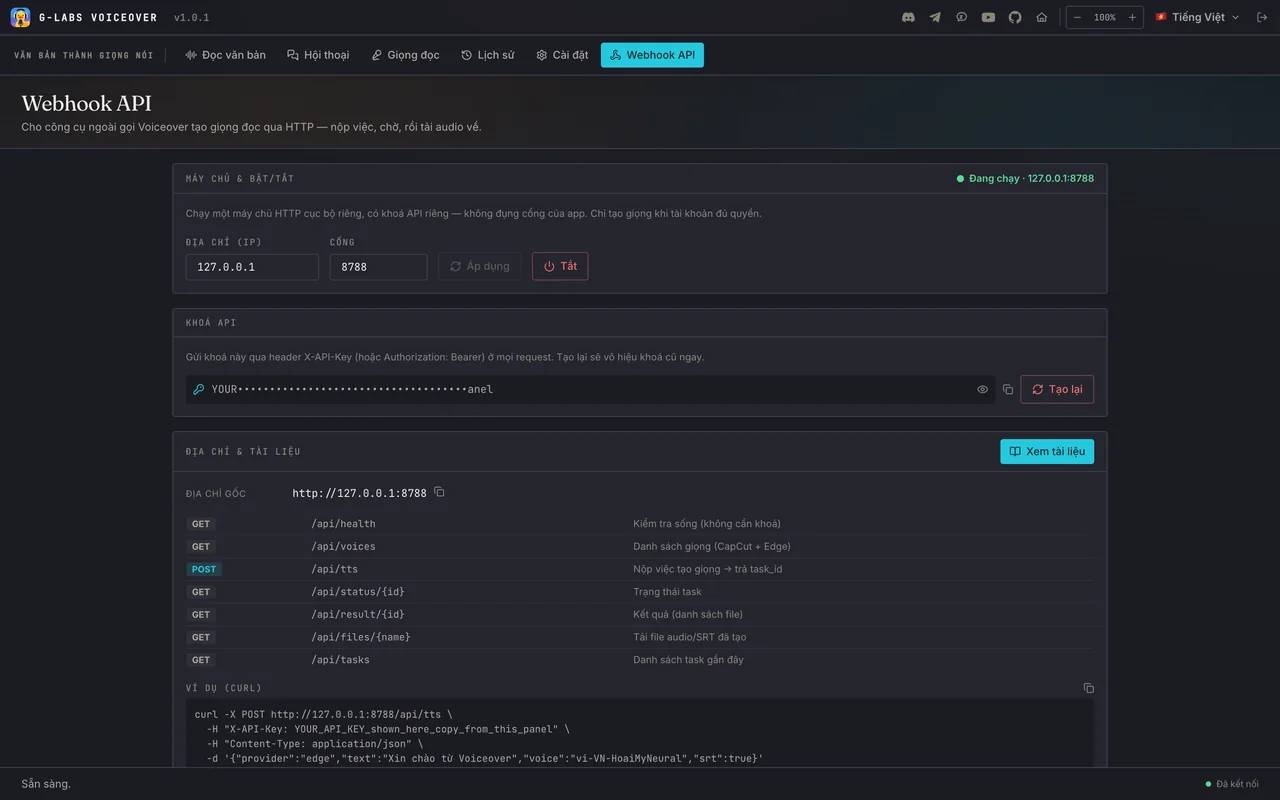
No mockups (Vietnamese UI shown; the app has 11 interface languages). Seven tabs in one window - swipe through them.
Included with any paid plan
Voiceover is not sold on its own. It opens for an account with any active paid plan: Plus / Max of G-Labs Studio, Lite or higher of the Auto Flow / Auto Vibes extensions, G-Labs Voice Studio, Suno Downloader or Flow Music Automation. The free Basic plan alone does not unlock it.
 G-Labs Studio
 G-Labs Voice Studio
 Auto Flow
 Auto Vibes
 Suno Downloader
 Flow Music Automation
- Sign in with Google using your own account
- The license server re-checks access each time the app opens
- No GPU, no model downloads
- The app only locks once every paid plan on your account has expired
Requirements & details
What to know before you install.
- Operating system
- Windows x64 · macOS Apple Silicon
- Network
- Internet required - voices are generated on CapCut / Microsoft servers
- Bundled
- FFmpeg - nothing extra to install
- Interface languages
- 11 languages, including English and Vietnamese; UI zoom 70-140%
- Version
- See the latest release on GitHub · the app updates itself
- Install note
- The app is not code-signed: on Windows click More info → Run anyway; on macOS right-click → Open, or run
xattr -dr com.apple.quarantine "/Applications/G-Labs Voiceover.app".
Frequently asked questions
How do I get Voiceover?
It is not sold separately. Buy any paid plan (G-Labs Studio, Auto Flow / Auto Vibes, G-Labs Voice Studio, Suno Downloader or Flow Music Automation), then sign in to Voiceover with the same Google account.
Should I use CapCut or Edge?
Edge: 322 voices, 142 languages/locales, no usage limit - best for volume and rare languages. CapCut: 121 voices with the signature CapCut sound, but a per-session quota.
Will the subtitles match my video?
Import your original SRT and turn on "fit to subtitle timing": each line keeps its timestamp, and any line longer than its cue is sped up just enough (max 1.8×) so the merged MP3 follows the subtitle timeline.
Do I have to regenerate to change speed?
No. Speed and the pause between segments are re-merged locally, without calling the voice service again.
Do I need a graphics card?
No. The app runs no AI model locally; you only need Internet.
Where does my text go?
To the CapCut or Microsoft Edge voice service (through your proxies if configured). Settings, scripts and history stay on your computer; the G-Labs license server is only used to sign in and check access. See the Privacy Policy.
Is the webhook exposed to the network?
By default it listens on 127.0.0.1 only and requires the API key; it only runs while your account has access. Opening it to your LAN is up to you.
Can I get a refund?
Voiceover comes with the plan you bought, so refunds apply to that plan: within the first 24 hours after payment. Details in the Refund Policy and Terms.
Still have a question? Contact support