Automate the repetitive work on your own accounts

G-Labs Automation runs on your computer. It operates the Google Flow, Grok, Meta AI and ChatGPT accounts you already have: paste a list of prompts, run them in batches, download the results automatically, then cut and merge them into video. We do not generate content and do not sell AI credits — you buy a time-limited software licence.

The Basic plan is free forever, same installer — try it on your machine before you buy.
Windows · macOSRuns on your machineYour accounts, your permissionsNo prompts or results stored on our serverLicence terms of 30 / 180 / 365 days

How it works

Three steps. Nothing happens outside your machine and the accounts you sign in to yourself.

STEP 1

Sign in to your own accounts

You sign in to Google Flow, Grok, Meta AI or ChatGPT with your own account, inside the app. Your password never passes through our server.

STEP 2

Paste your to-do list

Each prompt line becomes a task row: reference images, aspect ratio, parallel threads, wait time between runs.

STEP 3

The app does the clicking

It clicks, waits, downloads, names files and retries on errors — within whatever limits the platform grants your account. You go do something else.

Features — screenshots from the running app

Not mockups. This is the real interface.

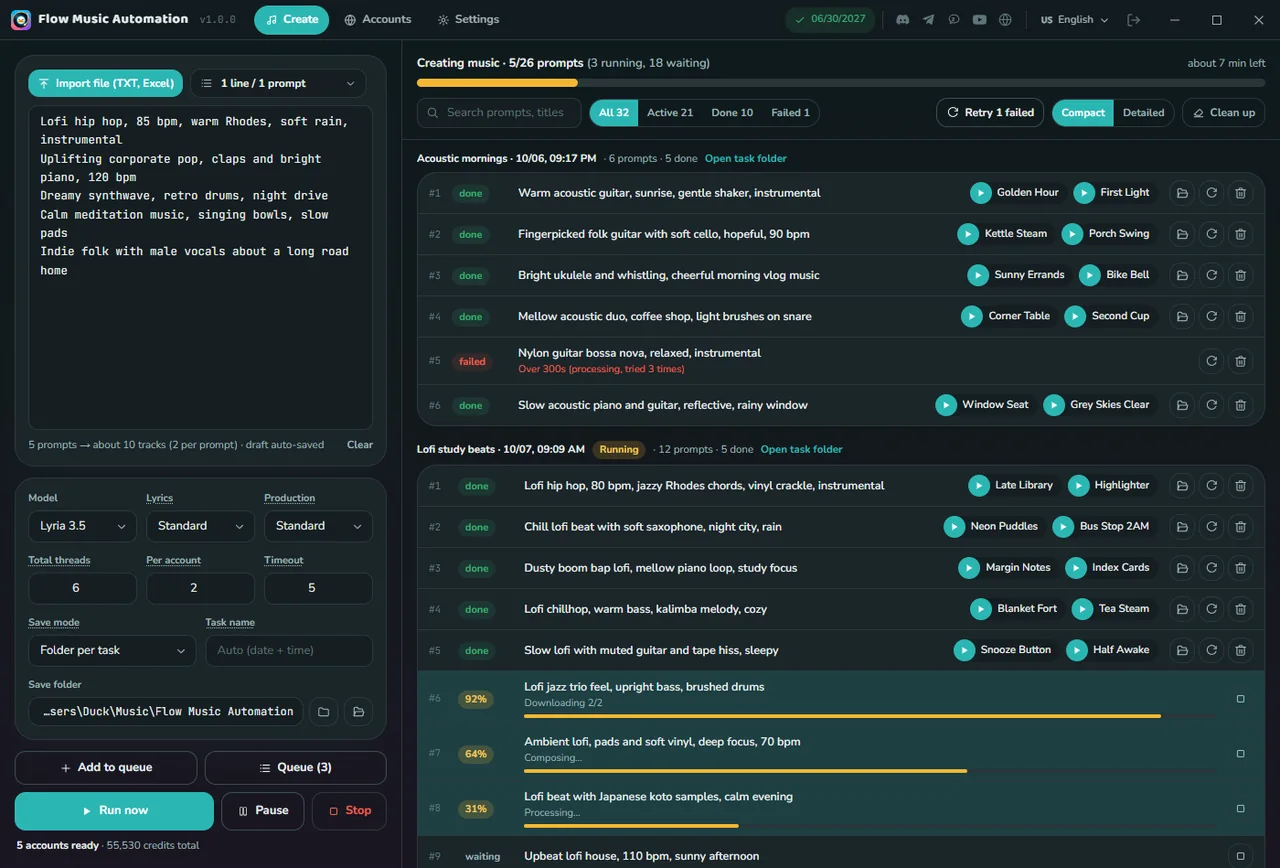
Queue prompts, run in batches
01

Queue prompts, run in batches

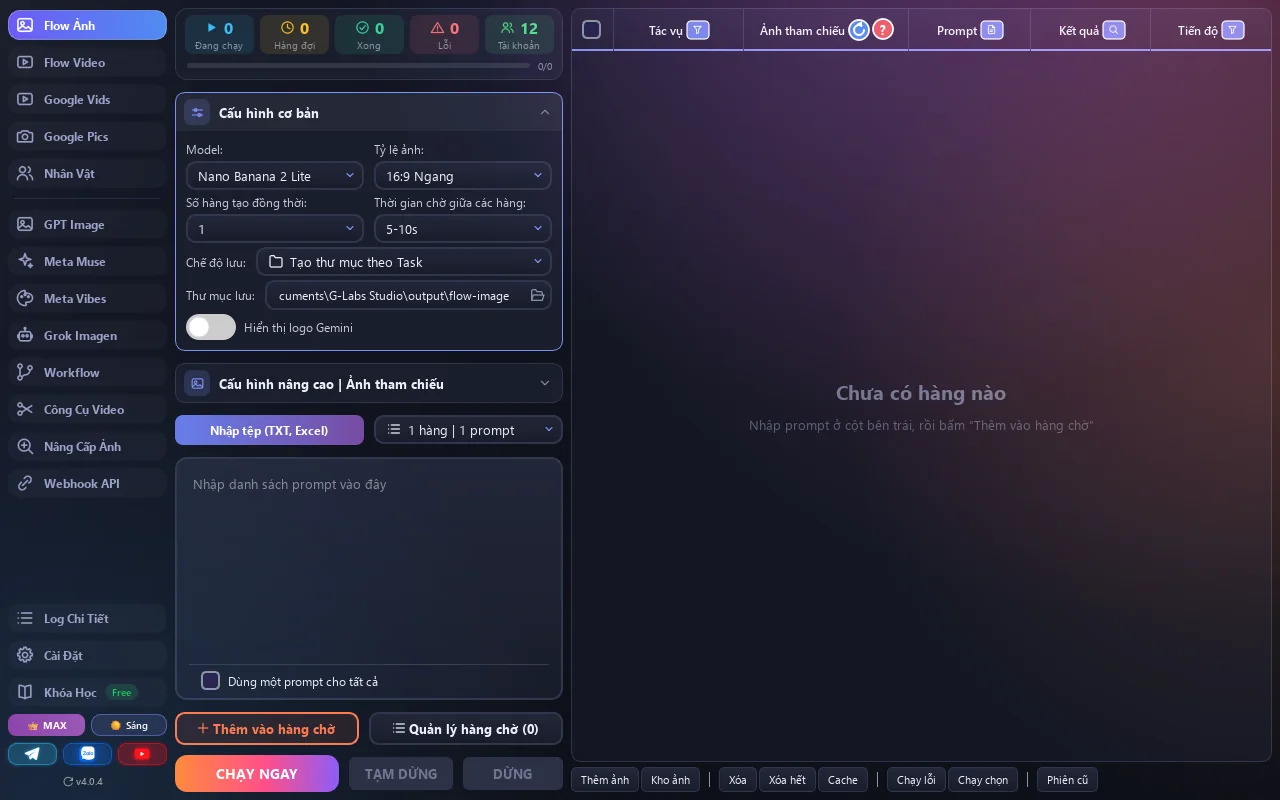
Paste a whole list of prompts — each line becomes a task row with its own reference image, result and progress. Pick the platform model, aspect ratio and thread count, then run.

Video from a prompt, or from first/last frames
02

Video from a prompt, or from first/last frames

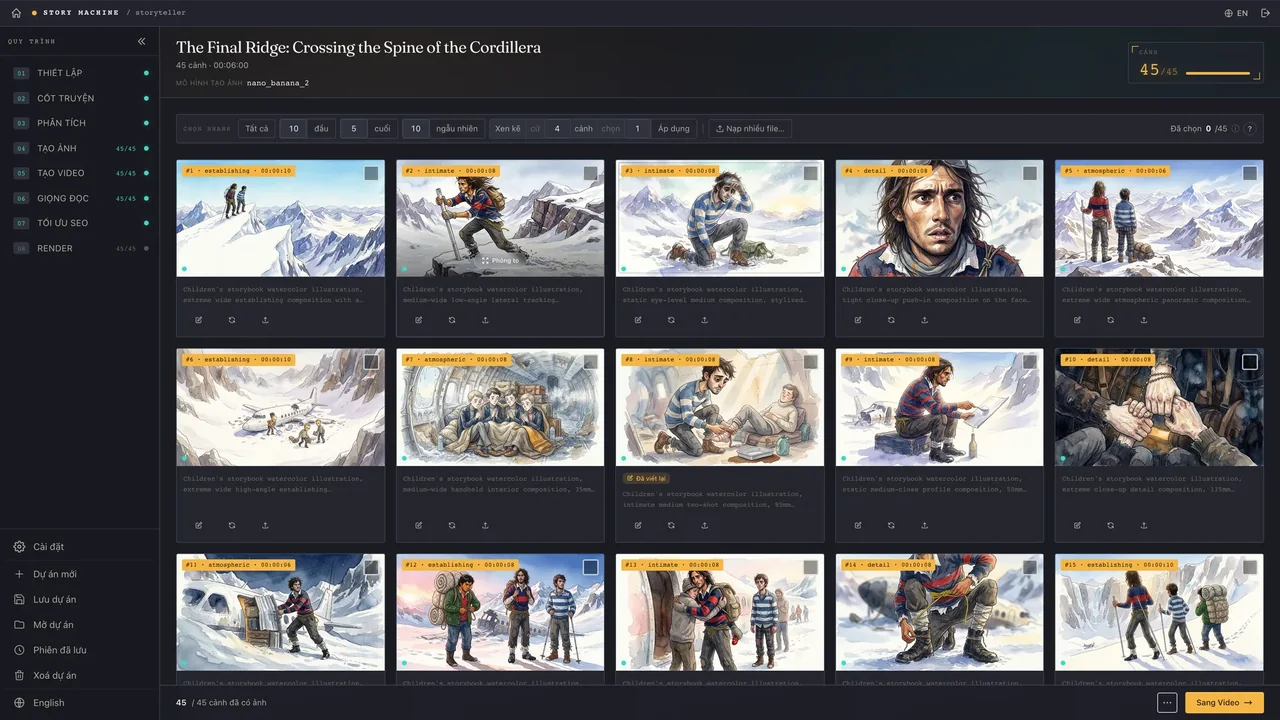
Same batch mechanics for video. Each row takes its own first and last frame. Adjustable wait time between runs to respect platform limits.

Chain steps into one pipeline
03

Chain steps into one pipeline

Drag nodes to connect image → video → editing into one automated run. Save it, reopen it later, lock finished nodes to re-run only what changed.

A prompt library of 4,000+ entries
04

A prompt library of 4,000+ entries

Prompts with real preview images, searchable by title or content. Click Copy and it lands in the input box.

Consistent characters
05

Consistent characters

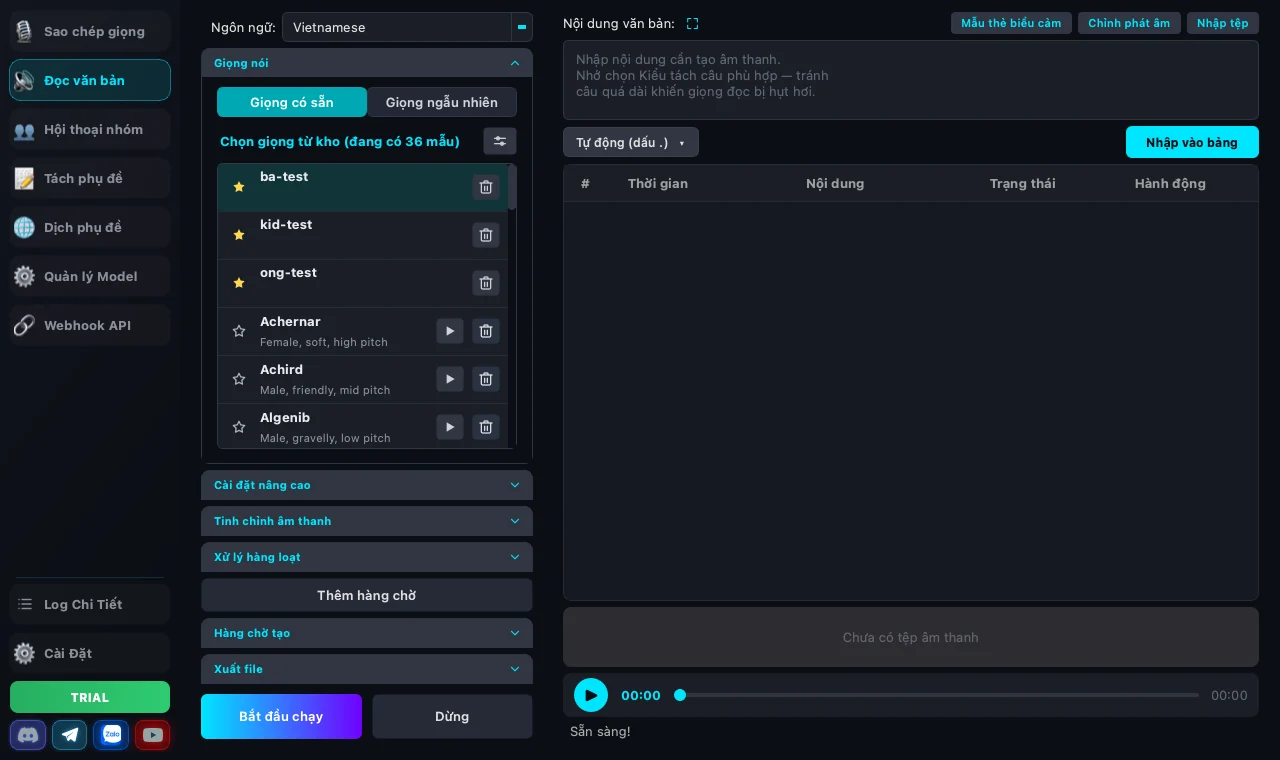
Save a character with image, description and voice, then reference it in prompts with @name so the face stays the same across scenes.

Edit video inside the app
06

Edit video inside the app

Multi-track timeline for video, SRT subtitles and audio. Cut, split, merge, export frames, build subtitle-synced slideshows with FFmpeg — no second program needed.

Webhook API for automation
07

Webhook API for automation

Run a local REST server so n8n, Make, Zapier or a Python script can push jobs into the app's queue. API key and a 5-step guide included.

Pricing

Time-limited licences. Prices in USD; tax (if any) is shown at checkout. Need several machines at once? Pick the number of devices — the price multiplies per machine.

Basic

Free forever
  • Enough features to test on your machine
  • Limited threads and queue size
  • No card, never expires

Plus

$5 / 1 month
  • Unlimited queue
  • Multiple parallel threads
  • Workflow + Webhook API
  • Updates during the licence term
1 month: $56 months: $251 year: $50
Popular

Max

$10 / 1 month
  • Everything in Plus
  • Highest thread count, priority processing
  • All advanced modes unlocked
  • Priority email support
1 month: $106 months: $501 year: $100

Buy inside the app — Purchase from inside the app (Settings → Licence). Payments handled by Paddle (international cards, PayPal, Apple Pay…). Invoice sent by email.

Frequently asked questions

Does this software generate images or video?

No. G-Labs Automation runs no AI model and has no content-generation server. It automates actions on the Google Flow / Grok / Meta AI / ChatGPT account you sign in to yourself; that platform generates the content under your account's terms and limits.

What exactly am I buying?

A time-limited software licence (30, 180 or 365 days) that unlocks the app's advanced features. It does not include AI credits or an account on any platform.

Where does my data go?

Prompts, images, videos and settings stay on your machine. The licence server only receives your sign-in email, a random device identifier and your plan, to verify the licence. See the Privacy Policy.

How many machines can I use?

One machine at a time by default; signing in on a new machine signs the old one out. Need several at once? Choose the number of devices at purchase.

Can I get a refund?

Yes, within 14 days if the licence has not been heavily used. Please use the free Basic plan to test first. Details in the Refund Policy.

Is this affiliated with Google, xAI, Meta or OpenAI?

No. It is an independent tool, not sponsored or endorsed by those companies. You are responsible for complying with the terms of the platforms you use.