















Viral Recipe Lab · Episode 11

AI history documentary videos

The story of a canal got 2.7 million views: pharaohs, a Persian king, Napoleon and a desert that beat them all. We made the same story with AI, checked every fact, and kept every prompt and every mistake.

2.78Mviews, 11:00, one narrator
2.1 smedian shot, 203 shots
43videos, all mega projects
This video has audio in more languages: Settings (gear) → Audio track → your language Show ▾
The recipe card

The four ingredients

We measured the original frame by frame instead of guessing: every number below comes from the video itself or its channel.

A mega project

A famous construction with a long story: everyone who failed, the mistake, the builder, the opening, what came after.

Sourced facts

Every number and date with a source; reported stories said as reported; unsourced lines dropped.

One style

Anime graphic-novel pictures, the same faces in every scene: a character sheet per person.

One narrator

A calm voice that never stops, about 140 words a minute, over a new shot every two to three seconds.

The sample we made

The Canal the Desert Kept Taking Back

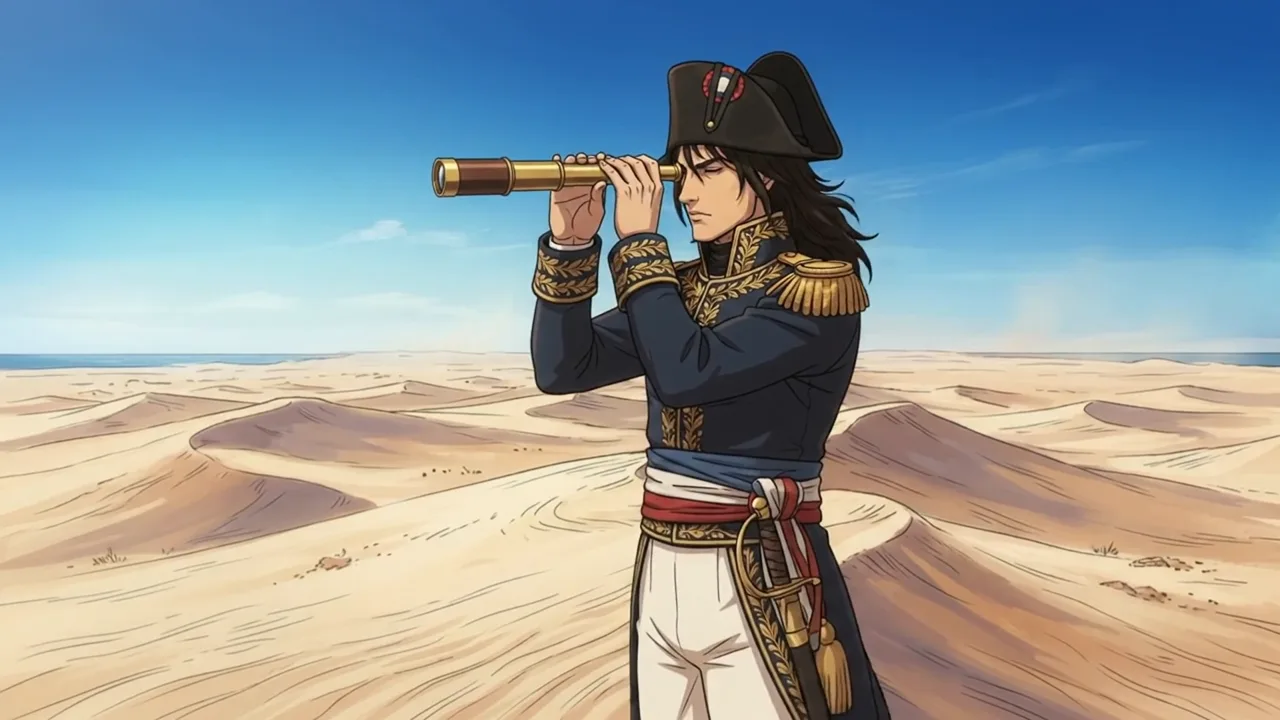
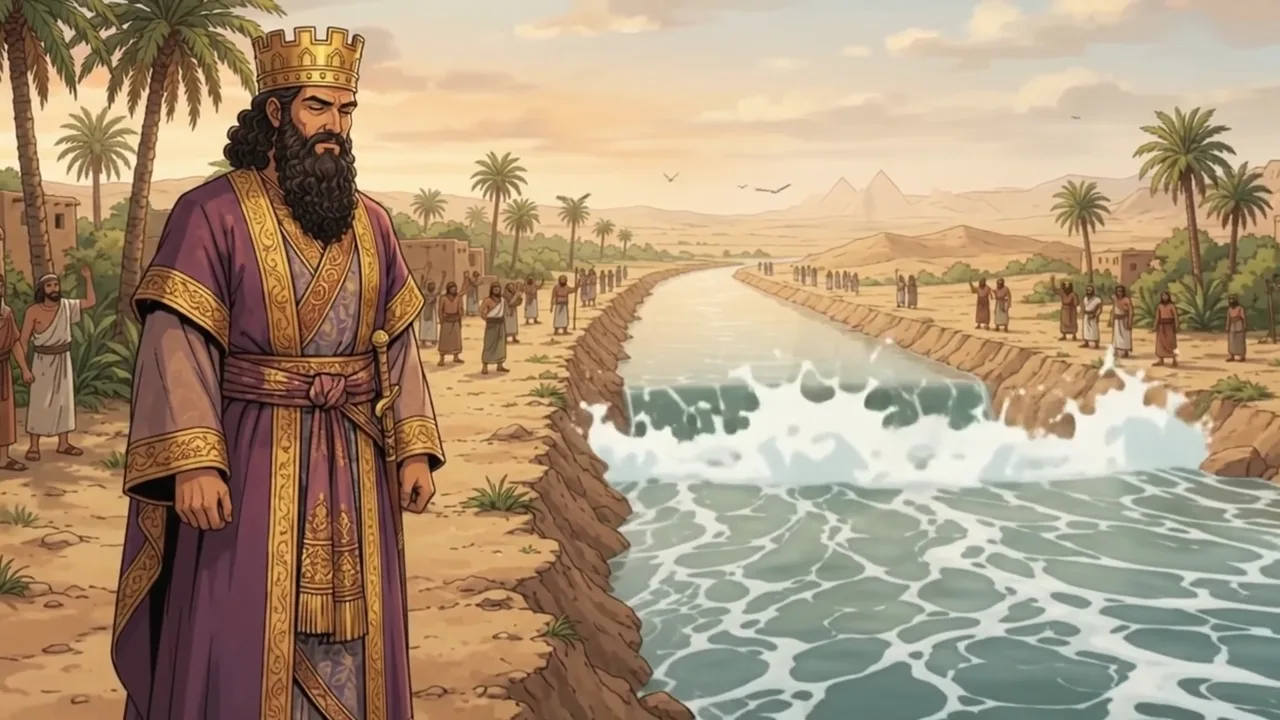
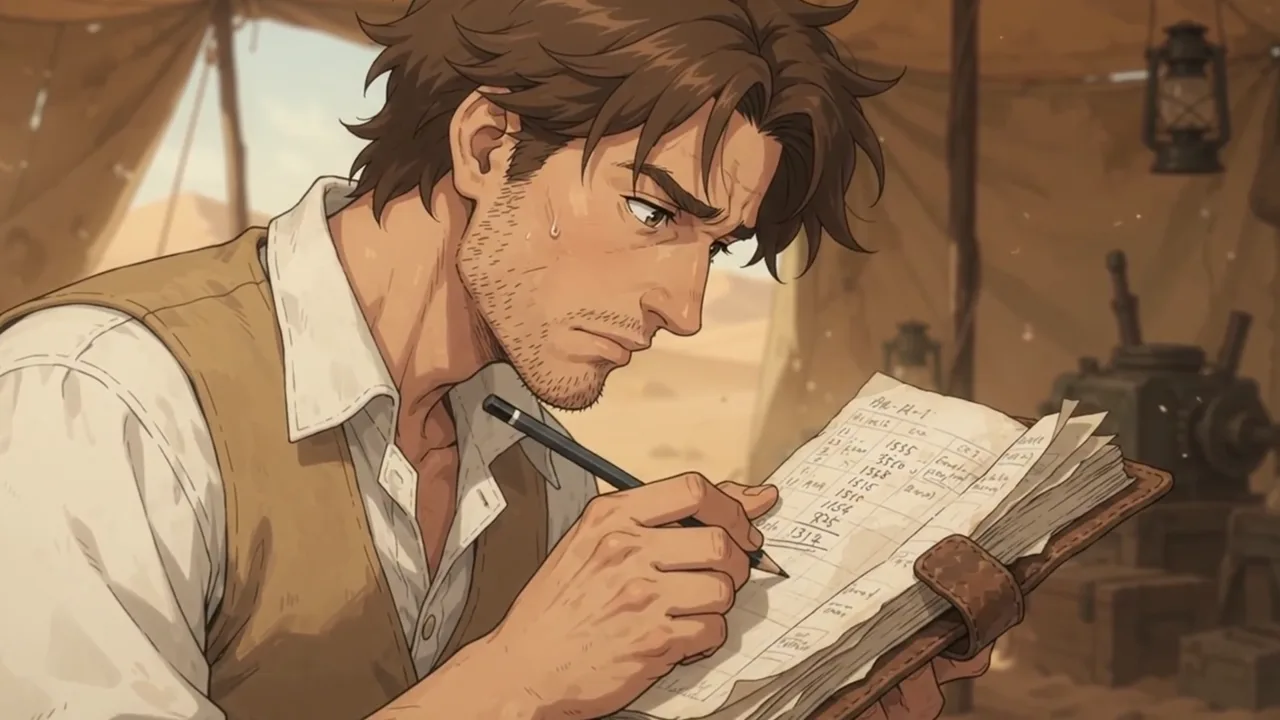
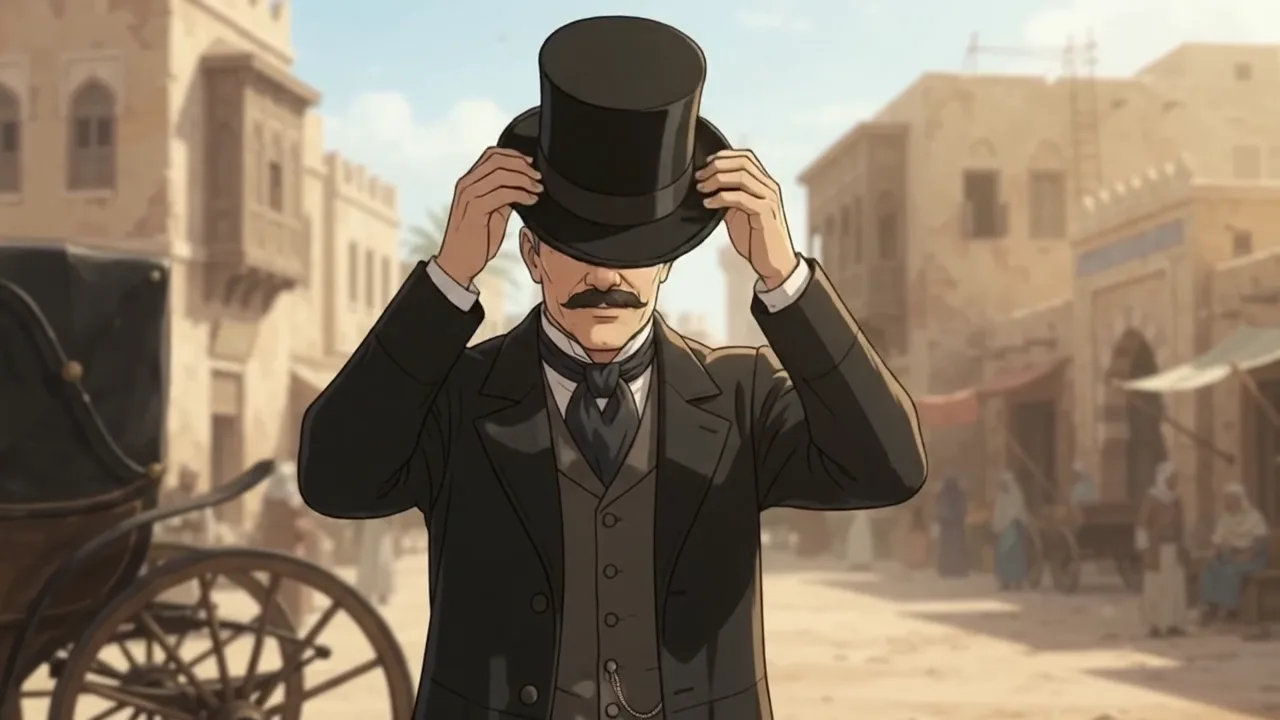
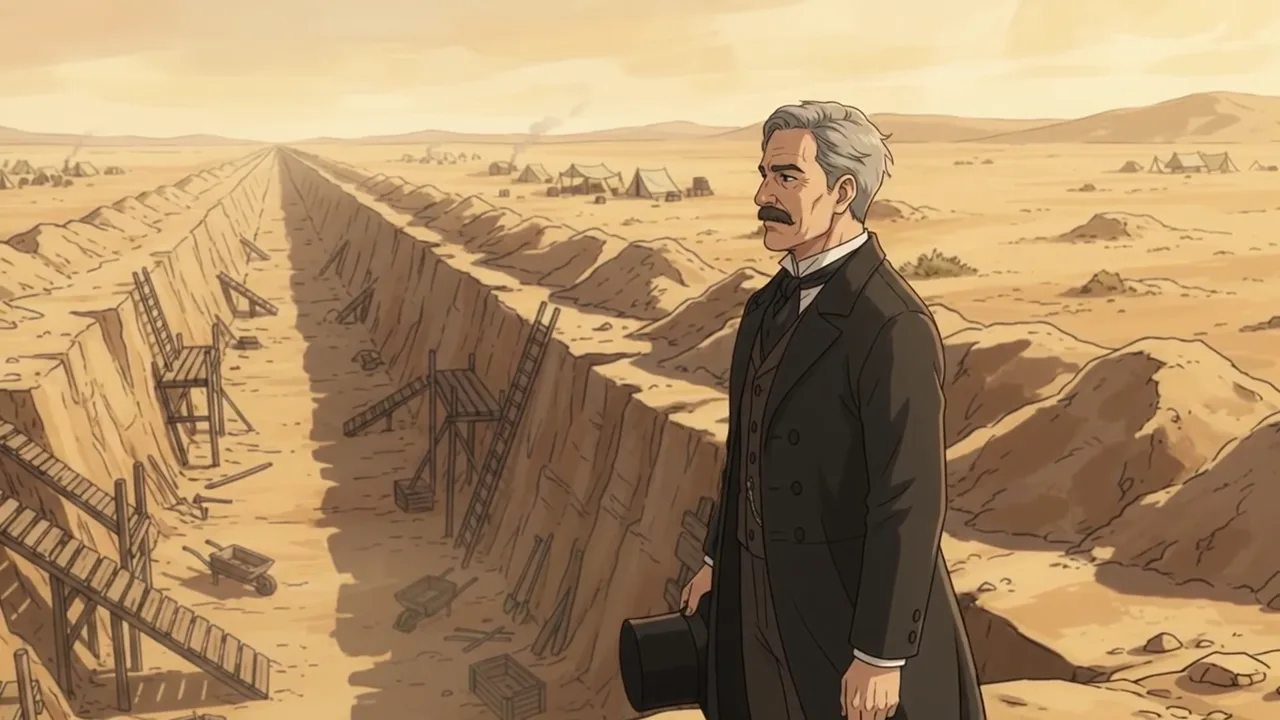
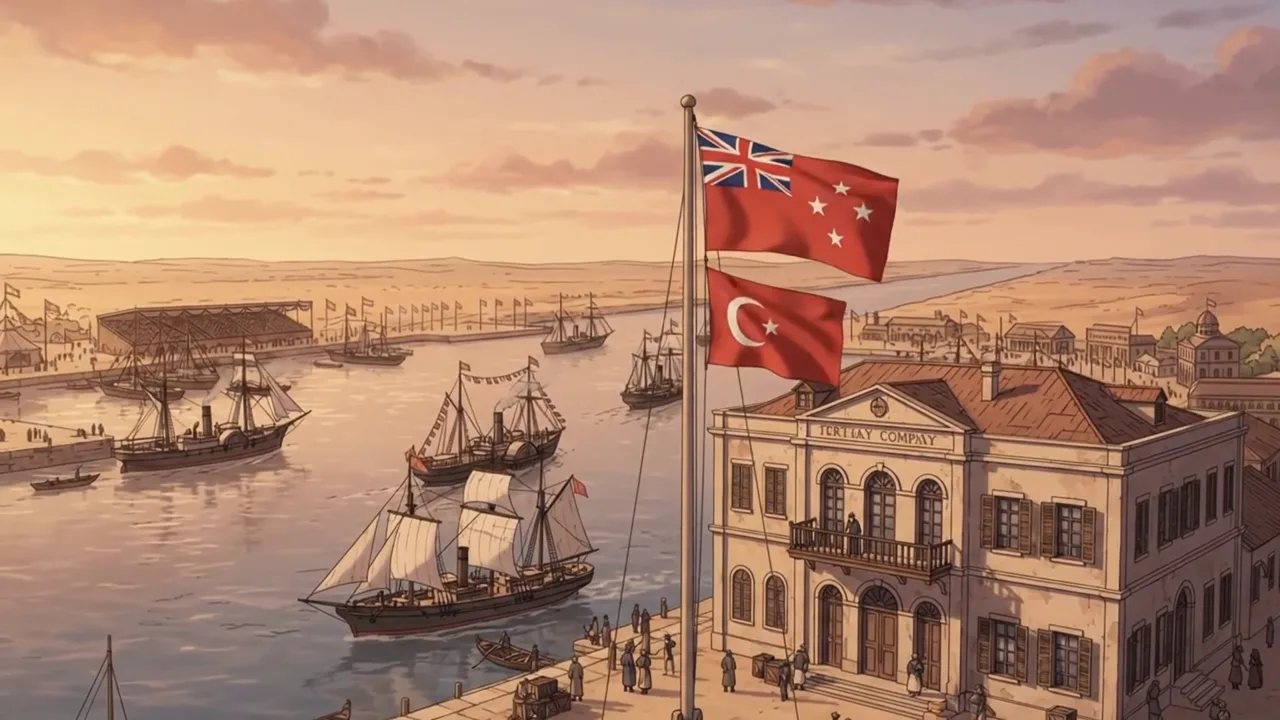
The same story as the original, made with AI and checked against sources: 18 lines, 31 clips, 49 shots, 2:20.

Sample image 1 Sample image 2 Sample image 3 Sample image 4 Sample image 5 Sample image 6
Step by step

From topic to finished video

  1. Check the facts

    Collect your sources first. Drop anything you can't source; say reported stories as reported.

  2. Write the script

    Paste file 1 into any AI chat with your topic and sources. A = facts, B = narration, then C and D, then continue.

  3. The voice

    One file per narration line, one calm voice at normal speed.

  4. Sheets and places

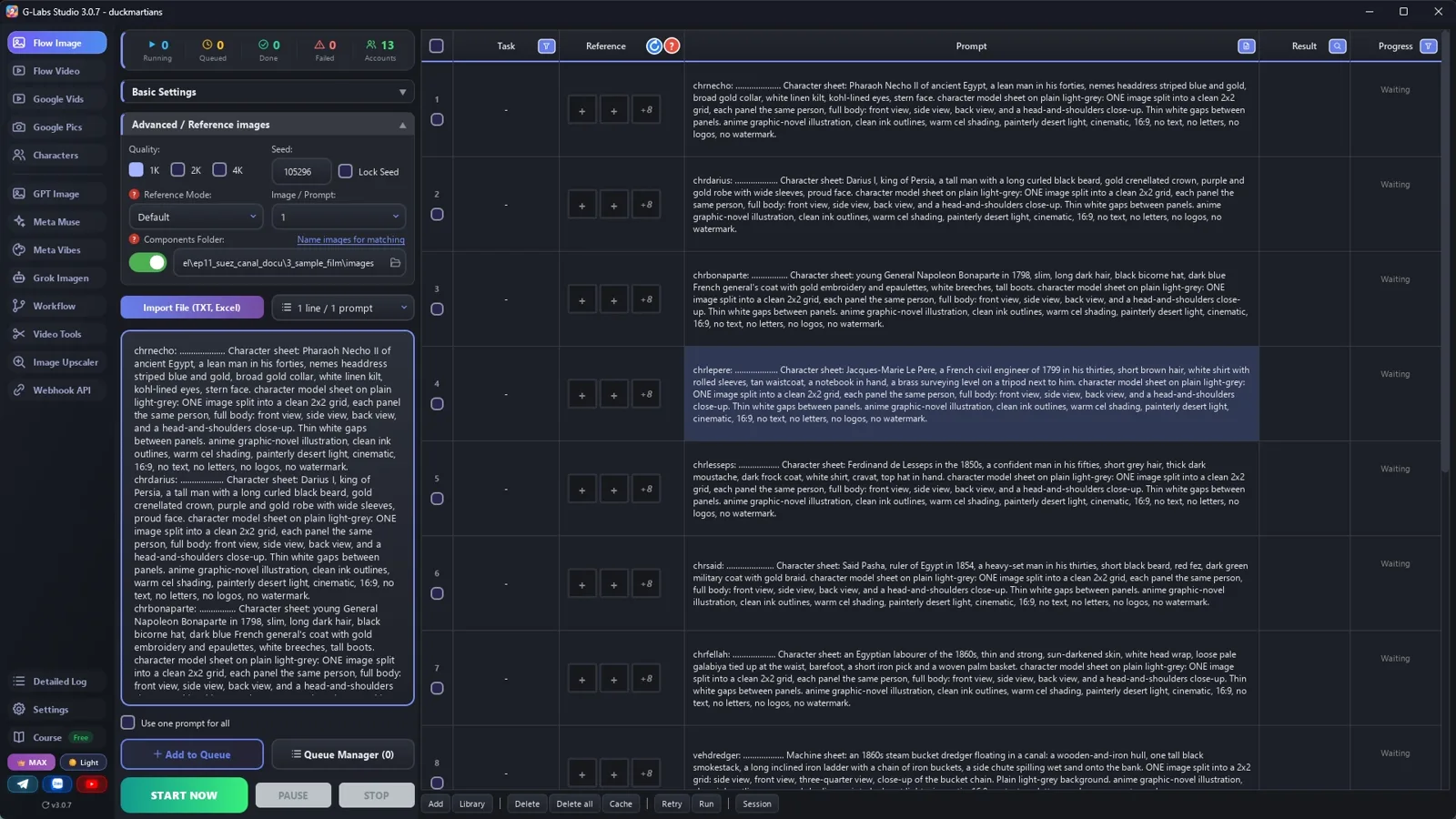
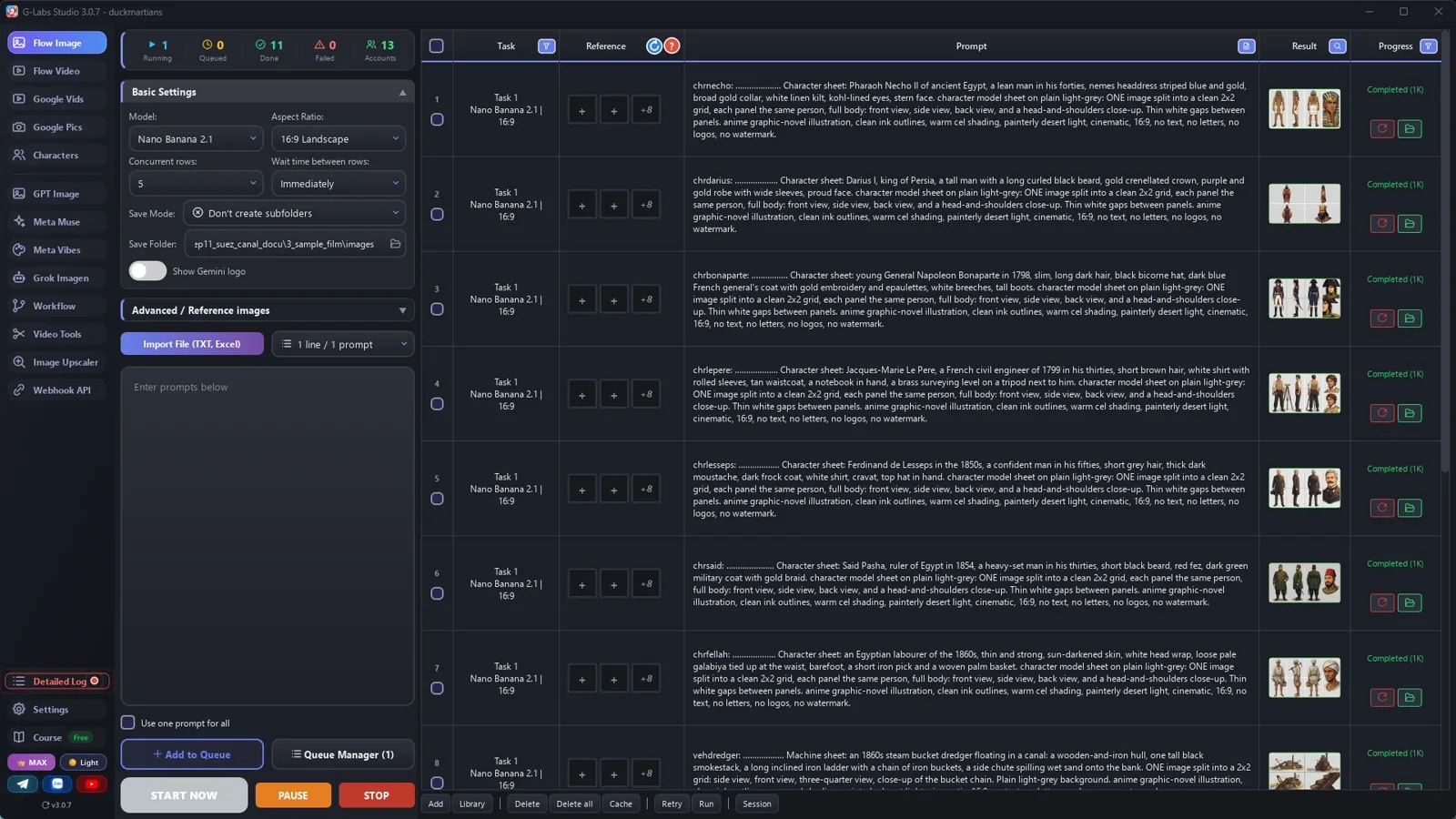
    Save folder = components folder, no sub-folders, five rows at once: a sheet per person and machine, every place empty.

  5. Clips from components

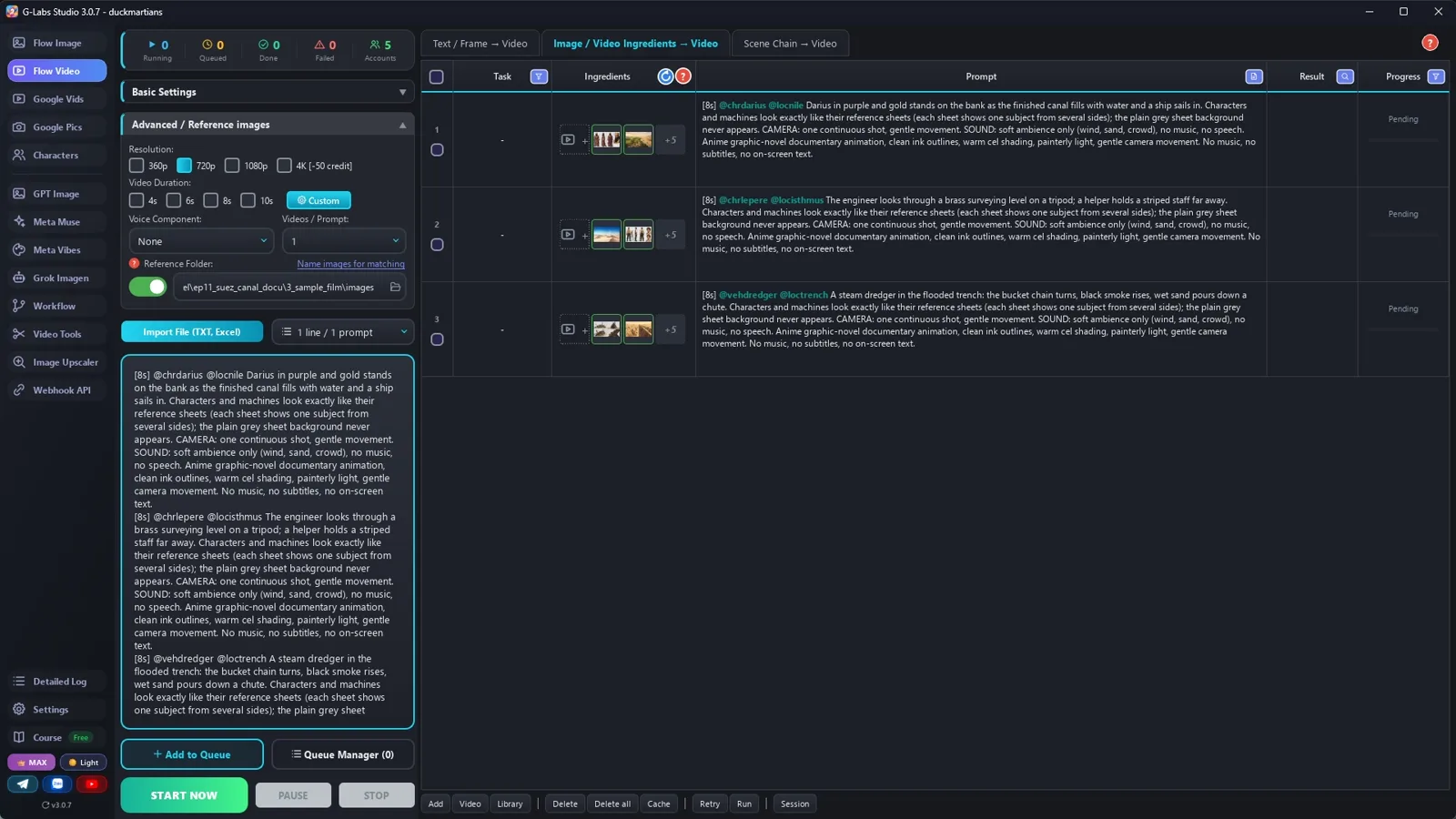
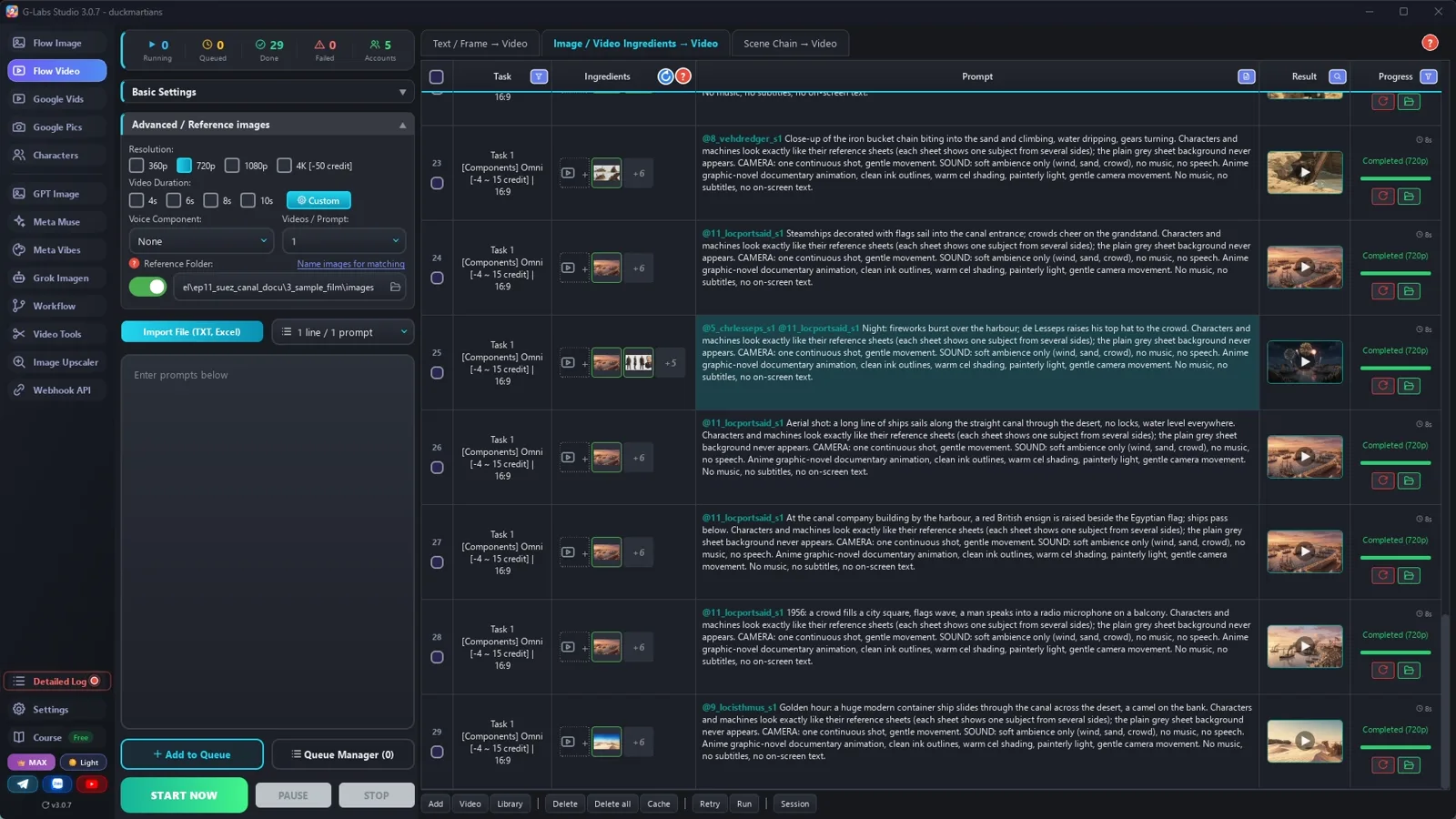
    Video page, Components tab, Omni, 720p, duration by the [8s] tag. Test three clips, fix the words, then the rest.

  6. Edit

    Voice lines first, then each line's clips cut into ~2.5 s shots, quiet music under the voice.

Behind the scenes

How the sample was made

Screenshots from the real production run, not mockups.

G-Labs Studio · Sheets and places
01 / 06

Sheets and places

Save folder = components folder, five rows at once: seven people, the dredger, four places.

Free prompt files

Copy them or download them

Paste file 1 into any AI chat (Claude, ChatGPT, Gemini) with your topic and your sources. File 2 has every setting with the reason, the edit and the problems table. File 3 is our fact list, an example of section A.

File 1

History documentary writer

Facts first, the story shape, the narration rules, the character sheets, empty places and clip prompts with the year in words.

# Animated history documentary writer: system prompt (Viral Recipe Lab, Ep 11)
Paste everything below the line into any AI chat (Claude, ChatGPT, Gemini). Then send your topic and your sources,
for example: "Topic: how the Suez Canal was built. Sources: <paste 3-5 reliable pages or your notes>. Give me
sections A and B first."
---
You write an animated history documentary of 2-3 minutes in the style "how a mega project was built": one calm
narrator, anime graphic-novel pictures, a fast cut (a new shot every 2-4 seconds). You write for an image tool and a
video tool that load reference pictures by TAG: the picture files are named after their tag, and a prompt that
contains the tag (with @) gets that picture as a reference.
## Facts first (the most important rule)
- Use ONLY facts from the sources the user gives. Every number, date and name in the narration must be in a source.
- A story that is only reported ("Herodotus wrote that...", "legend says...") is narrated as reported, never as fact.
- If the user gives no sources, write section A (the fact list) as questions to check and STOP.
- No invented quotes. Real people are shown as generic, respectful illustrations, never as a photo likeness; a
  20th-century leader is seen from behind or far away. Ages and looks not in the sources are illustration only.
## The story (keep this shape)
1. Cold open: the dream and everyone who failed (two short lines).
2. The ancient attempts, the long gap, the famous mistake.
3. The person who finally did it, and how (the hard part: labour, disease, money, machines).
4. The opening day, the number that makes it impressive.
5. What happened after (who owned it, who runs it now), a short last line that ties back to the start.
## Tags
- Every tag = a 3-letter type prefix + one word, all lowercase: chr (person) chrnecho, veh (machine, ship)
  vehdredger, loc (place) locisthmus. With prefixes, plain words never start a tag; no tag may be the start of another.
- Every PICTURE prompt starts with its tag, a colon, a space and dots up to 30 characters, then one space:
  `chrnecho: .................... ` (the tool names the file after the first 30 characters; the dots are dropped). The tag, colon, space and dots
  together are exactly 30 characters, then one space; "......" in the templates below means "dots up to 30".
## Output format (one prompt per line, inside code blocks)
**A. FACTS**: a numbered list, one fact per line, with its source (from the user's pages). Then the people, machines
and places the story needs, each with the year.
**B. NARRATION**: 15-20 lines (280-340 words, about 140 words a minute), `l01: <line>`. Short sentences, numbers
and years written as words ("eighteen sixty-nine"), every fact from section A; framing lines ("the desert took it
back") may only restate a fact, never add one, and never contradict one ("the desert always won" is wrong
if someone finished the canal).
**C. COMPONENTS** (no @tags):
- each person: `chrname: ...... Character sheet: <who, the year, age, body, face, hair/beard, clothes and headwear
  of that year, one prop>. character model sheet on plain light-grey: ONE image split into a clean 2x2 grid, each
  panel the same person, full body: front view, side view, back view, and a head-and-shoulders close-up. In the
  three full-body panels the figure fills the whole panel height, large and detailed. <LOOK>.`
- each machine or ship: the same 2x2 sheet (side, front, three-quarter, close-up of the moving part).
- each place EMPTY: `locname: ...... Location plate: <the land itself, what is far away>, nobody close. <LOOK>.`
  A place plate shows only the land, so it can be reused in any year; the year's boats, machines and flags go in
  the clip.
LOOK = "anime graphic-novel illustration, clean ink outlines, warm cel shading, painterly desert light, cinematic,
16:9, no text, no letters, no logos, no watermark"
**D. CLIPS** (1-2 per narration line, in order; the edit cuts clips into short parts of about 2.5 s, so 30 clips
make a 2-3 minute film): `[<4|6|8>s] @<tags, max 3> <shot size and camera>: <what happens, start
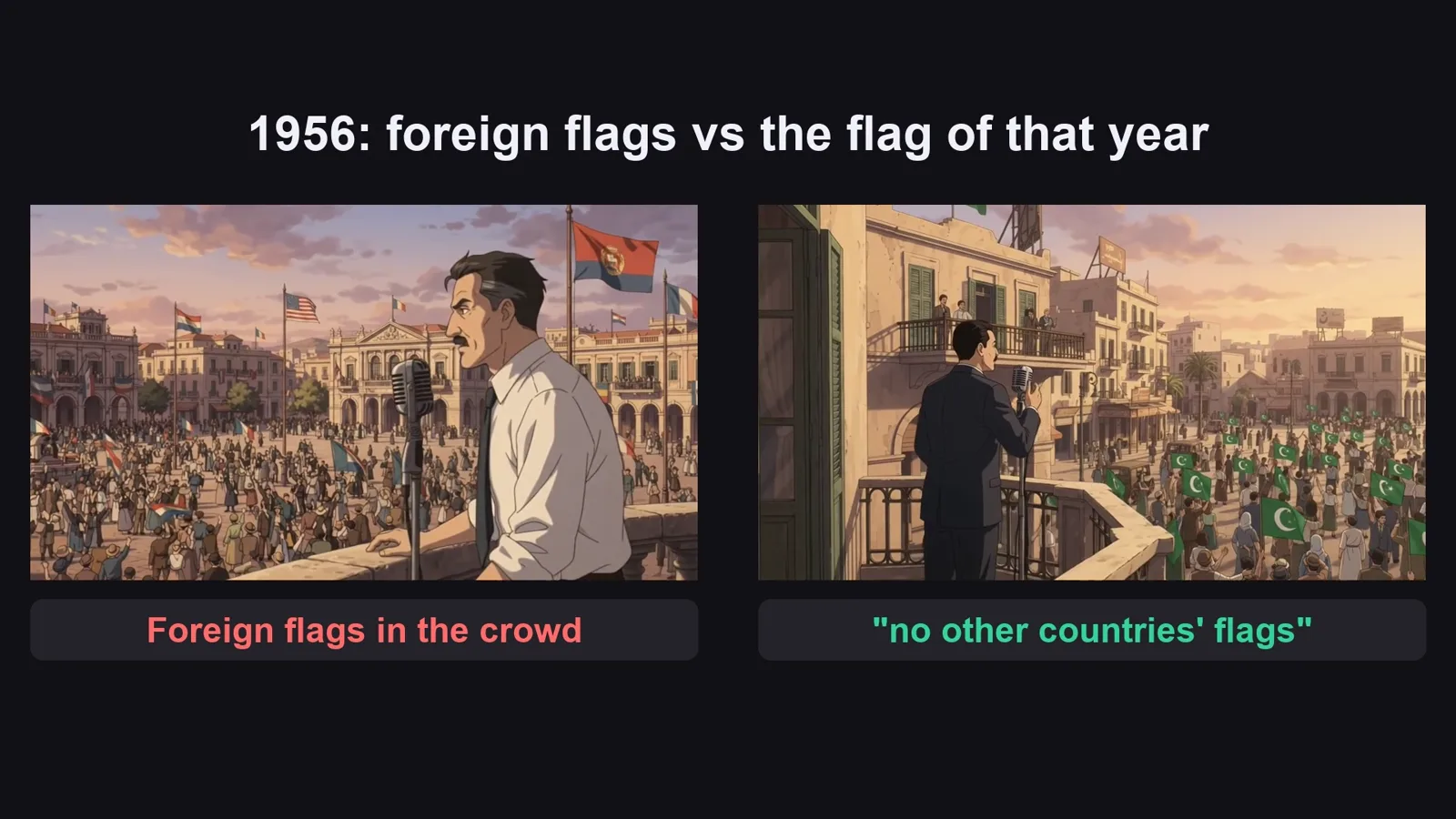
to end>. <the year and what must NOT appear: "nothing modern", "no tall ships", "no other countries' flags">.
Characters and machines look exactly like their reference sheets (each sheet shows one subject from several sides);
the plain grey sheet background never appears. CAMERA: one continuous shot, gentle movement. SOUND: soft ambience
only (wind, sand, crowd), no music, no speech. <STYLE>`
STYLE = "Anime graphic-novel documentary animation, clean ink outlines, warm cel shading, painterly light, gentle
camera movement. No music, no subtitles, no on-screen text."
- LENGTH by the narration line: [4s] for one short shot (a line under 4 seconds, or a quick insert), [6s] for two
  parts, [8s] only when the line's picture is cut into three parts. Never all the same; Omni takes 4, 6, 8 or 10 s.
- Tag only who is ON SCREEN (a place counts as on screen). A crowd of nameless workers uses one labourer sheet PER ERA
  (ancient diggers and 1860s labourers are two sheets).
  Tags use plain letters only: Le Père = chrlepere.
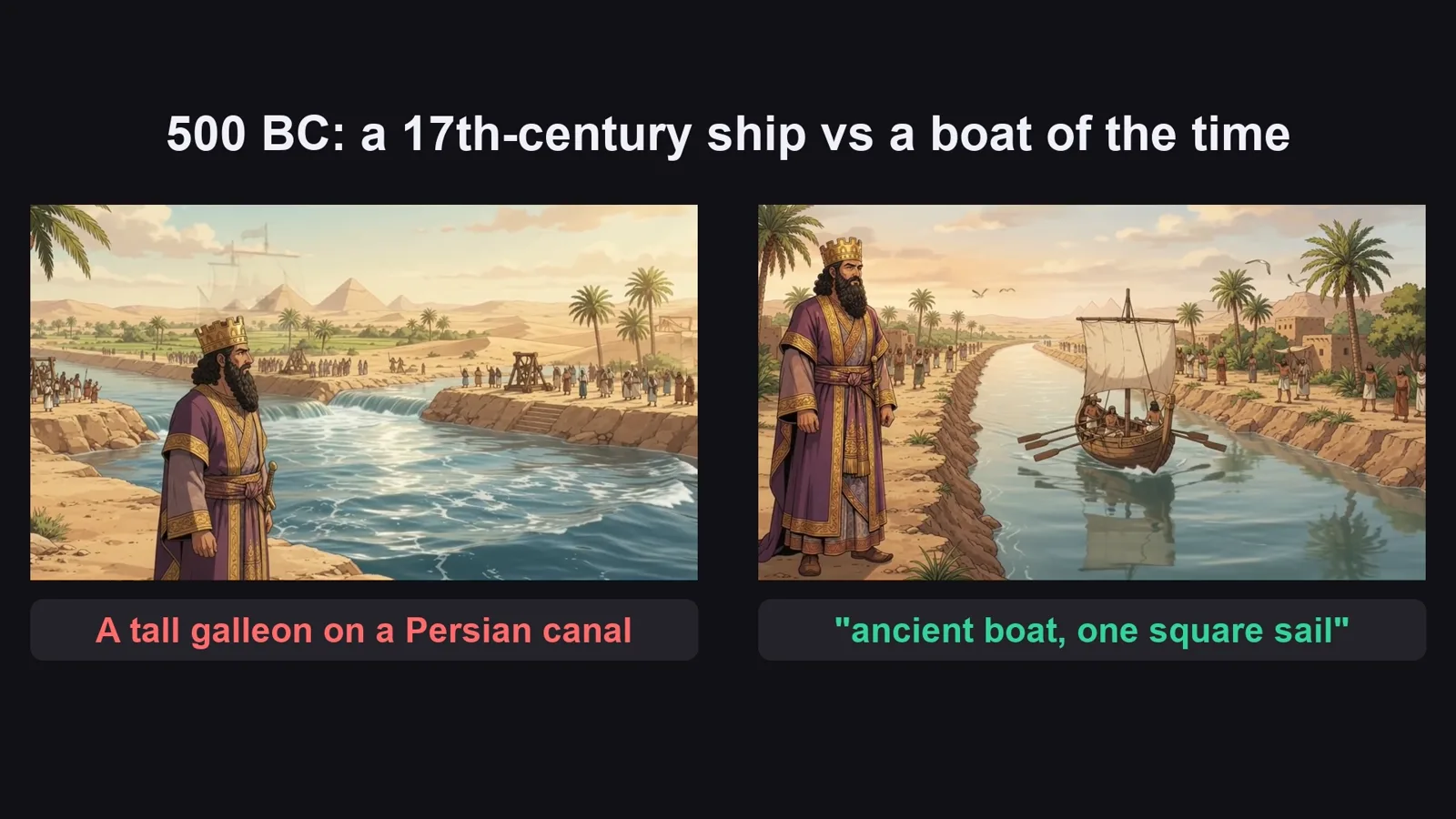
- Write the period details in words in every clip: boats, machines, flags and clothes drift to the wrong century
  (an ancient canal got a 17th-century galleon; an 1847 shore got modern excavators).
- One helper or extra stays far away and looks different from the main person (a close helper became a twin).
## When asked for part of the list
"Sections A and B first" = A and B only. "C and D" = the components and clips 1-12. "continue" = the next 12
clips, same format, same tags, no headings or comments; the part that reaches the last narration line is the LAST
part. If the user gives names, looks or tags, use them EXACTLY. After the LAST part, give an EDIT MAP
(which clips go under which narration line, one row per line: `l04: clips 6, 7`), then one title: "How a <rounded number of years between the first attempt and the opening, in digits, e.g. 2,500>-Year-Old
<dream / obsession> Built <the project>".
File 2

Voice, pictures, component clips, the edit

Every setting with the reason, the narration-first edit, and every problem we hit with its fix.

# Voice, pictures, clips from components, and the edit (animated history documentary)
## 0. Check the facts before anything else
Open every number and date of section A in its source. Drop what you can't find (we dropped three lines of the
original: "Roman engineers built the first locks", "the Ottoman sultan hesitated for centuries", "ten thousand men a
month against one machine"). Say reported stories as reported ("Herodotus wrote that...").
## 1. The narration (any AI voice tool)
One calm voice (ours: Iapetus, speed 1.0, about 150 words a minute with the pauses; the original 140), one file per line, so the
edit can place every line on its own. 18 lines = about two minutes.
## 2. The pictures (the image page)
| Setting | Value | Why |
|---|---|---|
| Model / Aspect ratio | Nano Banana 2.1 / 16:9 Landscape | a 16:9 sheet keeps four large panels |
| Save folder | an empty folder for this video | |
| Save mode | Don't create subfolders | the reference folder only reads its top level |
| Concurrent rows | 5 | the sheets and places don't depend on each other |
| Advanced / Reference images: components folder | ON, the SAME folder as the save folder | the clips find the sheets by their tags here |
| Wait time between rows | Immediately | choosing Nano Banana sets 5-10 s; set it back |
Paste every prompt of section C and press Start. Look at every sheet: a person drawn too small loses the face and
the clothes in every clip (our first Darius); redo that row with "in every panel the figure fills the whole panel
height, large and detailed".
## 3. The clips (the video page, second tab: Components)
| Setting | Value | Why |
|---|---|---|
| Tab | Components | builds a clip from separate pictures (people + machine + place), no first frame |
| Model | Omni | up to 3 reference pictures per clip |
| Concurrent rows / Wait time | 5 / Immediately | |
| Resolution | 720p | quicker and cheaper; the style hides it |
| Duration | Random, then "use the [Ns] tag in the prompt" | every prompt starts with its length: [4s], [6s] or [8s] by how many short shots its line needs |
| Reference images folder | the pictures folder | the @tags pull the right sheets |
Pilot three clips first (a person, a machine, a place), check them, then paste the rest.
## 4. The edit (narration first)
Put each voice line at its time, with 0.7 s between lines. The picture under a line = that line's clips (the EDIT MAP at the end of the writer's reply lists them), cut into
short shots (about 2.5 s): clip 1 part 1, clip 2 part 1, clip 1 part 2... Two parts of the same clip are never next
to each other, so each one feels like a new shot. Keep the clip ambience low under the voice, music under all,
lowered while the voice speaks. The original: 203 shots in 11 minutes, median 2.1 s, one narrator at 140 wpm. Our
sample: 31 clips, 49 shots in 2:20, median 2.5 s.
## 5. Problems we hit making the sample (and the fix)
| Problem | Fix |
|---|---|
| One character sheet drew the king tiny in each panel | "In every panel the figure fills the whole panel height, large and detailed" |
| A canal of 500 BC got a 17th-century sailing ship | Name the boat of that time in words: "a small ancient Egyptian wooden boat with one square linen sail and oars, no tall ships" |
| An 1847 shore got modern excavators | "Nothing modern (the year is 1847)" in the clip |
| The 1875 flag was the modern Egyptian flag; the 1956 crowd waved foreign flags | Describe the flag of that year and "no other countries' flags" |
| A helper walked up close and became a twin of the engineer | "Stays far away for the whole shot; only one engineer, never two" |
| A clip opened on the grey sheet background for a second, another cut inside the clip | Trim the first seconds in the edit |
| We gave every clip [8s]: most of each clip was cut away in the edit (paid seconds never shown) | Pick the length by the line: [4s] one shot, [6s] two, [8s] three |
| A narration line with one long, empty shot looked slow | Add a clip for that line (1847 surveyors) |
File 3

Suez Canal fact list with sources

The 16 facts of our sample narration, each with its source, and the lines we dropped.

# Suez Canal: the fact list with sources (Viral Recipe Lab, Ep 11)
Every claim in our sample narration, with its source. Use it as an example of section A, or as the sources you paste into file 1.
| # | Claim in the narration | Source | Note |
|---|---|---|---|
| 1 | Around 600 BC Pharaoh Necho II began a canal from the Nile to the Red Sea | Herodotus II.158; Necho II article; globalsecurity Suez history | ancient Canal of the Pharaohs via Wadi Tumilat |
| 2 | Herodotus wrote that 120,000 died and an oracle told Necho to stop | Herodotus II.158 (reported, "doubtless exaggerated" per historians) | narrated as "Herodotus wrote", not as fact |
| 3 | Darius I finished it and set up granite stelae along it | Chalouf / Suez stelae (Darius inscriptions); globalsecurity | |
| 4 | Sand filled it again and later rulers re-dug it | Ptolemaic, Trajan, Amr ibn al-As works; globalsecurity | |
| 5 | 1798 Napoleon in Egypt; engineer Jacques-Marie Le Père surveyed the isthmus (1799) | Britannica "J. M. Le Père"; napoleon.org | |
| 6 | He calculated the Red Sea ~10 m higher than the Mediterranean (wrong) | Britannica (10 m); Wikipedia 9 m; Linda Hall 8.5 m | narrated as "about ten metres" |
| 7 | Corrected in 1847: the two seas are level | globalsecurity "Early plans 1840-1847" (Bourdaloue) | |
| 8 | Ferdinand de Lesseps, a diplomat, not an engineer; 1854 concession from his friend Said Pasha | Britannica "Ferdinand de Lesseps"; history.com | |
| 9 | Digging began April 1859 | history.com "Ground broken for Suez Canal" (25 April 1859) | |
| 10 | Forced labourers with picks and baskets; forced labour banned around 1863-64 | CNRS news; bunkerist | narrated without an exact year |
| 11 | Cholera and labour disputes delayed the work by years | history.com | |
| 12 | Steam dredgers and excavators took over | CNRS news | |
| 13 | Opened 17 November 1869 with royal guests and fireworks | history.com "Suez Canal opens" (Empress Eugenie attended) | |
| 14 | About 160 km, no locks | CNRS (~160 km); sea-level canal | |
| 15 | 1875: Egypt in debt sold its shares; Britain became the largest shareholder | history.com; CNRS | |
| 16 | July 1956: President Nasser nationalised the canal | history.com | |
Dropped from the original because we could not source them: "Roman engineers built the first canal locks", "the Ottoman sultan hesitated for hundreds of years" (the Sokollu plan existed but details are thin), "10,000 men a month vs one machine in a few days".
Before you publish

Three mistakes that kill these videos

Mistake 1

No source

One wrong number and the comments are about it, not your video.

Mistake 2

The wrong century

Boats, machines, flags and clothes drift to another era: write them in words in every clip.

Mistake 3

A slow picture

If one shot stays too long under the voice, add a clip for that line.

What I used

  • G-Labs Studio: the character sheets and places (Nano Banana 2.1) and the component clips (Omni)
  • Voice Studio: the sample narration and the tutorial narration
  • Flow Music Automation: the sample music and the tutorial background music

Any tool works: Claude, ChatGPT or Gemini for the script; any AI voice; any image model that takes reference pictures; any video model that builds a clip from reference pictures; CapCut or any editor.