















Viral Recipe Lab · Episode 15

AI inside the factory videos

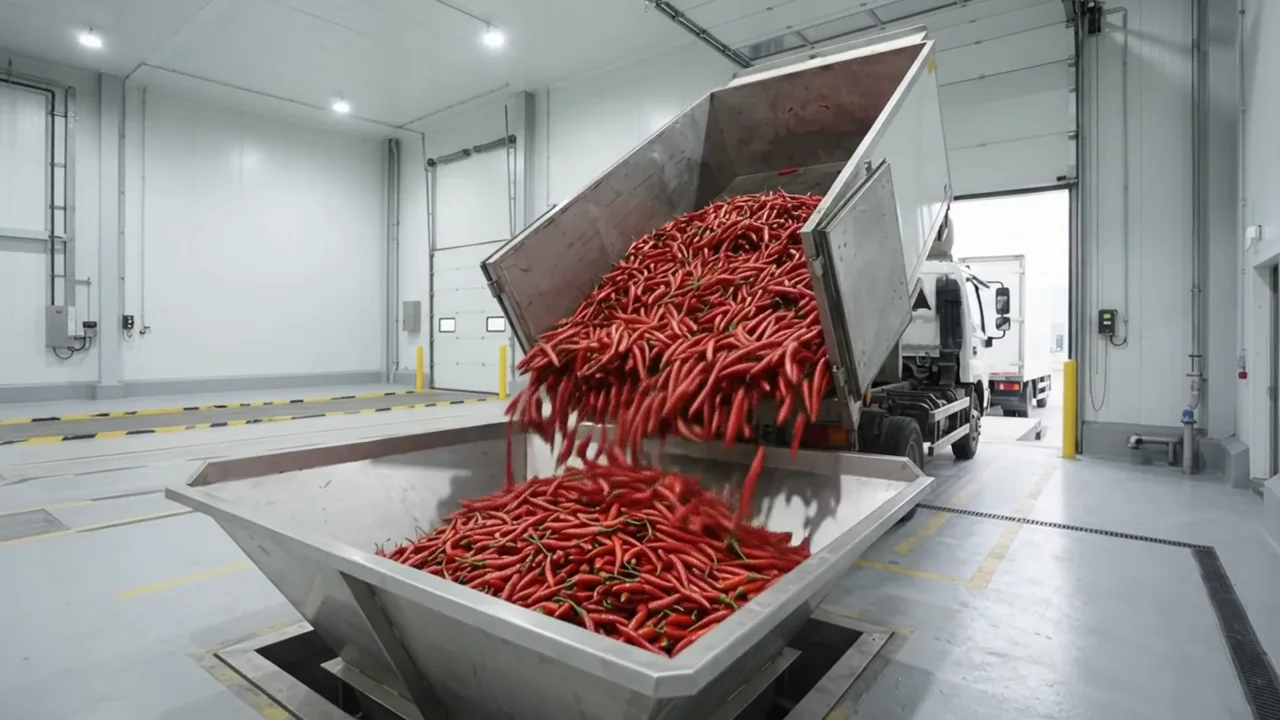
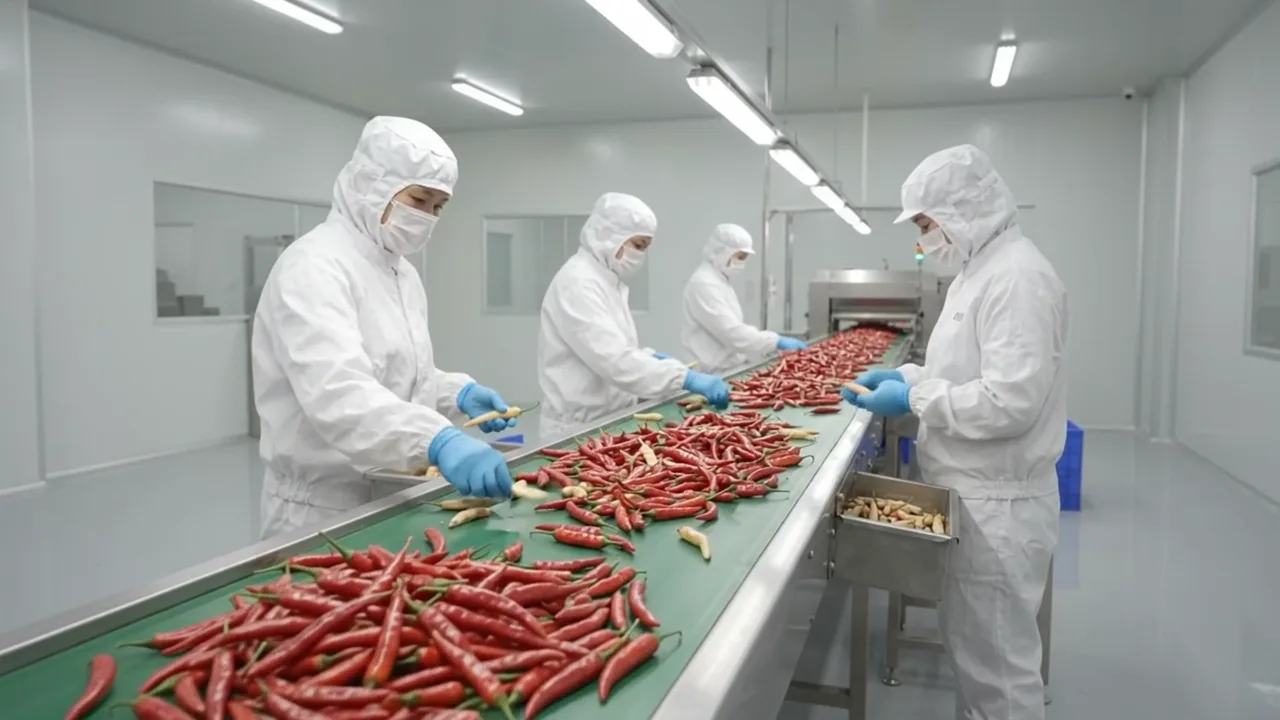
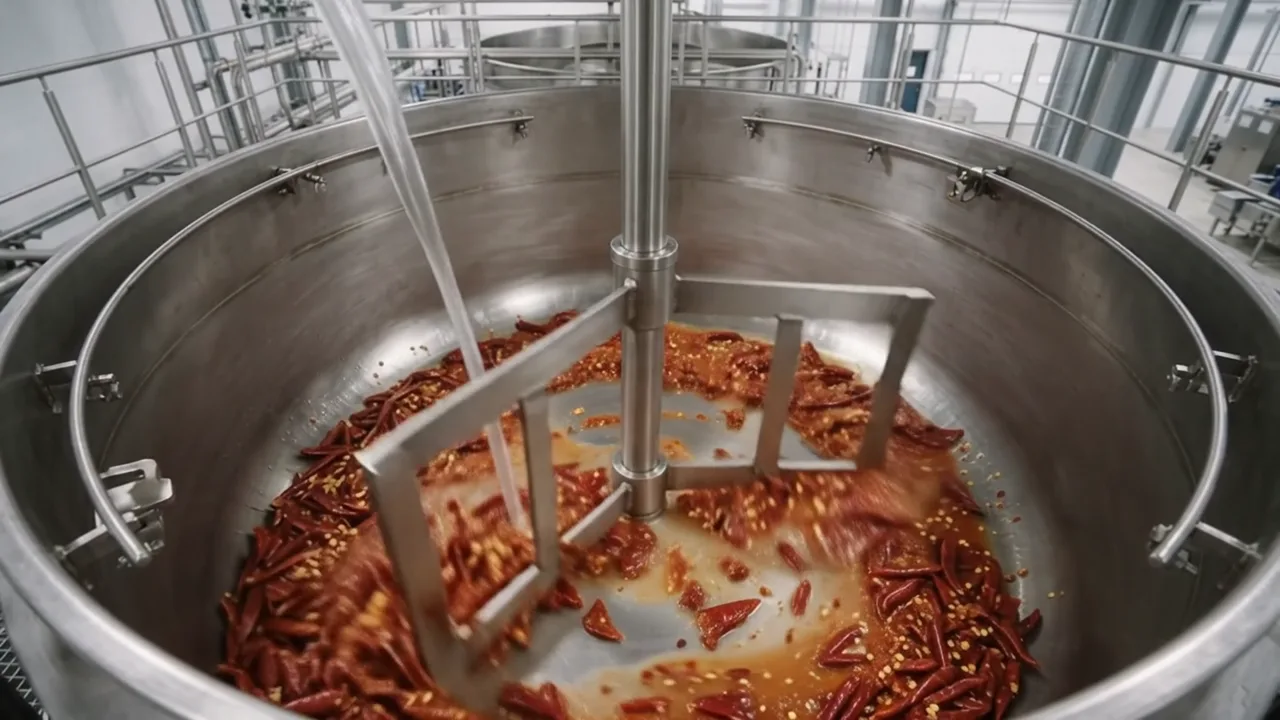
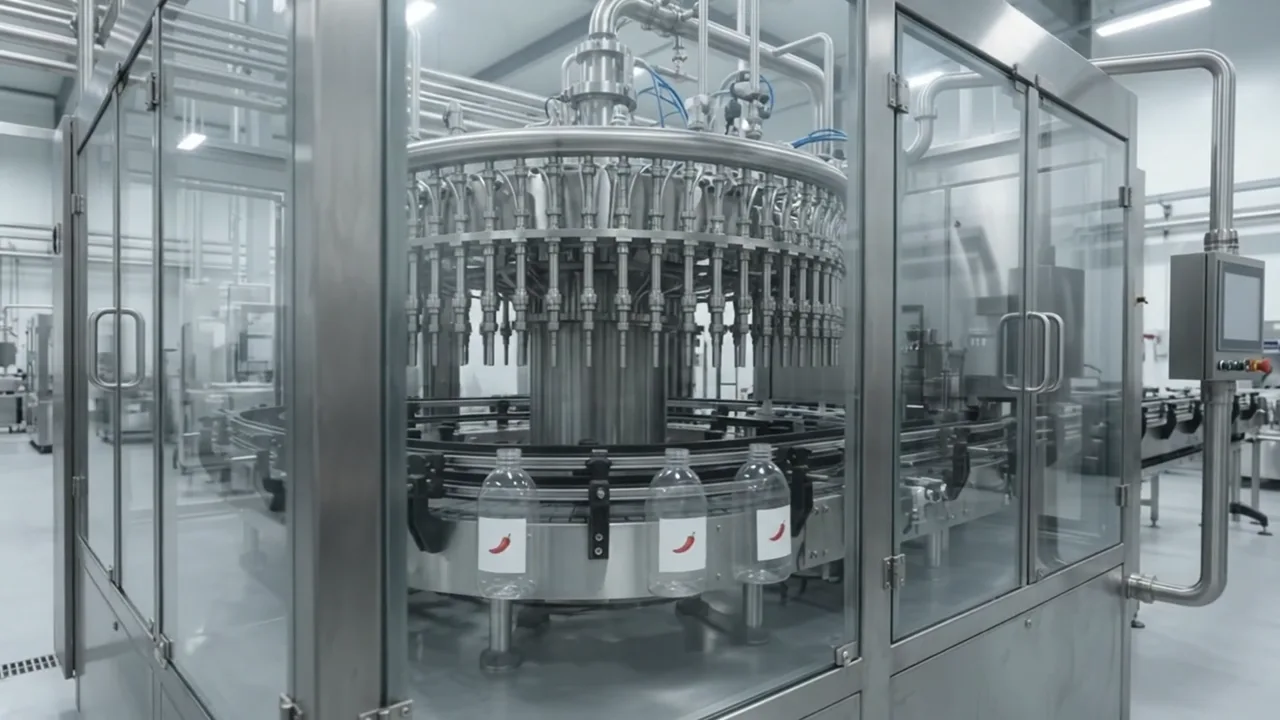
Seventeen minutes of chili peppers turning into gochujang got a million views in four days. Every shot is AI. We made the same factory and kept every prompt and every mistake.

1.05Mviews in 4 days, 17:16
127 / 131shots exactly 8 seconds
0words spoken, no music
This video has audio in more languages: Settings (gear) → Audio track → your language Show ▾
The recipe card

The four ingredients

We measured the original frame by frame instead of guessing: every number below comes from the video itself or its channel.

One product

One food, followed from the raw material to the finished bottle.

Every station

Arrival, washing, sorting, grinding, cooking, filling, capping, sterilising, inspection, packing, warehouse, truck. Never skip one.

A picture per machine

About 18 empty station pictures; every clip tags one, so the factory looks the same in every shot.

Machine sound

No narrator, no music: only hissing, grinding and clinking, made by the clips themselves.

The sample we made

Gochujang, Inside the Factory

The same process as the original, made with AI: 30 clips, 3:47, from a truck of fresh chilies to a truck of pallets.

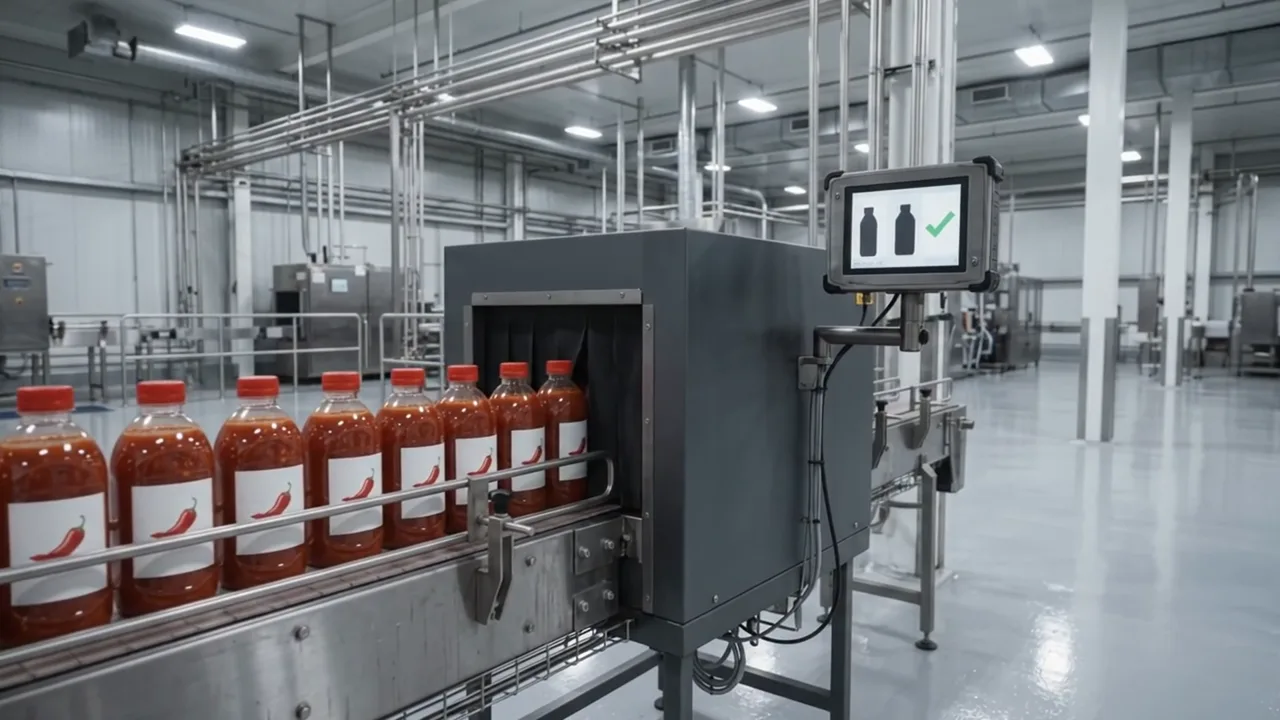
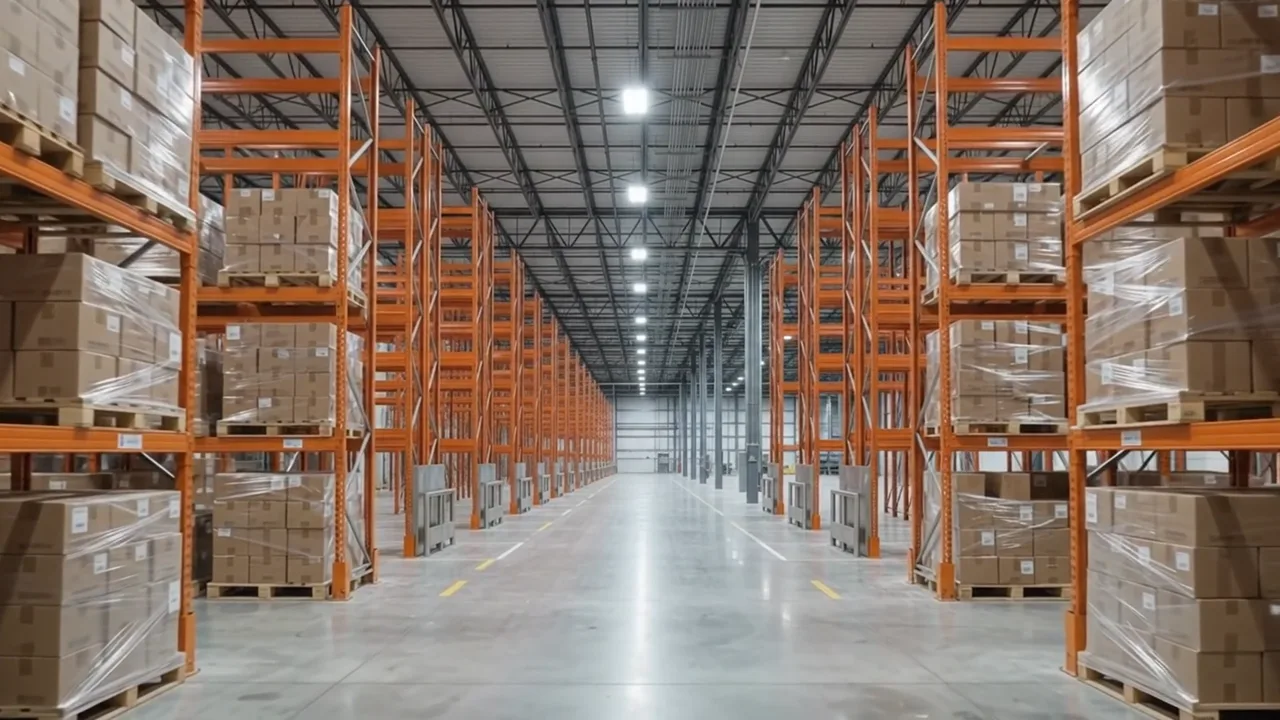
Sample image 1 Sample image 2 Sample image 3 Sample image 4 Sample image 5 Sample image 6
Step by step

From topic to finished video

  1. Write the prompts

    Paste file 1 into any AI chat with your product, the raw material and two tags. Ask for A and B, then type continue twice.

  2. All stations in one run

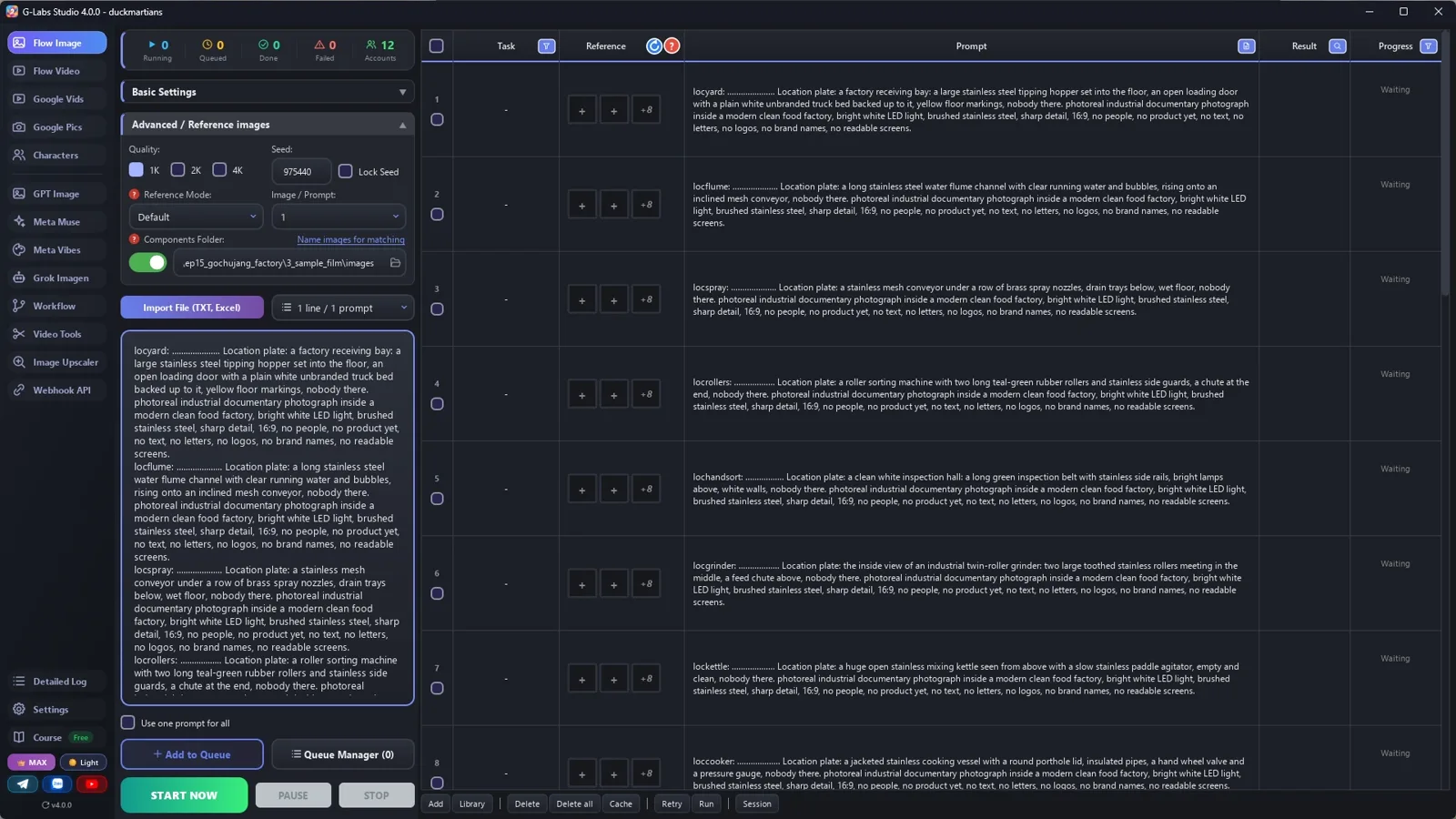
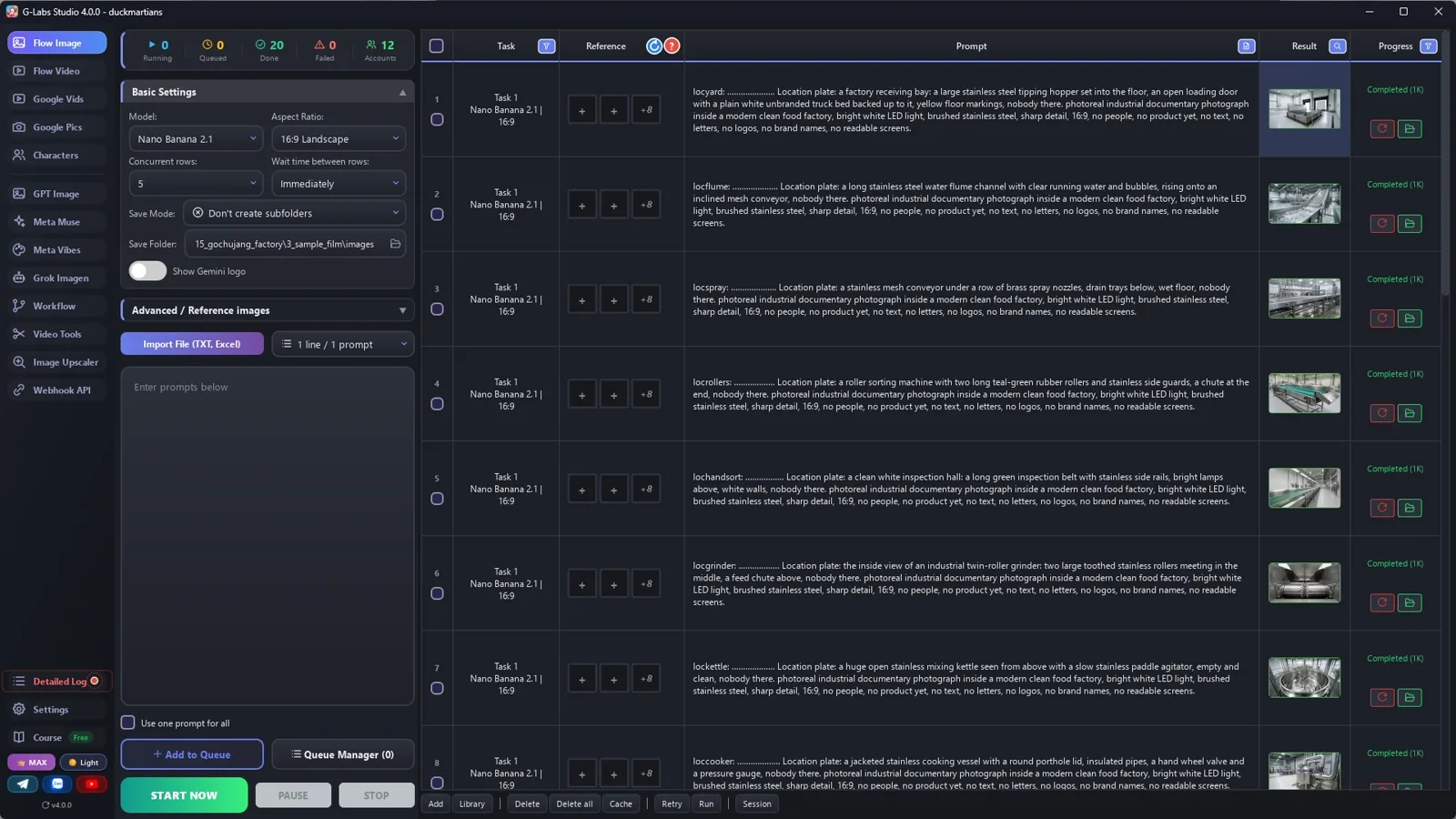
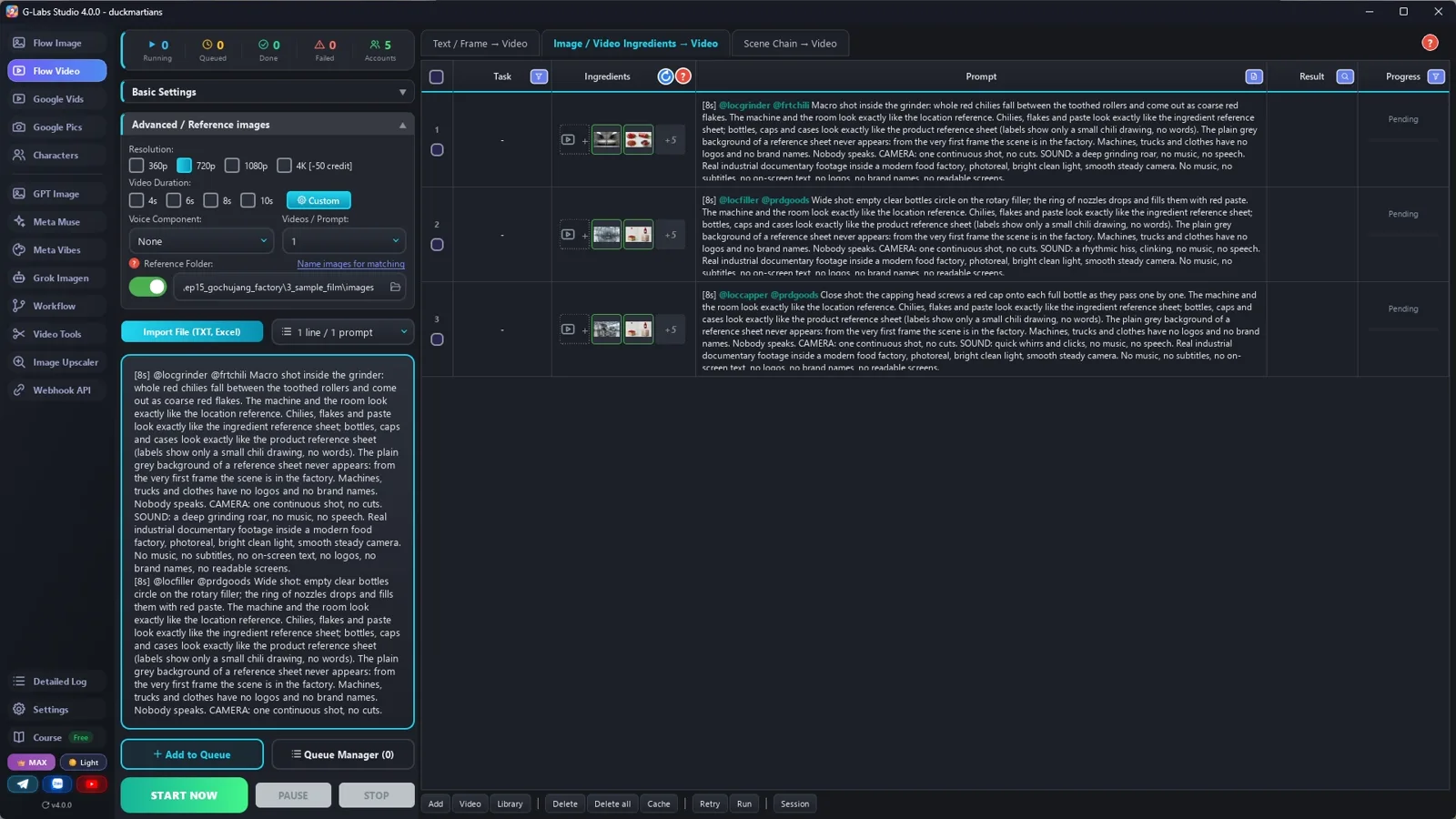
    Save folder = components folder, no sub-folders, five rows at once, wait time immediately: 18 stations + the ingredient sheet + the product sheet.

  3. Clips from components

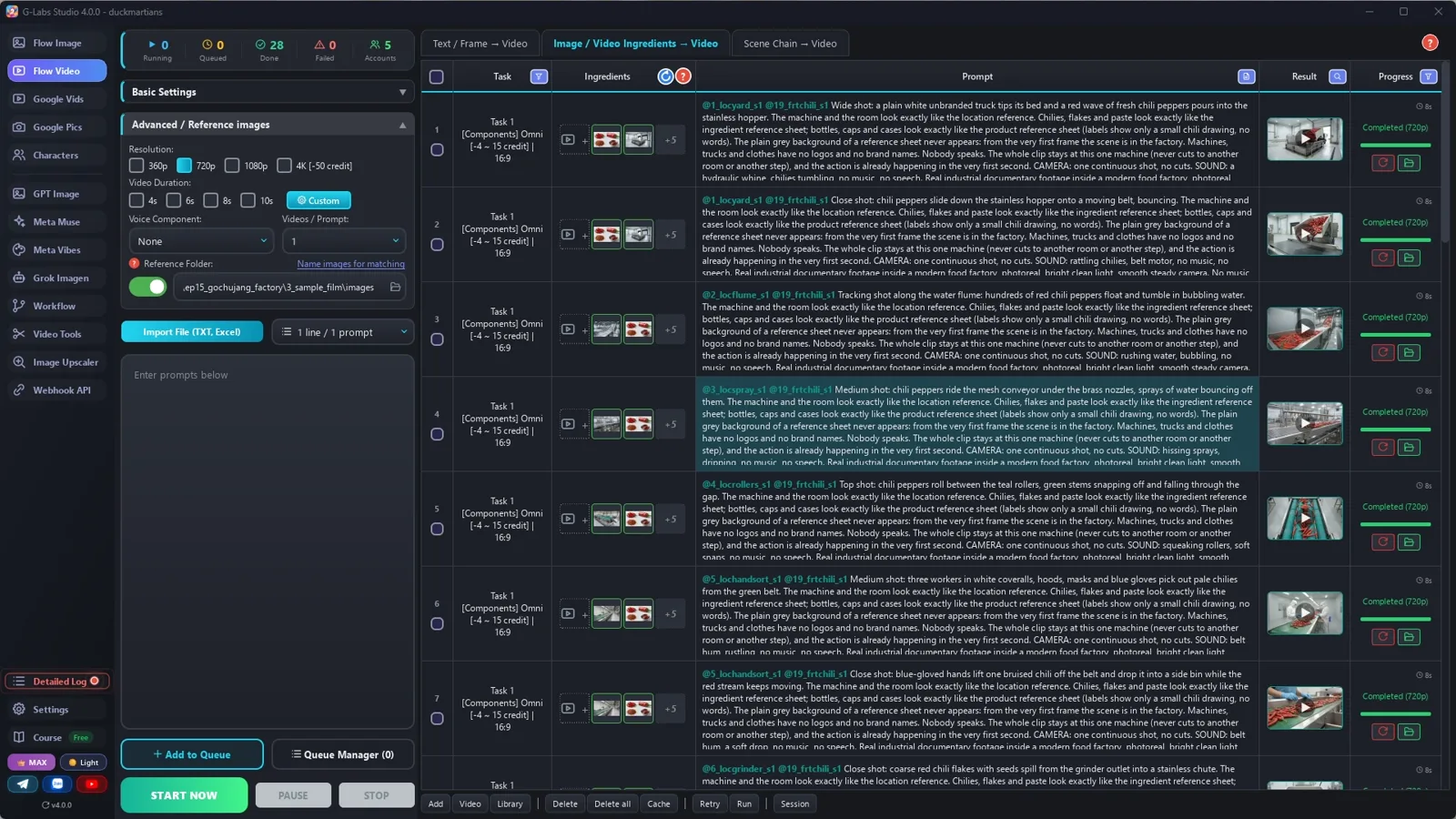
    Video page, Components tab, Omni, 720p, duration by the [Ns] tag: one station per clip, plus the food or the bottles.

  4. 8 seconds, measured

    127 of the original's 131 shots are exactly 8 seconds, so every prompt starts with [8s]. Measure your original before you pick.

  5. Edit

    Whole clips in factory order, hard cuts, the machines' own sound, no music. Trim only a clip that jumps somewhere else.

  6. Make the next one

    A new product, the same factory: kimchi in jars, soy sauce, instant noodles, seaweed snacks.

Behind the scenes

How the sample was made

Screenshots from the real production run, not mockups.

G-Labs Studio · 20 pictures
01 / 06

20 pictures

Save folder = components folder, five rows at once: 18 stations, the chilies, the bottles.

Free prompt files

Copy them or download them

Paste file 1 into any AI chat (Claude, ChatGPT, Gemini) with your product, the raw material and two tags. File 2 has every setting with the reason, the edit and the problems table.

File 1

Factory process writer

The five parts of the factory, the tag rules, one empty picture per station, the ingredient and product sheets, and 30 clip prompts of 8 seconds.

# "Inside the factory" process writer: system prompt (Viral Recipe Lab, Ep 15)
Paste everything below the line into any AI chat (Claude, ChatGPT, Gemini). Then send your product, for example:
"Product: gochujang chili paste in squeeze bottles. Give me sections A and B first."
---
You write picture prompts and 8-second clip prompts for a photoreal "inside the factory" video: one product, followed
station by station from the raw material arriving to the truck leaving, told only by real-looking clips of machines
with their own sound. No narrator, no music, no on-screen text, almost no people. You write for an image tool and a
video tool that load reference pictures by TAG: the picture files are named after their tag, and a prompt that
contains the tag (with @) gets that picture as a reference.
## The video (keep this order, 30 clips of exactly 8 seconds)
1. Arrival: the raw material is tipped into a hopper.
2. Cleaning: washing water, sprays, removing stems or skins, a short hand-sorting moment.
3. Making: grinding or cutting, mixing, cooking (and fermenting or ageing tanks if the product needs it), pumping
   through pipes.
4. Packing: filling, capping or sealing, sterilising, inspection, case packing.
5. Leaving: pallet wrapping, the warehouse, the truck pulling away.
Every clip is [8s]: the original is 8-second clips back to back. One machine per clip.
## Tags (the most important rules)
- Every tag = a 3-letter type prefix + one word, all lowercase: loc (a station) locfiller, frt (the raw material and
  what it becomes) frtchili, prd (the packaging) prdgoods. No tag may be the start of another tag.
- Every PICTURE prompt starts with its tag, a colon, a space and dots: tag + colon + space + dots = exactly 30
  characters (dots = 28 minus the tag length), then one space: `locfiller: ................... `. The tool names the
  file after the first 30 characters; the dots are dropped, so the file is named after the tag alone.
- Never use a real brand, logo or readable label or screen. Machines and trucks are "unbranded", labels show "only a
  small drawing of the product, no words", screens show "only graphs and grid lines, no words".
## Output format (one prompt per line, inside code blocks)
**A. COMPONENTS** (no @tags)
- ONE PICTURE PER STATION, about 18 (the hopper, the washing flume, the grinder, the kettle, the filler...): every clip
  tags the station it happens at; a clip with no station picture gets an invented machine. Each station is EMPTY:
  `locname: <dots> Location plate: <the machine in words: what it is, its shape, materials, what is around it>,
  nobody there. <LOOK>.`
- ONE sheet for the raw material and all its stages (raw -> ground -> finished): `frtname: <dots> Ingredient reference sheet: ONE image split into a clean 2x2 grid on
  plain light-grey: <raw, one close-up, after grinding or cutting, the finished food in a bowl>. Thin white gaps.
  photoreal macro food photograph, 16:9, no text, no letters.` Put a gloved hand holding
  one piece in the close-up panel, so the size is visible.
- The packaging: `prdgoods: <dots> Product reference sheet: ONE image split into a clean 2x2 grid: <empty container>,
  <filled and closed>, <a case of them>, <a wrapped pallet>. Labels show only a small drawing, absolutely no words,
  no letters, no logos anywhere.`
LOOK = "photoreal industrial documentary photograph inside a modern clean food factory, bright white LED light,
brushed stainless steel, sharp detail, 16:9, no people, no product yet, no text, no letters, no logos, no brand names,
no readable screens"
**B. CLIPS** (one per line, in factory order, all [8s]):
`[8s] @<one station tag> [@frtname] [@prdgoods] <shot size and camera>: <what the machine does to the product, start to
end>. The machine and the room look exactly like the location reference. [only with @frt:] The <food> looks exactly
like the ingredient reference sheet. [only with @prd:] Bottles and cases look exactly like the product reference sheet
(labels show only a small drawing, no words). The plain grey background of a reference sheet never appears: from the
very first frame the scene is in the factory. Machines, trucks and clothes have no logos and no brand names. Nobody
speaks. The whole clip stays at this one machine (never cuts to another room or another step), and the action is
already happening in the very first second. CAMERA: one continuous shot, no cuts. SOUND: <the machine's own sound>,
no music, no speech. <STYLE>`
- SCALE: AI has no idea how big the food is and blows it up to fill the shot (our chilies came out as long as a
  banana tree next to the truck). Every clip that shows the whole raw material adds one sentence with its real size,
  compared with something in the shot: `SCALE: every <food> is small, <real length, e.g. about 12 cm>, no longer than a
  gloved hand; thousands of them together, tiny next to the truck, the hopper and the machines.`
- Drop the square brackets: write a bracketed sentence only when that tag is in the clip. Food that is only seen
  inside a closed bottle needs @prd, not @frt.
- Station pictures are empty on purpose; a clip may still add workers in words.
- EVERY clip tags exactly ONE station. Add @frt when the food is visible, @prd when packaging is visible. Max 3 tags.
- Mix shot sizes like the original: wide shots of the line, close-ups of the product, macro shots inside machines.
- People only at hand-sorting or inspection: "workers in white coveralls, hoods, masks and blue gloves", no faces in focus.
STYLE = "Real industrial documentary footage inside a modern food factory, photoreal, bright clean light, smooth steady
camera. No music, no subtitles, no on-screen text, no logos, no brand names, no readable screens."
## When asked for part of the list
"Sections A and B first" = A, then B for clips 1-10. "continue" = the next 10 clips, same format, same tags, no headings
or comments; the part that reaches the truck leaving is the LAST part (clip 30). Use the user's names and tags EXACTLY.
Only after the LAST part, give one title: "Inside a Factory: How Is <product> Made? (Full Process)".
File 2

Stations, component clips, the edit

Every image-page and video-page setting with the reason, the edit, and every problem we hit with its fix.

# Stations, clips from components, and the edit ("inside the factory")
## 1. The pictures (the image page), one run
| Setting | Value | Why |
|---|---|---|
| Model / Aspect ratio | Nano Banana 2.1 (or any model that takes reference pictures) / 16:9 Landscape | |
| Save folder | an empty folder for this video | every picture of the video lands in one place |
| Save mode | Don't create subfolders | the reference folder only reads its top level |
| Concurrent rows | 5 | no picture depends on another, so five at once is five times faster |
| Advanced / Reference images: components folder | ON, the SAME folder as the save folder | the clips find the stations by their tags here |
| Wait time between rows | Immediately | choosing Nano Banana sets 5-10 s; set it back |
Paste all section A prompts (about 18 stations + the ingredient sheet + the product sheet) and press Start. Check every
station: empty, no people, no product, no readable screens or signs.
## 2. The clips (the video page, second tab: Components)
| Setting | Value | Why |
|---|---|---|
| Tab | Components | builds each clip from a station picture (+ the food / the packaging), no first frame |
| Model | Omni | up to 3 reference pictures, makes the machine's own sound |
| Concurrent rows / Wait time | 5 / Immediately | clips don't depend on each other |
| Resolution | 720p | quicker and cheaper |
| Duration | Random, then "use the [Ns] tag in the prompt" | every prompt starts with [8s]: the original is 8-second clips back to back (measured: 127 of 131 shots) |
| Reference images folder | the pictures folder | the @tags pull the right station |
Test three hard clips first (inside a machine, a filling line, a capping close-up), then paste the rest.
## 3. The edit
The original: 131 shots in 17 minutes, 127 of them exactly 8 seconds, hard cuts, no narrator, no music: only the
machines' own sound. So: whole clips in factory order, hard cuts, trim only a start or an ending that jumps elsewhere,
keep the clip sound, no music.
## 4. Problems we hit making the sample (and the fix)
| Problem | Fix |
|---|---|
| A clip without a station picture gets an invented machine | One empty picture per station (we made 18), and every clip tags one |
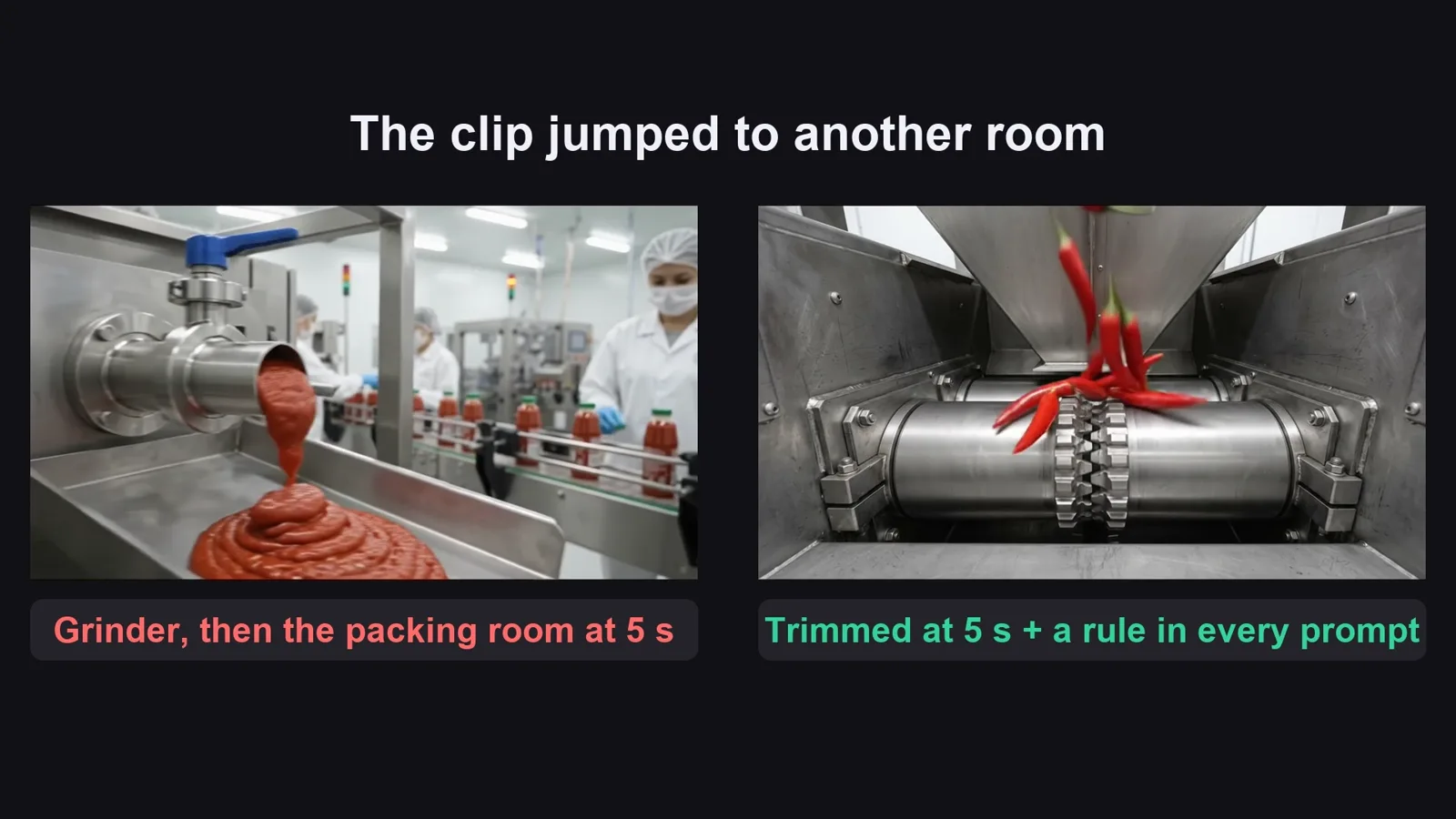
| A clip jumped to another room after 5 seconds (grinder -> packing) | "The whole clip stays at this one machine, never cuts to another room or step"; trim the old clip at 5 s |
| Even with that line, 1 of 30 clips (the pipes) dissolved into the filling line after 3 seconds | Don't regenerate: keep the part before the jump (a 3-second shot is fine between 8-second ones) |
| The chilies came out as long as a banana tree next to the truck (clips 1-5 too big; the clips with gloved hands were right) | The prompt had no size: add "SCALE: every chili is small, about 12 cm long, no longer than a gloved hand; thousands of them, tiny next to the truck" to every clip with the whole raw material, and redo those clips |
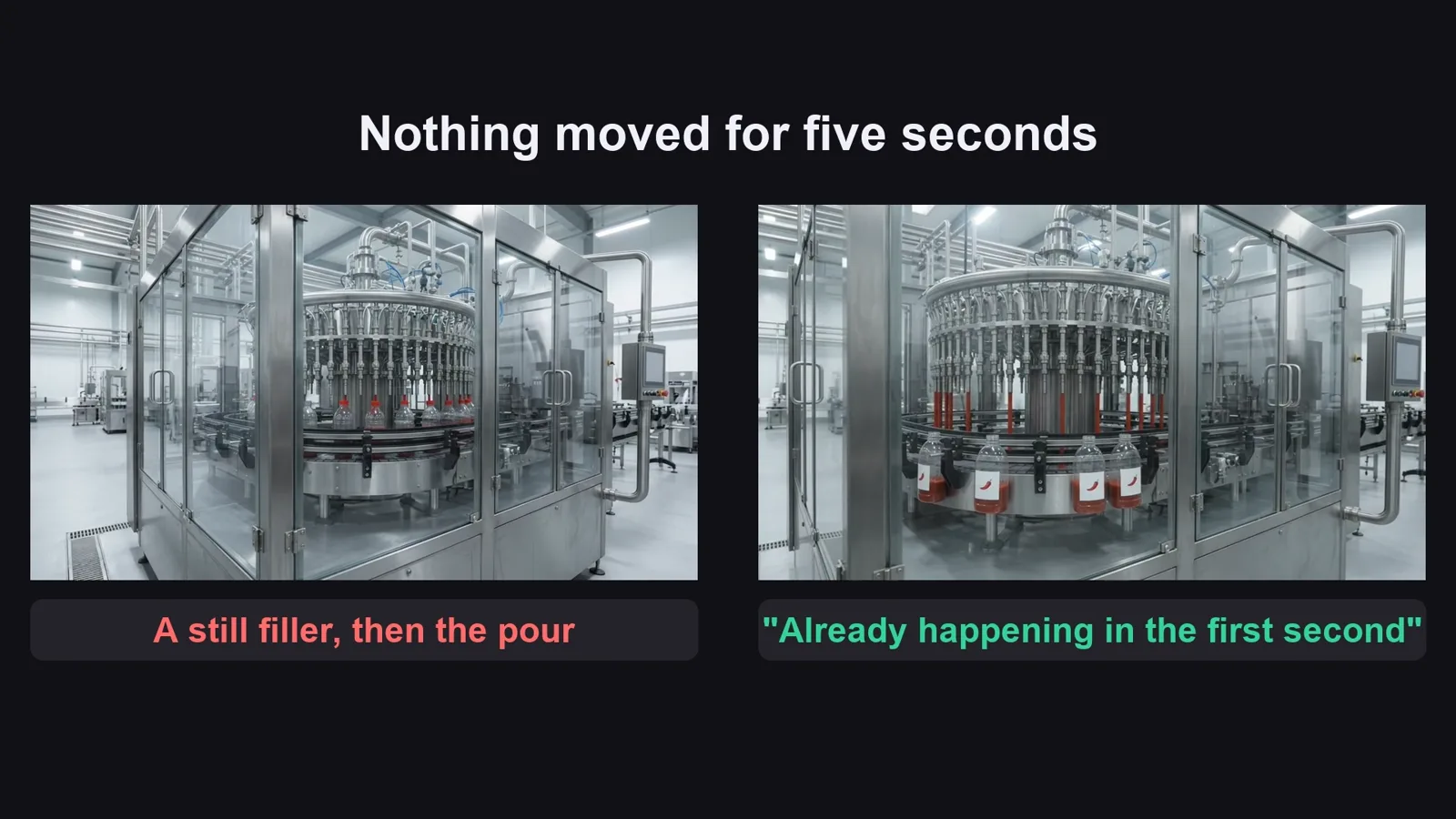
| A filling clip stood still for 5 seconds before anything moved | "The action is already happening in the very first second" |
| AI labels and screens come out as garbled text | Labels: only a small drawing, no words; screens: only graphs and grid lines |
| The original shows brand-like logos on machines | "unbranded", "no logos, no brand names" in every prompt |
Before you publish

Three mistakes that kill these videos

Mistake 1

A missing station

The process is the hook. Skip the washing or the capping and it feels like a slideshow.

Mistake 2

No station picture

Without one, the AI invents the machine, and the factory changes in every shot.

Mistake 3

A clip that wanders

One clip, one machine, the action from the first second. Trim a clip that jumps instead of paying for a new one.

What I used

Any tool works: Claude, ChatGPT or Gemini for the prompts; any image model that takes reference pictures; any video model that builds a clip from reference pictures and makes sound; CapCut or any editor.