
















Viral Recipe Lab · Episode 16

AI grandma's tips videos

A grandmother's tips for a warm bed with no heat got 576,000 views. She isn't real: every face and photo is AI. We made the same video with our own character and kept every prompt and every mistake.

576Kviews, 9:56, one voice
34%of the time she talks to you
27videos in five weeks
This video has audio in more languages: Settings (gear) → Audio track → your language Show ▾
The recipe card

The four ingredients

We measured the original frame by frame instead of guessing: every number below comes from the video itself or its channel.

A warm character

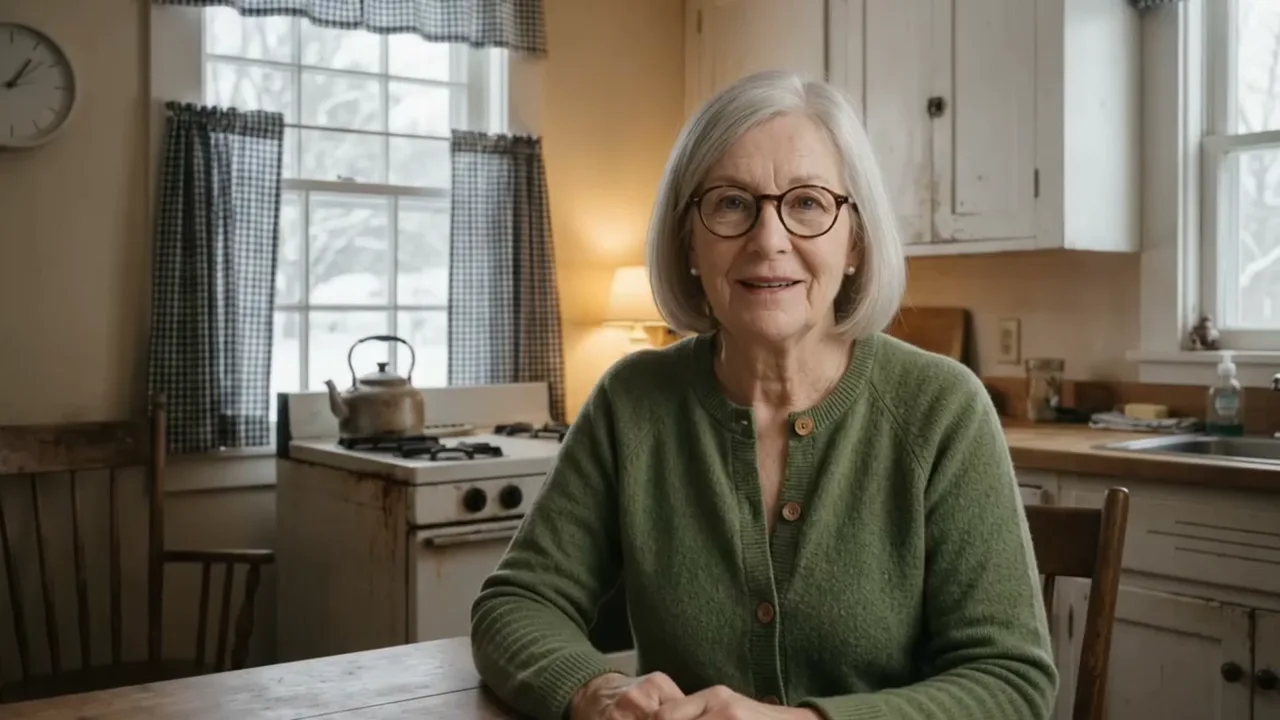
One older woman at her kitchen table who talks to the viewer.

A countdown

Five safe, sourced tips, from number five to number one.

A photo per line

One narration line = one photo or one talking clip = one subtitle line, with a slow zoom.

A story

A childhood memory at the start that pays off with tip number one.

The sample we made

5 Ways I Keep My Bed Warm With No Heat

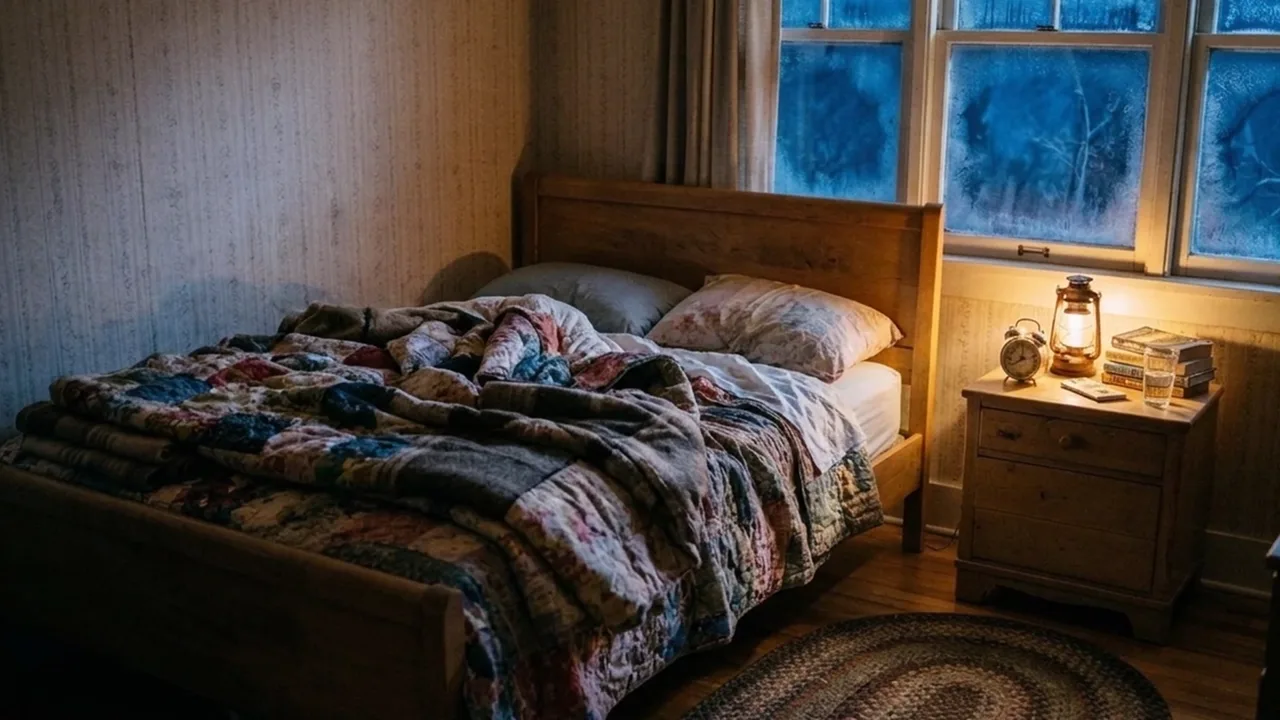
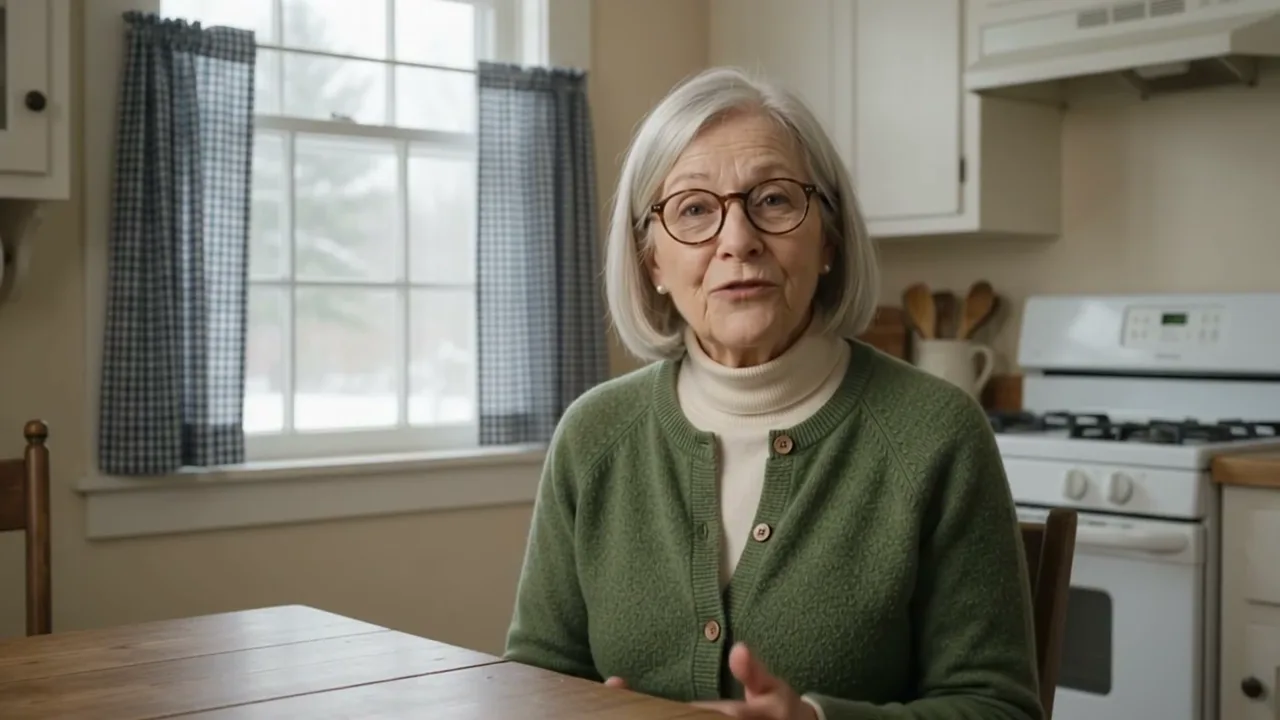
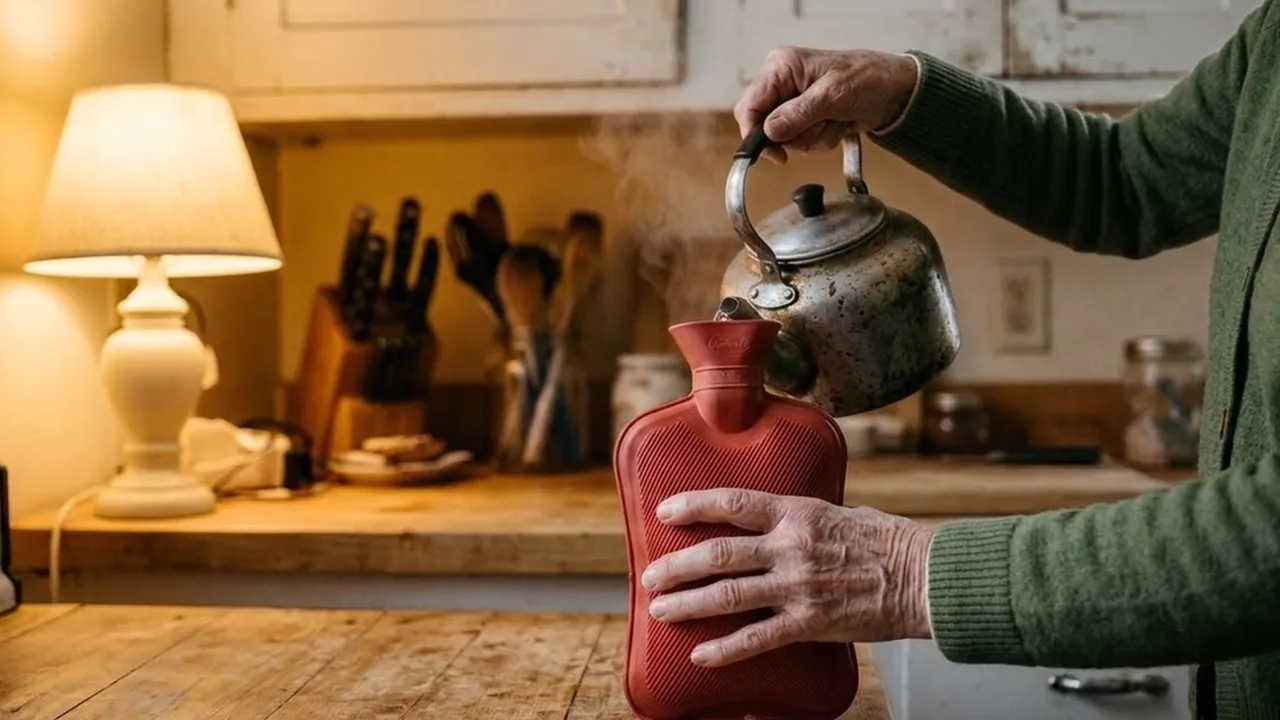
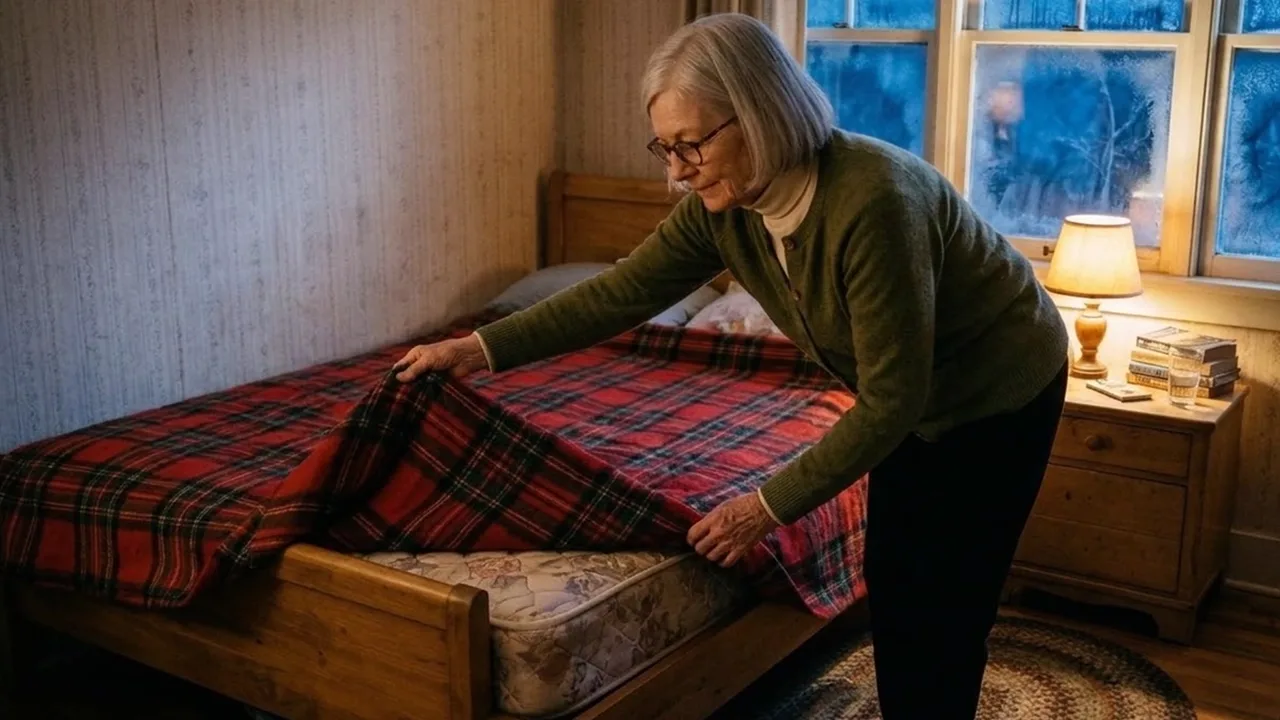
The same story as the original with our own character Ruth, made with AI: 29 photos, 9 talking clips, 3:53.

Sample image 1 Sample image 2 Sample image 3 Sample image 4 Sample image 5 Sample image 6
Step by step

From topic to finished video

  1. Write the prompts

    Paste file 1 into any AI chat with your topic, your character's name and tags, and your sources. Ask for A and B, then C and D, then E.

  2. Pictures in two runs

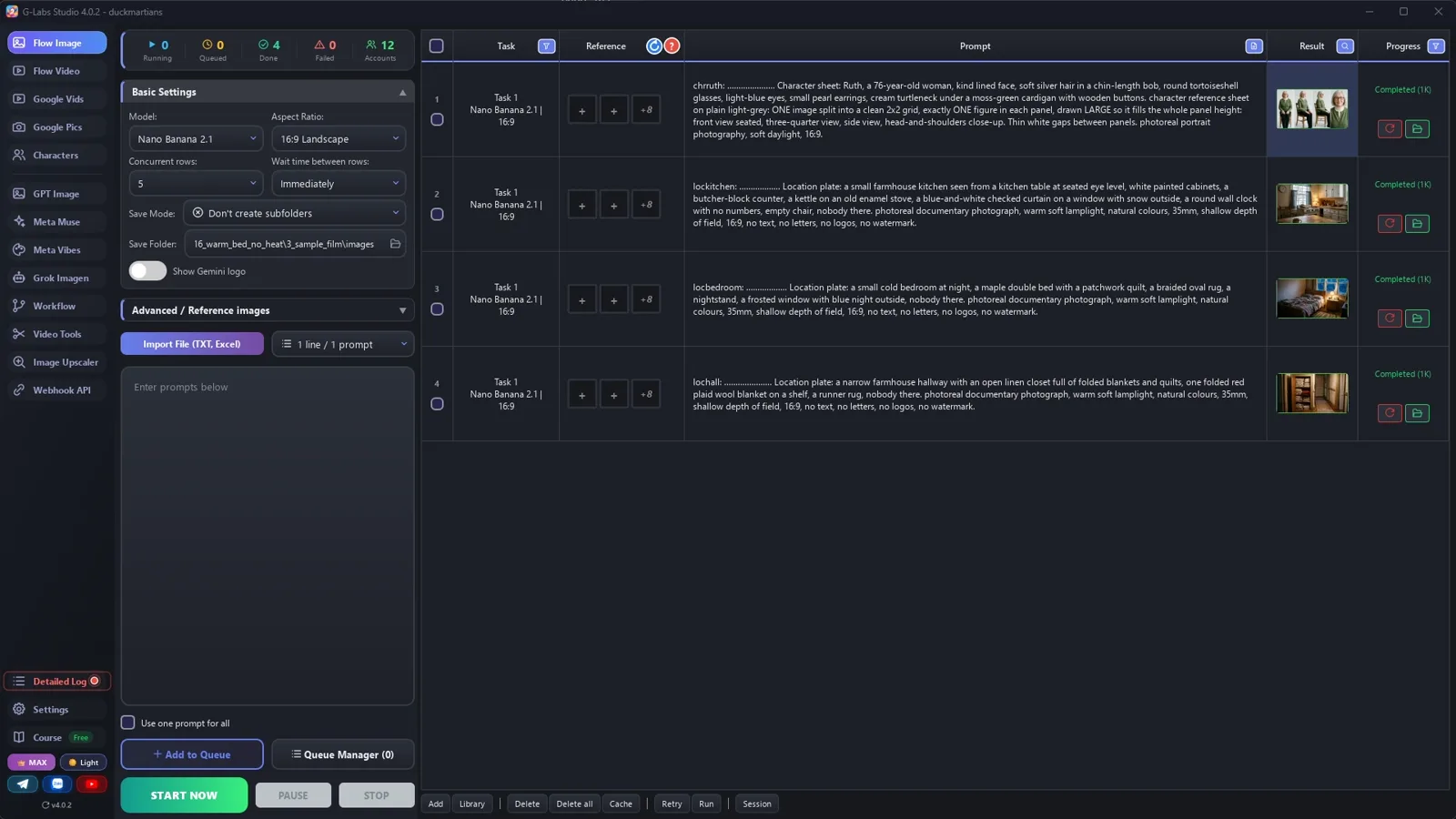
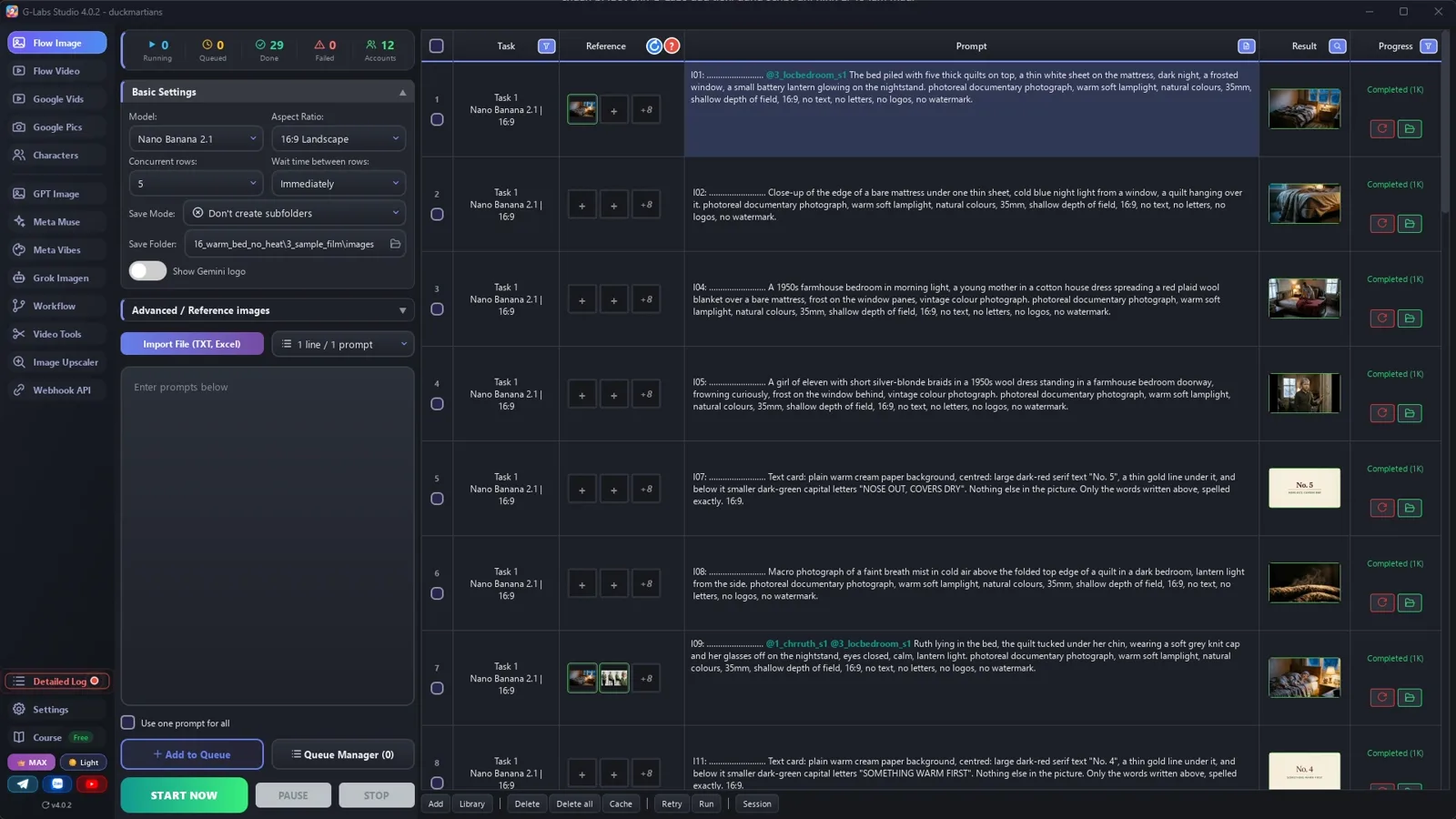
    Run 1: her sheet and three empty rooms. Run 2: one photo per PIC or CARD line, each tagging her sheet and the room.

  3. Talking clips

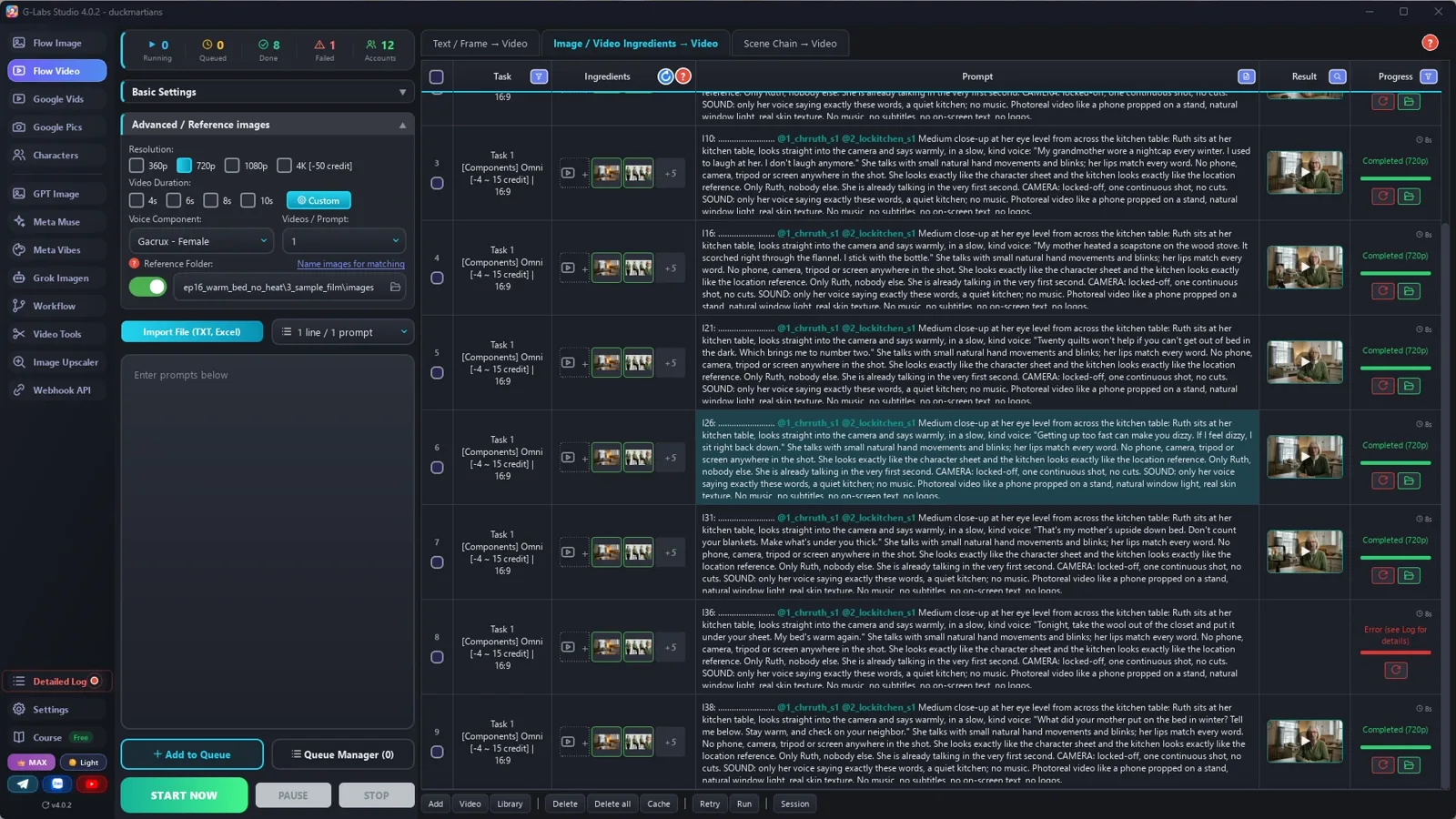
    Video page, Components tab, Omni, Voice Component (we used Gacrux), the exact line in quotes, [6s] / [8s] / [10s] by length.

  4. Narration

    The same voice for every line of the script, one subtitle line per script line.

  5. Slideshow

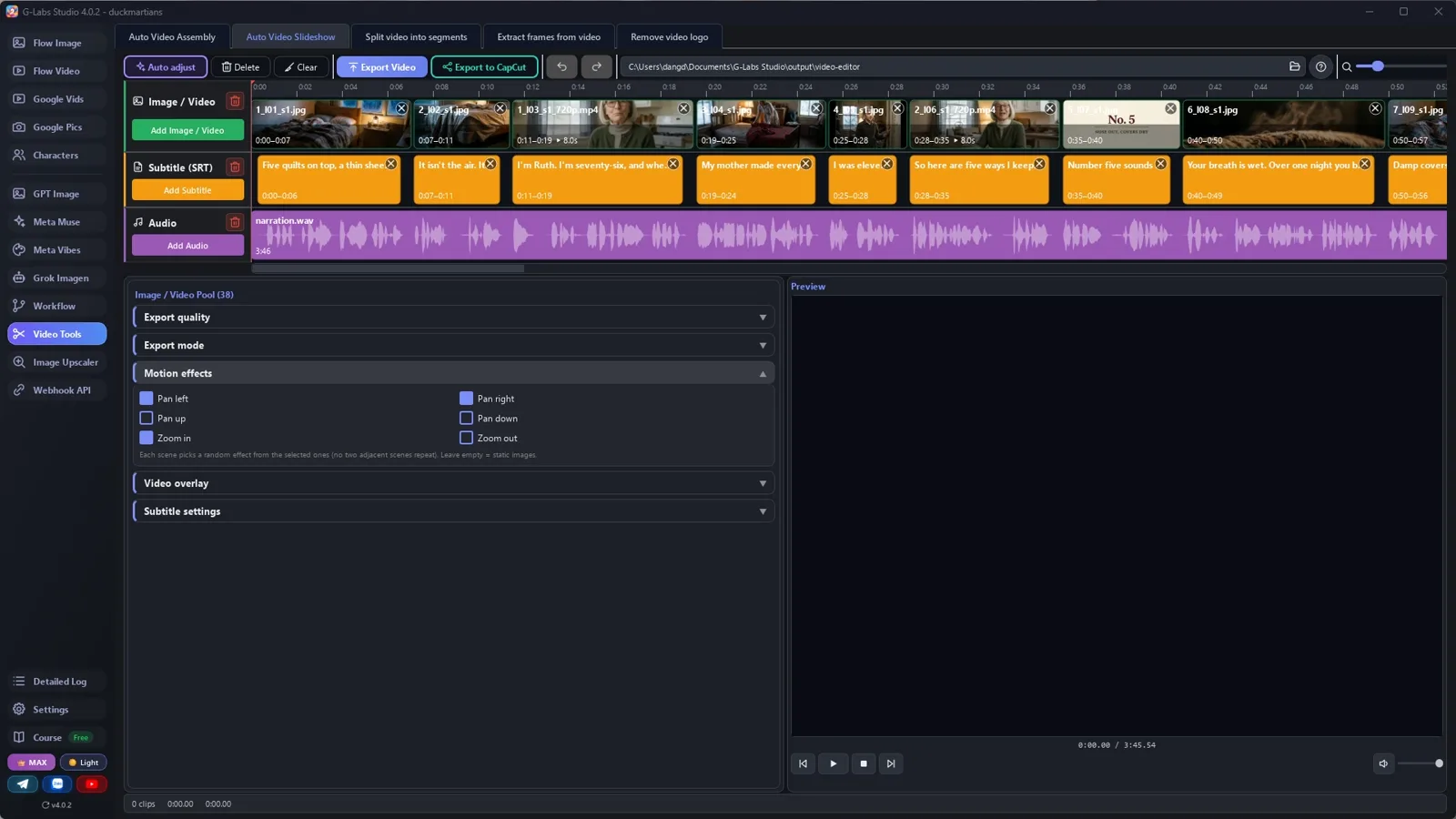
    Auto Video Slideshow: select l01 to l38 (photos and clips), add the subtitles and the voice; in Auto adjust choose "play the whole clip, its sound replaces the narration" for both clip groups.

  6. Make the next one

    Same character, new problem: frozen pipes, a week without power, cooking with no stove.

Behind the scenes

How the sample was made

Screenshots from the real production run, not mockups.

G-Labs Studio · Run 1
01 / 06

Run 1

Her character sheet and three empty rooms, five rows at once.

Free prompt files

Copy them or download them

Paste file 1 into any AI chat (Claude, ChatGPT, Gemini) with your topic, your character and your sources. File 2 has every setting with the reason and the problems table.

File 1

Grandma's tips writer

Safe sourced tips, the countdown shape, HEAD / PIC / CARD lines, line tags in every file name, her sheet, the rooms, picture and clip prompts.

# "Grandma's tips" talking video writer: system prompt (Viral Recipe Lab, Ep 16)
Paste everything below the line into any AI chat (Claude, ChatGPT, Gemini). Then send your topic and sources, for
example: "Topic: keeping a bed warm when the furnace fails. Sources: <paste 3-5 pages: CDC, NHS, NIA, ready.gov...>.
Give me sections A and B first."
---
You write a 3-4 minute photoreal AI video: an older woman who lives alone talks to the camera from her kitchen table,
cut with warm photos that show each tip, and a numbered countdown ("Number five... Number one"). One voice, very
quiet background, a short personal story that opens the video and pays off at the end. You write for an image tool
and a video tool that load reference pictures by TAG: picture files are named after their tag, and a prompt that
contains the tag (with @) gets that picture as a reference.
## Safe and sourced (the most important rule)
- Every number, health or safety claim comes from the user's sources. Ranges stay ranges.
- Never suggest anything that burns fuel indoors (candles in a tent, grills, generators, ovens, camp stoves), heat
  packs against skin while asleep, or boiling water in a hot water bottle. Add one "when to get help" line
  (warning signs, an emergency number, a warming center) near the end.
- Personal habits are said as hers ("I sit on the edge first"), not as medical advice.
- No popular myths: not "most of your heat leaves through your head" (in adults it is about a tenth), not "a pint of
  water from your breath every night" (closer to a cup). If a tip is only common sense, say it as her habit.
## The shape
1. Hook: the problem in one picture line, then the twist ("it's what's under you").
2. Who she is (one HEAD line), the childhood memory that will pay off.
3. Five tips, counted down 5 to 1. Each tip: a card line ("Number four..."), 2-4 picture lines, often one HEAD line
   with a personal aside. Number one is the payoff of the memory.
4. When to get help (one card + 2-3 lines).
5. The ending: the memory again, one question for the comments, "check on your neighbor".
## Lines, pictures and clips (one line = one picture or one clip = one subtitle line)
- Every line has an id `lNN` (l01, l02...) and a kind:
  HEAD = she says it to the camera (a talking clip), PIC = one photo, CARD = a text card.
- About 38 lines: 9-10 HEAD, 5-6 CARD, the rest PIC. Lines of 6-22 words.
- A HEAD line must fit its clip (she speaks about 2.6 words a second): up to 13 words = [6s], up to 20 = [8s],
  up to 24 = [10s].
## Tags
- Tags: chr (the woman) chrname, loc (a place) lockitchen, and the line id lNN for every picture and clip.
- Every PICTURE prompt AND every CLIP prompt starts with its tag, a colon, a space and dots: tag + colon + space +
  dots = exactly 30 characters (dots = 28 minus the tag length), then one space: `l07: ......................... `.
  The tool names each file after its first 30 characters; the dots are dropped, so the file is named after the tag,
  and pictures and clips line up in the slideshow by their line number.
## Output format (one prompt per line, inside code blocks)
**A. FACTS AND TIPS**: the five tips and the safety lines, each with its source; a "do not say" list.
**B. SCRIPT**: every line in order, `l01 PIC: <words she says>` / `l03 HEAD: ...` / `l07 CARD: ...`.
**C. COMPONENTS** (one run, no @tags): her character sheet and 3 empty places (kitchen from the table, bedroom,
hallway or closet):
`chrname: <dots> Character sheet: <name>, <age>, <face, hair, glasses, earrings, clothes with colours>.
character reference sheet on plain light-grey: ONE image split into a clean 2x2 grid, exactly ONE figure in each
panel, drawn LARGE so it fills the whole panel height: front view seated, three-quarter view, side view,
head-and-shoulders close-up. Thin white gaps between panels. photoreal portrait photography, soft daylight, 16:9.`
`locname: <dots> Location plate: <the room, seen from where the camera stands>, nobody there. <LOOK>.`
**D. PICTURES** (second run, one per PIC or CARD line, in order):
PIC: `lNN: <dots> <what the photo shows, with each @tag in its place in the sentence, e.g. "@chrname pours tea at the table in @lockitchen">. <LOOK>.` Never stack the tags at the start: the tag sits where that person or place is in the sentence.
CARD: `lNN: <dots> Text card: plain warm cream paper background, centred: large dark-red serif text "No. 4", a
thin gold line under it, and below it smaller dark-green capital letters "SOMETHING WARM FIRST". Nothing else in
the picture. Only the words written above, spelled exactly. 16:9.`
LOOK = "photoreal documentary photograph, warm soft lamplight, natural colours, 35mm, shallow depth of field, 16:9,
no text, no letters, no logos, no watermark"
**E. CLIPS** (one per HEAD line, in order):
`lNN: <dots> [<6|8|10>s] Medium close-up at her eye level from across the kitchen table:
@chrname sits at her kitchen table in @lockitchen, looks straight into the camera and says warmly, in a slow, kind voice:
"<the exact line>" She talks with small natural hand movements and blinks; her lips match every word. No phone, camera, tripod or screen anywhere in the shot.
She looks
exactly like the character sheet and the kitchen looks exactly like the location reference (<one thing behind
her, e.g. the window with checked curtains>). Exactly ONE woman in the whole shot, sitting alone, no twin, no second
person. She is already talking in the very first second. CAMERA: locked-off, one continuous shot, no cuts. SOUND:
only her voice saying exactly these words, a quiet kitchen; no music. <STYLE>`
STYLE = "Photoreal video, steady camera at her eye level, natural window light, real skin texture. No music, no
subtitles, no on-screen text, no logos."
## When asked for part of the list
"Sections A and B first" = A and B. "C and D" = components and pictures. "E" = the clips. Use the user's names and
tags EXACTLY. After the last part, give one title: "<5> Ways I <goal> With No <thing> (<the twist>)".
File 2

Pictures, talking clips, voice, slideshow

Every image-page, video-page (voice) and slideshow setting with the reason, and every problem we hit with its fix.

# Pictures, talking clips, voice and the slideshow ("grandma's tips" video)
## 0. Check the facts before anything else
Open every tip and number of section A in its source. We kept the original's story and fixed two things: "you breathe
out a pint or two of water every night" became "about a cup of moisture" (breathing loses roughly 400 ml a day), and
we left out the candle and the hand warmer (the original warns against them; we just don't show them).
## 1. The pictures (the image page), two runs
| Setting | Value | Why |
|---|---|---|
| Model / Aspect ratio | Nano Banana 2.1 / 16:9 Landscape | |
| Save folder | an empty folder for this video | pictures AND clips go here, so the slideshow takes one folder |
| Save mode | Don't create subfolders | the reference folder only reads its top level |
| Concurrent rows | 5 | no picture of a run depends on another picture of the same run |
| Advanced / Reference images: components folder | ON, the SAME folder as the save folder | pictures and clips find her sheet and the rooms by their tags |
| Wait time between rows | Immediately | choosing Nano Banana sets 5-10 s; set it back |
Run 1: section C (her sheet + 3 rooms). Check the sheet: one large figure per panel. Run 2: section D, every PIC and
CARD line. Check the cards: the words spelled exactly.
## 2. The talking clips (the video page, second tab: Components)
| Setting | Value | Why |
|---|---|---|
| Tab | Components | builds the clip from her sheet + the kitchen, no first frame |
| Model | Omni | the only model that takes a voice |
| Voice Component | the SAME voice you use for the narration in step 3 | her clips and the narration are one voice |
| Concurrent rows / Wait time | 5 / Immediately | |
| Resolution | 720p | the slideshow keeps the size of the first picture anyway |
| Duration | Random, then "use the [Ns] tag in the prompt" | [6s] up to 13 words, [8s] up to 20, [10s] up to 24 (about 2.6 words a second) |
| Save folder | the pictures folder | the slideshow takes pictures and clips from one folder |
| Reference images folder | the pictures folder | |
Pilot two clips first: check that she says exactly the line and her lips match.
## 3. The narration (any AI voice tool)
The same voice as the Voice Component, every line of section B (HEAD lines too), one subtitle cue per line. The
subtitle file is what places every picture and clip.
## 4. The slideshow (Video Tools > Auto Video Slideshow)
| Setting | Value | Why |
|---|---|---|
| Image row | select the files l01 to l38 in the folder (pictures AND clips; her sheet and the rooms stay out) and drop them | they sort by their line tag (l01, l02...), so a clip sits between the pictures of its neighbours, whatever the run numbers say |
| Subtitle (SRT) | the narration's subtitle file, one cue per line | each picture starts with its line |
| Audio | the narration | |
| Auto adjust > Fit to | Subtitles / current settings (default) | each picture starts on its subtitle line |
| Auto adjust > Clip longer than its slot / Clip shorter than its slot | both: Play the whole clip, its sound replaces the narration | she says the line herself: the clip plays whole with its own voice, that line's narration is skipped and everything after moves along (the other choices fit a clip into its slot under the narration, for clips with no speech) |
| Motion effects | Zoom in, Zoom out, Pan left, Pan right | the pictures drift slowly, like the original |
| Aspect ratio / When ratio changes | 16:9 / Crop to fill | |
| Export quality | Keep original | the app offers sizes up to the source; Nano Banana pictures are 1376 px wide, so scale to 1080p afterwards (or make 2K pictures) |
Count before you export: pictures + cards + clips = subtitle lines.
## 5. Problems we hit making the sample (and the fix)
| Problem | Fix |
|---|---|
| Pictures and clips made in two runs were named 1, 2, 3 by their run, so they mixed up in the slideshow | Start every picture and clip prompt with its line tag (l07: ....); the slideshow sorts by that tag |
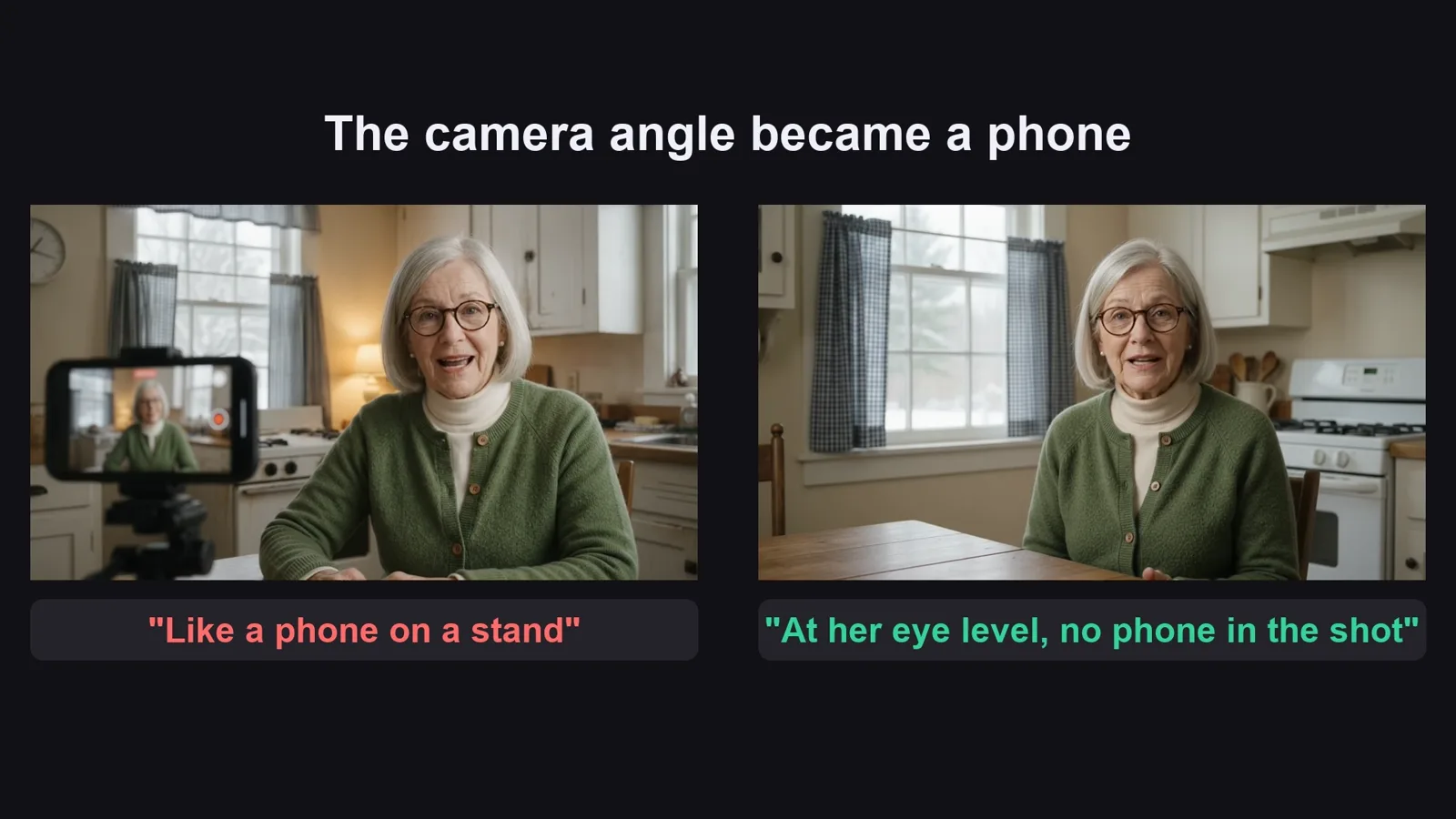
| "Like a phone on a stand" (meant as the camera angle) put a phone on a tripod in the shot; with the words left in the style line, 3 of 9 clips still showed it | Remove EVERY mention of a phone, also from the style line; say where the camera is ("at her eye level from across the table") and add "no phone, camera, tripod or screen anywhere in the shot" |
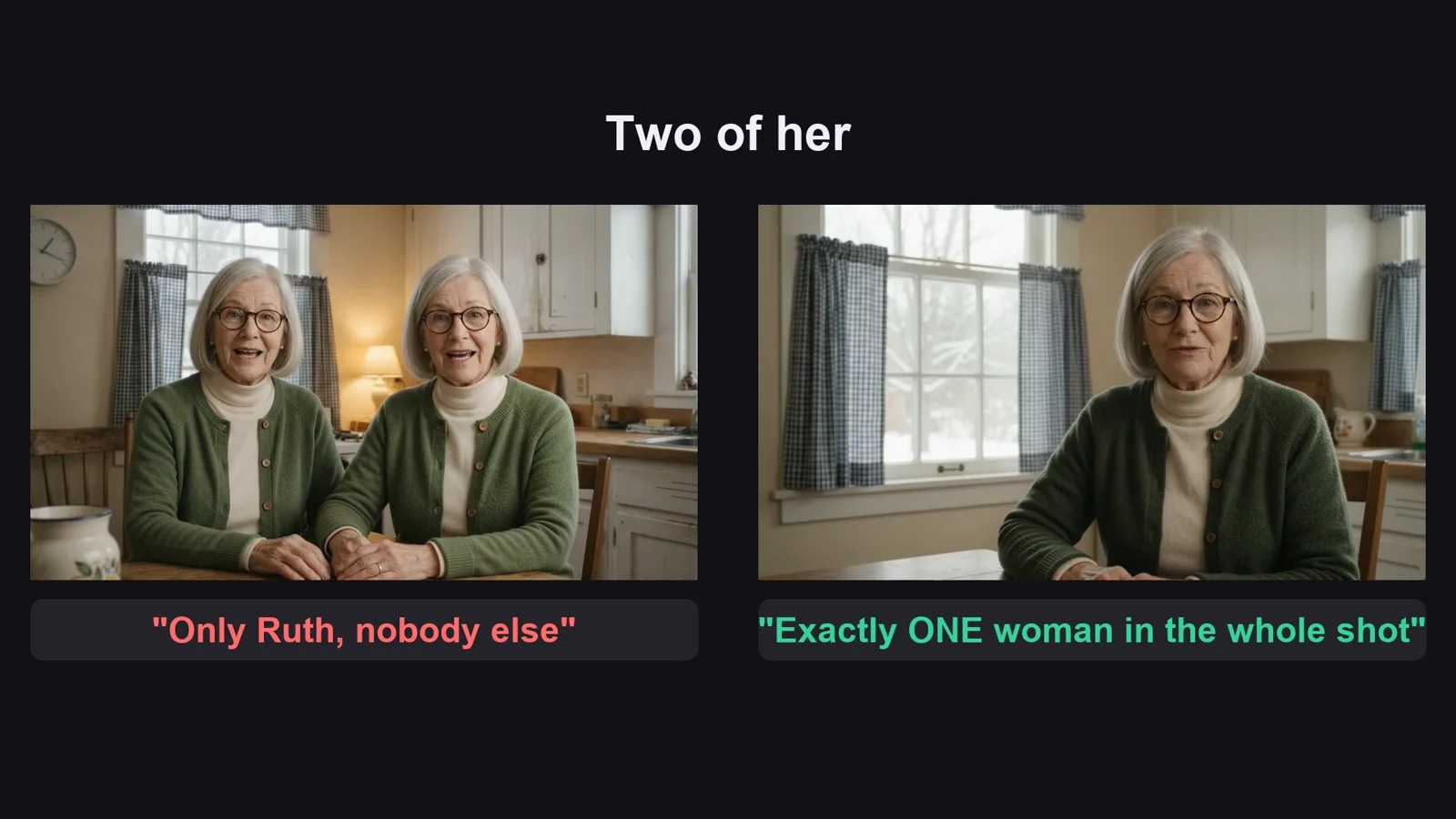
| One clip showed TWO of her side by side, another a different kitchen ("only her, nobody else" was not enough) | "Exactly ONE woman in the whole shot, sitting alone, no twin" and name one thing behind her from the kitchen picture; redo that clip |
Before you publish

Three mistakes that kill these videos

Mistake 1

Unsafe advice

Viewers will try your tips: check every one, and never show fire or fuel indoors.

Mistake 2

A face that changes

Make her sheet first and tag it in every photo and every clip.

Mistake 3

Out of order

One line, one picture, one subtitle, and the line tag in every file name.

What I used

  • G-Labs Studio: the pictures (Nano Banana 2.1), the talking clips (Omni + Voice Component) and the slideshow
  • Voice Studio: the sample narration (Gacrux) and the tutorial narration
  • Flow Music Automation: the tutorial background music

Any tool works: Claude, ChatGPT or Gemini for the prompts; any image model that takes reference pictures; any video model that can speak a line in a chosen voice; any voice tool; any editor that places pictures by subtitle line.