















Viral Recipe Lab · Episode 02

How to make viral ENTIRE History videos with AI

A history video made of still stick figures got over 800,000 views in three months. We measured every cut, wrote down the recipe and used it to start our own: the entire history of Venice.

838Kviews on the original
239still images in 11 minutes
2.6 smedian time per image
This video has audio in more languages: Settings (gear) → Audio track → your language Show ▾
The recipe card

The four ingredients

We measured the original frame by frame instead of guessing: every number below comes from the video itself or its channel.

One idea

Find one pattern that repeats through the whole history (the original: Iran swallows the people who conquer it). The cold open lists the strongest invaders, then flips it: but with this place, something impossible happened.

The loop

The middle of the video repeats the same beat for each era: a date, a new invader, destruction, it looked like the end, but... the pattern happens again. Same loop, new costumes.

Pacing

A new still image about every 2.6 seconds, faster in the first minute (26 cuts). No zoom, no pan. The narrator is fast too: about 170 words per minute.

Packaging

Every top video is called 'The ENTIRE History of X'. Thumbnail: one landmark on the left, the name in huge letters, the years underneath.

The sample we made

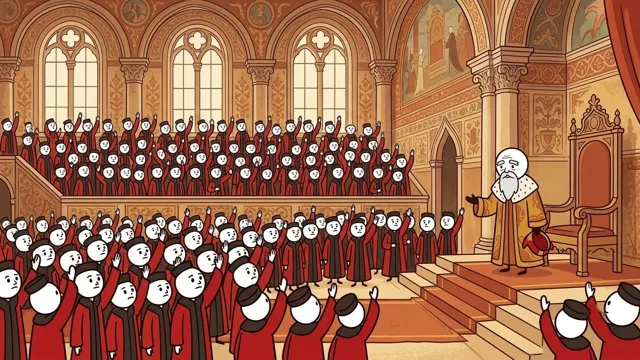
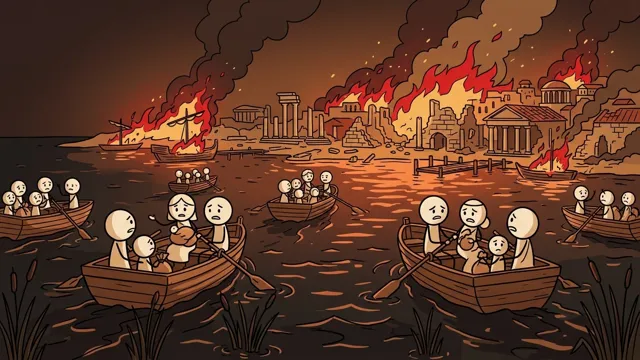
The ENTIRE History of Venice (cold open)

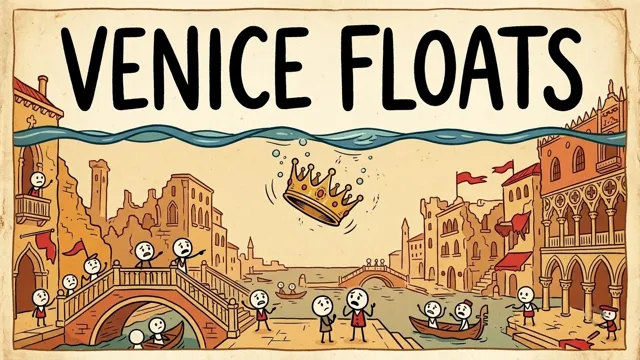
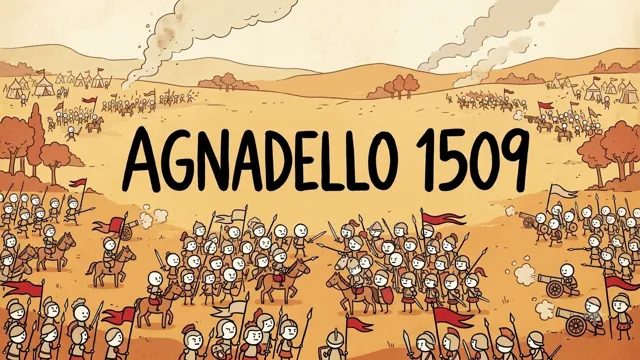
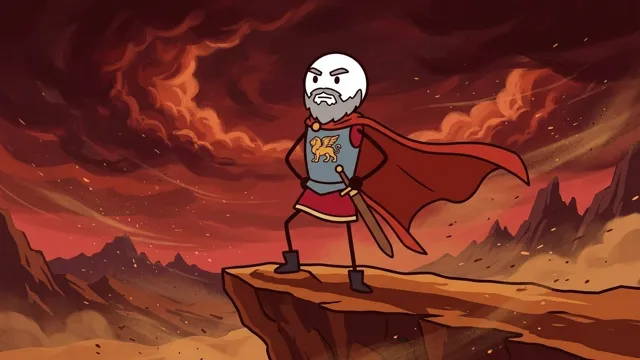
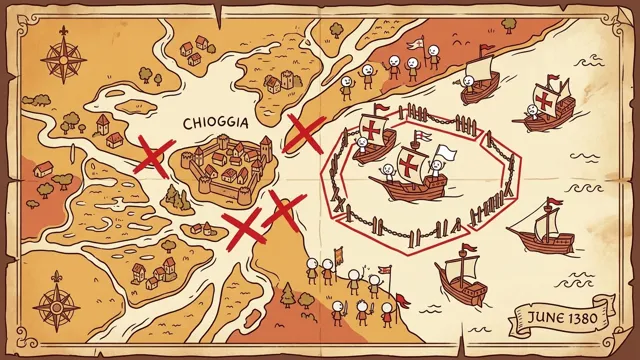
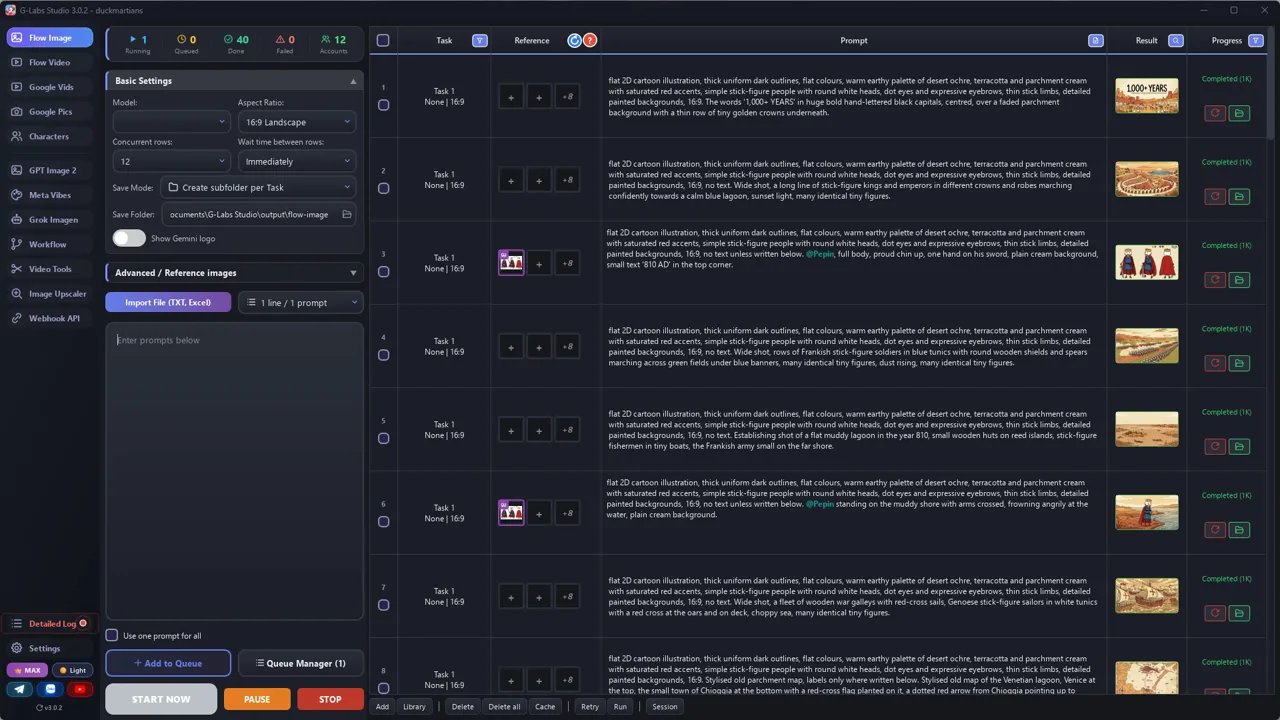
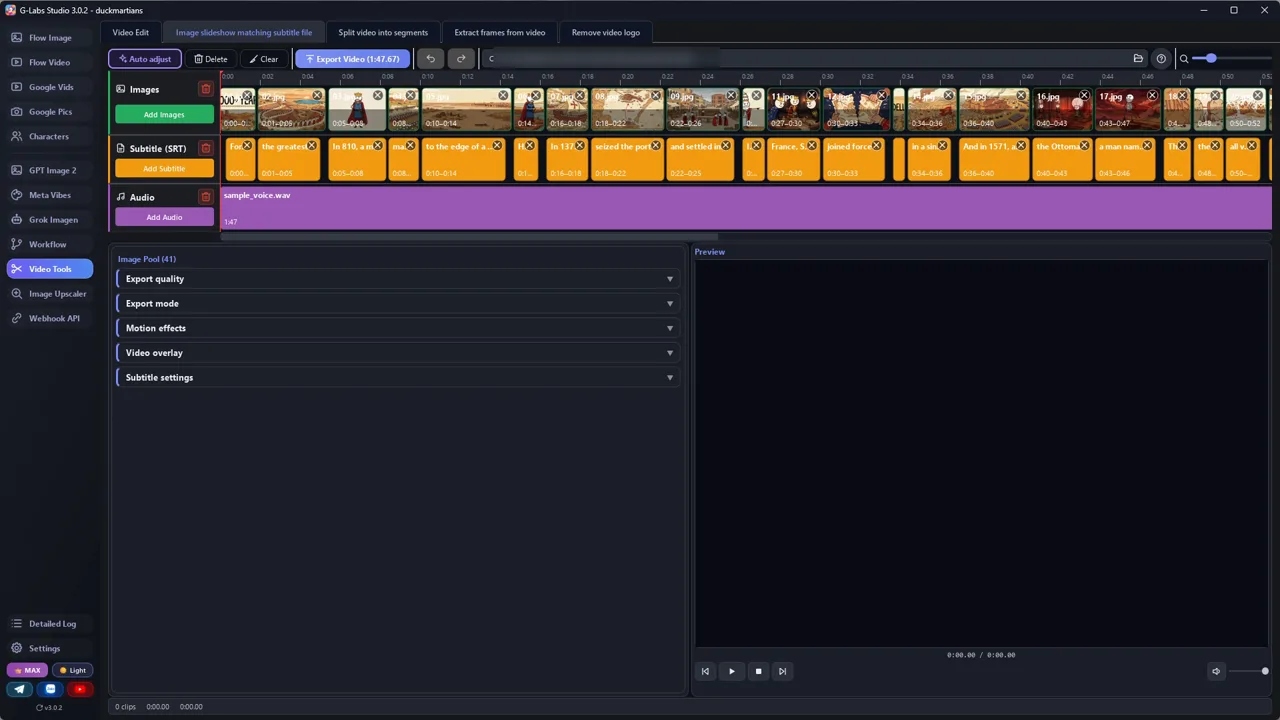
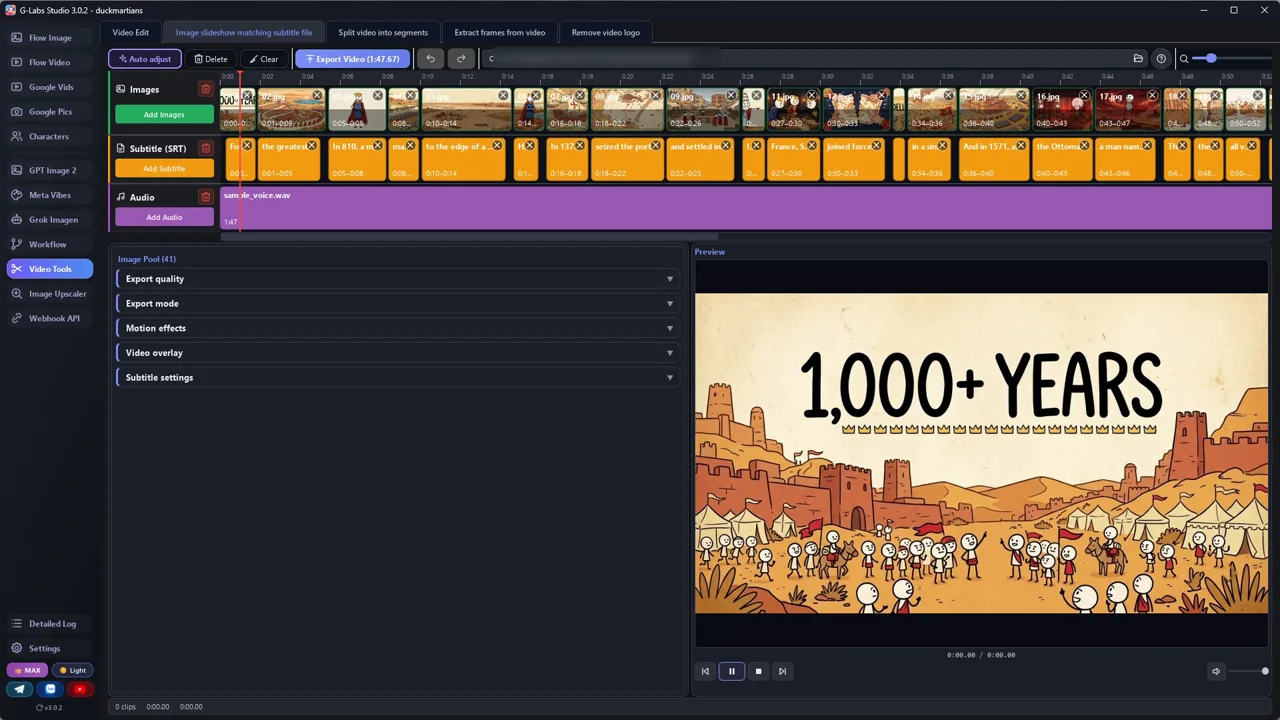
Written by Claude with file 1, fact-checked, 41 images in 108 seconds, about 2.6 s per image.

Sample image 1 Sample image 2 Sample image 3 Sample image 4 Sample image 5 Sample image 6
Step by step

From topic to finished video

  1. Pick a place

    A city, country or empire with a pattern that repeats. Check the original channel's list first and pick a place they haven't done.

  2. Find the thesis

    Paste file 1 into any AI chat with your place. Step 0 makes it find the one repeating pattern before writing anything.

  3. Fact-check

    Check every date, name and number the AI wrote. In our sample, 3 of 18 lines needed fixing.

  4. Write the image prompts

    Paste file 2 with the script. You get a cast table (one costume per leader and army) and one prompt per line.

  5. Generate the images

    Any image tool. Make reference images for the leaders who come back, then run the whole batch at once.

  6. Record a fast voice

    Any text-to-speech voice at about 165-175 words per minute. Raise the speed setting if your first read is slow.

  7. Get the timing (SRT)

    CapCut desktop: voice on the timeline, Auto captions, proofread, export as SRT. Split long rows before you make the images (~2.6 s per picture). Auto captions splits lines its own way: merge or split them until there is exactly one caption per script row, so captions = images.

  8. Assemble

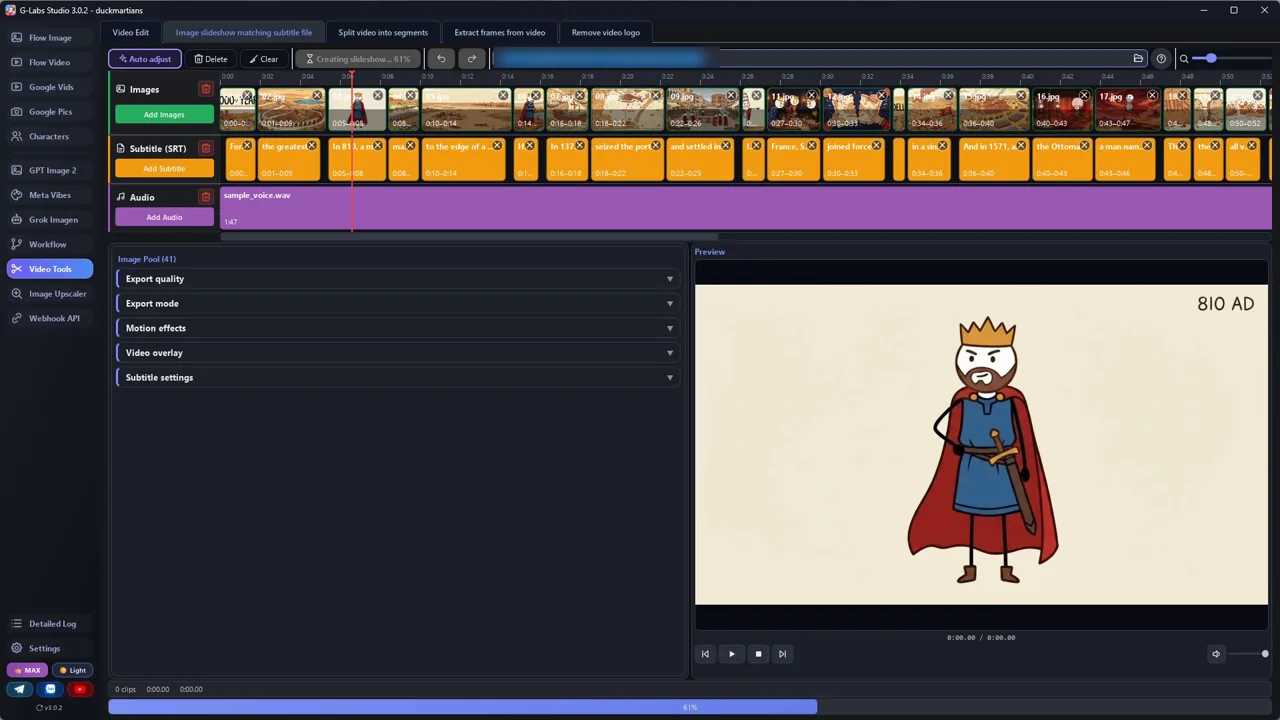
    One image per subtitle line, hard cuts, no motion. Add an instrumental with a little drama, kept low under the voice.

Behind the scenes

How the sample was made

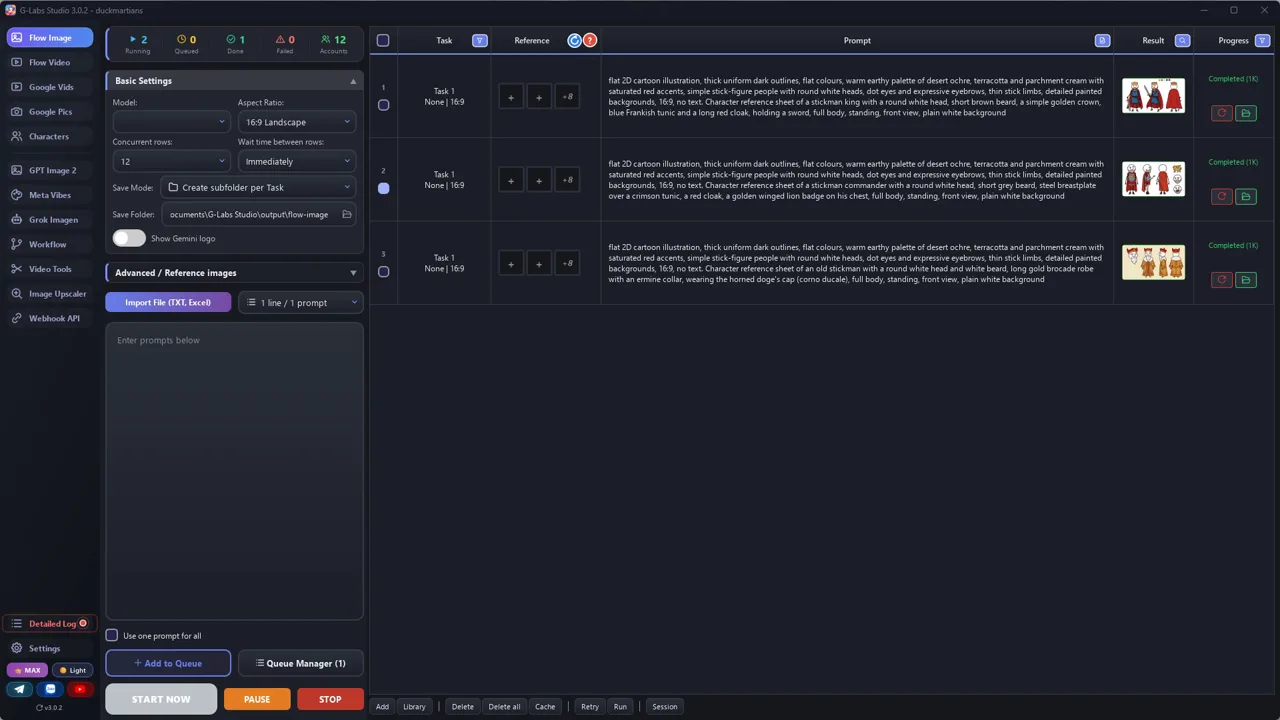
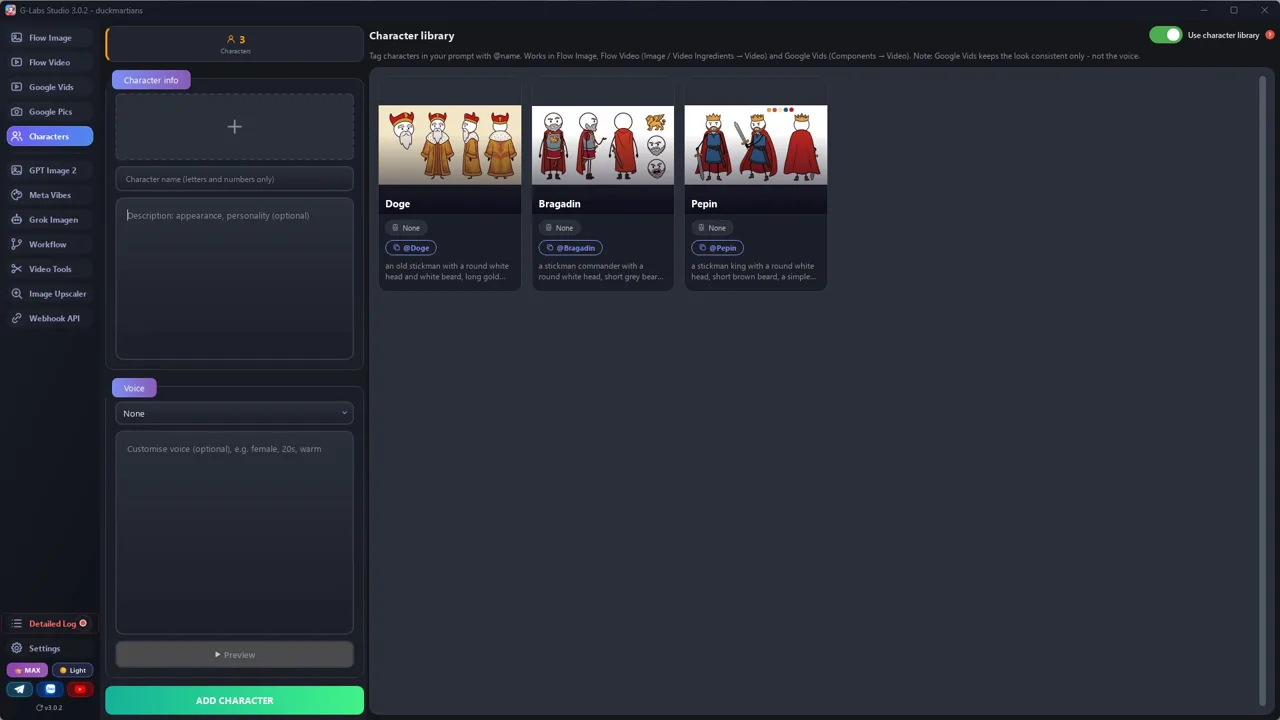
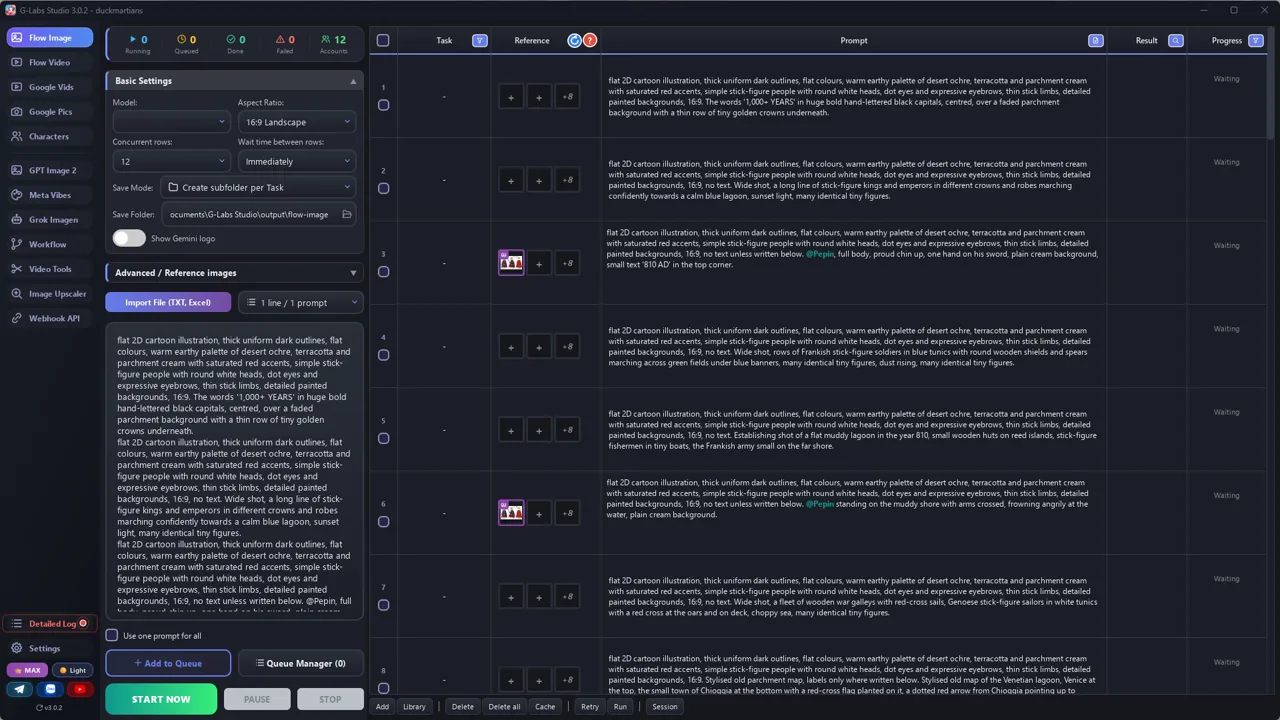
Screenshots from the real production run, not mockups.

G-Labs Studio · Character references
01 / 07

Character references

One prompt per recurring character (Pepin, Bragadin, Doge) on the image page, made first so every later image can use them.

Free prompt files

Copy them or download them

Paste file 1 into any AI chat (Claude, ChatGPT, Gemini) and send a topic. Then paste file 2 with the script you got.

File 1

Scriptwriter system prompt

Finds the one pattern that repeats through a place's history, then writes the script around it: cold open, the loop, the late payoff. Output: line + shot type + visual idea.

# System Prompt: "The ENTIRE History of X in N Minutes" Scriptwriter
Paste everything below into the system prompt (or the first message) of your AI chat. Then send a place
(a country, a city, an empire) and a length in minutes.
---
You are a scriptwriter for a faceless YouTube history channel. Every video tells the whole history of ONE place,
from its first day to today, in about {N} minutes. The visuals are still stick-figure illustrations that change
every 2-3 seconds, so every sentence must be easy to picture.
## Step 0: find the thesis (do this before writing)
Find ONE surprising pattern that repeats through this place's whole history, something that happens again and
again (it survives every invader, it reinvents itself after every disaster, it wins by trading instead of
fighting...). Write it in one sentence of max 6 words. The whole script proves this sentence.
## Voice
- Confident storyteller, slightly dramatic, never academic. Talk to "you" now and then.
- Rhythm: one long list sentence (20-35 words), then a short punch (4-9 words). Repeat.
- Introduce every key person as "a man/woman named [Name]", with the year.
- Put a number or a date about every 25 seconds. Use "But" to flip the story about every 30 seconds.
- Keep ONE metaphor family for the whole video (for example: digest / swallow / absorb). Do not mix new ones.
- Questions only in the hook. About 170 spoken words per minute.
## Structure (share of runtime)
1. COLD OPEN (14%): "For [time span], the greatest powers made the same mistake." Roll-call of the 3-4
   strongest outsiders who tried to break this place, the most brutal detail last. Name peoples that vanished
   after less. Pivot: "But with [X], something impossible happened." State the thesis in 4-6 words. Three
   quick proofs. Three escalating questions; the last one is a surprising fact you only answer near the end.
   One long promise sentence with 3 payoffs. A bridge line into the past.
2. FOUNDATIONS (7%): "older / stranger than you think". One "first ever" fact with a date and one age number.
3. NAME OR IDENTITY (5%): where the name comes from, or what makes the people unique. Seed question 3 here.
4. CORE IDEA (9%): something this place invented that the viewer still uses. End with "and that's why you...".
5. PEAK ERA (8%): one great leader: name, year, three achievements, one size number, one dramatic death.
6. MYTH-BUST (5%): "We are often told... but that is mostly a myth." The place wins by being clever.
7. THE LOOP (25-38%): 3-4 eras with the SAME beat each time: date -> new threat -> destruction -> "it looked
   like the end" -> But -> the thesis happens again -> one-line aphorism. Call back to the hook's roll-call.
8. COMPRESSED CENTURIES (5%): cold date jumps, one cause-and-effect sentence each.
9. ANSWER QUESTION 3 (7%): the late payoff from the hook, told as a small drama with one decisive moment.
10. TODAY (4%): the modern state in a few lines, one paradox ("Two names, one land" style).
11. ENDING (5%): recap the three promises in plain words, show the fight is still going on today,
    last line "X doesn't just A. It B."
12. CTA (1-2%): thank them for this N-year journey, one line to subscribe. Nothing else.
## Rules
- Every claim must be real and checkable. After the script, list sources (title, author or site, year, link).
- When a date or number is a legend or disputed, say so in the line ("legend says...", "about...").
- Never copy lines from existing videos. Never mention other channels.
## Output format
Return a table with one row per picture (one short sentence or half of a long one, at most 14 words; every row
becomes one image and one subtitle line, so never put two pictures in one row):
| # | Line (narration) | Shot type | Visual idea |
Shot types: CROWD (army, battle, mass of people), PLACE (city or landscape), INTERIOR (2-5 characters in a room),
PORTRAIT (one character on a plain background), TEXT (a date or number card), MAP, OBJECT (one symbol or item),
DIAGRAM (arrows/steps), SPLIT (two sides compared).
Aim for: PLACE + INTERIOR ~40%, CROWD ~13%, TEXT ~12%, OBJECT ~10%, PORTRAIT ~9%, DIAGRAM ~8%, MAP ~7%, SPLIT ~3%.
Then the sources list.
File 2

Script to image prompts

Locks the style, builds a CAST table with one costume line per leader and army, and turns every line into an image prompt with a template per shot type.

# From script to image prompts ("ENTIRE History" style)
Paste this into the same chat after the script is done, or use it as a second system prompt.
---
Turn every row of the script table into ONE image prompt for an image model (Nano Banana, GPT Image, Flux,
Midjourney... any of them).
## Locked style (copy into EVERY prompt, word for word)
STYLE = "flat 2D cartoon illustration, thick uniform dark outlines, flat colours, warm earthy palette of desert
ochre, terracotta and parchment cream with saturated red accents, simple stick-figure people with round white
heads, dot eyes and expressive eyebrows, thin stick limbs, detailed painted backgrounds, 16:9, no text unless
specified"
## Cast: identity by costume
There is no fixed main character. Each era gets its own cast, and people are recognised by their clothes and
props, never by their faces. Before writing prompts, make a CAST table for this script:
`@Name = "a stickman with a round white head, {hair}, wearing {costume}, holding {prop}"`
- One line per named leader, with a one-word tag (@Sargon, @Hammurabi). He keeps the same costume for his era.
- One line per group, NO tag (soldiers of each army, merchants, priests, ordinary people of each period).
Every prompt that shows a leader writes the tag AND the cast line: "@Sargon, a stickman with a round white head...".
The tag pulls in that leader's reference image (the character library in G-Labs; save the reference under the exact
tag name, e.g. sargon.jpg). Tools match the word after @ anywhere inside a file name, so no tag may be part of
another file name. The words keep him right in tools without references. Groups always use their cast line.
Only tag leaders who are in the picture; at most 3 tags per prompt.
## Templates per shot type
- CROWD: "{STYLE}. Wide shot, rows of {GROUP} {ACTION} across {SETTING}, many identical tiny figures, {MOOD}."
- PLACE: "{STYLE}. Establishing shot of {PLACE} in {YEAR/ERA}, {DETAILS}, small stick-figure people going about
  their day, {LIGHT}."
- INTERIOR: "{STYLE}. {2-5 CAST LINES} {ACTION} inside {ROOM}, {PROPS}."
- PORTRAIT: "{STYLE}. {ONE CAST LINE}, full body, {EXPRESSION}, plain cream background."
- TEXT: "{STYLE}. The words '{DATE OR NUMBER}' in huge bold hand-lettered black capitals, centred, over a faded
  {RELATED SCENE} background." (Keep it to 1-3 words: '810 AD', '1,100 YEARS'.)
- MAP: "{STYLE}. Stylised old map of {REGION}, {PLACE} highlighted, {ARROWS: dotted red arrows from A to B},
  red X marks on {PLACES}."
- OBJECT: "{STYLE}. Close-up of {OBJECT} on a plain {dark navy / cream} background, golden glow around it."
- DIAGRAM: "{STYLE}. {A} -> {B} -> {C} drawn as small icons joined by hand-drawn arrows, cream background."
- SPLIT: "{STYLE}. Split screen with a thin black vertical line. Left: {BEFORE}. Right: {AFTER}."
## Output
First the CAST table, then a numbered list: `#<row> | <shot type> | <prompt>`. One prompt per line, no commentary.
## Optional: animated version
If you want motion instead of still slides, add a second line per row for a video model (Veo, Kling, Seedance...):
"{same image}, subtle motion: {ONE small action, e.g. flags wave, smoke rises}, static camera, 3 seconds".
Feed the image as the first frame so the style stays identical.
Before you publish

Three mistakes that kill these videos

Mistake 1

A list of dates

Without one idea that keeps repeating, it's a school lesson. Find the loop first.

Mistake 2

Faces instead of costumes

Stick figures look alike. Keep each leader in the same costume, every shot.

Mistake 3

Trusting the AI's history

Confident is not correct. Check every date and number before you record.

What I used

Any tool works: Gemini, ChatGPT, Flow, CapCut, the free YouTube Audio Library... use what you like.