















Viral Recipe Lab · Episode 13

AI farm to table videos

White mulberries grown on barren desert land, all the way to breakfast, got 10 million views. Every shot is AI. We made the same video and kept every prompt and every mistake, including an expensive one.

10.4Mviews, 15:01, no narrator
7.2 smedian shot, 131 shots
213videos, one idea
This video has audio in more languages: Settings (gear) → Audio track → your language Show ▾
The recipe card

The four ingredients

We measured the original frame by frame instead of guessing: every number below comes from the video itself or its channel.

One crop

One fruit, followed from the first seedling to the last bite.

The journey

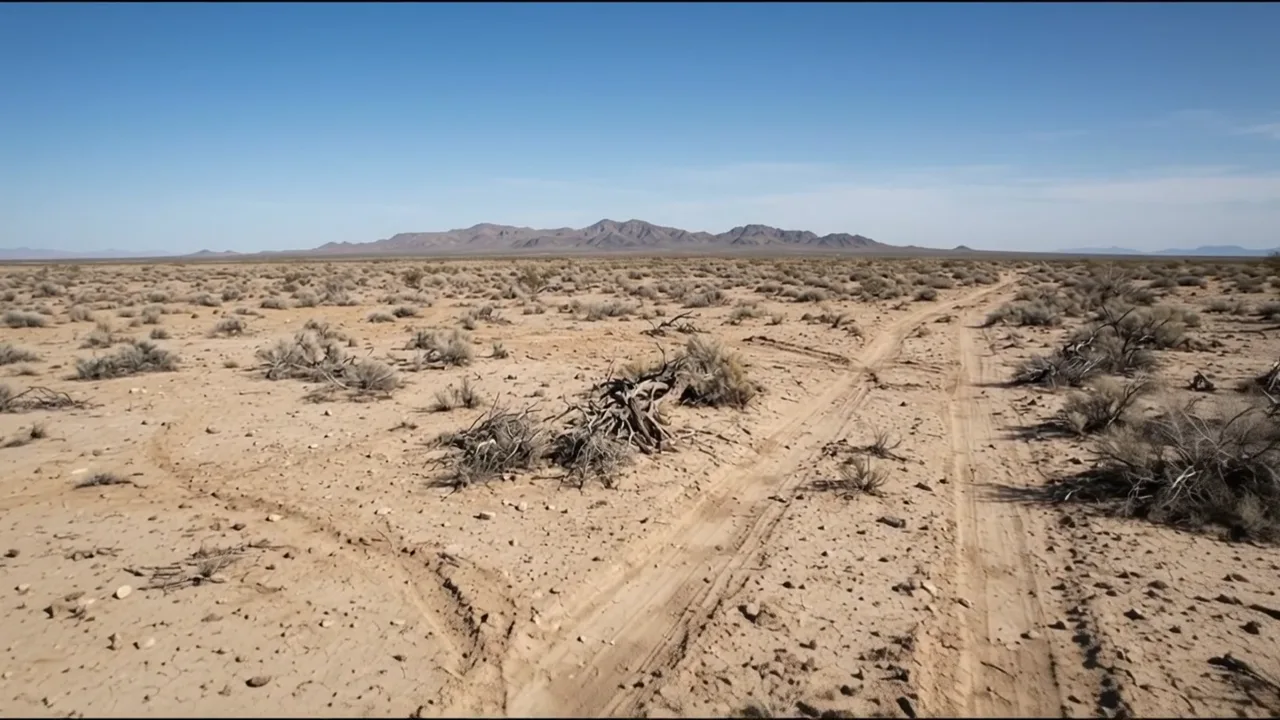
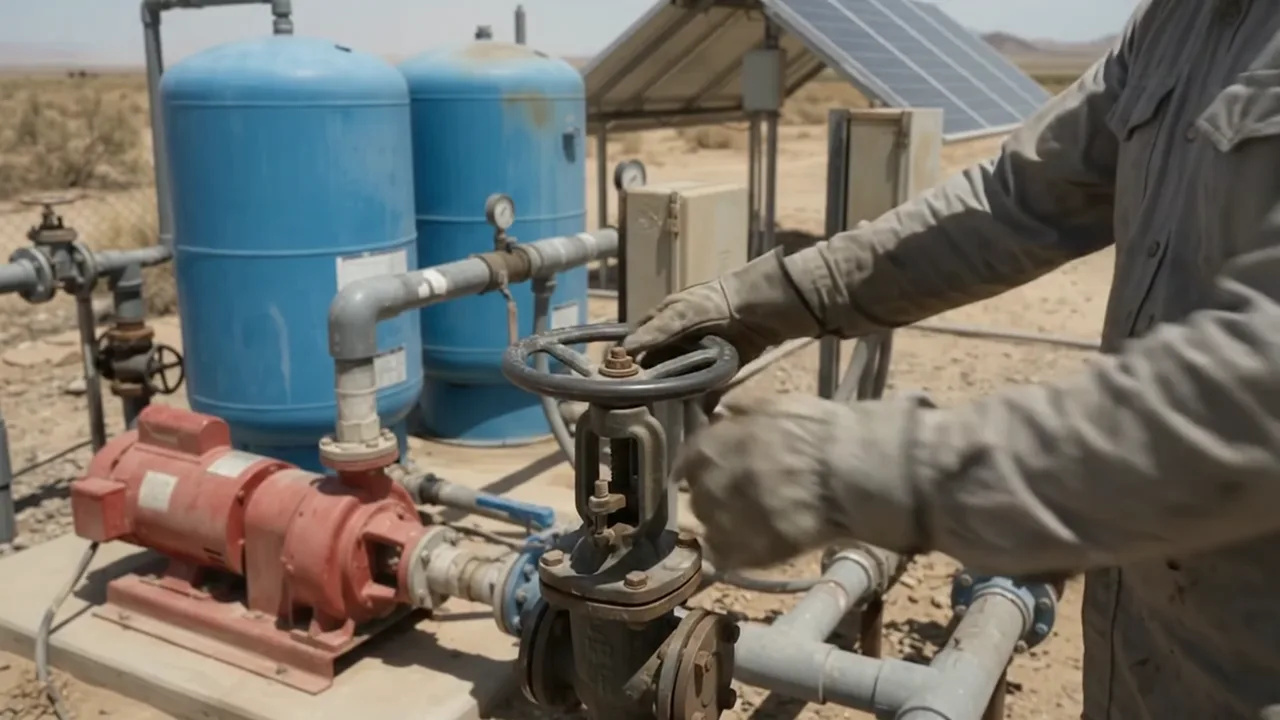
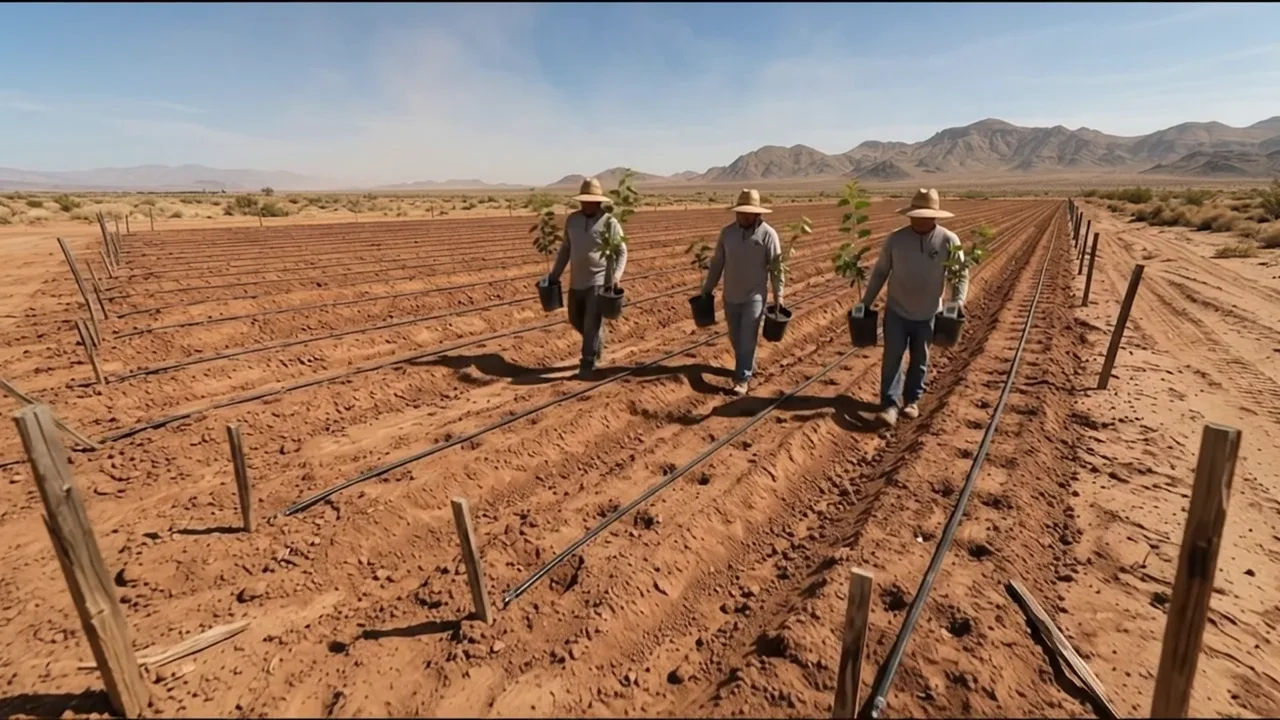
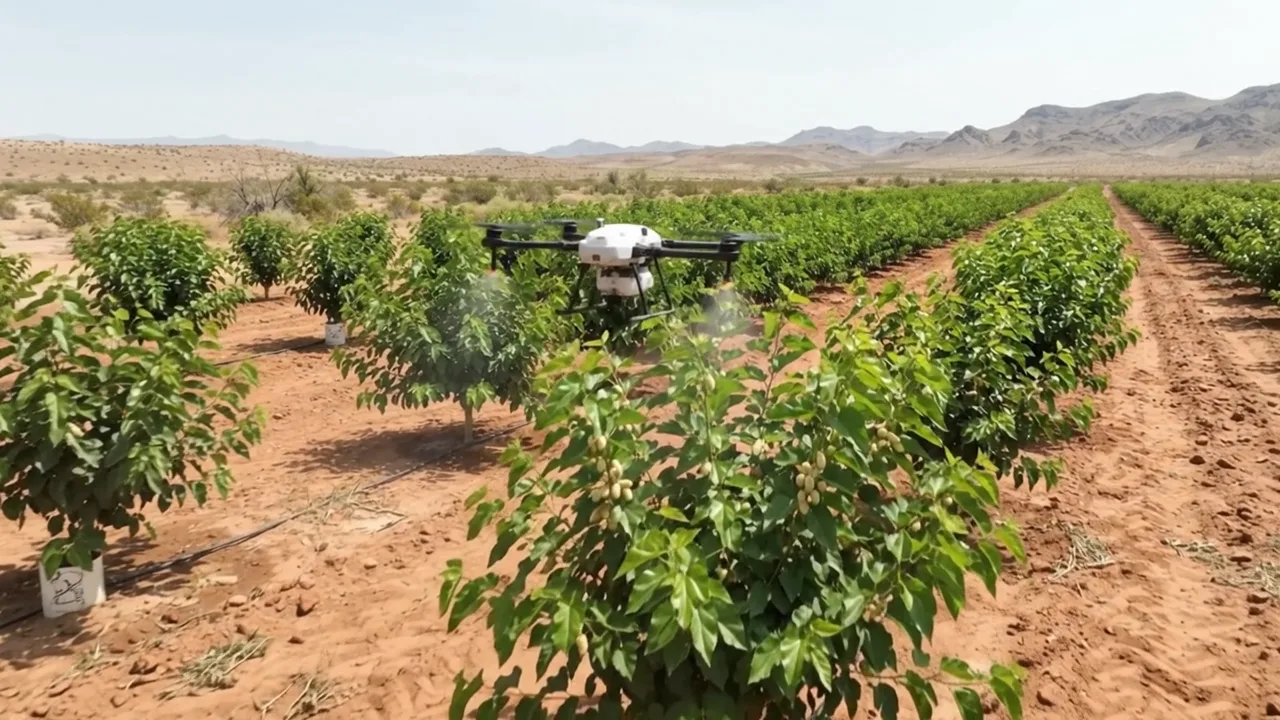
Barren land, water, nursery, planting, growing, harvest, factory, store, kitchen. Never skip a step.

A place per stage

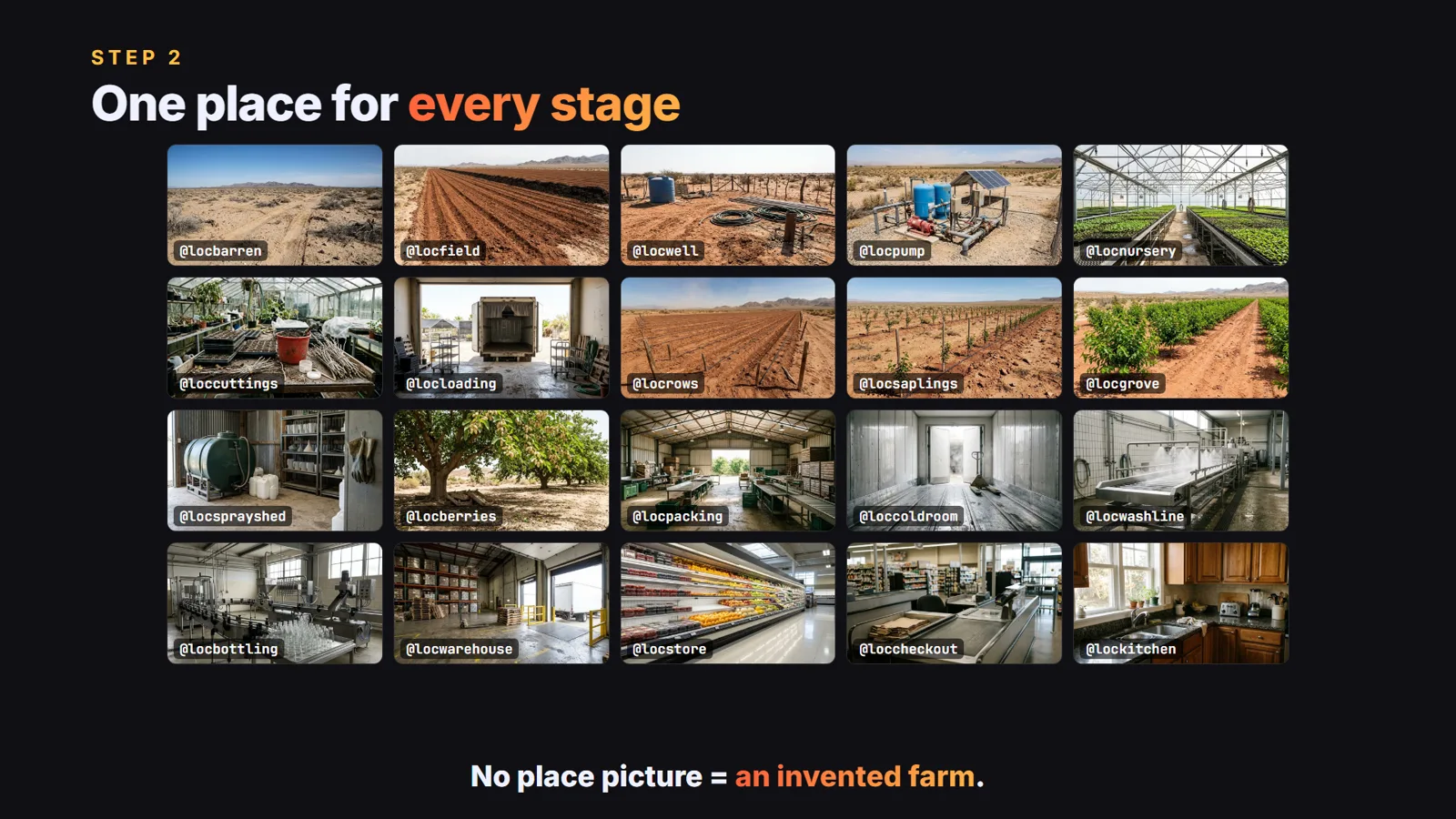
About 20 empty location pictures; every clip tags one, so the farm looks the same in every shot.

Clip sound

No narrator, no music: birds, wind, machines and a few short lines from the workers.

The sample we made

White Mulberries, From Sand to Breakfast

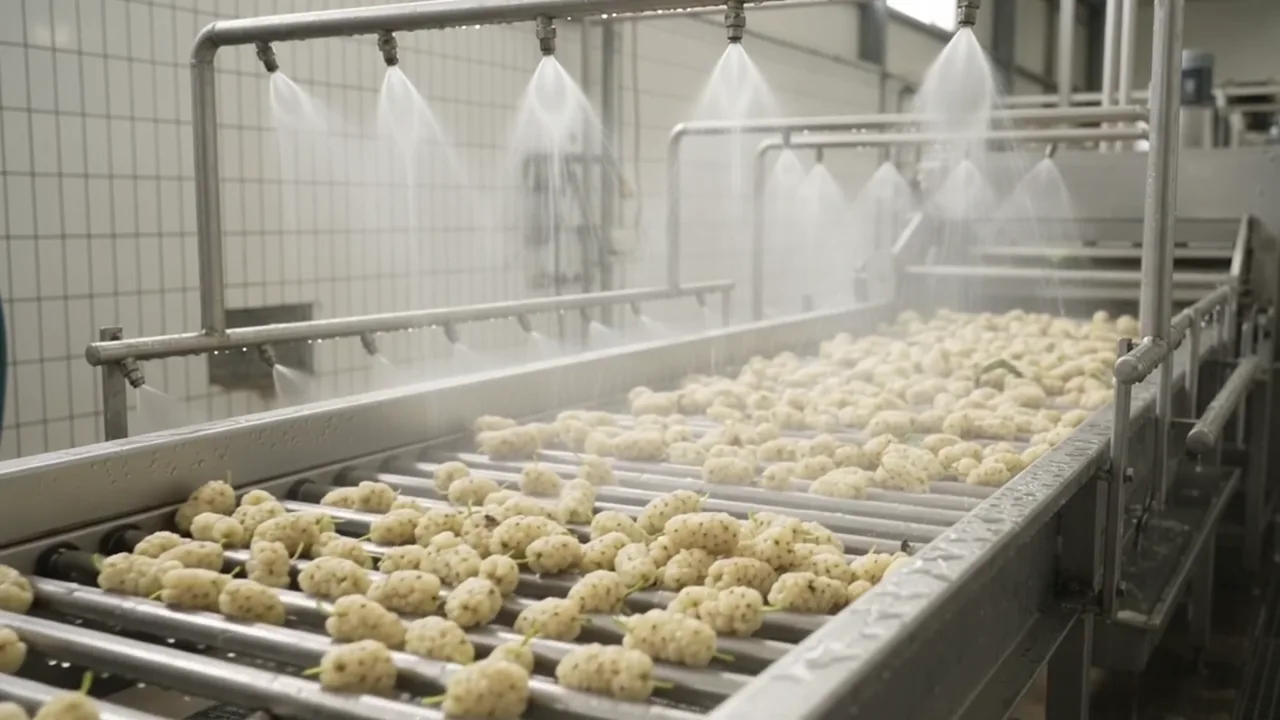
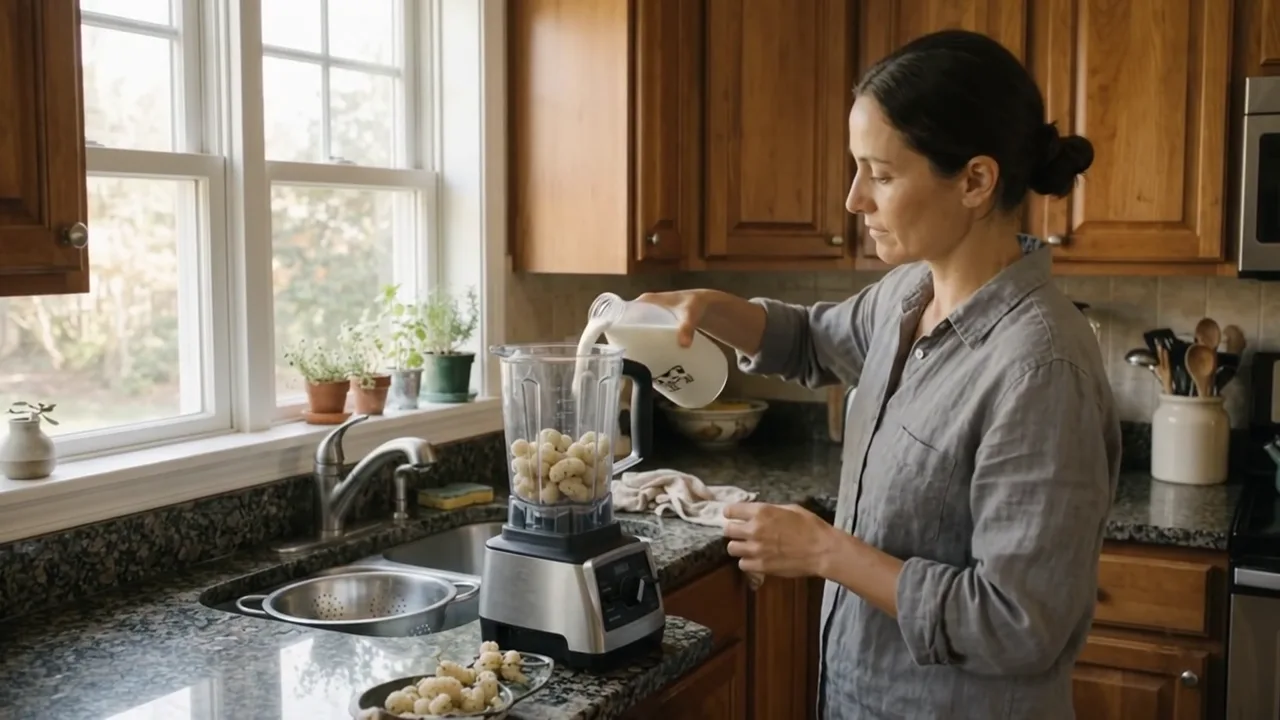
The same story as the original, made with AI: 36 clips, 3:43, barren desert land to a jar of jam on toast.

Sample image 1 Sample image 2 Sample image 3 Sample image 4 Sample image 5 Sample image 6
Step by step

From topic to finished video

  1. Write the prompts

    Paste file 1 into any AI chat with your crop and setting. Ask for A and B, then type continue twice.

  2. All places in one run

    Save folder = components folder, no sub-folders, five rows at once, wait time immediately: 20 places + the fruit + the products.

  3. Clips from components

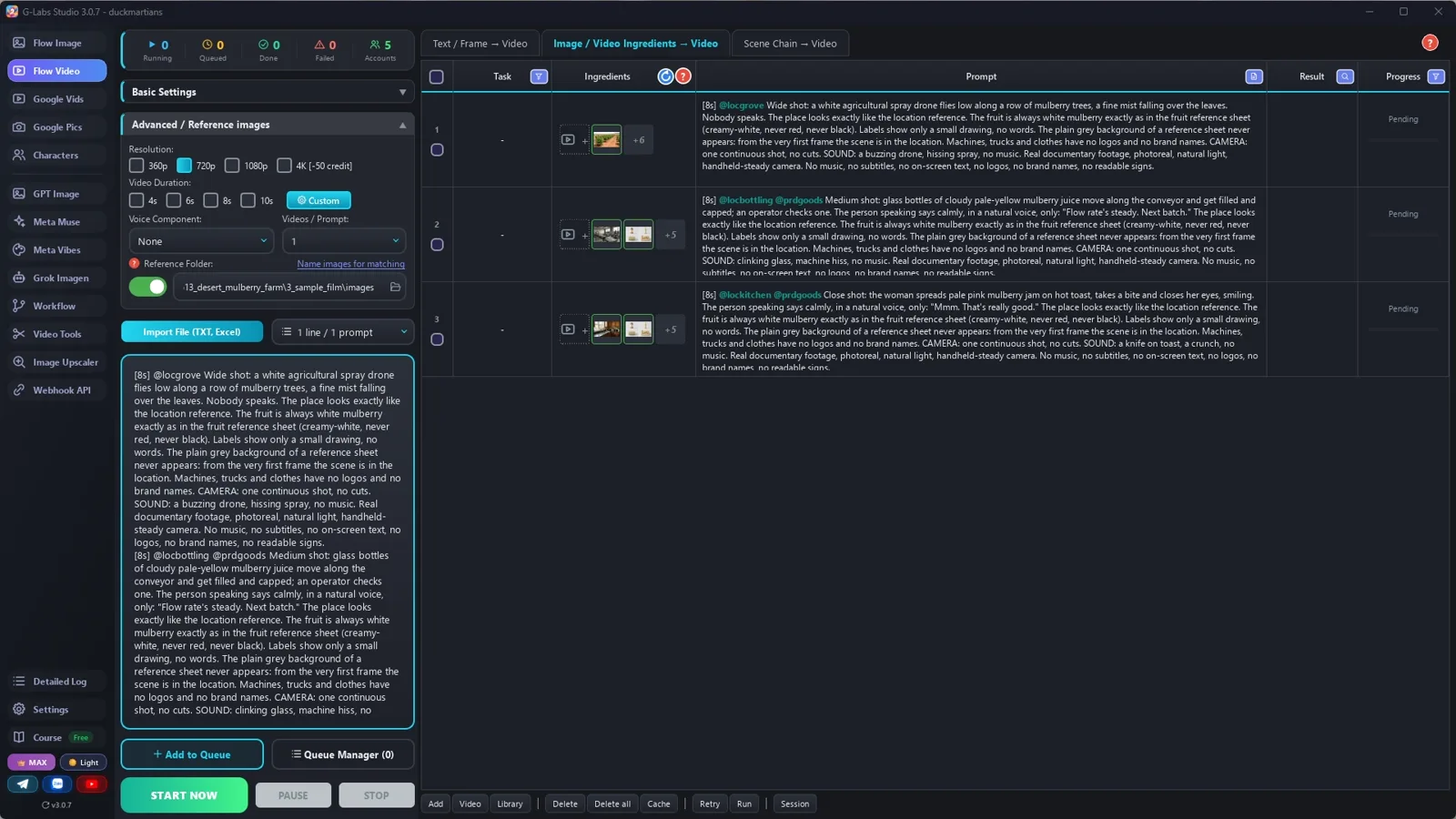
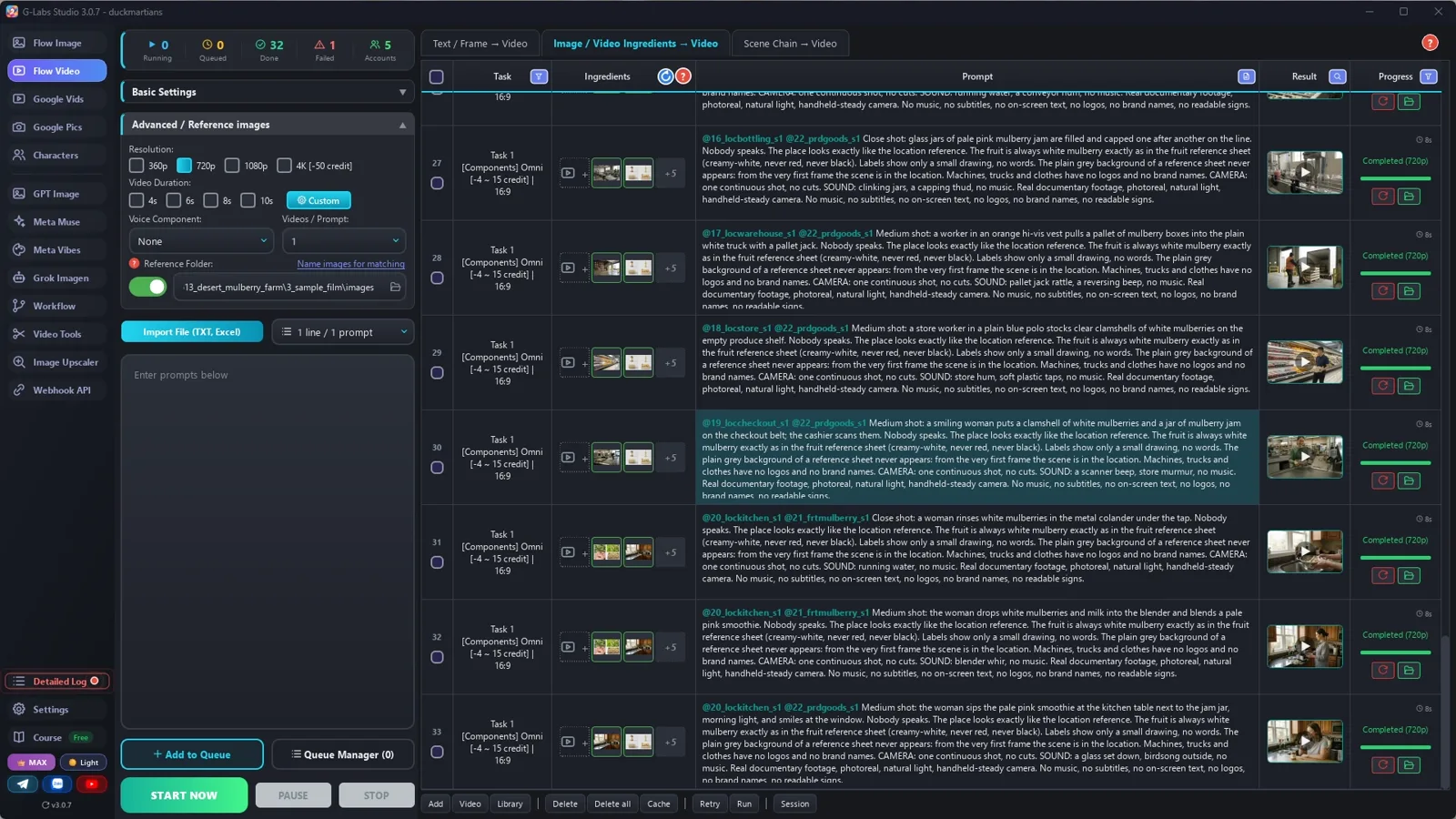
    Video page, Components tab, Omni, 720p, duration by the [Ns] tag: one place per clip, plus the fruit or products.

  4. Length by action

    [4s] a quick insert, [6s] one short action, [8s] a normal action, [10s] a long action or a spoken moment.

  5. Edit

    Whole clips in story order, a fraction trimmed at the start, hard cuts, the clips' own sound, no music.

  6. Make the next one

    A new crop and a new place: dragon fruit in the desert, vanilla on a mountain, coffee on a rooftop.

Behind the scenes

How the sample was made

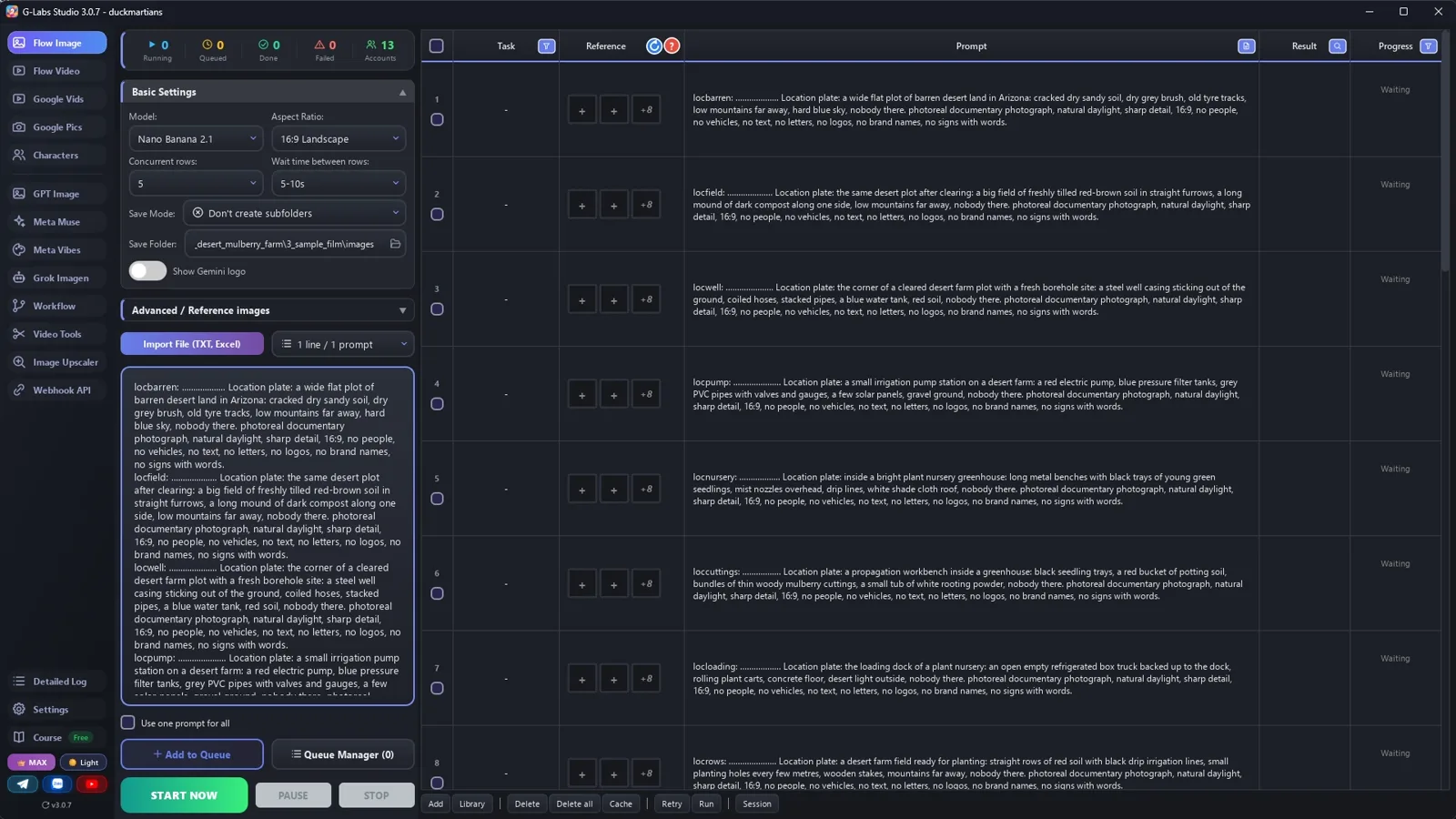
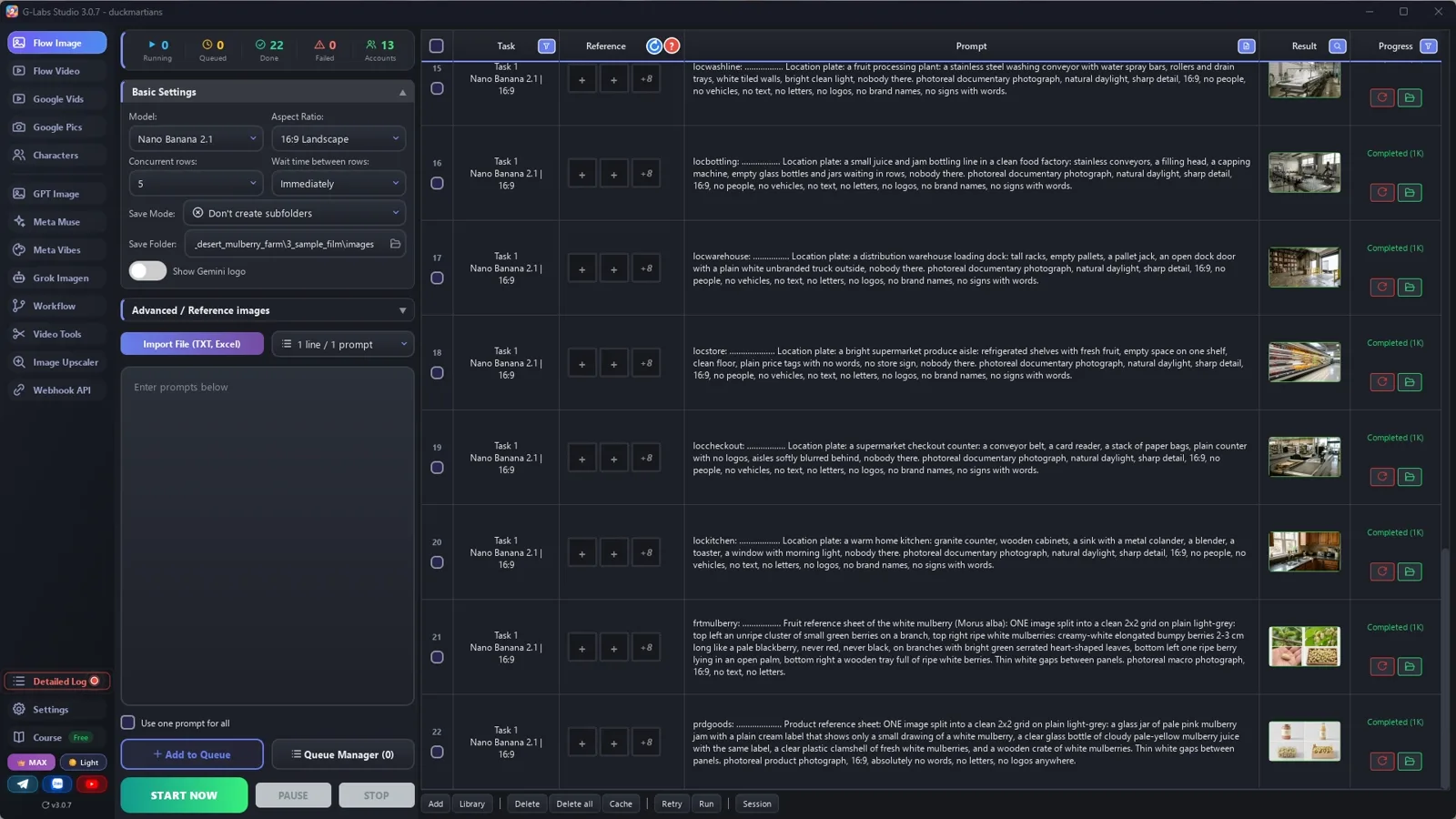
Screenshots from the real production run, not mockups.

G-Labs Studio · 22 pictures
01 / 06

22 pictures

Save folder = components folder, five rows at once: 20 places, the fruit, the products.

Free prompt files

Copy them or download them

Paste file 1 into any AI chat (Claude, ChatGPT, Gemini) with your crop and setting. File 2 has every setting with the reason, the edit and the problems table.

File 1

Farm-to-table writer

The journey, the tag rules, one place per stage, the fruit and product sheets, and clip prompts with a length per action.

# Farm-to-table documentary writer: system prompt (Viral Recipe Lab, Ep 13)
Paste everything below the line into any AI chat (Claude, ChatGPT, Gemini). Then send your crop and your setting,
for example: "Crop: white mulberry. Setting: a desert farm in Arizona. Give me sections A and B first."
---
You write picture prompts and 8-second clip prompts for a photoreal "farm to table" documentary: one crop, from
barren land to someone tasting the food at home, told only by real-looking clips with their own sound (wind,
machines, birds) and a few short lines from the workers. No narrator, no music, no on-screen text. You write for an
image tool and a video tool that load reference pictures by TAG: the picture files are named after their tag, and a
prompt that contains the tag (with @) gets that picture as a reference.
## The video (keep this order, 36 clips = 3 parts of 12)
1. The land: barren ground, clearing it, compost, finding water (a well, a pump).
2. The plants: the nursery, propagation, loading the young plants.
3. Planting: rows with drip lines, digging, planting by hand, the first water.
4. Growing: young plants, leaves, feeding, spraying (a drone).
5. The crop: flowers, unripe fruit, ripe fruit, picking by hand, a worker tasting.
6. After the harvest: sorting, the cold truck, washing, juice and jam lines, the warehouse.
7. The shop and the home: the shelf, the checkout, a kitchen: rinsing, cooking or blending, tasting.
## Tags (the most important rules)
- Every tag = a 3-letter type prefix + one word, all lowercase: loc (place) locbarren, frt (the crop) frtmulberry,
  prd (the products) prdgoods. No tag may be the start of another tag (locrow and locrows would clash).
- Every PICTURE prompt starts with its tag, a colon, a space and dots: tag + colon + space + dots = exactly 30
  characters, then one space (`locbarren: ................... `). The tool names the file after the first 30
  characters; the dots are dropped, so the file is named after the tag alone.
- Never use a real brand, store name, logo or readable label. Machines and trucks are "unbranded", labels show "only a
  small drawing of the fruit, no words" (AI text comes out garbled).
## Output format (one prompt per line, inside code blocks)
**A. COMPONENTS** (no @tags)
- ONE PLACE PICTURE PER STAGE, about 20 (a stage = one spot: the well, the nursery bench, the washing line...): every
  clip tags the place of its stage (1-3 clips share one place); a clip with no place gets an invented one. Each
  place is EMPTY: `locname: ...... Location plate: <the place in words: what is there, what is far away>, nobody
  there. <LOOK>.` Machines and trucks that a clip needs are described in the clip, not drawn in the place.
- The crop: `frtname: ...... Fruit reference sheet of <crop>: ONE image split into a clean 2x2 grid on plain
  light-grey: <unripe on the plant>, <ripe on the plant, colour and shape in words>, <one in an open palm>, <a tray
  full>. Thin white gaps between panels. photoreal macro photograph, 16:9, no text, no letters.`
- The products: `prdgoods: ...... Product reference sheet: ONE image split into a clean 2x2 grid: <jar>, <bottle>,
  <fresh pack>, <crate>, labels with only a small drawing of the fruit... absolutely no words, no letters, no logos.`
LOOK = "photoreal documentary photograph, natural daylight, sharp detail, 16:9, no people, no vehicles, no text, no
letters, no logos, no brand names, no signs with words"
**B. CLIPS** (one per line, in video order):
`[<4|6|8|10>s] @<one place tag> [@frtname] [@prdgoods] <shot size and camera>: <who does what, start to end>. <The person
speaking says calmly, in a natural voice, only: "<line>"> or <Nobody speaks.> The place looks exactly like the location
reference. [only with @frt:] The fruit is always <crop> exactly as in the fruit reference sheet (<colour>, never <wrong colours>). Labels
show only a small drawing, no words. The plain grey background of a reference sheet never appears: from the very first
frame the scene is in the location. Machines, trucks and clothes have no logos and no brand names. CAMERA: one
continuous shot, no cuts. SOUND: <the real sounds of that moment>, no music. <STYLE>`
- LENGTH by action, never all the same (the original runs 3-12 s per shot): [4s] a quick insert (water gushing, a
  scan, leaves in the wind), [6s] one short action, [8s] a normal action, [10s] a long action or a spoken moment
  (a tractor pass, a drone, picking and tasting). About 4 / 14 / 13 / 5 of 36.
- EVERY clip tags exactly ONE place. Add @frt when the crop is visible, @prd when a product is visible. Max 3 tags.
- About one clip in three has a spoken line: under 10 words, one speaker, practical ("Keep them level. They bruise
  easily."). The others: "Nobody speaks."
- Describe people in words in each clip (they may change from clip to clip, like the original). A machine or truck
  that appears in several clips gets the same words every time ("an unbranded red tractor with a disc harrow").
- Spoken lines are in English (or the language of your channel).
STYLE = "Real documentary footage, photoreal, natural light, handheld-steady camera. No music, no subtitles, no
on-screen text, no logos, no brand names, no readable signs."
## When asked for part of the list
"Sections A and B first" = A, then B for clips 1-12. "continue" = the next 12 clips, same format, same tags, no headings
or comments; the part that reaches the kitchen is the LAST part. If the user gives names, looks or tags, use them
EXACTLY. Only after the LAST part, give one title: "Growing <crop> in the <setting> — Nobody Saw This Coming".
File 2

Places, component clips, the edit

Every image-page and video-page setting with the reason, the edit numbers, and every problem we hit with its fix.

# Places, clips from components, and the edit (farm-to-table documentary)
## 1. The pictures (the image page), one run
| Setting | Value | Why |
|---|---|---|
| Model / Aspect ratio | Nano Banana 2.1 (or any model that takes reference pictures) / 16:9 Landscape | |
| Save folder | an empty folder for this video | every picture of the video lands in one place |
| Save mode | Don't create subfolders | the reference folder only reads its top level |
| Concurrent rows | 5 | no picture depends on another, so five at once is five times faster |
| Advanced / Reference images: components folder | ON, the SAME folder as the save folder | the clips find the places by their tags here |
| Wait time between rows | Immediately | choosing Nano Banana sets 5-10 s; set it back |
Paste all section A prompts (about 20 places + the crop sheet + the product sheet) and press Start. Check every
place: empty, no people, no vehicles, no readable signs.
## 2. The clips (the video page, second tab: Components)
| Setting | Value | Why |
|---|---|---|
| Tab | Components | builds each clip from a place picture (+ the crop / the products), no first frame |
| Model | Omni | up to 3 reference pictures, makes the clip's own sound and short spoken lines |
| Concurrent rows / Wait time | 5 / Immediately | clips don't depend on each other |
| Resolution | 720p | quicker and cheaper |
| Duration | Random, then "use the [Ns] tag in the prompt" | every prompt starts with its own length: [4s], [6s], [8s] or [10s], picked by the action |
| Reference images folder | the pictures folder | the @tags pull the right place |
Test three hard clips first (a drone, a factory line with a line of dialogue, the kitchen tasting), then paste the rest.
## 3. The edit
The original: 131 shots in 15 minutes, median 7.2 s (almost a whole 8-second clip), hard cuts, no narrator, no
music: only the clips' own sound and 26 short worker lines. So: keep each clip almost whole (trim the first ~0.3 s and
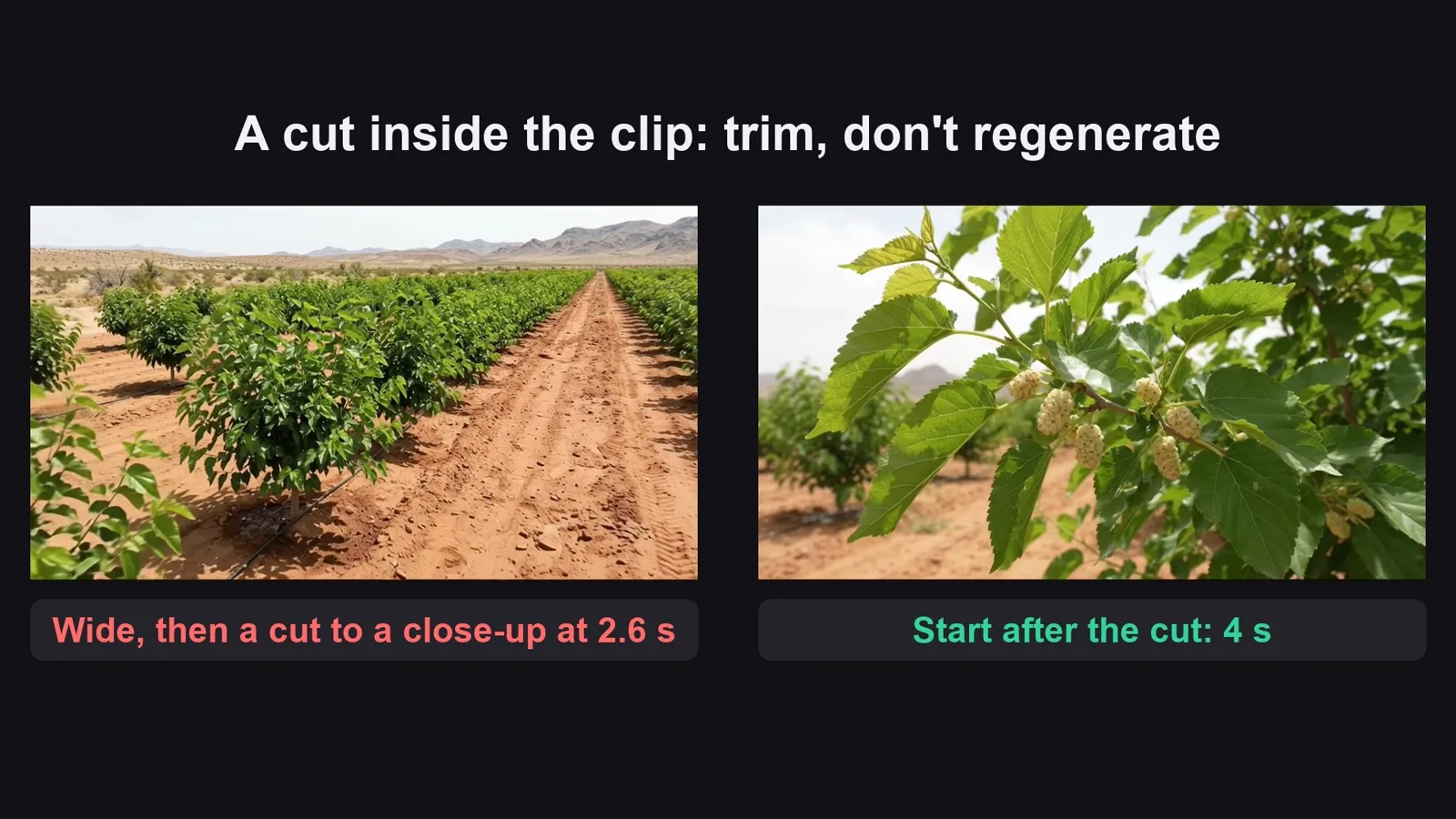
the last ~0.5 s, or a cut the model put inside a clip), in story order, keep the clip sound, no music.
## 4. Problems we hit making the sample (and the fix)
| Problem | Fix |
|---|---|
| A clip without a place picture gets an invented place | One place picture per stage (we made 20), and every clip tags one |
| AI text on labels comes out garbled | Labels with only a small drawing of the fruit, "absolutely no words" |
| The original shows a real supermarket sign and branded tractors | Invented store, "unbranded" machines, "no logos, no brand names" |
| Every clip was [8s] at first: the film felt mechanical | A length per action ([4s] insert ... [10s] long action); Omni takes 4, 6, 8 or 10 s |
| Some clips cut to a new angle after 2-3 seconds | "one continuous shot, no cuts" in the prompt, and trim it in the edit |
Before you publish

Three mistakes that kill these videos

Mistake 1

A missing step

The journey is the hook. Skip the well or the factory and it feels like a slideshow.

Mistake 2

No place picture

Without one, the AI invents the farm, and it changes in every shot.

Mistake 3

All the same length

Every clip at 8 seconds costs more and feels mechanical: pick 4, 6, 8 or 10 by the action.

What I used

Any tool works: Claude, ChatGPT or Gemini for the prompts; any image model that takes reference pictures; any video model that builds a clip from reference pictures and makes sound; CapCut or any editor.