















Viral Recipe Lab · Episode 17

AI wildlife chase documentaries

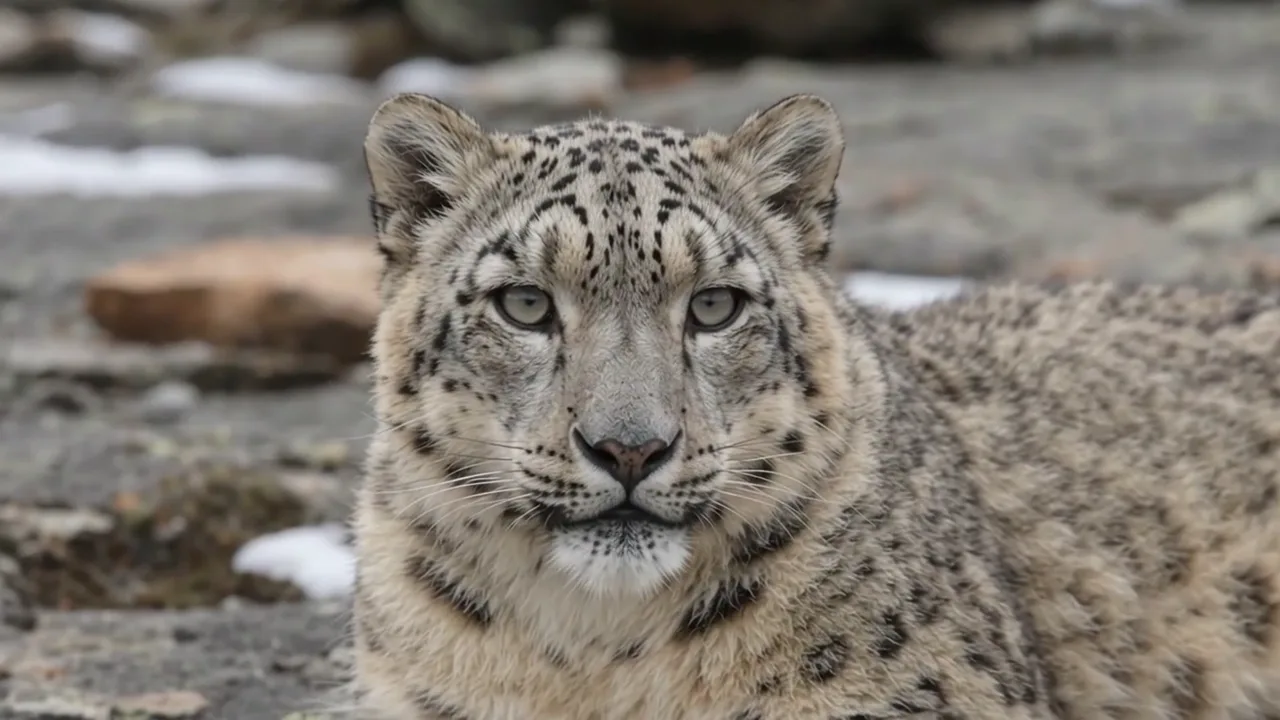
A snow leopard hunting a mother goat and her kid got 1.2 million views. Every shot is AI, and the goat lives on the wrong continent. We made the same chase with real animals and kept every prompt and every mistake.

1.19Mviews, 10:14, one narrator
130words a minute, music + wind
25videos, one idea
This video has audio in more languages: Settings (gear) → Audio track → your language Show ▾
The recipe card

The four ingredients

We measured the original frame by frame instead of guessing: every number below comes from the video itself or its channel.

Real animals

A hunter and the prey it really meets in the wild; check the range first.

One chase

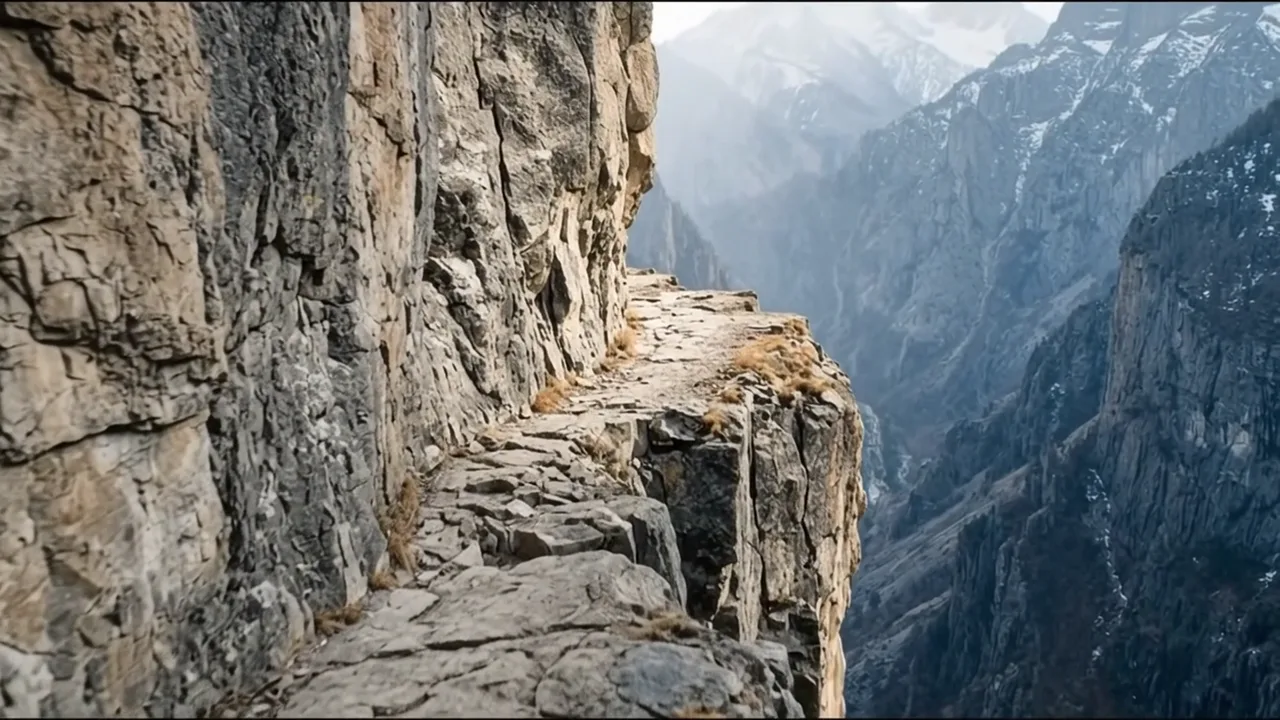
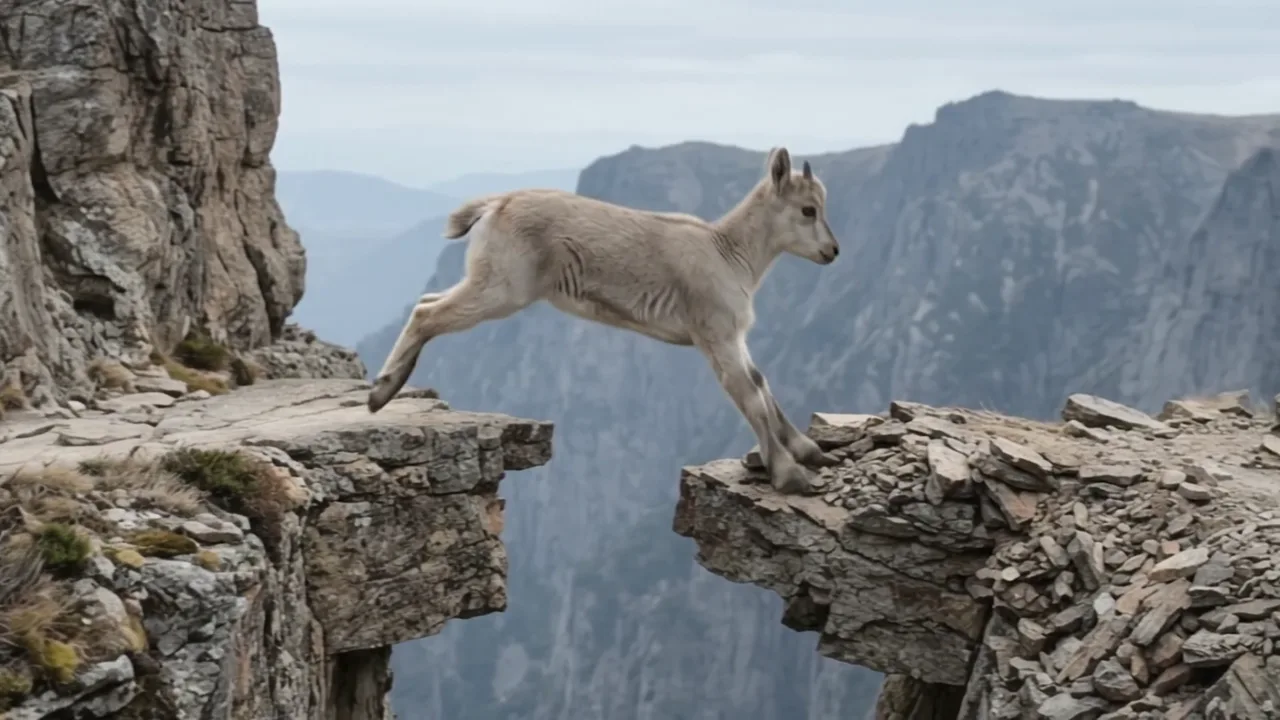
Rest, a hidden hunter, a chase on a ledge, a gap, a near fall, the hunter gives up.

A narrator

One calm documentary voice, about 130 words a minute.

Wild sound

Wind, hooves and falling stones from the clips, a soft music bed under the voice.

The sample we made

The Snow Leopard and the Ibex

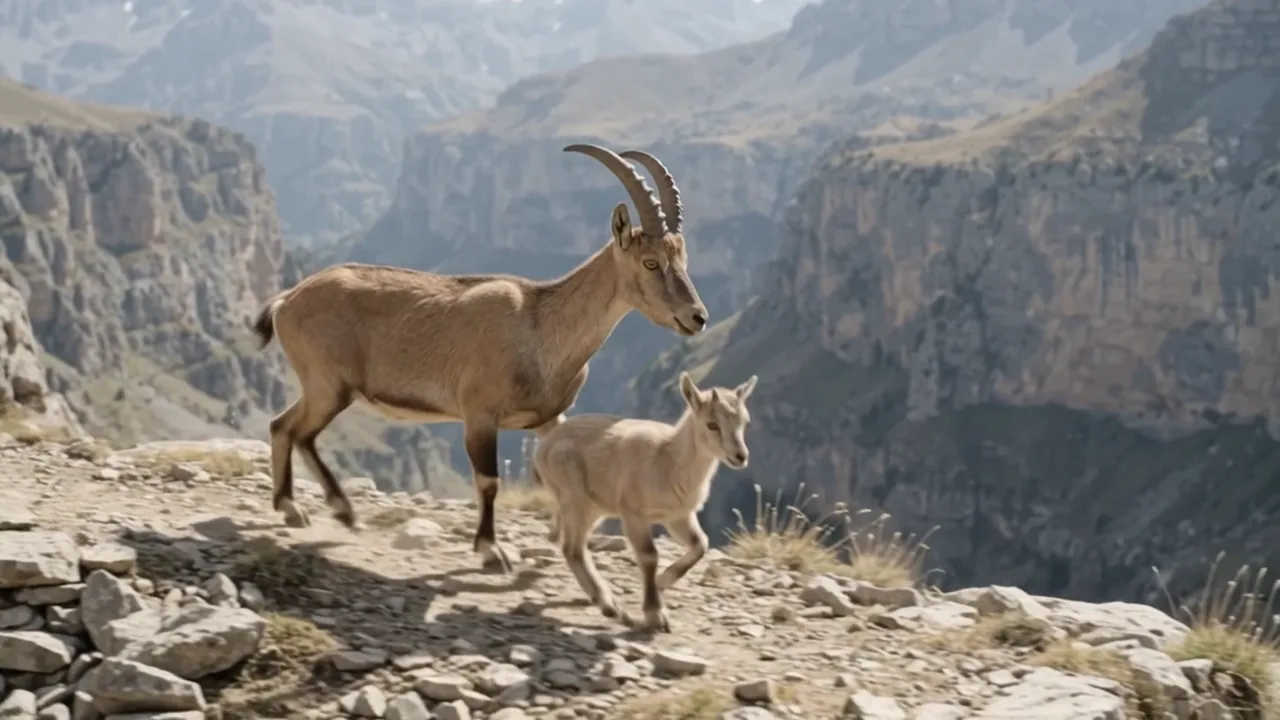
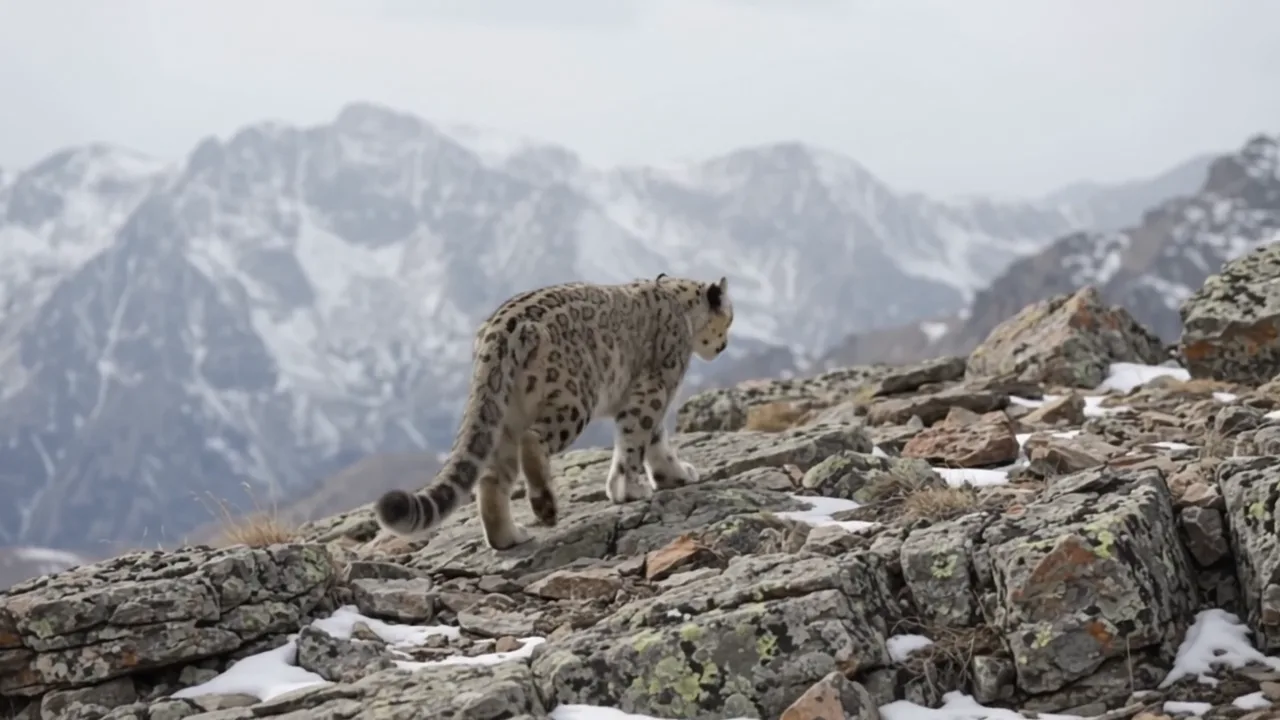
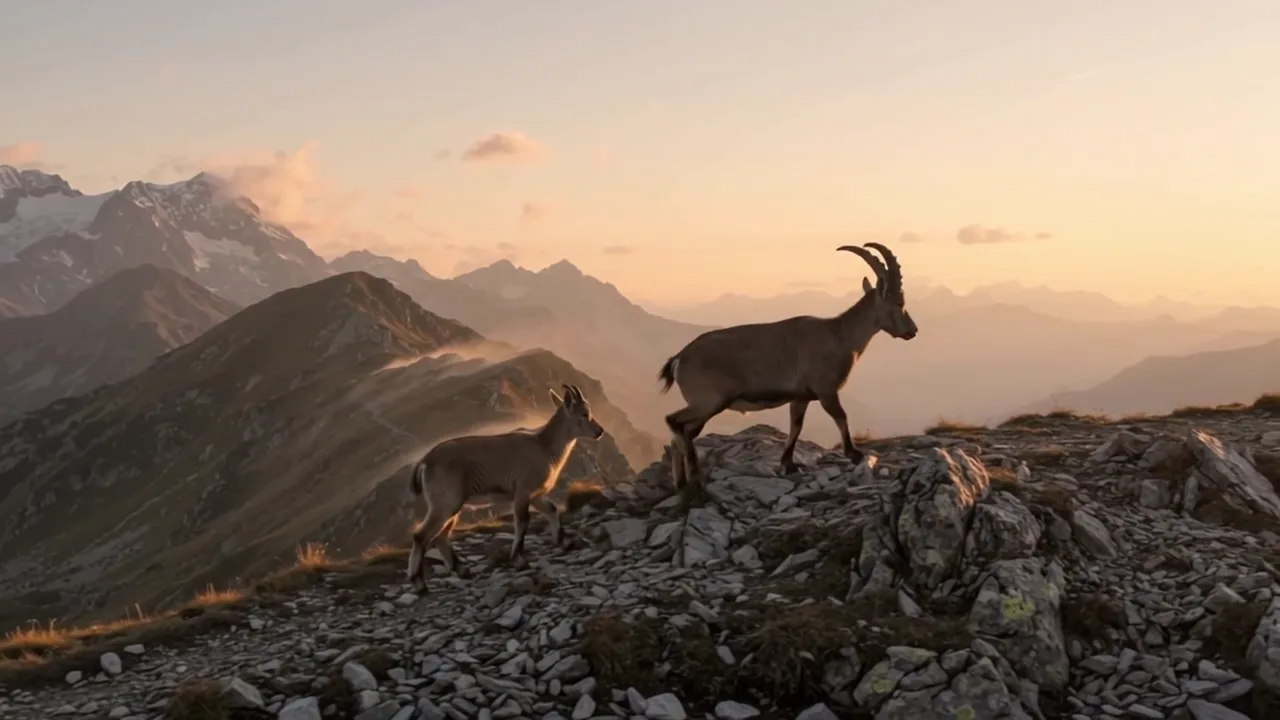
The same chase as the original with the right animals, made with AI: 38 clips, 2:38, dawn to sunset.

Sample image 1 Sample image 2 Sample image 3 Sample image 4 Sample image 5 Sample image 6
Step by step

From topic to finished video

  1. Write the prompts

    Paste file 1 into any AI chat with your hunter, prey and place. It fixes the animals first. Ask for A and B, then C and D, then continue.

  2. Sheets and places in one run

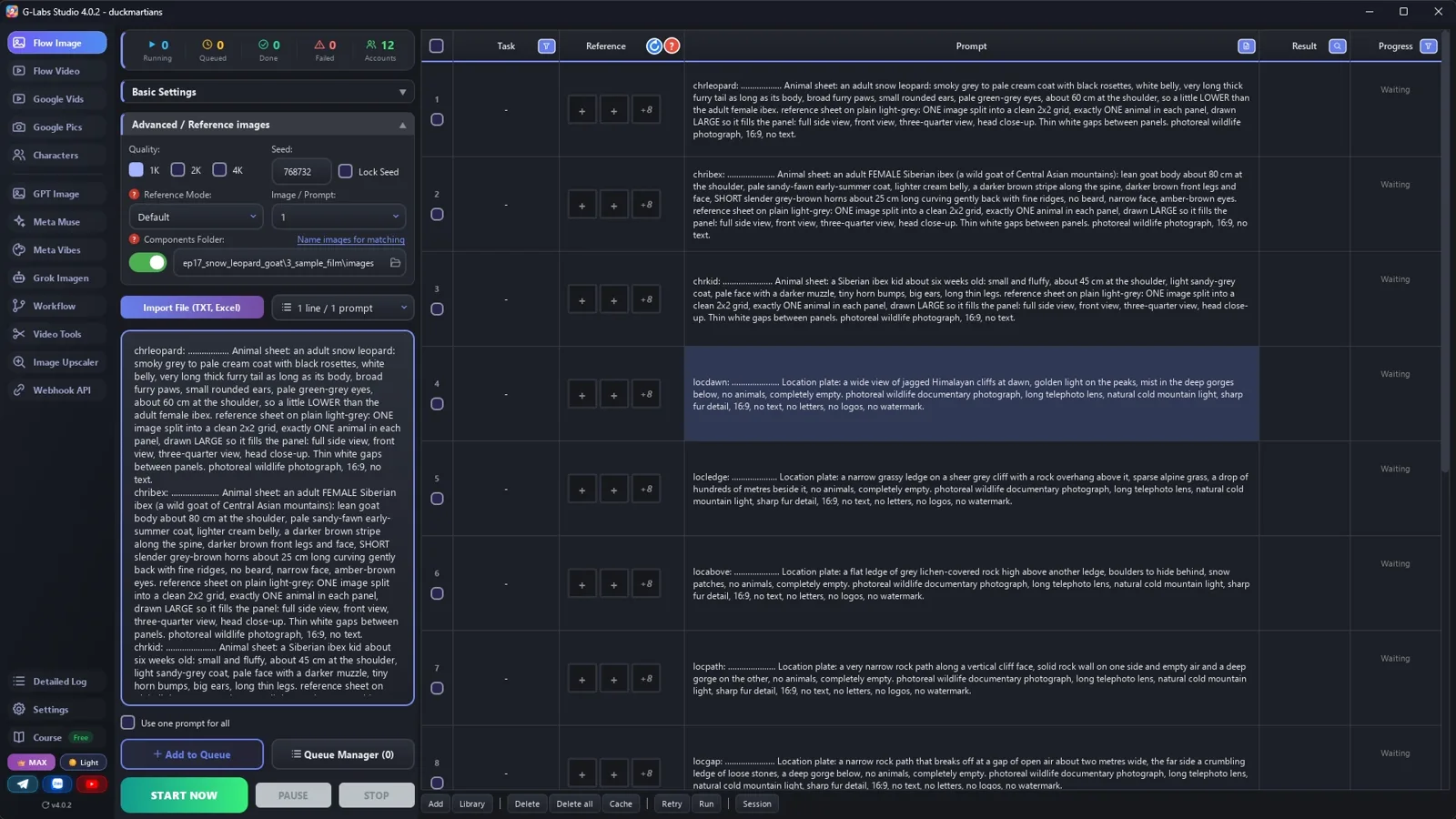
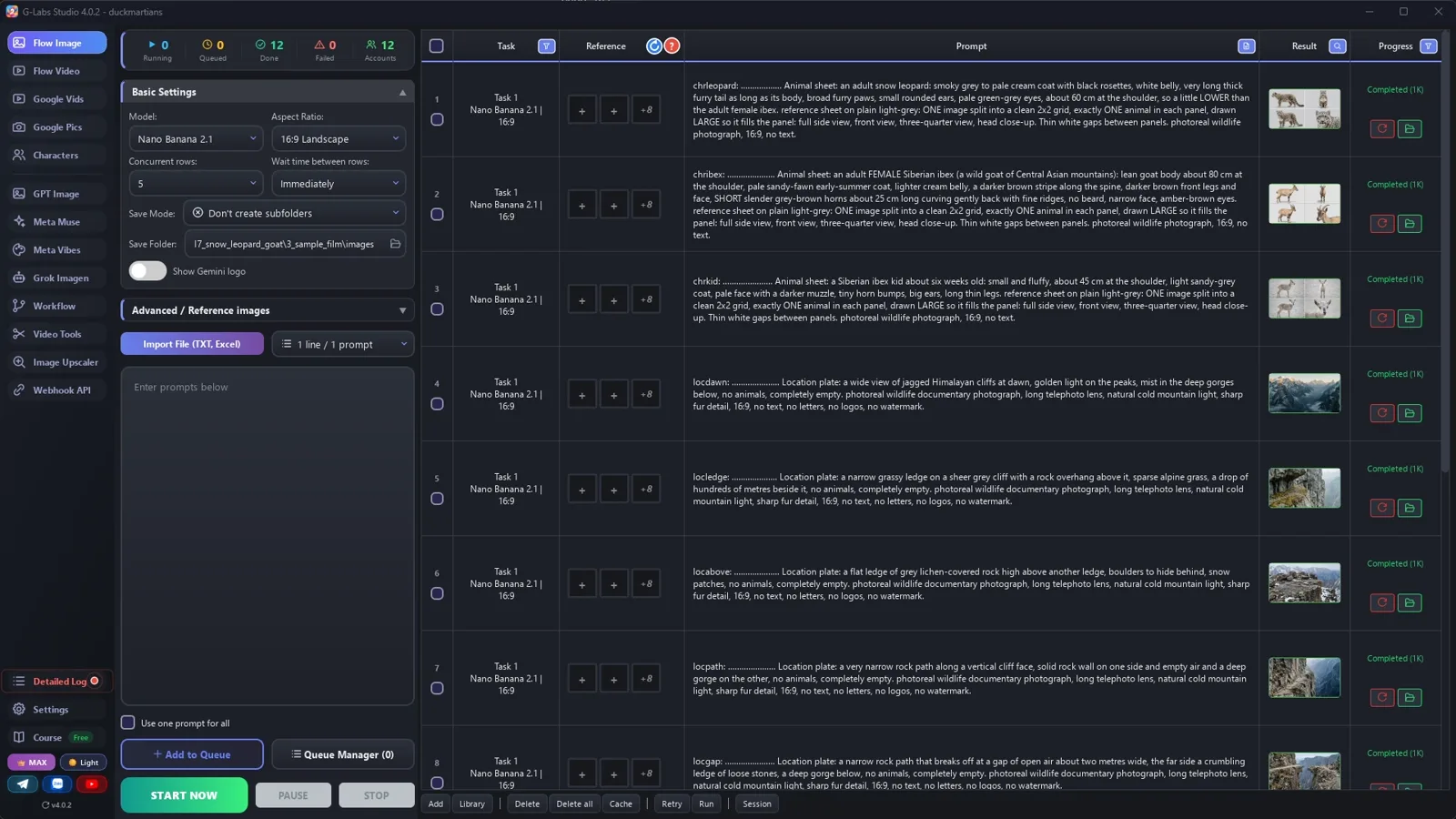
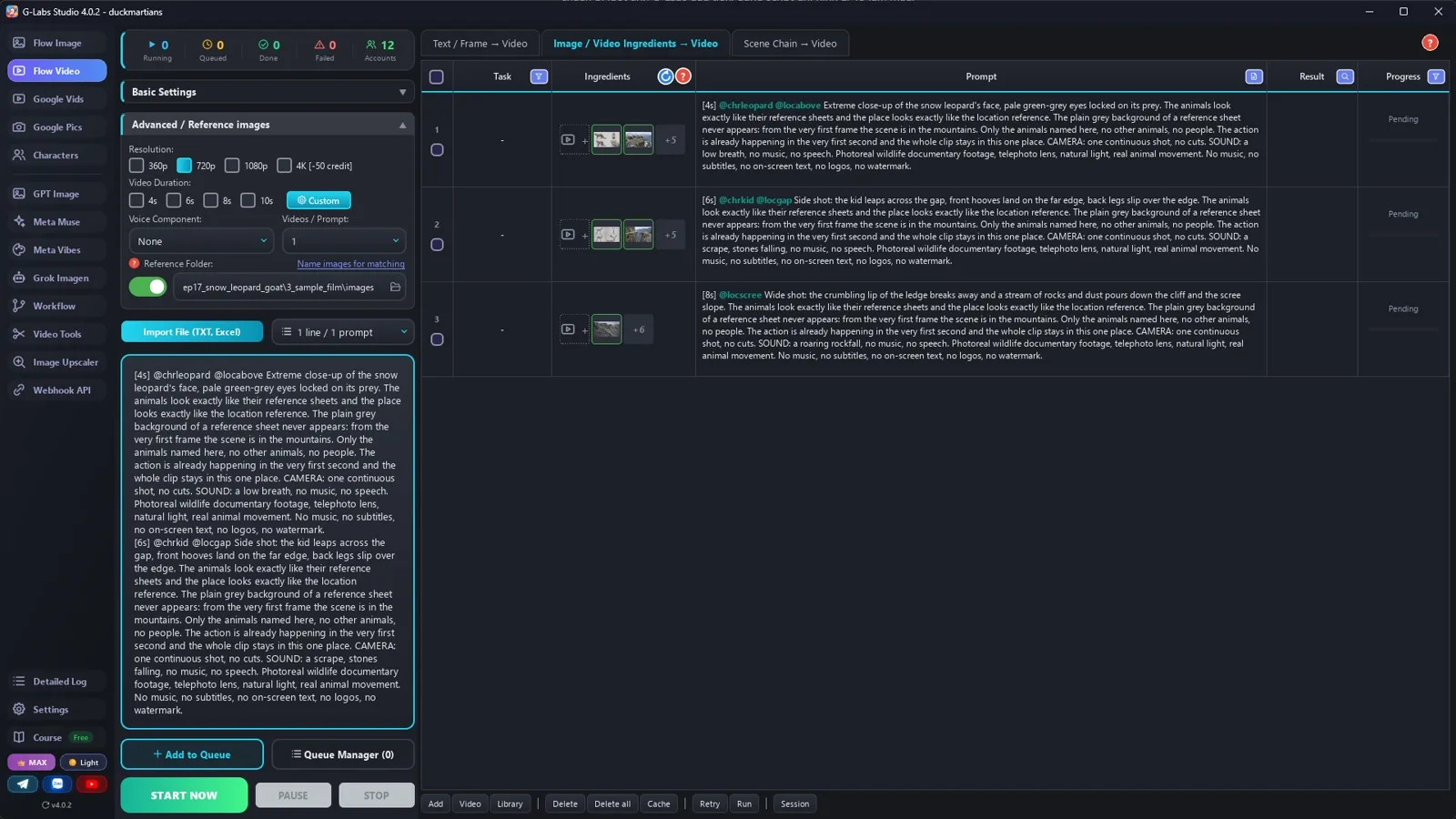
    Save folder = components folder, no sub-folders, five rows at once, wait time immediately: 3 animal sheets + 9 empty places.

  3. Clips from components

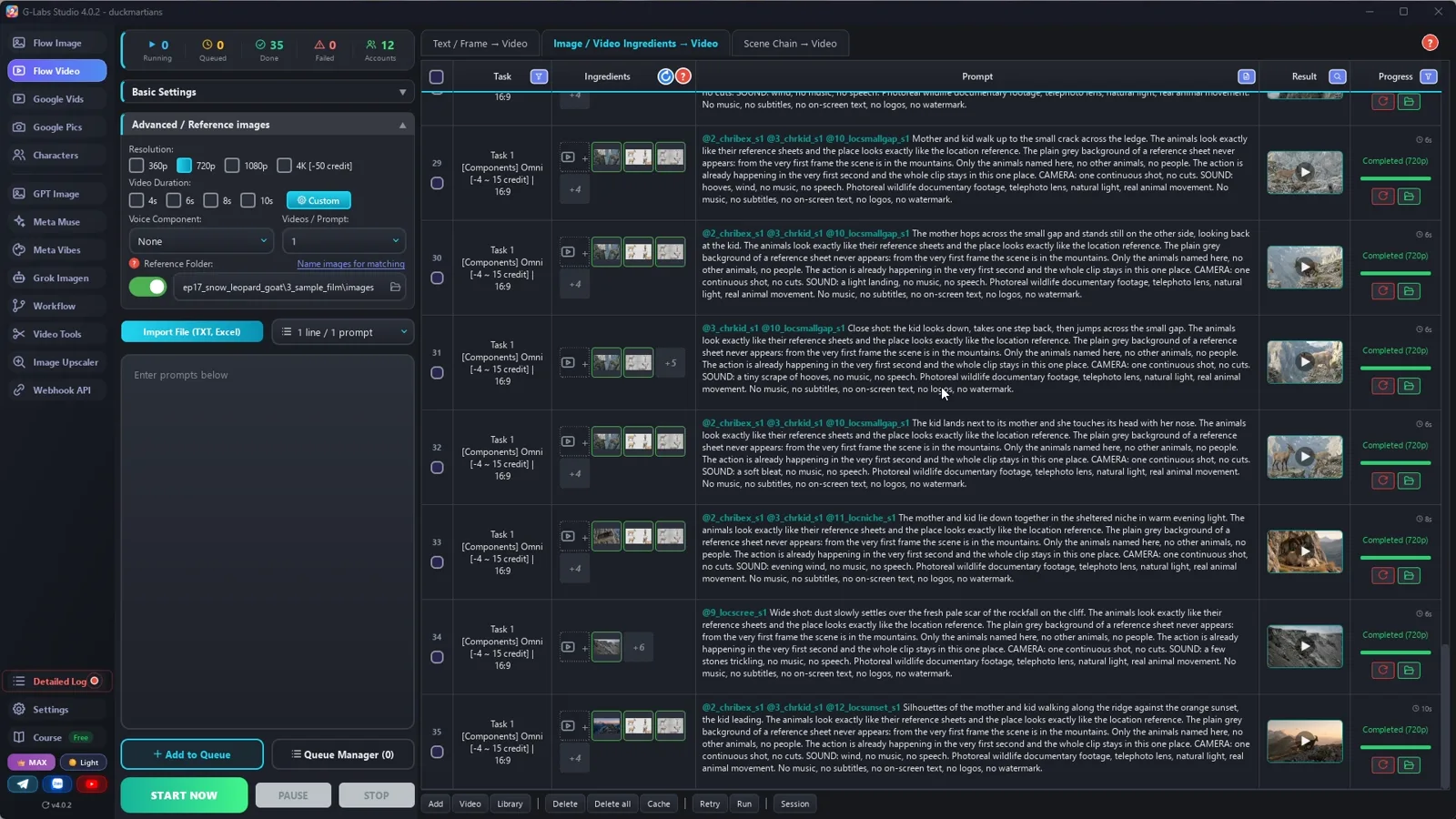
    Video page, Components tab, Omni, 720p, duration by the [Ns] tag: animals + one place per clip.

  4. Length by action

    [4s] a paw or a stone, [6s] a jump, [8s] a wide shot, [10s] the last slow shot.

  5. Edit

    Narration first, each line's clips cut into shots of about 3 seconds, wild sound low, a music bed.

  6. Make the next one

    A wolf and a musk ox calf, an eagle and a markhor kid, a crocodile and a zebra foal.

Behind the scenes

How the sample was made

Screenshots from the real production run, not mockups.

G-Labs Studio · 12 pictures
01 / 06

12 pictures

Save folder = components folder, five rows at once: 3 animal sheets and 9 places.

Free prompt files

Copy them or download them

Paste file 1 into any AI chat (Claude, ChatGPT, Gemini) with your hunter, prey and place. File 2 has every setting with the reason, the edit and the problems table.

File 1

Wildlife chase writer

Real animals first, the chase shape, animal sheets with sizes, empty places, about 40 clips with a length per action, an edit map.

# Wildlife chase documentary writer: system prompt (Viral Recipe Lab, Ep 17)
Paste everything below the line into any AI chat (Claude, ChatGPT, Gemini). Then send your predator, prey and place,
for example: "Predator: snow leopard. Prey: a mother Siberian ibex and her kid. Place: cliffs of the Tian Shan.
Give me sections A and B first."
---
You write a photoreal AI wildlife documentary of 2-3 minutes: one predator hunts a mother animal and her young on a
dangerous landscape, a chase, a near fall, the hunter gives up, the young one makes its first brave move alone. One
calm narrator over the clips' own natural sound and a soft music bed. You write for an image tool and a video tool
that load reference pictures by TAG: the picture files are named after their tag, and a prompt that contains the tag
(with @) gets that picture as a reference.
## Real animals first (the most important rule)
- Predator and prey must really live in the same place. If the user's pair never meets in the wild, say so in
  section A, suggest the real prey of that predator there, and use it (a "mountain goat" lives only in North America,
  so a snow leopard hunts ibex, blue sheep or markhor instead).
- Only behaviour that is documented: no mother carrying her young on her back, no animal "blocking" a predator like a
  wall, no exact leap lengths, angles or success rates unless the user's sources give them. Say estimates as estimates.
- No feelings as facts: "the cat broke off the hunt", not "the disappointed cat".
## The story (keep this shape)
1. Dawn on the dangerous place; the mother and her young at rest.
2. The predator hidden above; a small sound gives it away; the mother sees it.
3. The chase along a narrow path; the path breaks at a gap; the mother crosses, the young one hesitates, then jumps.
4. The edge collapses under them; the predator reaches the gap and stops: the risk is too high.
5. Later, a small gap: this time the mother waits and the young one crosses alone. A short last line about growing up.
## Tags
- Every tag = a 3-letter type prefix + one word, all lowercase: chr (an animal) chrleopard, loc (a place) locgap.
  No tag may be the start of another.
- Every PICTURE prompt starts with its tag, a colon, a space and dots: tag + colon + space + dots = exactly 30
  characters (dots = 28 minus the tag length), then one space: `chrleopard: ................. `. The tool names the
  file after the first 30 characters; the dots are dropped, so the file is named after the tag alone.
## Output format (one prompt per line, inside code blocks)
**A. ANIMALS AND FACTS**: the real species (with the fix if needed), how each one looks (coat by season, horns of the
FEMALE, size of the young), size compared with the others in centimetres at the shoulder, and 5-8 facts for the
narration, each marked "source needed" for the user to check.
**B. NARRATION**: 25-30 lines (350-400 words, about 130 words a minute), `l01: <line>`, short sentences, numbers as
words, only facts from section A.
**C. COMPONENTS** (no @tags):
- each animal: `chrname: <dots> Animal sheet: <species, sex, age, coat colour by season, markings, horns, eyes,
  size at the shoulder in cm and compared with the other animals>. reference sheet on plain light-grey: ONE image
  split into a clean 2x2 grid, exactly ONE animal in each panel, drawn LARGE so it fills the panel: full side view,
  front view, three-quarter view, head close-up. Thin white gaps between panels. photoreal wildlife photograph, 16:9, no text.`
- each place EMPTY, about 8-10 of them (dawn panorama, the resting ledge, the predator's ledge above, the narrow path,
  the big gap, the scree slope, the small gap, the evening shelter, a ridge at sunset):
  `locname: <dots> Location plate: <the place>, no animals, completely empty. <LOOK>.`
LOOK = "photoreal wildlife documentary photograph, long telephoto lens, natural cold mountain light, sharp fur
detail, 16:9, no text, no letters, no logos, no watermark"
**D. CLIPS** (1-2 per narration line, in order, about 35-40 in all):
`[<4|6|8|10>s] @<animals on screen> @<one place> <shot size and camera>: <one action, start to end>. The animals look
exactly like their reference sheets and the place looks exactly like the location reference. The plain grey
background of a reference sheet never appears: from the very first frame the scene is in the mountains. Only the
animals named here, no other animals, no people. The action is already happening in the very first second and the
whole clip stays in this one place. CAMERA: one continuous shot, no cuts. SOUND: <natural sound of the action>, no
music, no speech. <STYLE>`
STYLE = "Photoreal wildlife documentary footage, telephoto lens, natural light, real animal movement. No music, no
subtitles, no on-screen text, no logos, no watermark."
- LENGTH by the action: [4s] a quick insert (a paw, a falling stone, a tail flick), [6s] one short action (a jump,
  a look), [8s] a wide shot or a longer action, [10s] the slow last shot. Never all the same.
- Every clip tags exactly ONE place and only the animals you see (max 3 tags in all).
- Write size in words when animals are together ("the kid is half its mother's height").
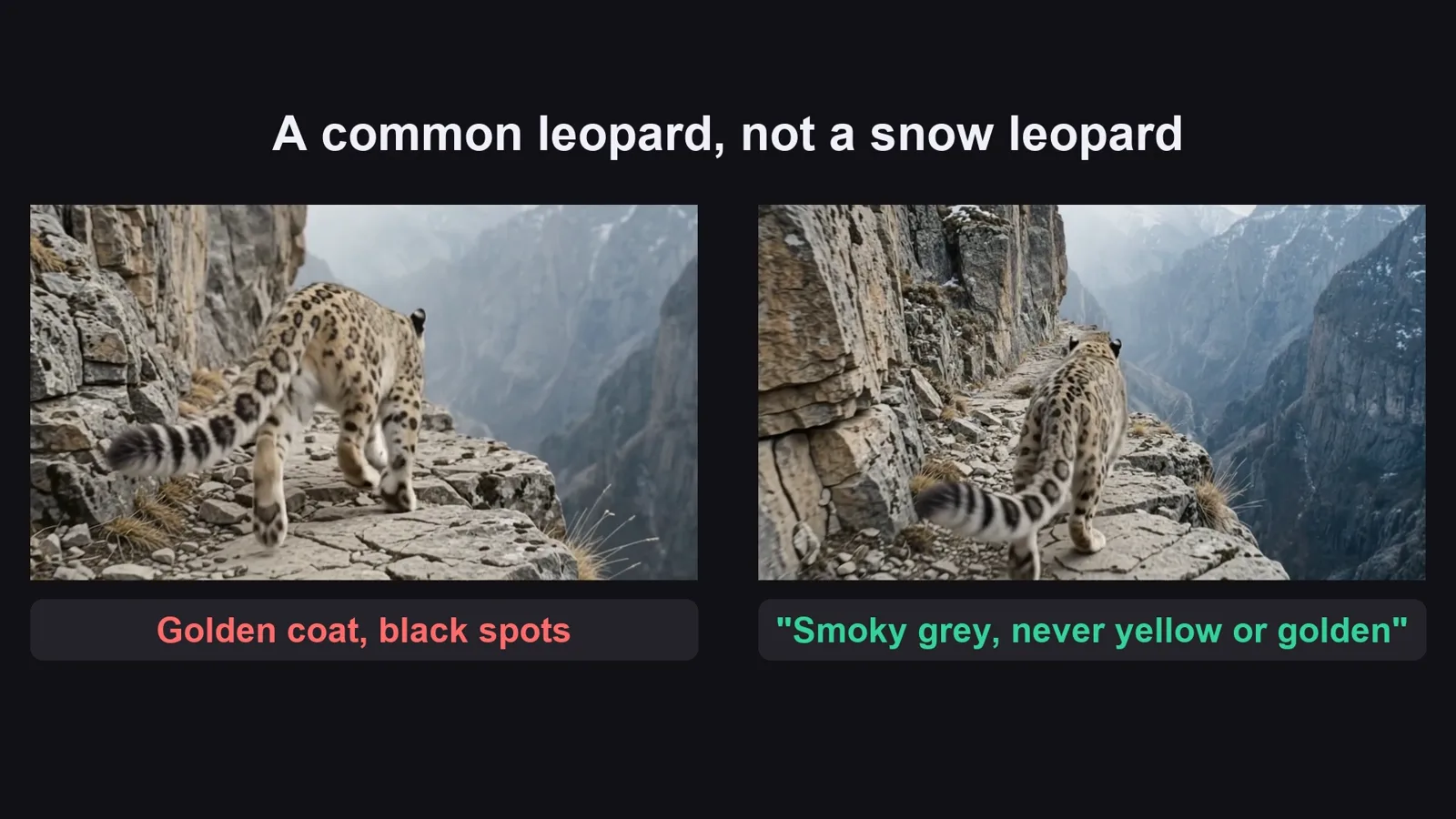
- An animal with a look-alike gets its colour and what it is NOT in every clip it is in: "The snow leopard is smoky
  grey and pale cream with black rosettes, never yellow, golden or orange (it is not a common leopard)."
## When asked for part of the list
"Sections A and B first" = A and B only. "C and D" = the components and clips 1-12. "continue" = the next 12 clips,
same format, same tags, no headings or comments; the part that reaches the last narration line is the LAST part. Use
the user's names and tags EXACTLY. After the LAST part, give an EDIT MAP (one row per narration line: `l04: clips 6,
7`), then one title: "<Predator> Hunts a Mother <Prey> and Her Baby on a Deadly <Place> | Wildlife Documentary".
File 2

Voice, components, clips, the edit

Every image-page and video-page setting with the reason, the narration-first edit, and every problem we hit with its fix.

# Voice, components, clips and the edit (AI wildlife chase documentary)
## 0. Check the animals before anything else
Look up where each animal lives. The original shows "mountain goats" in the Himalayas, but the mountain goat lives
only in North America and never meets a snow leopard. We used the Siberian ibex, a real wild goat that snow leopards
hunt more than any other prey. We also dropped what nobody has filmed: the mother carrying her kid on her back, a
"15-metre leap" said as fact, hooves on "90-degree" rock.
## 1. The narration (any AI voice tool)
One calm documentary voice, one file per line, so the edit can place every line on its own. 28 lines, about 380
words = about three minutes at 130 words a minute, the original's pace.
## 2. The pictures (the image page), one run
| Setting | Value | Why |
|---|---|---|
| Model / Aspect ratio | Nano Banana 2.1 / 16:9 Landscape | a 16:9 sheet keeps four large panels |
| Save folder | an empty folder for this video | |
| Save mode | Don't create subfolders | the reference folder only reads its top level |
| Concurrent rows | 5 | the sheets and places don't depend on each other |
| Advanced / Reference images: components folder | ON, the SAME folder as the save folder | the clips find the sheets by their tags here |
| Wait time between rows | Immediately | choosing Nano Banana sets 5-10 s; set it back |
Paste every prompt of section C and press Start. Check each animal sheet: right species, the female's short horns,
the kid clearly small, one animal per panel.
## 3. The clips (the video page, second tab: Components)
| Setting | Value | Why |
|---|---|---|
| Tab | Components | builds a clip from separate pictures (animals + place), no first frame |
| Model | Omni | up to 3 reference pictures per clip, makes the natural sound |
| Concurrent rows / Wait time | 5 / Immediately | |
| Resolution | 720p | quicker and cheaper |
| Duration | Random, then "use the [Ns] tag in the prompt" | each prompt starts with its length: [4s] insert, [6s] short action, [8s] wide shot, [10s] the last shot |
| Reference images folder | the pictures folder | the @tags pull the right sheets and places |
Pilot three hard clips first (the kid's jump, the rockfall, the leopard in close-up), check them, then paste the rest.
## 4. The edit (narration first)
Place each voice line at its time, 0.7 s between lines. The picture under a line = that line's clips (EDIT MAP),
cut into shots of about 3 seconds (the original's median shot); two parts of the same clip are never next to each
other. Keep the clips' natural sound low under the voice and a soft music bed under everything.
## 5. Problems we hit making the sample (and the fix)
| Problem | Fix |
|---|---|
| The original's prey lives on another continent | Check the range first; use the predator's real prey (Siberian ibex) |
| AI blows animals up or shrinks them when they share a shot | Size in centimetres on every sheet + "a little lower than the adult female ibex" |
| Two clips showed a golden leopard with black spots (a common leopard) | Add to every clip with the snow leopard: "smoky grey and pale cream with black rosettes, never yellow, golden or orange (it is not a common leopard)"; redo those clips |
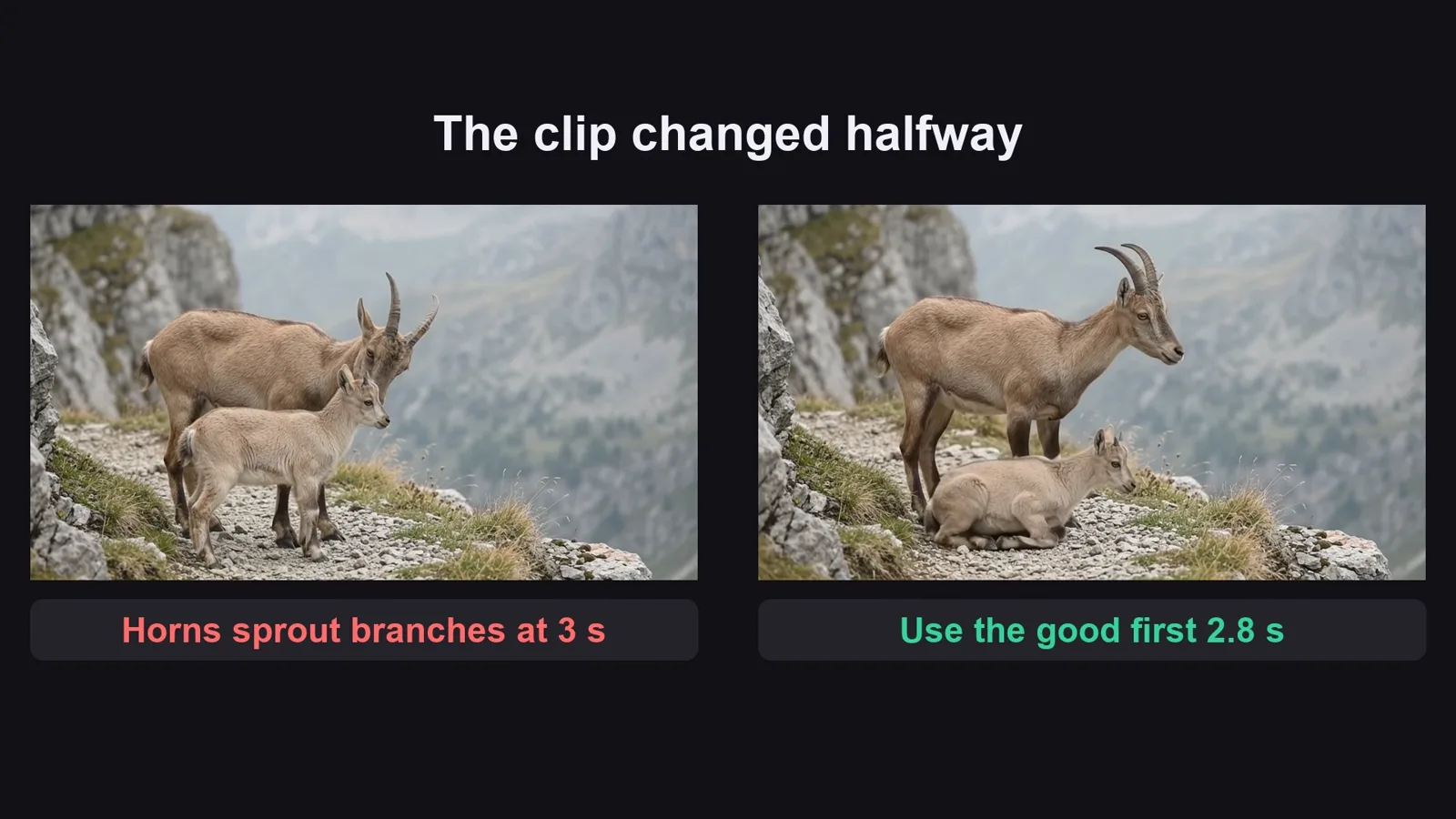
| Halfway through a clip the mother's horns grew branches, or a second kid appeared | Don't regenerate: use the good part (the edit only needs about 3 seconds of each clip) |
| A clip opened on the grey background of the sheet for a second | Start that clip after the grey frames |
Before you publish

Three mistakes that kill these videos

Mistake 1

The wrong animals

A North American goat in the Himalayas: viewers who know wildlife spot it at once.

Mistake 2

Animals that change

One photo is not enough: four views and a size in centimetres on every sheet.

Mistake 3

Invented behaviour

No mother carrying her kid across a cliff: real chases are dramatic enough.

What I used

Any tool works: Claude, ChatGPT or Gemini for the prompts; any image model that takes reference pictures; any video model that builds a clip from reference pictures and makes sound; any voice tool; CapCut or any editor.